Kindle for Android Updated with Collections, New Option to Enable/Disable Publisher Formatting

Amazon rolled out a new update for the Kindle Android app yesterday. In addition to the usual bug fixes, the app also gained a couple new features, some improvements which you might not notice, and at least one feature that took me several minutes to find.
The Kindle Android app now supports the collection feature which lets readers organize their ebooks, magazines and documents into directories (I’m old fashioned). The app also gained better support for the accessibility features in later versions of Android, including both Talkback and Explore by Touch.
The changelog also mentions a prompt that asks you to rate an ebook when you’ve finished it. I’m not sure what Amazon changed, but I do know that some version of this feature was already present in a previous version of the Kindle app; I remember writing about it.
And then there’s the biggie. According to the changelog, the Kindle app will now let you choose to turn on or off the publisher’s font choices. that’s not quite true. I’ve been playing with this feature this morning; it’s the one that was hidden and it took me some time to figure out that I had to press the Android menu button to see the menu where this option had been placed.
Edit: And now the option appears to have vanished after I reset the Kindle app. Weird.
Update: If you don’t have the menu button I mention, look in the upper right corner of the Kindle app. If you see an icon resembling 3 dots, press it. That is the menu where I found this option (confirmed on a Sero 7 Pro).
This option doesn’t just enable a publisher’s font; it also turns on and off the publisher designed formatting. Turning it on radically changed the formatting of A Song of Fire and Ice.
The font changed, of course, but the screen margin also got wider and the the line spacing increased.
Here is a pair of before and after screenshots:
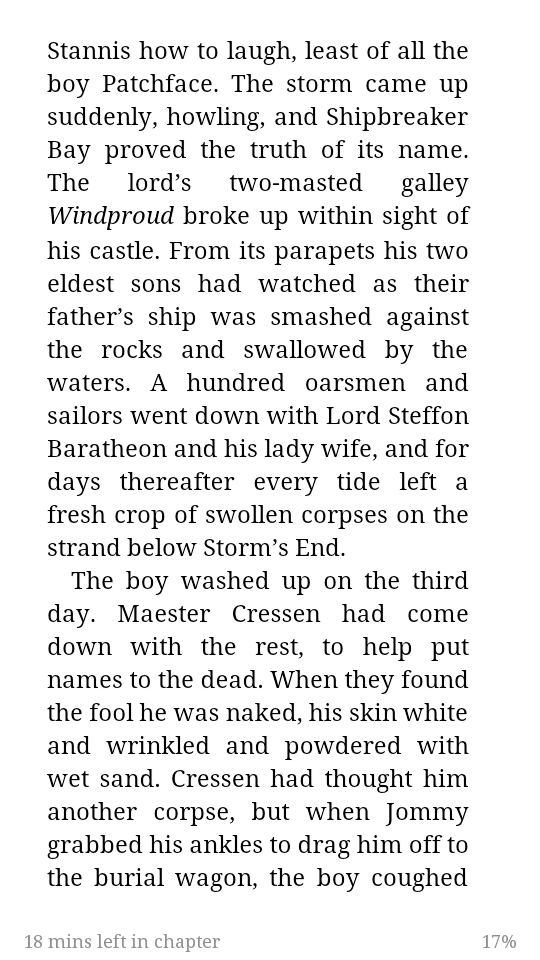
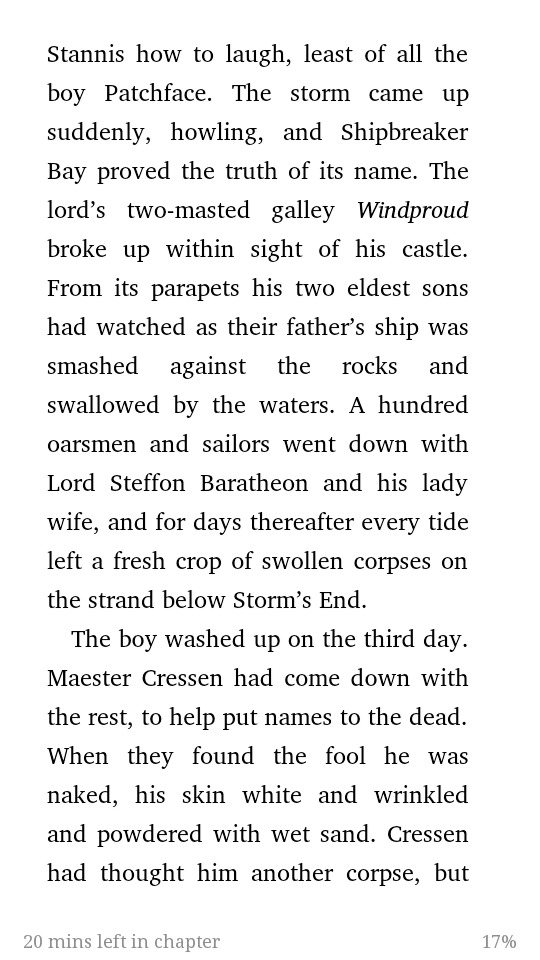
Someone please correct me if I’m wrong, but this is a new feature. And while I don’t care to use a publisher’s formatting (it often gets in the way of reading fiction), it’s still a good addition to the app.
Judging based on how often the topic comes up over at MobileRead, lots of readers want to use publisher formatting. I can’t recall how many times I have read a complaint about Aldiko or some other reading app not supporting publisher formatting (or rather the reader didn’t know the option had to be enabled), so I am sure that Amazon has had similar requests.
Edit: And as a reader reminded me, controlled is often very useful for nonfiction where the text and illustrations have to fit just so or the reading experience could come up short.
You can find the app in Google Play and other fine establishments.
Changelog:
No Comments