How Audio-to-Text Technology Makes Content More Accessible and Efficient
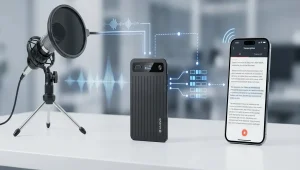
Recordings have become essential to just about everyone. Employees and students make recordings of meetings and lectures. Journalists and content creators have made podcasts and videos. While the use of recordings has become widespread, the difficulty in locating the exact information in a long recording remains. Long recordings also become very difficult to share or distribute. Spoken words can easily be converted to written words using text generators. Tools like Clideo can be of great help in this regard. Those interested in simplifying this process can learn more about audio into text and how transcription tools support everyday digital activities.
What Is Audio-to-Text Conversion?
Audio-to-text conversion refers to the process of capturing spoken language from an audio source and converting it to written language. A more common term for this process is transcription. Transcriptions give users the ability to read through a document to quickly gather relevant information as opposed to having to listen to the entire audio recording.
With the latest transcription technology, users can upload an audio file and have computer software automatically generate a transcript. The accuracy of the transcript will depend on the quality of the audio file, the language, the background noise and the clarity of the speech. Users have the ability to review the transcript and make changes before distributing it.
Information contained in recorded lectures, interviews, discussions, and business meetings can all be transcribed and proved very useful.
Importance of Audio Transcription
Recording and publishing audio and video content has become very easy and therefore very common. Lectures, lessons and other types of content are published in audio and video format. Determining where a specific piece of information is located in a lengthy video or audio file can be time consuming. With a transcription of this content, locating particular information is much easier.
Users can search through a transcript for important information, like specific details of a lecture, or the date of a meeting, and confirm it without having to listen through the entire recording. Written transcriptions are also beneficial for people with disabilities that prevent them from listening to the audio content.
Practical Benefits of Converting Audio into Text
Audio transcription offers several advantages for individuals, organizations, and digital content creators.
Saves Time When Reviewing Recordings
Listening to a long recording can be time-consuming, especially when someone needs to find only a few specific details. A written transcript makes it easier to scan the content and identify relevant information.
Instead of repeatedly searching through an audio file, users can read the transcript and locate important sections more efficiently.
Makes Information Easier to Search
Written content is generally easier to organize and search than lengthy audio recordings. Once an audio file has been transcribed, users can look for names, keywords, dates, and other important details.
This can be particularly valuable for researchers, journalists, students, and professionals who regularly work with recorded information.
Supports Accessibility
Transcripts help make spoken content available to people who are deaf or hard of hearing. They can also benefit individuals who cannot listen to audio at a particular moment, such as people working in quiet environments or using devices without headphones.
Providing written versions of audio content allows more people to access the same information.
Helps Repurpose Existing Content
A single recording can provide material for several different content formats. For example, a podcast transcript can be adapted into a blog post, a video discussion can provide material for social media captions, and a recorded interview can become a written article.
This approach helps content creators make better use of the information they already have.
Common Uses of Audio-to-Text Technology
Transcription is useful in many professional and personal situations.
Educational and Online Learning
Students are now recording lectures. While doing so is against many college policies, most teachers tolerate it. Students use the recorded lectures to take notes. Transcripts simplify this process even further. Teachers can also post transcripts of lessons to enhance student learning and to provide accessibility to those with various learning disabilities.
Business Meetings and Interviews
An online meeting with colleagues is today’s new normal. Transcripts of these meetings would allow employees to document and review decisions and/or assignments. One example is a project manager reviewing a transcript of a meeting to see which tasks have been assigned to which members of the team. Digital media such as podcasts and online shows can also be converted to text.
Podcasts and Other Digital Media
Transcripts of digital media can also be produced. Posting transcripts of digital media allows the creators to provide additional content. Podcast creators can also use the scripts to help identify and change parts of the recording they would like to adjust or edit. Transcripts of recorded interviews also help journalists document and review the statements for further verification.
Transcription is also useful when analyzing recorded interviews.
How to Improve Audio Transcription Results
Although recent advances in speech recognition have somewhat automated the process of transcription, the quality of the original recording is still critical to the process. Here are a few tips to get better results.
Record in a Quiet Location. Background conversations, traffic noise, or other distracting environment sounds will be detrimental to speech recognition.
Use a Good Microphone. This is especially true when talking to large groups or if people are speaking at the same time. If equipment is not available, position a microphone close to the person speaking to capture as much of what they say as possible.
Avoid Talking Over Others. Position the microphone to capture only the person who is speaking.
Choose the Correct Language. Identifying words and phrases in a transcript can be difficult if the transcription service does not use the language of the recording. Speech recognition increases with more training data and as such, select the most similar language option to the recording.
Edit the Transcript. Review and edit the transcript for spelling and grammar mistakes as well as to add punctuation and technical terms.
Choosing an Appropriate Online Transcription Tool
The kind of recordings being processed and the user’s particular needs determine the choice of transcription tool. Users may transcribe anything from short voice messages to lengthy interviews and lectures.
An online transcription solution should have an easy to use website, support various audio formats, and allow the user to edit the automatically generated text. Convenience of use, supported languages, limits on the size of the files being processed, and the transcription tool’s privacy policy and pricing are some of the factors to consider. Most users will benefit from using a tool that supports various file formats and offers a simple to use interface.
Extra consideration should be given to a tool’s privacy policy when uploading recordings containing confidential information. It’s a good practice to review a tool’s data policy prior to using the service to transcribe recordings containing sensitive information.
Speech Recognition Technology and Transcription
Understanding users’ requests and turning them into spoken answers is the aim of automatic speech recognition technology. Different styles of speech can include the speech patterns of an individual, an ethnic group or a region. Improvements in this technology will lead to better results in areas such as phonetic transcriptions and speech recognition in general.
More accessibility to these tools is likely to make transcription more commonplace in education, business, media production and other fields. Transcription tools are valuable for converting spoken information to typed text quickly and easily.
For now, automated transcription should be viewed as a rough draft. Human transcribers are, and will likely continue to be, necessary for important or critical work.
Conclusion
Speech to text technology is an efficient method to capture spoken information. Professionals across many fields can now easily produce notes from meetings, lectures, and presentations and quickly create transcripts of podcasts, audiobooks and other recordings. Most users can collect the necessary audio input, choose an online tool, and transcript the information with little effort. With additional improvements in speech recognition technology, transcription of audio will play an increasing role in industry.
Users can choose from a wide variety of web based applications to capture and save spoken information. Once the software has generated a transcription, users should listen to the audio and review the transcription for errors to remove remaining gaps in understanding.