How eSIM Technology Is Changing the Way We Stay Connected Abroad
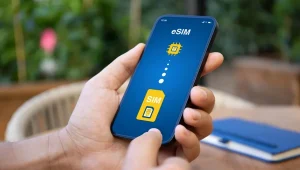
When you get off your plane, you will arrive at your destination with service. You simply switch off airplane mode, and once your device has found a signal, you will be able to connect at baggage claim. There is no longer a need to go to a kiosk or stand in line to obtain a micro SIM. This was once the norm when traveling to foreign countries, where you had to find a vendor to buy a SIM card from or pay exorbitant roaming fees. Well, now that card can become a QR code on your phone. This technology is known as an eSIM and is starting to take over from traditional SIM cards. It allows users to convert their SIM from hardware to software. In this article, we will go over what an eSIM is, how it compares to a traditional SIM, how to check if your device has one, and what to know about your privacy when using one.
What Is an eSIM and How Is It Different From a Physical SIM?
An eSIM, short for embedded SIM, is a chip built into your phone that does the same job as a removable SIM card: it identifies you to a mobile network. The difference is that the chip is permanent, and your plan arrives digitally as a profile, a small file holding your carrier’s settings and your plan details.
The GSMA, an association for cellular providers, created this new technology. In 2016, they released their eSIM spec to the public. It wasn’t until 2018 that Apple released the iPhone XS with eSIM capability. As of 2022, the iPhone 14 no longer has a SIM card slot when bought in the US.
Why Are Travelers and Remote Workers Switching to eSIM?
There are many reasons to choose an eSIM, the first being price and ease of use. Roaming on an international network will cause you to have high bills unless your carrier offers this service. You can purchase a SIM card in the country you are visiting. However, this can cause long lines, language difficulties, and ID requirements, all of which may not be something you want to deal with when landing in a foreign country.
You can also use two lines with an eSIM. Your home SIM will allow you to keep your original phone number for phone calls and receiving text messages. Your second line can be a local eSIM that you can use to receive mobile data while you are abroad. This can be helpful if you need to work remotely and want the ability to connect as soon as you arrive.
Providers fall into three broad groups. Some home carriers sell a travel eSIM as an add-on. Local operators in many countries sell prepaid eSIM plans. Alongside them, a newer category has appeared: digital platforms that deliver travel data plans entirely online. eSIM Plus is one example of this model, where the user chooses a plan in an app, receives activation details, and installs the profile in the phone’s settings. Whichever route you choose, coverage and speed depend on the partner networks behind the plan.
How Do You Check Compatibility and Set Up an eSIM?
eSIM activation is simple, but it works best when done in advance. Here is the general process, which varies slightly by phone and provider.
- Check device support. Look in your phone’s settings or on the manufacturer’s website for eSIM support. Many recent phones have it, but not all.
- Confirm the phone is unlocked. A carrier lock restricts a phone to plans from the carrier that sold it. Ask your carrier if yours is unlocked.
- Get the activation details. Providers send a QR code or a manual code. Manual entry usually includes an SM-DP+ address, the secure server that delivers the profile to your phone.
- Install the profile. In your phone’s cellular settings, choose to add an eSIM and scan the code. This QR code activation usually needs a Wi-Fi connection.
- Label your lines. Give each a clear name, such as Home and Travel, and choose which line handles mobile data.
- Check data roaming. Some plans need data roaming switched on for the foreign network to work, while your home line should usually have it off.
Do all of this before you travel, not at the airport. Many QR codes work only once, so stay on Wi-Fi until the installation finishes.
What Should You Know About Privacy and Security?
An eSIM profile is tied to your device, and the QR code that installs it works like a key. Never post it or forward it to anyone you don’t trust, because whoever uses it first gets the plan.
SIM swap fraud is a separate risk. In this scam, a criminal persuades a carrier to move your number to a SIM they control, then intercepts your text-message codes. The FBI’s Internet Crime Complaint Center received 1,611 SIM swap complaints in 2021, with losses above $68 million. These attacks rely on social engineering, or tricking carrier staff, so the weak spot is your carrier account more than the card itself. A strong account PIN and app-based login codes matter more than the eSIM vs physical SIM choice.
Read the privacy policy for any provider. See what information they collect from you and how they verify who you are. Also keep in mind you may not be able to recover an eSIM if your account is deleted and the quality will vary by partners. You are still using a service that knows you have an account.
Where Is eSIM Technology Heading?
There are a number of trends worth following. Phone manufacturers are trending in that direction and use eSIM-only phones, with some US iPhone models already doing so. ESIM can be used on smartwatches, tablets and certain laptops too and may become an inbuilt feature on more devices.
Changing the carrier can also become simpler, as a new plan can be delivered online, rather than in a visit to a store. Development will be unequal, however. The amount of support differs depending on country and carrier, and even in places where no ID checks are required to be activated. A reasonable way is to observe the course of standards, device support and carrier rules evolve and not assume it will change in a short period of time.
Conclusion
Here are few things to consider before leaping on board using an eSIM. Make sure your device is compatible with eSIM and unlocked from your carrier. Add your profile to your gadget when on Wi-Fi. Name your lines to recognize the name of the line your data would be running on. Use your QR code in the same fashion that you would use your bank account passwords and ensure that your account does not fall prey to SIM swapping. Be sure to read the privacy policies, too. An eSIM may be of great advantage on the road, but it is better to have an idea of what your eSIM can and cannot do.