Turning Portraits Into Dynamic Video Scenes with AI
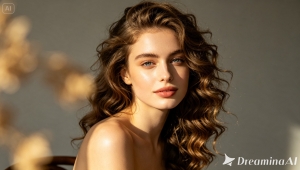
A portrait holds a person in place — one expression, one glance, one breath caught mid-moment. But people are never actually still, and now neither do their portraits have to be. With the image to video technology, a single headshot can turn into hair drifting in the wind, eyes shifting to meet the camera, light moving gently across a face.
Dreamina, running on its most advanced video generation model, Seedance 2.5, makes that shift from portrait to scene feel almost effortless.
From frozen expression to living scene
There’s a reason portraits feel intimate — they capture a single, deliberate moment of a person. Animating that portrait doesn’t erase that intimacy; it extends it. A slight head tilt, a breeze moving through hair, a soft blink — small motions like these make a portrait feel like a person you’re actually watching, rather than a photo you’re simply looking at.
The emotional pull of a moving portrait
There’s a reason people linger longer on a video than a photo of someone’s face — motion signals presence. A slight shift in gaze or a soft exhale-like movement of the shoulders makes viewers feel like they’re sharing a moment with the subject, not just observing one. This is part of why dynamic portraits perform so well in emotionally driven content, from wedding highlight reels to tribute videos: the animation doesn’t add drama, it adds presence, and that’s often what makes someone stop scrolling.
Pairing portraits with sound and voice
A portrait that moves but stays silent can feel slightly unfinished, like watching someone through glass. Adding sound — ambient audio, a soft musical score, or a narrated voiceover — closes that gap.
Dreamina’s soundtrack generation tool makes this simple: after your portrait video renders, you can layer in music that matches the mood of the scene, whether that’s something quiet and reflective for a memorial piece or upbeat and warm for a personal brand reel.
If you’re pairing the portrait with spoken narration, Seedance 2.5’s improved voice/tone reference consistency helps keep that narration sounding steady and natural across the full clip, rather than drifting in tone halfway through.
Setting up your scene with Dreamina in three steps
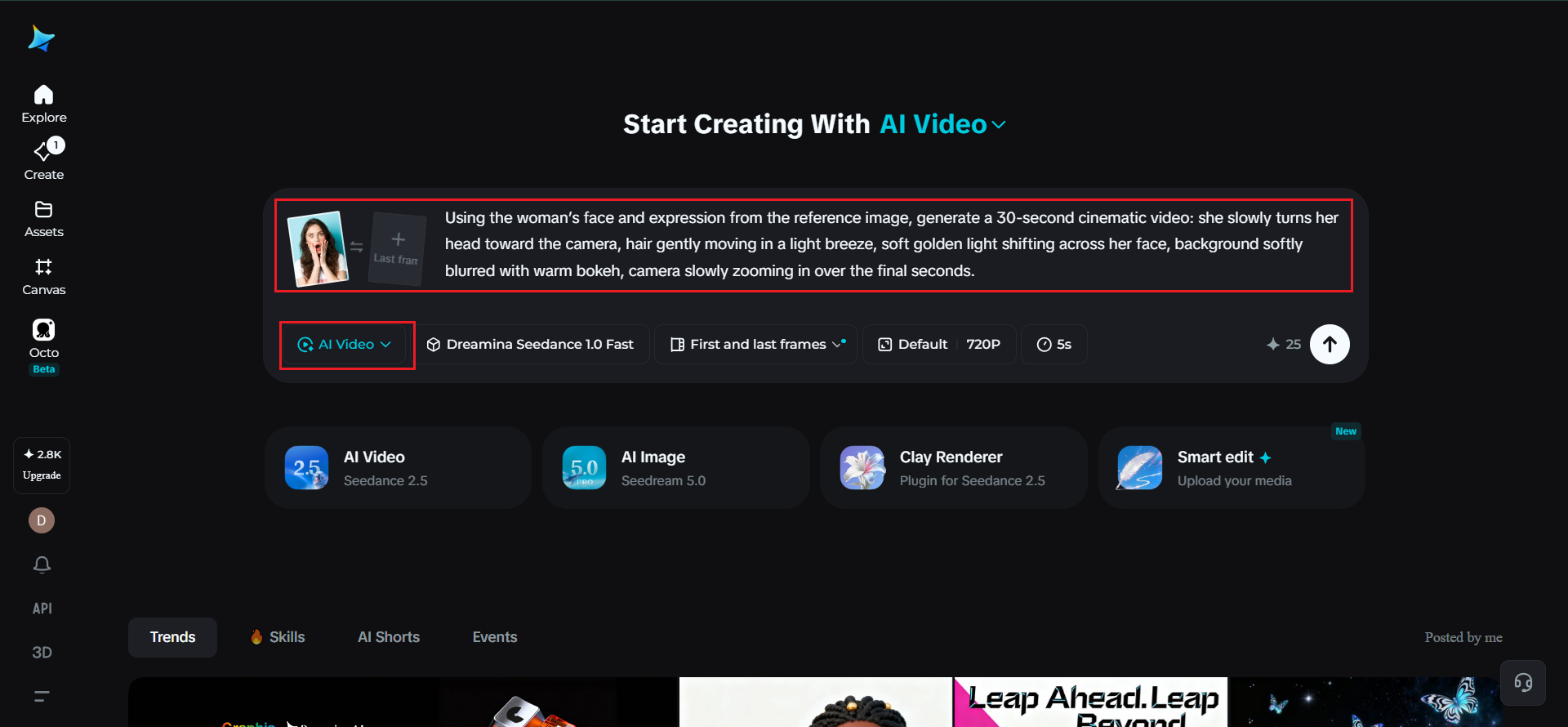
Step 1: Upload your portrait and describe the scene
Sign in to Dreamina and open the "AI Video" section. Click "Add reference image" and upload your portrait, then write a prompt describing the motion and setting you want built around it.
For a 30-second clip, try: Using the woman’s face and expression from the reference image, generate a 30-second cinematic video: she slowly turns her head toward the camera, hair gently moving in a light breeze, soft golden light shifting across her face, background softly blurred with warm bokeh, camera slowly zooming in over the final seconds.
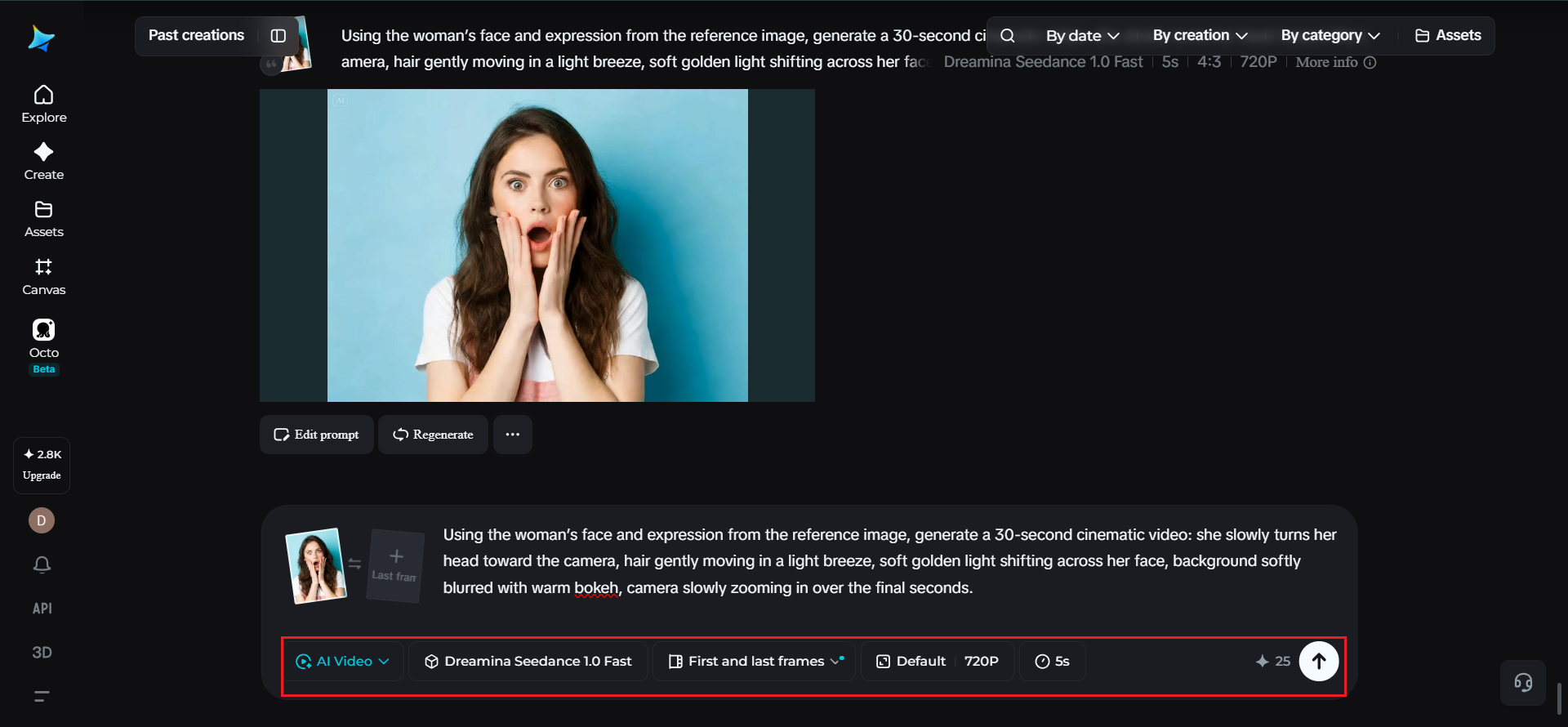
Step 2: Generate with Seedance 2.5
Choose the Seedance 2.5 model, set your desired video length, and pick an aspect ratio suited to your platform — 16:9 for a cinematic YouTube feel, 9:16 for Instagram or TikTok. Tap Dreamina’s generate icon and let it render.
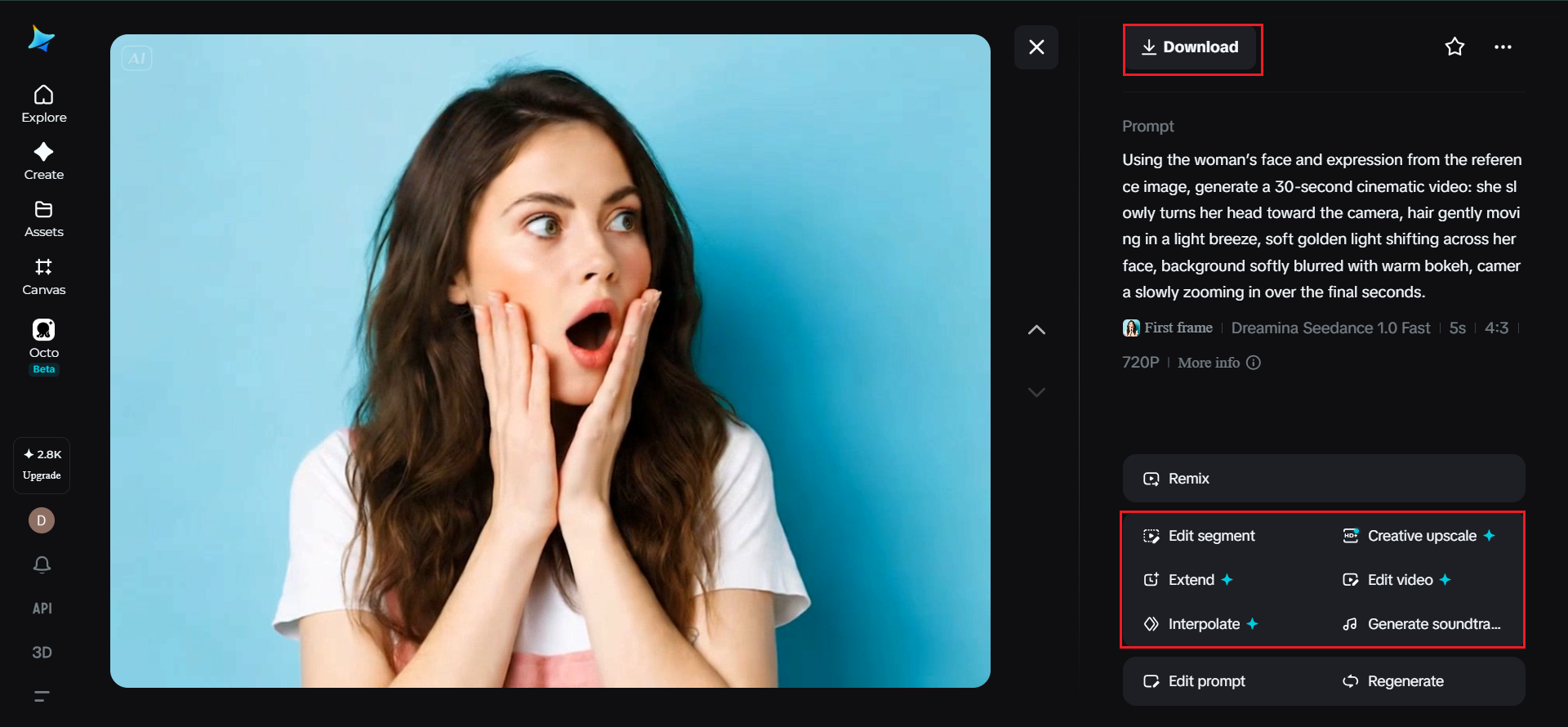
Step 3: Refine and export
Polish the finished clip using Dreamina’s editing tools — Upscale for crisper detail, Generate soundtrack for mood-setting audio — then export and share it wherever your audience is watching.
Why portraits specifically benefit from AI video
Faces are one of the hardest things to animate convincingly, which is exactly why strong portrait-to-video results feel so impressive. A few reasons this format works so well:
- Subtle facial motion reads as deeply human, even in short clips
- Portraits already have strong lighting and composition, giving the model a clean foundation to build on
- Small, believable movement holds attention longer than static images in feeds and ads
Inside Seedance 2.5: the model doing the heavy lifting
Keeping faces consistent, not "twinned"
One of the trickiest parts of animating a person is making sure they stay recognizably them throughout the clip. Seedance 2.5 specifically resolves the duplication issue where a single subject could oddly split into look-alike figures, keeping the portrait’s identity intact from first frame to last.
Longer takes for fuller scenes
Clips can run natively up to 30 seconds, with an "Ultra-long Video Generation (beta)" mode extending that to a full 180 seconds — enough time for a portrait to shift through several small, natural movements rather than one quick gesture.
Realistic texture over the "AI look"
The model has meaningfully reduced the artificial, plasticky quality that used to give AI-generated faces away, favoring more natural skin texture, lighting behavior, and motion.
Voice and tone reference improvements
For portraits paired with speech or narration, Seedance 2.5 offers improved voice/tone reference consistency, which is a quiet but meaningful upgrade if you’re building talking-portrait content.
Common pitfalls when animating a portrait
A handful of details can make or break the result:
- Vague prompts like "make her move" without specifying what kind of motion
- Backgrounds that are too busy, pulling attention away from the face
- Skipping the enhance step, leaving skin texture or resolution looking soft
Choosing the right portrait to start with
Not every headshot is an equally strong starting point. Portraits with clear lighting, a relaxed expression, and minimal background clutter tend to animate more convincingly than heavily posed or shadow-heavy shots. If the eyes and light direction are clear in the original, the model has an easier time keeping motion believable.

Where dynamic portrait videos fit best
This style of content shows up naturally in personal branding reels, about pages, memorial or tribute videos, and social profile content that wants to feel more personal than a static photo. A single strong portrait, animated once, can carry an entire campaign’s worth of warmth.
Final thought
A portrait was never meant to stay perfectly still — it was always just one frame of a much longer moment. With Dreamina and the quiet precision of Seedance 2.5 behind it, that moment can finally keep going, turning a single face into a scene worth watching twice.