What Is an AI Texture Generator, and How Does It Work for 3D Artists?
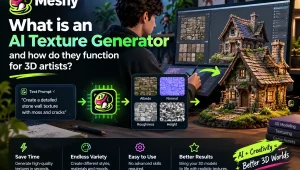
You can tell just how long texturing can take, having ever spent an evening searching to find the right rusty metal, or old wood texture. The shape is determined by modeling; however, it is texture and material maps that help an asset to become believable. The purpose of AI-assisted tools is to accelerate that step.
What Is an AI Texture Generator?
In simple terms, an AI texture generator creates textures or material maps from inputs such as a text description, a reference image, or a 3D model. Instead of painting every detail from scratch or searching a library, you might enter “scratched steel with worn blue paint” and generate a starting texture for further editing.
Such systems are trained to learn statistical patterns, which enables them to make associations between words and reference images and the visual properties of rust, fabric weave, gloss and matte surfaces. Training data and model design depend on the provider and can only be combined with a specific dataset size; otherwise, there is a chance that someone may guesst its value.
How Does this Work Under The Hood?
Currently, the systems of texture generation predominantly rely on the diffusion models, the same technology that drives the greater part of AI imaging. The technique operates in such a way:
- Thou hast an input. This can either be a text description or reference image or 3D mesh.
- The input is interpreted by the model. It transforms the prompt or image into an image of the desired style, material and finish.
- It creates an impression or surface. Diffusion-based models start with noise and gradually enhance the output to resemble the prompt.
- The outcome is inputted into the model. The texture is mapped in a 3D workflow based on the UV layout of the object or any other projection technique.
Many tools can also produce PBR maps such as albedo, normal, roughness, and metallic. Together, these maps help a renderer calculate how the surface responds to light.
Why 3D Artists Are Paying Attention
Speed. AI can be used to speed up the initial concept development, generating several material directions to compare them.
Consistency. The same prompt language and reference can assist a group of assets to take a visual direction though the outcomes are to be reviewed.
Accessibility. To be able to experiment with an AI texture generator, you do not have to be an expert in Substance 3D Painter. These enable less professional output, but even professional output is positively influenced by texturing expertise.
Less repetitive work. A first pass of tileable surfaces or props, or background stuff, should be automated to find the time needed in other areas of art direction and detailing.
How It Fits into a Production Workflow
AI texturing works best as a starting point rather than a replacement for craft. A typical workflow might be:
- Block out and refine the 3D model, including a suitable UV layout when required.
- Generate a base texture from a prompt or reference image.
- Review the material on the model under several lighting conditions.
- Correct seams, scale, repetition, and problem areas in your usual editing software.
- Export the maps and test them in Blender, Unreal Engine, Unity, or the target renderer.
The amount of work an AI tool can automate varies widely by asset and quality bar. It may produce a useful first pass, while seam cleanup, intentional wear, logos, and style matching still depend on the artist.
Advice to Improve Your Outcomes
- Give concrete instructions. An old wooden box with flaking blue paint and scratched edges is better than wood texture.
- Mention material properties. Terms such as glossy, matte, rough, and metallic describe how the surface should respond to light.
- When using reference images, check seams, tiling, and visible repetition in the generated result.
- Prompt variation may lead to significant differences in outcome, thus try to develop several prompts.
Things to Remember
Artificial Intelligence texturing is imperfect. There is a difference in generation and finer text and logos can be distorted and any output must be verified before use in production. Review the provider licensing, privacy and commercial-use terms as well.
Final Thoughts
To 3D artists, AI texturing is not a skill-replacement tool; 3D texturing is something that allows them to work with a lot less friction. It can accelerate the exploration process, enable small teams to build prototypes and automate first passes. Begin with something simple to prop and then time saved and cleaning up.