Best Digital Devices for a More Productive Reading and Research Setup

Learning new material via textbooks and academic journals, researching various materials, skimming programming usage books and documentation, and making notes are various significant activities of modern education, professional growth, content development, and business development. Be it school reading, reading in work, or reading during leisure time, an efficient reading environment can save time and energy.
It is much easier to find information in a hurry, cross referencing, write organized notes and get rid of all unnecessary distractions with a proper setup. Rather than using just your laptop or smartphone, try combining a few helpful devices.
These are the most viable products to construct a more effective reading and research environment:
1. External Monitor
One of the best purchases a student, a researcher, a programmer, writer or even anyone who reads a lot of research papers and cross references documents or analyzes data and has more than one window open in a browser has in mind is an external monitor.
You will no longer have to spend all-day staring at a single laptop screen as you will have enough room to open research articles in one window as you write notes in the other. Store spreadsheets, writing programs, reference textbooks and more in one place and do not have to continually flip back and forth.
At the minimum, look at Full HD, in case you want to make your external display used as a research-intensive display. With 4K and QHD monitors, it will be easier to work with and read dense documents in a clearer way.
UPERFECT is one brand that makes portable displays you can use to increase laptop workspace without investing in a desktop monitor. A portable external monitor is ideal for students, remote workers, researchers, and business professionals that want the luxury of an extra screen while on the go.
When selecting an external monitor, look for crisp text output, comfortable brightness levels, adjustable height stands, and convenient connectivity options.
2. Portable Monitor
Another excellent resource to implement on your workstation that is productivity-oriented is a portable monitor that is especially important in cases where you rely on a laptop more than research.
Portable monitors are compact, lightweight gadgets that can be attached to your laptop as opposed to having a huge desktop monitor. They can connect by USB-C and HDMI, thus can be easily carried to ad-hoc workstations such as libraries, offices and coworking centers among others.
configure your laptop to read research papers and commit your portable display to writing programs such as Evernote, Google Keep or Microsoft OneNote. It is also possible to book online reference material or communications applications.
Touchscreen is also supported on some of the portable displays and services high refresh rates and higher resolutions on some of the models.
Why get a portable monitor?
- Increase laptop screen real estate.
- Cross-reference research documents side by side.
- Keep articles and online reference materials open while writing.
- Set up a dual monitor workstation in small spaces.
- Upgrade multitasking capabilities without lugging around a desktop monitor.
Portable monitor is great for students and professionals that regularly change where they work. Having a second screen will allow you to be more productive without chaining yourself to a desk.
3. Tablet
Another useful gadget to add to your new reading and research set is a tablet. You can comfortably read digital books, academic textbooks, slideshares and others using tablets.
Two of the most popular tablets in the market are iPad and Samsung Galaxy Tab. There are also several other Android tablets you can choose from as well.
tablets enable you to apply a digital stylus to mark passages within books, write handwritten notes, annotate PDF files, and see the fruits of your research without printing out everything.
Learners and scientists can enjoy having the ability to read long PDF files and retrieve beneficial data without incinerating wood.
tablets can also be an excellent auxiliary device to use in combination with your laptop. Read books using your laptop and make notes on your computer or make slideshows. The other way around works well too!
Shopping a tablet The size of the display, battery-life, storage space, support of a stylus, and compatibility with your favorite note-taking app should all be considered.
4. E-Reader
E-readings such as Amazon Kindle come in handy, when you are sure that you will mostly read books, articles and long-form educational report. Kindle devices have a special E Ink display technology which replicates the experience to the paper reading.
You no longer have to sift through pages on a traditional LCD tablet, but can instead read on a device intended to accomplish that purpose. Fonts are bold and easy on the eyes and when you have to read a long time.
E-readers are excellent in novels, educational booklets, and other books that can be read using the gadget. It also allows importing lots of PDF documents to read.
Bonus tip: Diverters are most effective on e-readers. Majority lack video players, social media applications, browsing and gaming features. An e-reader will help you avoid procrastination.
Note that e-readers do not suit well with reading complicated PDF documents, colour chart-ment, and technical documents that contain pictures. An e-reader also will not give you the ability to multitask as well as oversized tablets and computers will.
5. Laptop
Obvious, yet impossible to miss, Laptops make a great component of a research workstation. Whether it is accessing research web sites or word processing and cloud storage a good laptop needs it all.
In the case of the majority of the every-day research, any laptop with 16GB RAM and a SSD will suffice. You can scroll through browser tabs, type documents, and productivity software without any perceivable lag.
When you are sure that you will be performing an activity such as software development, programming, data analysis or reading technical documents though, then have a look at investing in the faster processor and more memory. The addition of more computing power has never done a harm to anyone!
A dedicated Programming Monitor can also be of interest to programmers, so that it will be easier to read their code and documentation.
Seek a laptop that has easy key travel, reliable battery life, good number of ports and a screen that is easy to read.
6. Keyboard and Mouse
Mice and keyboards may not be considered as research products, but replacing your input devices may help a long way.
It is rather monotonous to type in research notes, to make up a report, and to operate the very huge mass of information with the help of cheap keys and touch pads on a laptop. A comfortable keyboard will allow you to work quicker and smarter.
Mechanical keyboards are the hipsters of the day because of their extremely trademarked key touch and customizable switching options. However, in case you want more mellow keyboards with softer key presses low-profile keyboards or ergonomic keyboards are good alternatives.
Wireless mice are pleasant as they are less cluttered on the desktop and they do not create the same issues as in-built touch pads by offering less resistance to the cursor movement. Find a mouse that can be customized in DPI, designed to be ergonomic, has a stable wireless connection, and can be easily charged batteries.
7. USB-C Hub / Docking Station
Assuming you are left with a configuration that has a laptop, monitor, tablet accessories, keyboard, mouse, external hard drive, USB-C hub might be useful.
A majority of the laptops currently have a few ports. USB-C hubs and docking stations are excellent as they enable you to dramatically increase the number of connection opportunities of your laptop.
It has HDMI or DisplayPort outputs, USB-A, or USB-C slots, extra USB-C, Ethernet, and memory card readers depending on the type of product you purchase.
Docking stations are also convenient to simplify your life as it saves time to install. Instead of plugging half a dozen accessories each time you need to sit down, just connect to a docking station which powers up all your gadgets at once.
Before purchasing a docking station, make sure it supports display resolution output, power delivery, highest data transfer speeds and compatibility with your laptop.
Best Devices for Reading and Research Setup: Comparison Table
| Digital Device | Main Purpose | Summary of ideal users |
| External Monitor | Expand workspace for research and productivity | Researchers and professionals |
| Portable Monitor | Flexible dual-screen workspace for laptops | Students and remote workers |
| Tablet | Digital documents and annotations | Students and academics |
| E-Reader | Reading books, articles, and PDFs | Book lovers and researchers |
| Laptop | Multifunctional device for productivity | Professionals and developers |
| Ergonomic Keyboard | Typing comfort and less stress on wrists | Writers and office workers |
| Wireless Mouse | Increased navigation precision. | Everyday productivity |
| USB-C Docking Station | Connect multiple devices to one port | Multi-device users |
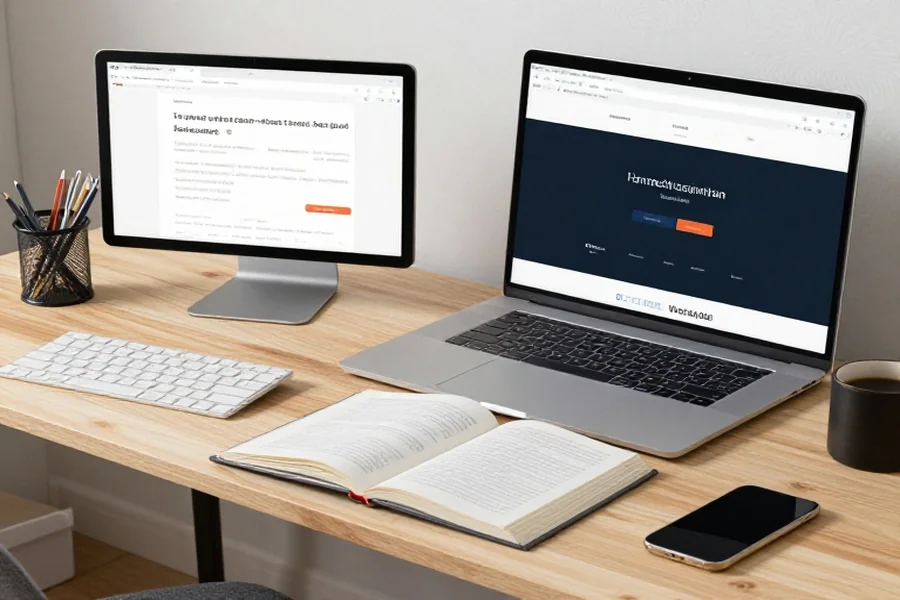
How To Use These Devices Assemble Your Reading and Research Setup
Just having these devices isn’t enough. You must also learn to utilize them in the most efficient way. Arrange your arrangement to fit the way you work on a daily basis.
Set up your laptop and monitor at eye level, so that you do not have to look down and strain your neck. Reading with annotations and materials via your tablet. Position your keyboard and mouse, so that your hands sit pleasantly.
Arrange your online research tools using cloud storage disks and notes taking programs. Design distinct notebooks or folders on school documents, work documents, programming projects and personal books.
Aim to minimize the glare on your screens, have proper lighting and take breaks to lessen eye stress. Having a comfortable workspace will enable you to read longer and research longer.
Keep in mind that your ultimate arrangement does not necessarily need to be costly. It is merely a set of tools which can enable you to locate information, comprehend it and make use of it in your daily life.
FAQs
1. What are the best devices for digital reading and research?
Computer and writing Tablets are great for reading and taking notes. Second monitors can help you read side-by-side documents.
2. Is a portable monitor good for research?
Yes! A portable monitor is like any other computer monitor, but smaller and portable. Having a second screen lets you view multiple documents at once without switching back and forth. Students and remote workers can greatly benefit from this added screen estate.
3. Should I get a tablet or an ereader for college?
Tablets are better for school because they can do virtually everything an ereader can do, and more. You can browse the web, take notes, highlight text, and access PDF documents. Reading textbooks and books on an ereader is also fine, but tablets offer more versatility.
4. What is the best monitor resolution for reading?
Full HD (1920 x 1080) is perfectly fine for reading documents. If you want sharper text and more room to work with, consider stepping up to QHD or 4K.
5. What setup should I use for programming and research?
A great setup for programming and researching includes:
- Laptop or Computer.
- External Programming Monitor.
- Keyboard and mouse.
Additional monitors are always helpful when reading long chunks of code and documentation. Keeping another screen open for reference websites can also come in handy.
6. Do I need a high-end laptop for research?
No, not at all. Use of the Internet, viewing PDFs, writing reports, and storing documents do not need any expensive equipment. Any current laptop having a powerful processor, 16GB of RAM, and SSD drives ought to deliver an acceptable user experience.
Final Advice
The successful construction of an efficient reading environment will depend on making the appropriate technology choice to incorporate in your workflow. Reading-research is as easy as ever with a laptop, high-resolution external monitor, portable monitor, tablet, comfortable keyboard and mouse.
Whether you are attending school, creating a code, creating content, or conducting work research, you can use a few thoughtful gadgets to make you a more productive person. You should start with the problem-fixing devices that fix the largest problems that you have and then continue with the foundation in the future.