Boyue / Boeye

Boyue T63 Shine Android eReader to launch in China as the JDRead

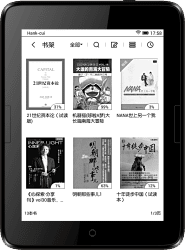
The Chinese ereader OEM Boyue updated its website this week and has taken down the page for the long awaited T63 Shine. In its place is a new page for a new ereader called the JDRead, which has essentially the same hardware, only now with a new brand.

China’s second largest online retailer (after Alibaba) Jingdong is getting into the ereader biz. The retailer is in the middle of a crowd-funding campaign to raise interest in the JDRead, its first ereader.

The JDRead features a 6″ Carta E-ink screen with frontlight and touchscreen, and like the earlier and related ereader Ridibook Paper, the JDRead runs Android an an dual-core 1GHz CPU with 512MB RAM and 8GB internal storage. It’s not known, however, whether the JDRead lets you access the Android and install apps (the Ridibook Paper does not).

Weighing in at 190 grams, the JDRead is a little heavier than the Kindle Voyage. It has a 1440 x 1072 resolution display, a 2.8Ah battery, Wifi, and a microSD card slot. It also has page turn buttons, and according to one source the JDRead has a haptic feedback system (it vibrates when you touch the screen). My Ridibook Paper doesn’t appear to have that option, so I can’t confirm this detail.

According to Boyue, the JDRead is going to launch/ship in May. Jingdong is charging 799 yuan for the ereader, or about $123.

Based on what I’ve seen with my Ridibook Paper, that’s not a bad price, although an English speaker is probably going to have trouble with the Chinese-language menus.

The language conflict is the single biggest issue for my Ridibook Paper, which I got in late December. It has been available in Korea from the bookseller Ridibook since last fall, but it’s not available internationally and even in Korea the supply was limited. I had to buy it through Ebay and put my money down on a pre-order with the hope that I wasn’t being cheated, and even then I still had to wait for a month.

The Ridibook Paper is a very pretty ereader, and it’s fast to turn the page, thin and light, and while the buttons are low profile I still find them easy to use.

If it had an English language option I would recommend that you get it, but as it stands, the Paper and the JDRead are best left to people who understand the language, or are willing to hack their ereader and install another firmware.

JD.com via AllChinaTech, CNW

First Look at the Boyue Shine (T63) – Android, 300PPI Screen

For the past week or so I’ve been tracking hints of a new ereader from the Chinese company Boyue, and today I finally have something to report.

First discovered by MR member hob last Monday, the Boyue Shine is Boyue’s next-gen ereader. The product renders suggested that this device would sport a design inspired by the Kindle Voyage with its flush glass screen, and the photos recently posted to Baidu confirm that report.

One lucky soul got their hands on what they’re calling the Boyue T63 and posted a set of photos last week on Baidu. They didn’t share much in the way of technical details (scroll down for more info), but they did mention that this device sports a 6″ 300ppi resolution screen.

They posted a total of 4 photos. The photos don’t show much, but they do confirm the basic design and that Boyue is working on a high-end ereader with a hardware design intended to compete with the Kindle Voyage.

Note that I said that the hardware is on par with the Voyage; I’m not so sure that the software will be its equal.

Boyue makes ereaders that run Android. I like them, but I agree with the general consensus among owners that the software isn’t too great. Sure, the reading app works okay and you have the option of installing Android apps, but many owners complain of problems with battery life and stability issues.

We know almost nothing about the Boyue T63 Shine, so this warning could be for naught. But this is a point I will be checking when the T63 Shine is released to market.

I have no inside info on the release date, but I am hoping that this device will be available in the next couple months with a price tag between $150 and $200. That is a higher price tag than the new Kindle Paperwhite ($139) or the Kobo Glo HD ($129) but I think the Android OS makes up for the difference.

Update: A reader pointed me to a listing for the Boyue T63 on a wholesaler website. These specs are not accurate and thus might not be legit, but according to the site this device does have a screen resolution on par with a Carta HD E-ink screen (for some reason, Pearl E-ink is mentioned instead).

According to the site, the Boyue T63 has a wholesale price of $70 with a MOQ of 100 pieces. This coulde asily be a $130 ereader when it hits the market.

Boyue T63 Specs

  • OS: Android 4.2 Jelly Bean
  • CPU: dual-core 1GHz
  • RAM: 512MB
  • 6″ E-ink screen with touchscreen and frontlight
  • Resolution: 1440 x 1080
  • Storage: 8GB, microSD card slot
  • Wifi
  • Audio
  • Dimension: 154 x 114 x 8mm
  • Weight: 160 grams

Boyue Teases a Dual-Sided 8″ LCD/E-ink Tablet

Do you like the idea of Yota Devices’s dual-screen smartphone but feel that a 5.5″ screen is too small? Then I have just the thing.

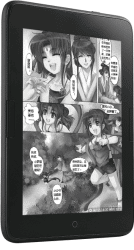
The Chinese gadget maker Boyue is now showing a concept design for a hybrid 8″ ereader on its website. They haven’t released any specs and I’m not entirely sure it will ever see the light of day, but I still want to laud Boyue for for being either bold enough or crazy enough to come up with this:

The Boyue D81 features an 8″ IPS display on its front and an 8″ E-ink display on the back, and if it is ever built it will run Android 4.2 Jelly Bean on a quad-core CPU. It will probably also cost a lot of money, somewhere in the neighborhood of $300 (by my guesstimate).

I don’t know that Boyue has worked on a dual screen design before, but they have developed a couple Android tablet as well as a couple ereaders which run Android. So even though this device presents twice as many technical issues as a single screen tablet, it’s entirely possible that they could pull it off.

I’m going to go start bugging them for a review unit. Yes, I know it doesn’t exist but sometimes it pays to get an early start.

MobileRead

First Impressions of the Boyue T62 Android eReader

After 3 weeks of impatient waiting, my newest ereader has finally arrived.

The Boyue T62 is the next gen follow on to the T61, aka the Icarus Illumina, aka my preferred ebook reader. According to the specs it has twice the storage and audio support with basically all the same buttons, ports, and card slots as the T61 (more details here).

Now that it is sitting on my desk, I can tell you that the T62 is a somewhat thicker and somewhat heavier sibling to the T61, and that the T62 has a sleeker and more curved design.

The T62 is on the left, aand on the right is the T61 which I reviewed last month.

Most importantly , I can also say that it has a somewhat improved frontlight. This last is not as good as on last year’s Kindle Paperwhite, but it is noticeably less splotchy and more evenly white than the frontlight on the T61.

In use, the T62 is more responsive than the T61. It seems to either have a better touchscreen or a better driver for the touchscreen, but either way it works better.

Speaking of which, I have also been playing around with the software. While the T62 and the T61 both run Android 4.2.2, they do not run the same firmware. I’ve already noticed that the newer model has a couple features that I don’t have on the T61, including the option to remove the taskbar from the bottom of the screen. (I think there is supposed to be a trick to make it pop up, but I can’t figure out how.)

And while we’re on the topic of software, does anyone want me to test any Android apps?

I was thinking of repeating the tests I ran for the T61. Or do you think it is safe to assume the T62 can run all the same apps as the T61?

The T61 was already my preferred ebook reader; I like the page turn buttons, case, and the ability to install Android apps. But after a day I think I may have found a replacement. It’s a shame I didn’t also order a case; I think the T62 could be a permanent addition to my gear bag.

A full review will be up the weekend after next. Until then, here is a demo video from Banggood, the Chinese retailer which sold me my T62. (You can also find the T62 on Amazon.)

Review: Pocketbook 650 Ultra

 The Pocketbook Ultra is one of those devices that looks better on the drawing board than in real life.

It combines an innovative design (rear page turn buttons and a 5MP camera) with poor and buggy software and a disappointing screen, resulting in an ereader which is easily the worst model released in 2014.

I bought my unit  in early September, and between the shipping cost and retail I paid $240. It was not worth it.

Table of Contents
[—ATOC—] [—TAG:h2—]

Pro & Con

Pro

  • If you have too much money on your hands, the Pocketbook Ultra is one way to fix the issue.
  • The parts of the Pocketbook software and bonus apps that weren’t completely buggy were nice, yes.

Con (Pretty much everything)

  • Screen
  • Frontlight
  • Nonfunctional OCR software
  • Page turn buttons
  • Buggy reading software

Hardware

At 7.9mm thin, the Ultra is one of the thinner ereaders on the market, rivaling even the Kindle Voyage. It has a 6″ Carta E-ink screen with frontlight and touchscreen, and it runs Pocketbook’s proprietary OS on a 1GHz CPU with 512MB RAM and 4GB internal storage.

The Ultra is available in 3 colors (white, green, brown), and in the absence of a black model you will want to get the brown one. (I’ll explain this later.) My unit was white.

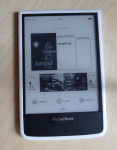
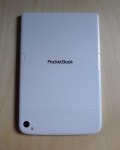
It had a smooth white back with a black front inset in a white frame. There are two page turn buttons in the center of the left and right edge on the back, and on the front you’ll find four mystery buttons  below the screen. The power button, headphone jack, microSD card slot , and microUSB port can be found on the lower edge (the last two are hidden under a flap.)

All in all, this is a solidly built ereader, but it has many problems. The mystery buttons below the screen add confusion, and the stiff page turn buttons add frustration. Between those buttons and the general poor screen quality this is one design that should never have been released to the public.

Screen

The Ultra supposedly has a Carta E-ink screen, but you would not be able to tell that from looking. This ereader has a fuzzy and gray screen which is noticeably inferior to the E-ink screen on pretty much any other ereader.

In part this is due to the white shell making the screen look gray, but it is also the fact that the frontlight and capacitive touchscreen layer degrade the screen quality. (This is why you should get the brown unit, and not white).

Speaking of the frontlight, I think it is the worst one I have seen this year – and that includes the splotchy frontlight on the Boyue T61. I’m not sure how Pocketbook did it, but the frontlight on my Ultra actually makes the screen look more gray and fuzzier when it as turned up to full power.

I don’t know how they did it, but part of the reason I noted this issue is that the frontlights on the Aura H2O and on the Boox T68 Lynx tended to make the screen look whiter and clearer as the brightness increased.

With those other ereaders, I liked to have the frontlight (even when I don’t need it) set to the lowest setting so that the screen would look whiter. But when I used the Ultra I kept the frontlight off most of the time; it was that unpleasant to use.

Battery Life

As I sit here writing this review on Saturday, my Ultra is sitting on my desk charging. I’ve been using it for a couple weeks as my main ebook reader, and today is the second time that I needed to charge it.

Based on my experience I would estimate the battery life to be about 6 or 7 days, with the frontlight off. That’s not amazing but it is in line with many other ereaders.

Camera

The Pocketbook Ultra ships with a 5MP camera, with flash.  Even though it was difficult to see what you were photographing on the E-ink screen, the camera still worked well at capturing utility quality photos.  The flash didn’t prove useful when I was taking pictures of text, or when I took a picture of my dog, Archie (aka Destructor).

The camera worked okay, yes, but now that I’ve had it for a week I’m not sure that it was a good idea to put one on an ebook reader.

The Ultra was slow to take photos, and slow to show them on the screen. That made it hard to make sure that that I was taking a usable photo. And let’s be honest: the image quality was marginal at best, so you’re not going to be using the Ultra as your main camera. (And then there’s the OCR software.)

Software

Pocketbook is well-known for offering very adequate software and the option to expand existing features by installing apps. The Ultra also has a camera and a text conversion feature which I will cover at the end of this section.

In terms of reading features, the Ultra offers a several formatting options, notes, highlights, bookmarks, a bevy of dictionary options (including translation dictionaries), and text to speech.

As far as apps go, the Ultra ships with a web browser, file manager, calculator, several games (klondike, chess, sudoku), notpad, sketchpad, Dropbox, RSS feed reader, mp3 player, Pocketbook sync (integration with Bookland, Pocketbook’s ebookstore), and Send to Pocketbook. That last feature is similar in function to Amazon’s Kindle email conversion service, albeit without the conversion.

Few of the apps interested me, but even so this is one area where Pocketbook excels. While I don’t recommend buying this ereader, I do think that the option to add features by installing apps is one reason to consider Pocketbook hardware.

Camera + OCR

One of the hotter selling points for the Pocketbook Ultra is the 5MP camera and option to take a photo of text and convert it to a note which can be edited. Alas, this does not work – not at all.

As I reported last weekend in my first impressions post, this feature simply doesn’t work. The camera is very good and can take legible photos of single pages of notes. Unfortunately, the OCR software is simply unable to process those images and convert them to text.

I’ve tried on multiple occasions, and the best result was incomplete and terribly inaccurate. And that is a shame because this was the one feature which I was most looking forward to.

But on the plus side the camera app does include the option to take photos and assemble the images into a PDF.  That could prove useful.

Reading Experience

In the past three months I have reviewed four ereaders, including the T68 Lynx, the Aura H2O, the Boyue T61, and the Ultra. Of the 4 devices, the Ultra is the only one that I actually hate to read on.

The Pocketbook Ultra offers an unpleasant reading experience which is marred by a  bad screen and frontlight, stiff and inconveniently placed page turn buttons, a slow page turn speed, and buggy software. I’ve covered the screen in an earlier section of this review, so let me discuss the other issues.

The rear facing page turn buttons on the Ultra are one of those ideas that look great in concept but don’t work out in practice. They’re small and placed near the edge of the rear of the Ultra. That makes them hard for me to press; I basically have to pinch them with the side of my finger, an awkward move.

And thanks to the slow page turn speed, I have plenty of time to focus with my frustration over the buttons. The Ultra is noticeably slower to turn the page than the Kindle Paperwhite, Aura HD, or any other current ereader.

What’s more, the software is unusually buggy. It’s not just that the Ultra crashed or dropped out of an ebook; instead it kept half turning the page, turning several pages at once, freezing, and at times the touchscreen would stop working.

On at least a half dozen occasions the Ultra would refresh only half of the screen. The left half of the screen would show words from the new page, while the right half of the screen would show words from the old page. And sometimes it was the other way around.

Between the refresh issue, the time the touchscreen stopped responding, and the other issues, I had a very frustrating reading experience on the Pocketbook Ultra.

Verdict

The Pocketbook Ultra reminds me of something Dorothy Parker once said: "This is not a book to be tossed aside lightly. It should be thrown aside with great force."

I think that is an excellent recommendation for the Ultra. This ereader is a disappointment in every way, including price, hardware design, software, screen quality, and reading experience.

I had high hopes for the Ultra when I first saw it earlier this year; it has a number of innovative design ideas including a camera, OCR software, and page turn buttons moved to the back. But none of those ideas worked out in practice.

Where to Buy

The Pocketbook Ultra is readily available in Europe but is difficult to buy outside of the region. If you’re in Europe I would suggest checking Amazon’s websites and Pocketbook’s local sites. You should be able to find a retailer who will ship.

I know that the Pocketbook site in France will ship to the US (it’s where I bought a different Pocketbook device).

Specs

  • CPU: 1GHz
  • RAM: 256MB
  • Screen: 6″ Carta E-ink (1024 x 758 resolution)
  • Capacitive Touchscreen, Frontlight
  • Storage: 4GB Internal, microSD card slot
  • Wifi
  • Camera: 5MP, with flash
  • Weight:175 grams
  • Dimensions: 162.7 by 106.7 by 7.9 mm
 

Review: Icarus Illumina HD E653 (Boyue T61) Android eReader

The Illumina HD E653 from Icarus is one of a handful of new ereaders which combine an E-ink screen with an open version of Android. Starting with the (hacked) Nook Touch and (hacked) Sony Reader PRS-T1, this type of ereader offers the opportunity to expand the ereader to support more features and functions that the manufacturer supplied.

This device is best known as the Illumina HD, but it was actually developed for Icarus by a Chinese OEM called Boyue. I ordered my unit from a Chinese retailer which sold the Boyue T61 without a retail box but with a hefty discount ($99 vs 119 euros). I was able to turn my unit into an Illumina HD by installing the official software update, thus saving a nice sum of money.

Table of Contents[—ATOC—] [—TAG:h2—]

A disappointing frontlight keeps the Illumina HD from having the best ereader hardware at the $99 price, but the open Android OS, graphics chip, and many other positive points make up for that in many ways.

Review Date: 12 September 2014, After owning it for 3 weeks

Pro & Con

Pro

  • Page turn buttons work with many 3rd-party reading apps
  • Runs Android 4.2
  • Solid construction quality
  • Fast page turns (equal to the Kindle Paperwhite)

Con

  • Battery Life
  • Frontlight
  • No Audio
  • No Google Play

Hardware

The Illumina HD is an unremarkable looking ebook reader with a 6″Pearl HD E-ink screen. It has a simple design with a black rubberized shell which makes it easy to hold. Cover the logo and its most noticeable feature are the page turn buttons on other side of the screen, and the addition back button on the right and the screen refresh button on the left (a long press on the refresh button turns the frontlight off or on).

This ereader runs Android 4.2 on a dual-core 1GHz Rockchip CPU with a Mali-400 MP GPU, 512MB RAM, and around 4GB accessible storage.  It has Wifi but no audio support. All of the ports and card slots are found on the bottom edge, including the microSD card slot, power button, reset port,and microUSB port.

The Illumina HD is nice to old in one hand, cover or no. The page turn buttons are position just right to rest under my thumb (with either hand).

Battery

Icarus claims that the Illumina HD has a month of battery life, but that’s not really true. In my experience, and this has been confirmed by a couple Illumina owners over at MobileRead Forums, the battery drains itself within 2 to 3 days.

That is a serious issue but luckily this is a common Android problem with an established solution. All i had to do to fix this issue was to install a power management app like Deep Sleep. This app forces all of the processes to go to sleep when you suspend your Android device, this saving battery life.

Screen

The Illumina HD is equipped with a 6″ E-ink display with a screen resolution of 1024 x 758. It has both a frontlight and two-point capacitive touchscreen.

I found the screen to be somewhat picky in responding to my input. I had to be careful when pressing any of the icons near the edge of the screen, otherwise it would ignore the contact. I also noticed that the Illumina HD was slower in responding after I installed the official firmware update; that could be a reason to avoid the update.

The frontlight offers a white color with a broad and highly granular range of settings from dim to almost bright enough to use as a flashlight. Alas, it is also rather splotchy.

As you can see in the following gallery, the bottom half of the screen visibly blotchy compared to most ebook readers which launched in 2013 or 2014.  It almost as if Boyue is using screens leftover from 2012; the first Paperwhite  showed a similar defect.

Cover

My unit came with a cover (if you buy an Illumina HD from Icarus it will cost extra) which consists of a hard black plastic back with a  stiff brown faux leather front. The Illumina HD is designed to snap into the rear of the cover and never leave it again (it took some effort, trust me). I think the cover may have been intended to work as a smartcover (there is a magnet to keep it closed) but my unit doesn’t work that way.

Software

The Illumina HD ships with a minimum number of apps, including a very adequate reading app (I’m happy with it, anyway), a file manager, notepad, web browser, dictionary, and email. The basics are well-covered, and since this ebook reader runs an open version of Android it’s also possible to install additional apps.

My competitor notes in his review that Icarus ships the Illumina HD with several apps that I don’t have because I got the OEM model. His unit came with Greader, Kindle, and a bol.com bookstore app (my unit was tied to some bookstore in China).

The stock reading app, web browser, and email client all feel like they were tuned to work well with an E-ink screen. I don’t much care to do email on E-ink but it is possible.

There’s more detail on the stock reading app later in the post.

Installing Apps

The Illumina HD does not have Google Play, but there is a workaround. You can use this site to download free apps from Google Play. Also, I successfully installed the Amazon Appstore (I had to install the Kindle app first).

I’ve tested an excess of apps, and found that quite a few will install and run on this device:

  • Web Browsers: Chrome, Opera, Maxthon, Dolphin, Firefox
  • PDF: Repligo, Adobe Reader
  • eBook Apps: Logos, Kindle, Nook, Kobo, CoolReader, Moon+ Reader, Aldiko, Scribd, Oyster, FBReader, Overdrive
  • Office Suites: Docs2Go, QuickOffice Pro HD for Tablets, OfficeSuite Pro 7, Jota+
  • RSS Feed Readers: Feedly, InoReader
  • Other Apps: Pocket, Instapaper, Dropbox, Evernote

Google Play Books and Opera Mini did install but would not run. On a related note, the Nook, AlReader, Moon+, and Coolreader apps were all able to interface with the page turn buttons.

Reading Experience

The Illumina HD has been my main ebook reading device this past week (I started and finished a couple books), and  I liked the stock reading app which shipped on the Illumina HD.

As I pointed out above, you can install any number of ebook apps, but I was happy to mainly use the original app. It doesn’t have as many features as some third-party apps, but the close integration with the main menu and the Books (library) menu made up for a lot.

It’s not fancy, but between the several dozen font choices, dozen margin options, and dozen line spacing options, it is workable app. It even has a separate menu for annotations, but it also lacks a functional dictionary (I can’t get it to work), so you might want to go with another app if that is important to you.

And since you are probably wondering, the stock reading app doesn’t quite have a full screen mode; the closest it comes is the option to have a mini status bar along the bottom of the screen. That is more screen than the Kindle and other reading apps get to use; the Kindle and Aldiko apps specifically can black out the taskbar at the bottom of the screen, but cannot remove or overwrite it.

I would rate the Illumina HD as having a more attractive reading experience than the T68. Yes, I know the screen is both smaller and lower resolution, and the frontlight is blotchy, but as I sit here typing I find that I have a greater desire to go back to the Illumina than I do  to use the T68 Lynx.

To be honest one of the features that kept me coming back were the page turn buttons. I’d forgotten just how much I had liked having them; I wish they were more common on ereaders (and tablets, for that matter).

Verdict

A subset of ereader owners have been interested in an Android  ebook reader ever since the first Nook Touch was released in 2011, and while the Illumina HD isn’t the perfect solution it is best option in its price range.

With a 2012-era frontlight and iffy battery life, the Illumina HD is at first glance far from being the best device on the market. But if you look past those issues then it quickly becomes clear that this ereader is, for a certain type of user, one of the best devices on the market and offers a great value.

The Illumina HD might not have the best screen, but it does has the fastest CPU of any of the ereaders currently – including other Android ereaders like the Onyx Boox T68 Lynx. That gives it a responsiveness  which none of its competitors can match.

It doesn’t have Google Play, but that hasn’t turned out to be as serious of an issue as I had expected. (See the workaround mentioned above.)

With page turn buttons, a recent version of Android, and a microSD card slot, this is IMO the device that Barnes & Noble should have released last year. This is what the Nook Glowlight should have been.

Where to Buy

Now, this is a complicated question. You can buy the Icarus Illumina HD from Icarus, or you can pay less and buy it from a Chinese retailer like BangGood (and then install the Illumina’s firmware update).

Icarus sells this device for 119 euros plus shipping. I got it from BangGood for $99, but they were charging $129 when I wrote this post. The BangGood price includes a case and free shipping but no retail box or – and this could be important – a  warranty.

Specs

  • Screen: 6″ Pearl HD E-ink screen, w frontlight and a
  • Capacitive touchscreen
  • Screen resolution: 1024 x 758
  • OS: Android 4.2 Jelly Bean
  • CPU: 1GHz dual-core Rockchip
  • GPU: Mali 400-MP
  • RAM: 512MB
  • Storage: 4GB internal, microSD card slot
  • Connectivity: Wifi
  • Weight: approximately 200 grams
  • Dimensions: 159 x 112 x 8.5 mm

Icarus Launches Updated Illumina eReader with Android 4.2, Dual-Core CPU

eBook readers which run Android are nothing new, but today I came across one which made my heart skip a beat.

The Dutch ereader retailer Icarus has unveiled an updated version of their Illumina  HD ereader. Initially launched last fall, the Illumina  HD sported a 6″ Pearl HD E-ink screen with frontlight and touchscreen. The new model launching today sports a sleaker, slimmer design with fewer buttons and runs Android 4.2 on a 1GHz dual-core CPU.

If you’re having trouble breathing right now, you’re not alone. The new Illumina  HD is an excellent candidate for the title of best E-ink Android tablet.

This ereader has a 6″ Pearl E-ink display, and not the Carta screen found on a few ereaders at the moment. It has both a frontlight and a touchscreen, and on either side of the screen it has page turn buttons. Crack open the case and you’ll find a 1GHz dual-core CPU with 512MB RAM, 4GB internal storage, a microSD card slot, and Wifi.

The Illumina  HD ships with a reading app which supports Epub, PDF, FB2, and Mobi. It runs Android 4.2, and while there’s no mention of Google Play the product listing does say that:

It comes with several apps pre-installed and you can even install your own apps, from your favorite reading app to social media or productivity apps.

The Illumina  HD does ship with several apps, including a file manager, Dropbox, a web browser and an email client.

The Illumina  HD might not have sound or the best screen on the market, but it does have a better CPU and run a newer version of Android than any other ereader on the market. This is my leading candidate for the title of E-ink Android tablet, and I can’t wait to get my hands on one.

It is up for pre-order from Icarus for 119 euros plus shipping, and yes you can get it shipped internationally. It’s scheduled to ship on 24 July.

Are you planning to get one?

Update: I am not. Cooler heads than mine have convinced me that I should take the negative reviews posted to MobileRead seriously. Several people have commented on devices made by Boyue (the Chinese OEM which licensed the design to Icarus). When you add the reviews to the poor service I am getting from Icarus, I think the new Illunina HD is not worth getting.

Icarus Store

eReaders.nl

Boeye Shows Off Android E-ink Tablets in Hong Kong (video)

CES 2014 is all about tablets and mobile gadgets, but it’s not the only tech trade show in the world. Charbax caught up with Boeye, a Chinese OEM, at the HKTDC Hong Kong Electronics Fair a while back and got a look at their Android E-ink tablets.

Boeye’s tablets sport a 6″ E-ink screen and run Android 2.3 Gingerbread on a Rockchip RK2906 CPU. They’re ready to be produced now, and there is at least one model with a frontlight and a touchscreen. Boeye is also working on an update which adds Android 4.0, and it should be ready soon. They also offer a number of other models, including a couple devices that are simple ebook readers based on Linux and not Android. They also have 7″ and 8″ Android tablets available for license.