TeraBox Review (2026): What TeraBox Got Right with Its AI Space Pivot
I’ve mostly used TeraBox for storing and backing up files, so I was curious to see what its new AI Space would actually add to the experience.
For this TeraBox review, I spent several days using it with my own files. I wanted to see how useful the AI tools were in everyday tasks, and what still needed to be done manually.
From Cloud Storage to an Integrated AI Space
TeraBox is still a place to store and manage files, but AI Space adds more things you can do with them. Instead of downloading a file before working on it in another app, you can use files already stored in TeraBox with its AI tools.
I noticed this most when I tried the Notebook with a PDF that was already in my TeraBox account. I could use the file as a source, generate a summary, and continue working with the result without moving the original file to another app. It is a small change, but it makes TeraBox feel more useful than just a place to keep files.
The "Zero App-Switching" All-in-One Workflow
I used a few of my own files to see how TeraBox AI handled common tasks, from creating a presentation to transcribing a recording and working with source material.
Presentation Agent
I uploaded a PDF containing a five-page product brief, a two-page competitor comparison, and a page of internal meeting notes to the Presentation Agent. I then prompted: "Turn these three sections into an 8-slide presentation, straightforward business style, general audience."
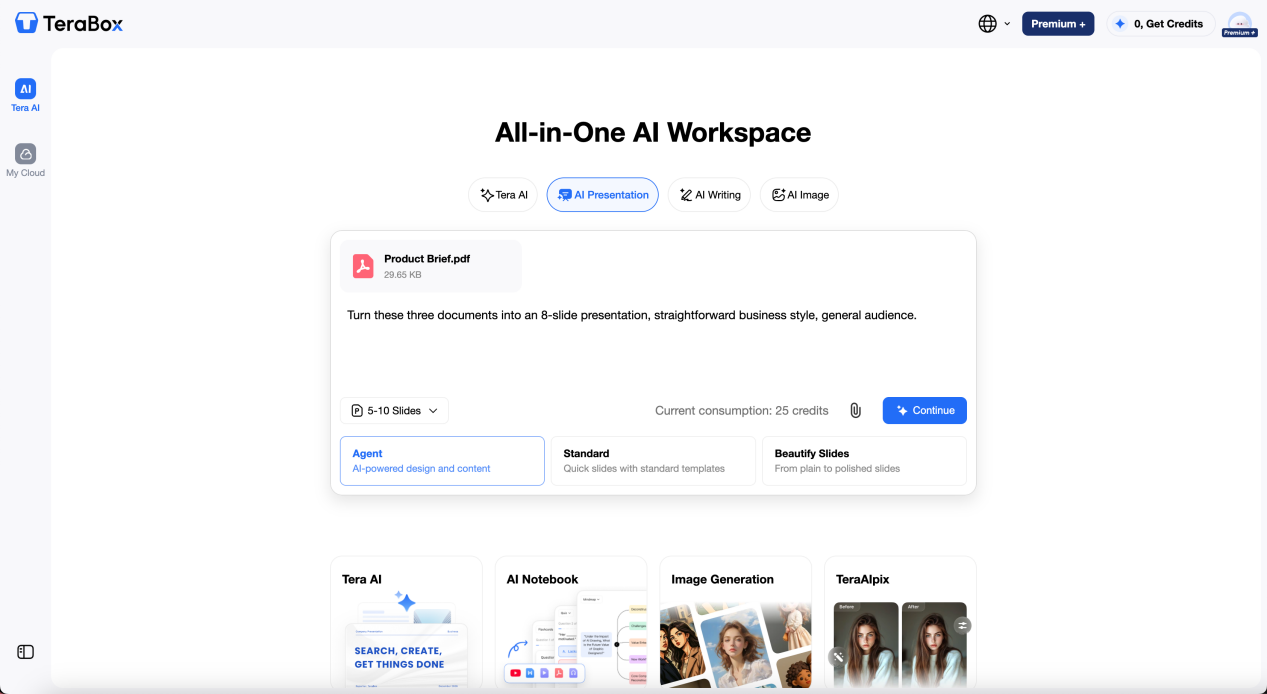
It took a little under two minutes to generate the outline. It had eight slides, with three to four bullet points per slide, and the content was generally organized in a sensible order.
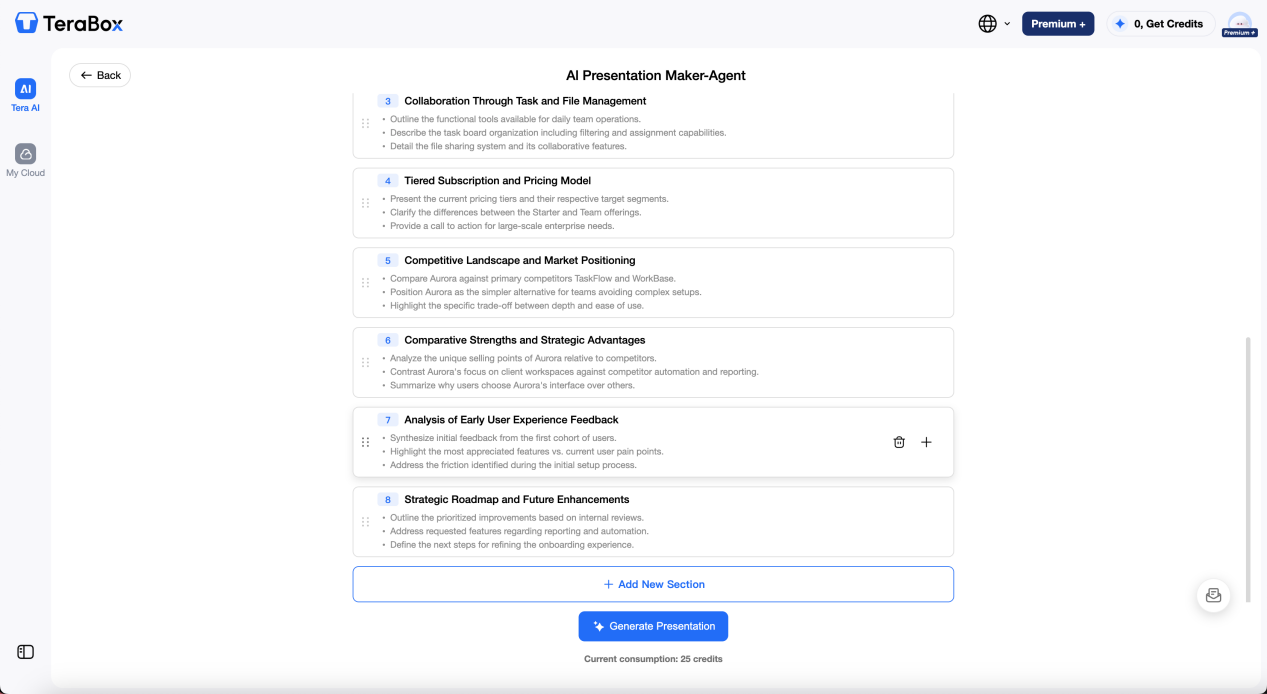
I still had to make a few changes before using it. The competitor comparison came too early in the deck, so I moved it down. Three bullets were also too long for slides, so I shortened them. One slide used a generic gear icon for customer feedback, which I replaced with another option from the built-in icons.
After that, I ran the deck through Beautify. It adjusted the colors and spacing without changing the wording, so the edits I had already made stayed in place.
AI Transcribe
For the audio part, I uploaded a 12-minute voice memo from a conversation with a colleague about a client project to Tera AI. The recording included two people’s names and a few industry-specific terms.
The transcript came back in about three minutes with timestamps and speaker labels. I found five words that needed correcting, including a colleague’s name, one technical term, and a few words from faster parts of the recording.
AI Notebook
I also used the same PDF file to generate a quiz and a mind map using AI Notebook.
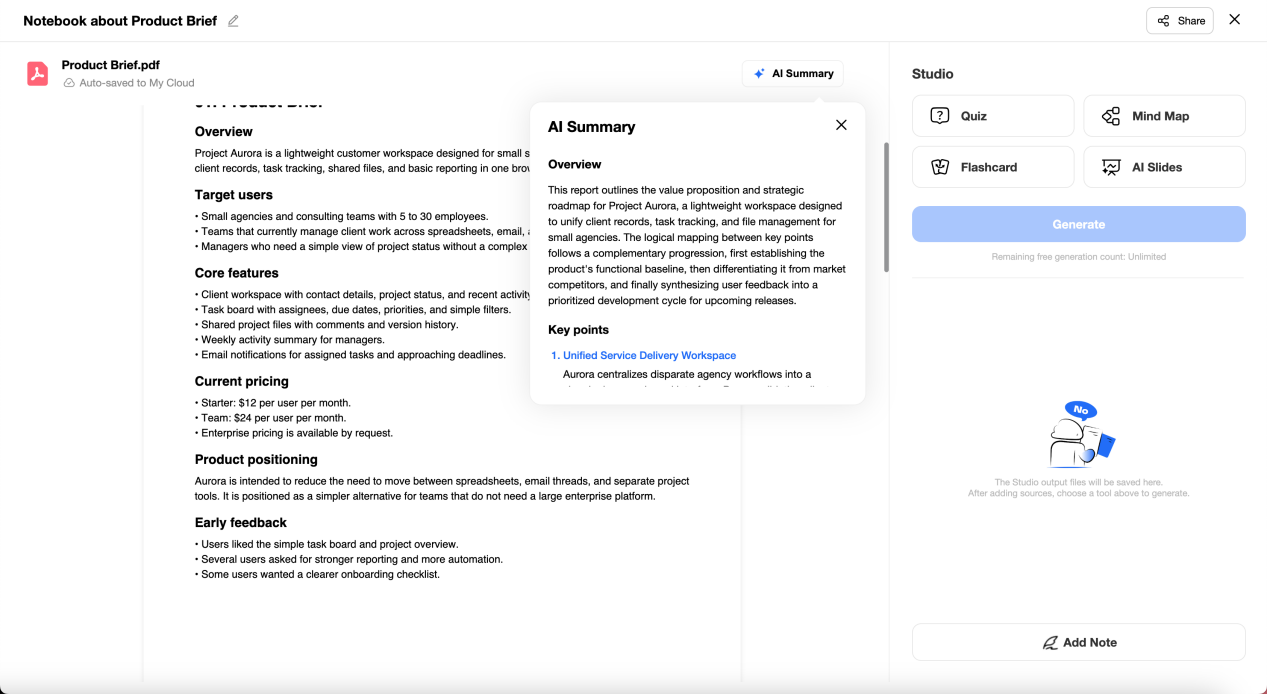
The quiz came back with eight questions, four multiple choice and four short answer, all pulled directly from specific figures and claims in the documents. All eight were answerable from the source material, and none of them referenced anything that wasn’t actually in the PDFs.
The mind map was a mixed result. It correctly grouped the main branches, product features, competitor comparison, and next steps, but it collapsed two separate concerns from my meeting notes ("pricing feedback" and "onboarding friction") into a single branch labeled "customer concerns." Both points were still technically present, but the merge lost the distinction between two problems my notes had deliberately kept separate.
For studying and reviewing, though, I found the Notebook quite useful. It can work with pasted video links as well as different types of uploaded files, so you can turn the same source material into summaries, quizzes, mind maps, and other study formats without preparing everything separately.
Image Generation
For the presentation, I also generated a simple supporting image with the prompt: "Create a professional SaaS marketing image for Project Aurora, showing a modern laptop with a dashboard for client management, task tracking, shared files, and project reports. Clean and realistic business style."
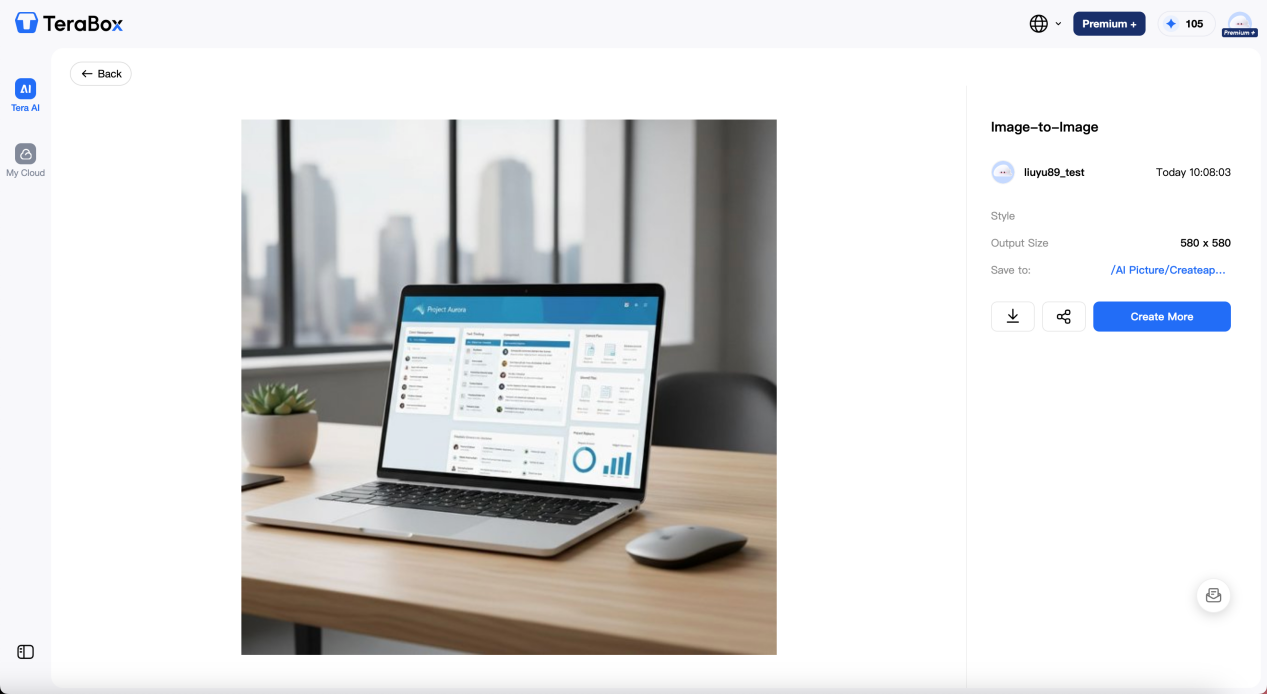
The first result had an awkward logo-like mark on the laptop screen, so I ran the prompt again with "screen turned slightly away, no visible logos or text." The second version looked cleaner and worked better for the slide.
Overall, most of the files stayed within TeraBox while I worked on them. I could use files already stored there as source material rather than downloading them first, although some of the AI tools still required me to move between separate features and make my own edits.
Where TeraBox Still Needs Polish
A few details were worth keeping in mind while I was using TeraBox AI.
- Cross-document comparisons may need a closer look. In my pricing comparison, the Notebook included both numbers from the two documents but didn’t point out that they were different. When working with multiple versions of the same information, checking the original files can still be useful.
- Image generation may take some prompt adjustment. My first image had a distorted mark on the laptop screen, while a more specific second prompt produced a cleaner result. The output was usable after that small adjustment.
- The mobile experience varies by tool. AI Transcribe and Intelligent Search worked on my phone, while the Presentation Agent required me to use the web or desktop version.
These are relatively small points in the overall experience, but they show that some tasks still benefit from a quick review or an extra step rather than being completely hands-off.
Who Should Actually Use TeraBox in 2026?
Based on how I used the AI tools, TeraBox makes the most sense for people who regularly work with documents, notes, recordings, and presentation materials.
- Students and learners can use the AI Notebook to turn PDFs, video links, and other study materials into summaries, quizzes, and mind maps. The Presentation feature can also turn source material into slides, which could be useful when preparing a class presentation or reviewing a larger set of notes.
- Content creators and marketers may find the combination of transcription, presentation creation, and image generation useful for early-stage content work. For example, a recorded discussion can be turned into a transcript, while existing documents can be used to create a presentation or supporting visuals without moving the source files to another service first.
- People who work with a lot of reference material can use TeraBox AI to summarize documents, compare information, and turn the same files into different formats. This is especially convenient if those files are already stored in TeraBox.
For work that requires a very high level of control over the final result, dedicated professional software is still the better fit. For example, AI-generated images can be useful for creating a first version, but detailed photo editing or brand-specific adjustments may still call for tools such as Photoshop. In the same way, presentations or other creative work that needs precise formatting and fine-tuning may require more specialized software.
FAQs
Is TeraBox’s AI Space included with free storage, or is it a paid add-on?
Some AI tools are available with a free TeraBox account, while usage limits and certain advanced options may vary by plan. Check TeraBox’s current pricing page for the latest details.
Can TeraBox AI replace separate presentation or writing tools?
It can handle many straightforward tasks, such as creating a first-pass presentation or working with transcripts. For highly customized presentations, professional writing, or other work that requires more control, a dedicated tool may still be a better fit.
How accurate is TeraBox’s AI Transcribe for real-world audio?
In my test, it transcribed a 12-minute recording in about three minutes and needed five word-level corrections. These included a name, a technical term, and a few words from faster parts of the recording. Results can vary depending on factors such as audio quality, background noise, and accents.
Does using TeraBox’s AI tools affect file privacy or storage limits?
AI tools use files that you upload or select within TeraBox, so it’s worth checking TeraBox’s current privacy terms and storage limits before working with sensitive or large files.
Is this AI tool available on mobile as well as desktop?
Of course! This all-in-one AI agent is also available on mobile, empowering you to handle everything from casual chats and media generation to presentation building and deep research on the go. You can download TeraBox app and start you AI journey!
Conclusion
Overall, this TeraBox review shows how AI Space makes TeraBox more than just a place to store files. With tools like Notebook, Presentation Agent, and Transcribe available alongside your stored files, it offers a more convenient way to work with documents and other content in one place.
If you already use TeraBox for storing your files, AI Space is worth exploring to see how well it fits into your own workflow. You can start with a few files you already have and try the tools that match the kind of work you do most often.