Nate Hoffelder

Nate Hoffelder

How to Add Google Play to the 9″ Pandigital Novel

  Update: The link to the firmware no longer works, sorry, and I have not found a replacement.

I’ve just learned of an update for one of the better budget tablets that came out last year.

Pandigital is one of the more successful budget tablet makers, and they’ve been releasing tablets since July 2010. Late last fall they released the 9″ Novel, and at the time it was one of the better  budget Android tablets. It’s getting a little long in the tooth now, given that it has a single core CPU, resistive touchscreen, and runs Android v2.0.

But I’m still seeing readers show up and ask questions about this tablet. Given that in the past week someone came looking for a way to update this tablet, I thought it worth a post.

Now, Pandigital never released any firmware updates for this device, but someone else did. It’s a hacked update, and it actually came out in March. I only found it today.  I just finished with the update, and I’ve confirmed that the Android market does work, and so does the Kindle app and the Amazon Appstore. The process went without a hitch, and I think it’s safe for the average user.

This firmware is based on the one that originally shipped with the 9″ Novel. It was copied off of one and then modified. It comes with a number of apps, including:

  • Android Market
  • Kobo
  • B&N
  • Kindle
  • Android Appstore
  • File Manager
  • Spare Parts
  • Task manager

It’s still running an old version of Android, and you can get most of the apps online. But I would still get this update just because it adds the official Marketplace.

How To

The process is pretty simple. You’ll need an SD card and you should charge your tablet first.

  1. Download this ZIP file.
  2. Copy the DAT inside that ZIP file to the SD card in your 9″ Novel.
  3. Turn off your Novel.
  4. Start the update cycle by pressing the up volume button and the power button at the same time.

I found the update via SlateDroid. The developer had a 9″ Novel back in March and April, but he returned. He’s not supporting it anymore, but there are a number of tablet owners over at SlateDroid who probably already have this update installed.

First True Hands On Videos of the Kyobo eReader w\Mirasol Screen

Qualcomm’s Mirasol screen has finally made it into the hands of a few bloggers, but sadly I am not one of them. Cheryl Goodman, the head of marketing for Mirasol, is in Taipei this week for a conference. A couple of bloggers caught up with her yesterday and they got to shoot videos of the elusive ebook reader.

I’ve already covered the details of the Kyobo eReader (price, specs, and content) before, so I’m really just interested in the screen tech. I turned off the sound.

The first video is by TweakTown. Watch carefully and you’ll see that the video confirms the long load time for ebooks. The video also doesn’t give a very good impression of the true screen quality. And about 3 minutes in you’ll find a video playing in the eReader. It’s surprisingly jerky.

The next video was shot by Nicole Scott of NetbookNews. It shows pretty much the same thing, only in this video the screen is lit by natural light. What do you think of the color quality on the screen?

Nicole reports that it’s doing just under 30 frames per second video, and that the hardware was capable of doing 40 fps. She wasn’t too pleased with either the color quality on the display or with the viewing angle.

This ebook reader is going for about $310 in South Korea, and it’s not available elsewhere. That’s probably a good thing; it doesn’t look like the Mirasol screen is ready to seriously compete with either E-ink or LCD screens.

Nicole also says that Qualcomm plans to announce partners at CES 2012, but I don’t see that happening. I’ve heard from a couple sources that Qualcomm is still having a lot of trouble with rejected screens. My industry source told me that they’re losing an incredible number (it’s so high I’m not sure I believe him), and my source inside Pocketbook says that their device is stalled because they can’t get enough screens.

But all that could change once Qualcomm gets the factory up and running. They broke ground back in December 2010,and right now they are setting up the equipment. The factory is due to open in the 2nd half of 2012. With a lot of luck, we might see the Mirasol screen on more devices in time for next Christmas.

Of course, that’s what Qualcomm said last year, and as you can see it didn’t happen.

Kindle Format 8 Demo Now Available

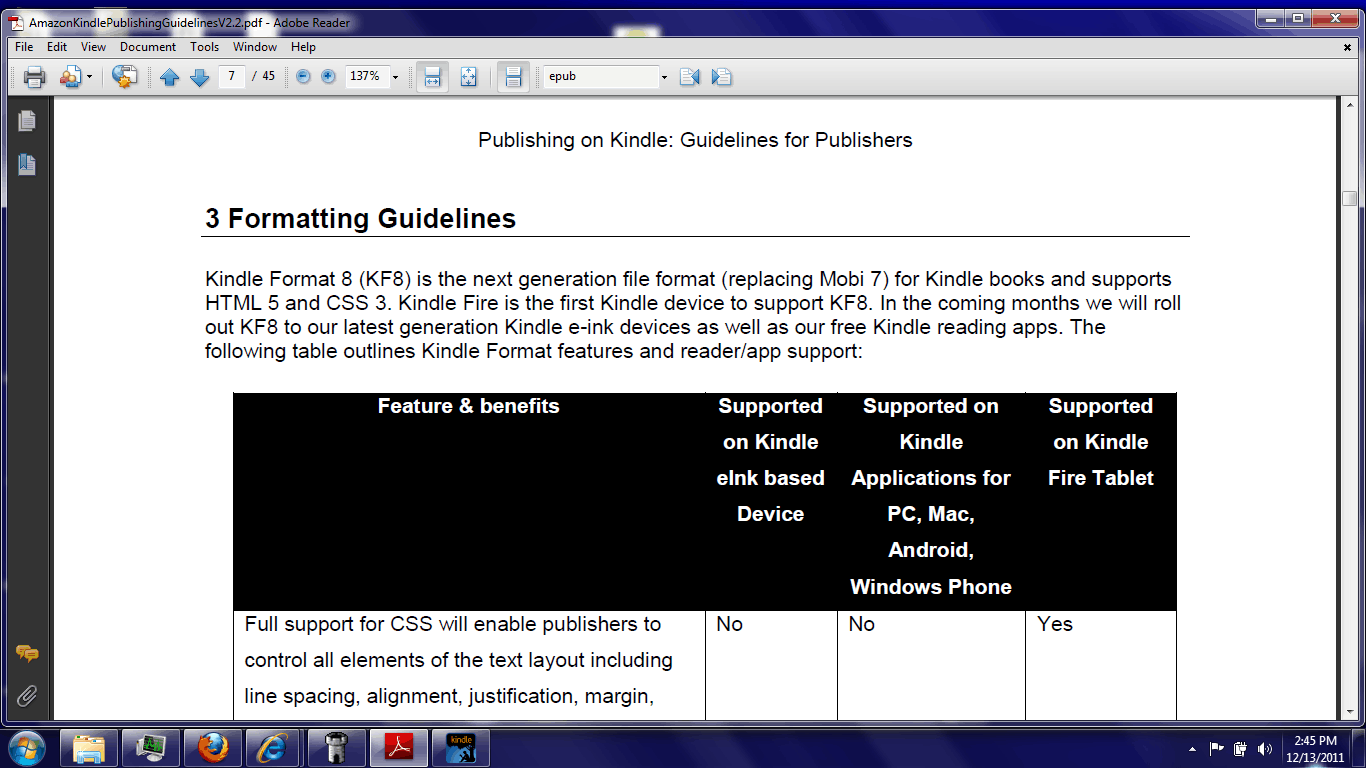
On Monday I posted about the new Kindle Format 8 and how I was pretty sure that the Kindle Fire could already read it. It looks like I was right.

This morning someone left a comment and confirmed my suspicions. Kindle Format 8 is in beta right now and it is being tested by a select group of publishers.

I’ve checked with Amazon about when it will be released to the rest of us, but I never got a response.

My source pointed me at the guidelines for the new format as well as the tools needed to make KF8 ebooks. While I cannot share the tools, I can share a demo file I made. It only displays correctly on the Kindle Fire, but it does work.

First let me give you the file (because I know that you’re dying to try it). You’ll need to transfer it over USB; I suspect that emailing it to your KF could mangle the formatting.

Download

Second Demo (embedded fonts, tables, and more)

It doesn’t demo everything you can do with KF8, but it was made from a 2009 Epub (source) that used a lot of the more advanced formatting features (which at the time you couldn’t do with a Kindle ebook). Note that this is an Epub file, not Epub3; I’m not sure that Epub3 will convert properly.

Sidenote: I’m willing to post any converted files I’m sent so we can all see them.

My source shared a number of details, and I spent most of today reading the guidelines. Amazon is using a fair amount of proprietary tags for some features. For example, the zooming on fixed layout ebooks appear to be all Amazon’s html code, not software features. I was also told that the new format is more of an update to the exiting Kindle Format, not something completely new. From what I can see that certainly appears to be true. There is a high degree of similarity between these guidelines and the previous one.

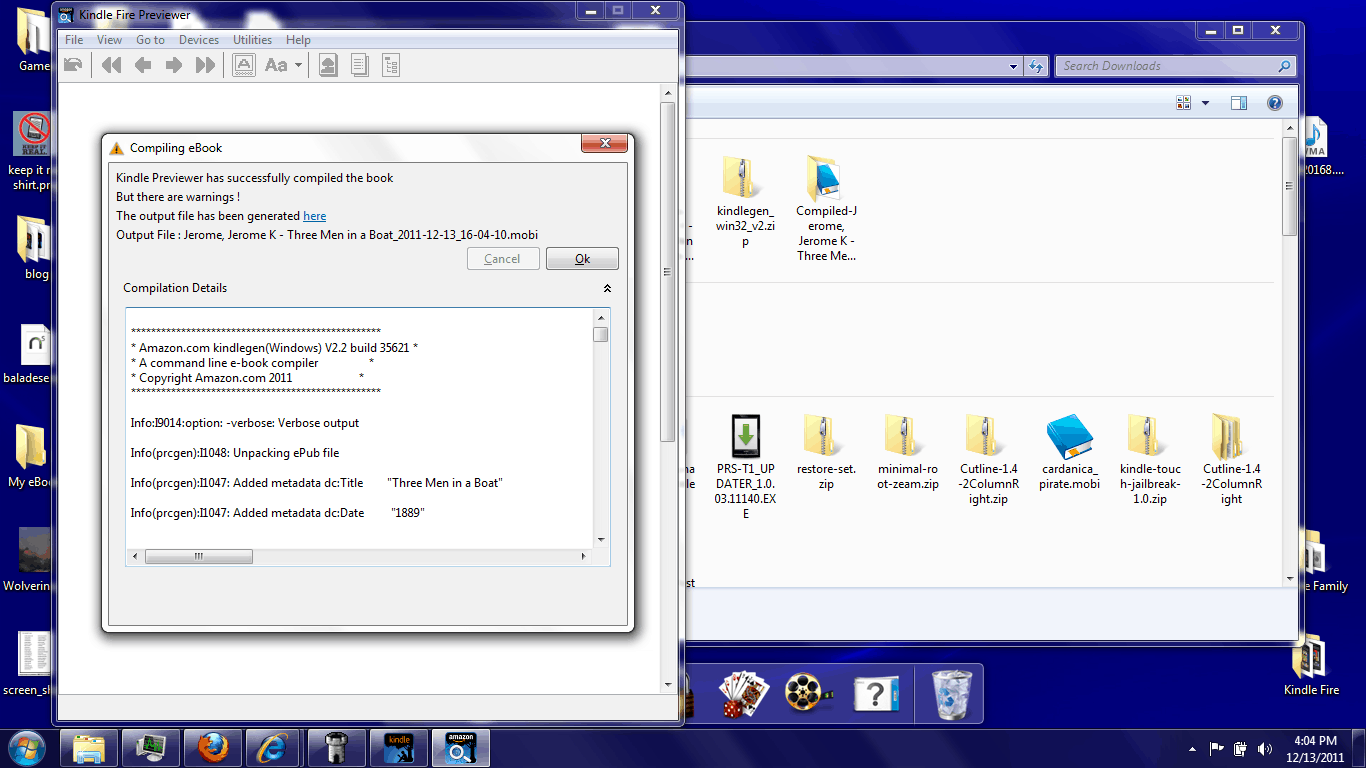
I’ve converted a few Epub files myself, and I was a little surprised how well they transferred over. It looks like Amazon paid a lot of attention to the Epub conversion. I’ve read through the error report and virtually everything came through the way it was supposed to.

But KF8 doesn’t support everything, unfortunately. For example, the audio and video tags used in the iOS apps won’t work on the Kindle Fire (and they are mentioned by name as not working).  And there’s no indication of any plans to add them. My source also said that publishers had to modify their Epub files so the table of contents could be converted properly.

I’ve also checked and the guidelines says Javascript is not supported, and neither are some HTML5 tags:

  • Canvas
  • Command
  • Datalist
  • Script (reserved for Amazon use only)
  • Base
  • Form
  • Eventsource
  • KeyGen
  • Input
  • Embed (Only SVG is supported for Kindle Fire)
  • Object (Only SVG is supported for Kindle Fire)
  • Param
  • Noscript

On a related note, if you want more KF8 ebooks you can probably go buy them. There’s a bunchaton of graphic novels available exclusively for the Kindle Fire. Those are almost certainly KF8 ebooks. The same might also be true for the KF exclusive magazines (like this one), but I’m not sure.

Now that I’ve had some time to think it over, I’m beginning to get the impression that Kindle format  is a response to Epub; it’s not an attempt to match the abilities of Epub3. There’s still plenty of room for Epub3 to get ahead of KF8, including in terms of active content.

But before that can happen we’re going to need devices and apps that support Epub3 as well as tools to make it. Who wants to be that we’ll see KF8 on the market first?

P.S. If anyone has an Epub you’d like me to convert, let me know. I want to see what this format can do.

Kindle Touch Gets World’s Simplest JailBreak (And It Runs HTML5)

What would you think if I told you that jailbreaking the Kindle Touch/K5 was as easy as playing an mp3 file? I hope you’re sitting down, because it really is that simple.

A hacker by the name of Yifan Lu has just posted a jailbreak for the K5/Kindle Touch, and I just used it on my K5.

Update: A reader commented that he was confused by my calling the Kindle Touch the K5. I use this term because the Kindle Touch is running Kindle OS5, while the other new Kindle is running Kindle OS4.  That makes the Kindle Touch the fifth generation Kindle, aka K5.

How T0

I’m covering this first because it’s easy.

  1. Download this zip file.
  2. Copy the mp3 over to the music folder on your K5.
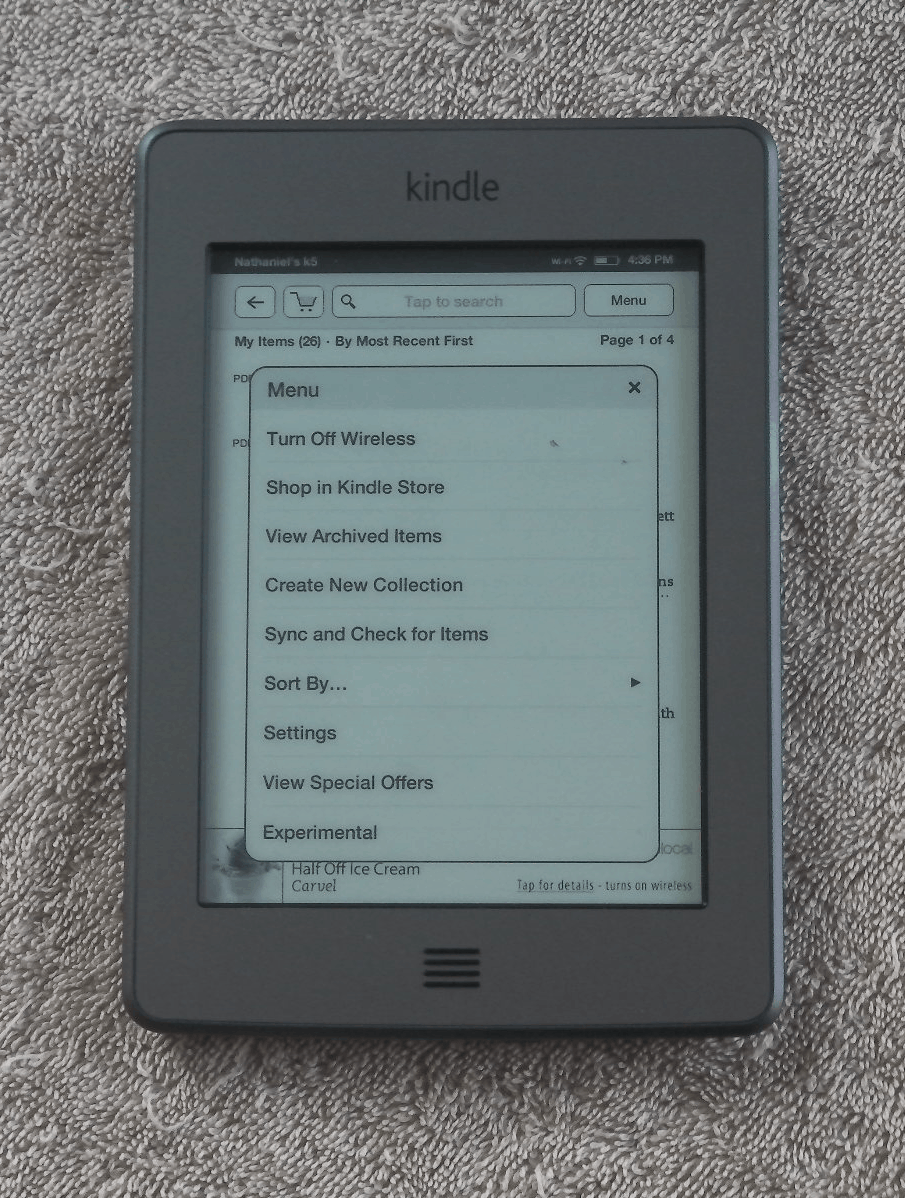
  3. Play the mp3 (from the experimental menu).

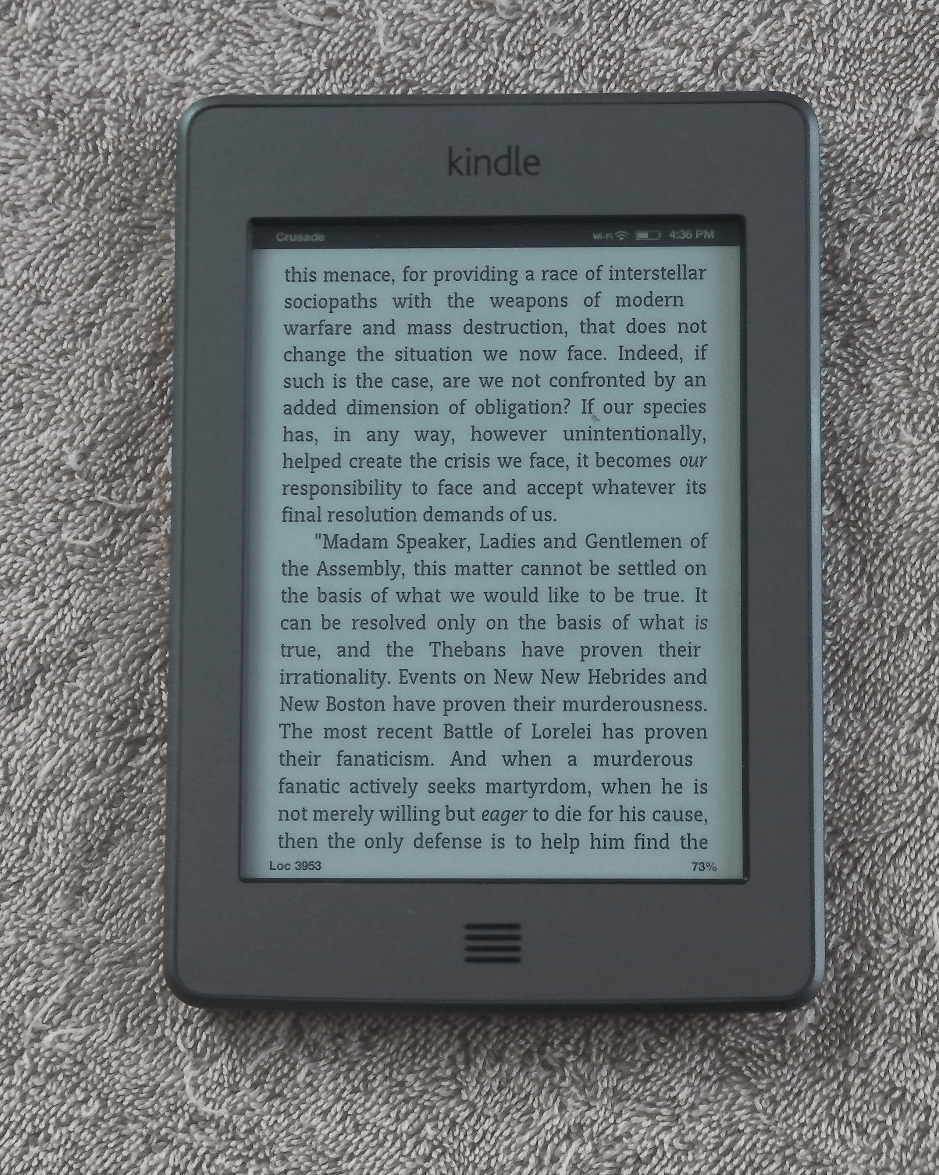
If you see the screenshot at right then congratulations. You now have a hacked Kindle Touch.

The Technical Explanation

I told you earlier this week that the K5 (Kindle Touch) was based on a completely different code base from previous Kindles, and that turns out to be more true than I realized.

Yifan  discovered that the software running on the Kindle Touch is written mostly in HTML5 and JavaScript, not the Java that all the other Kindles use.  In fact, the menus can be thought of as webpages in disguise. Pretty cool, huh? I think so, because this means that it won’t take long for hackers to release custom menus and spice things up.

That HTML5 base is also the security hole that Yifan exploited. He assembled an mp3 with his hack buried in the ID3 tags. The Kindle displays the tag info while playing the mp3, and it will also execute the code in the tag.

This hack is quite simple. All it does is install a key to root the K5 and allow you to install other hacks. It’s really just for developers at this point.

The Future

I’ve now hacked my K5, but that doesn’t mean much at the moment.

Yifan reports that none of the existing hacks for previous Kindles will work on the K5. He also didn’t add any amazing new features with his hack; he just wanted to show that it could be done and thus open the door so everyone else could get started. We’re going to have to wait a while for new hacks.

On the upside, the K5 is written in HTML5 and its Java code is not disguised. It shouldn’t be too hard for just about anyone to release a hack that adds a new feature. I myself am hoping we’ll see an Epub reader.  I’m also looking forward to HTML5 sketchpad apps.

In any case, I’m glad I kept my K5. It’s going to get a whole lot more useful in the near future.

via Yifan Lu

—
For more ebook news, subscribe to the RSS feed or the daily email newsletter. You can also follow me on Twitter: @thDigitalReader or find me on FaceBook.

Kindle for Android Now Supports PDF

So it looks like the Amazon-Foxit deal was announced yesterday for a specific reason; the Kindle for Android app can now read PDFs. The update showed up in the Android Market a couple days ago, but it’s not being pushed out as a recommended update. I didn’t know it was available until I got a tip on Twitter.

There’s not much to the update. Along with basic PDF support and bug fixes, the update also adds better support for Android v4.0 ICS smartphones. I suppose that would include tablets except there aren’t all that many Android tablets running the latest version of Android.

The new PDF abilities are rather basic. I’ve tested the app on my eeePad Transformer, and the only thing I can do with a PDF is pinch zoom, turn the page, and jump to another page. There’s no typed notes, highlights, bookmarks, or TOC support.

Performance was okay. It was quite fast to turn the page and jump around inside a text based PDF, and the app also survived the PDF that Mike was using to crush an iPad. To be more specific, I was seeing page load times about the same as GoodReader displayed (8 to 15 seconds).That’s actually a pretty good result, considering that this was a killer PDF made from high resolution page scans. The perfomance may have been poor but it was on par with the best PDF app on the iPad.

On a related note, there’s no mention of support for Kindle Print Replica format. This is Amazon’s own PDF format, and they use it for some textbooks. I’d half expected to see the Android app get support for both PDF and KPR, but that didn’t happen. i tried a KPR file; it wouldn’t load.

Like the PDF features on Kindle for PC, there’s no mention of who did the code, but I suspect that it was Foxit. I’d gotten a hint yesterday that any improvements or new features may have come from them. But I’m also surprised that I got the hint; these features aren’t worth much of anything. Remember, the Kindle app normally supports bookmarks, highlights, notes, and you can share content. You cannot do any of those things with PDFs just yet. I would have waited and claimed credit when the app could actually do something.

All in all, it’s a good first step. It’s also a sign that fixed layout is going to be a fixed feature in the ebook marker from here on out. When even Amazon caves and starts supporting the format in their apps, you can tell it’s here to stay.

—
For more ebook news, subscribe to the RSS feed or the daily email newsletter. You can also follow me on Twitter: @thDigitalReader or find me on FaceBook.
—

Android Market

Amazon


Dymocks Now Following in Penguin’s Footsteps – Launches Program to Fleece Authors

Some time back, Dymocks, an Australian bookseller,announced that they were going to launch their own self-pub service.  That service is going to be up and running in about another 8 hours, and it’s called D Publishing Network.

And yes, it does fleece authors. In fact, it might actually be a worse deal that the Book Country service I told you about a few weeks back. That program charged both a extortionate conversion fee and a commission. I’m not sure that Dymocks charges a commission on copies sold but their conversion charges are just as ridiculous.

Like Book Country, D Publishing Network offers both print and Epub conversion and distribution services. You can pay for just one service or bundle them for a lower fee. I’m more familiar with digital, so I’ll cover that first.

Print only – $499:  They take your manuscript and typeset it for their digital print  option. They understand that (as with any typesetting process) that it may not be correct the first time and you can keep adapting for up to five times. You also receive a PDF ebook with this package.

ePub only – $399: Conversion of your manuscript to an ePubebook format.

Print and ePub – $699: Combined package deal.

Dymocks wants to charge you $400 AUD to convert and distribute your ebook. It will be sold via Dymocks.com, Google eBookstore, and they also plan to add more distribution channels in the near future.

Now, I’ve said before that $300 was a ridiculous charge for ebook conversion (that’s what Book Country charges), and this is even more so. If you shop around, you can get both Kindle and Epub done for under $150. Also, Dymocks is only offering the one format, and they’re not going to distribute it to the Kindle Store. That means they aren’t going to bother with 40% the world ebook market.

Oh, they will put your ebook into the Google eBookstore, but one, you can do that yourself, and two, that only covers a fraction of the world market. It’s only open in a handful of countries ATM.

As for print, that might actually be a worse deal. They’re charging $500 to format a print book and sell it via the Dymocks website. You also have the chance of getting the book into their 96 bookstores. The book will be POD, of course, and not have a traditional print run.

Update: I’m told that the price may not be such a bad deal. Someone whose opinion I respect says he’d charge about that much to do basic formatting of a print book.

I’m not as familiar with paper distribution as digital, but I’m pretty sure I can come up with a better offer. Dymocks is only going to sell via the one website in a few small markets (Australia and New Zealand). You can cover most of  Dymocks' markets by selling your paper book via The Book Depository. They offer free shipping to a lot of countries and I’m told they stock POD titles (Create Space or Lightening Source).

Also, Lightening Source now has a plant up and running in Melbourne. I suspect that Dymocks plans to have your books printed there. Why not cut out the middle man? LSI is more than happy to work with you direct, and they already have a distribution network.

BTW, one thing that sets Dymocks apart is that they focus primarily on Australia. I can understand that an Australian author would want to cover their home market, but you don’t need to use an Australian company to do that. But if you want one, I would check out Booki.sh. I don’t have current info on whether they will accept self-published authors, but they are a reputable Australian tech company and ebook distributor. You can read more about them here.

But you don’t need an Australian company to cover your native market. You can do that yourself with the right marketing efforts. What’s more important is that you make your work available to as many people around the world as possible with the least amount of cost and effort.

And that is the best reason not to bother with Dymocks.

D Publishing Network

via


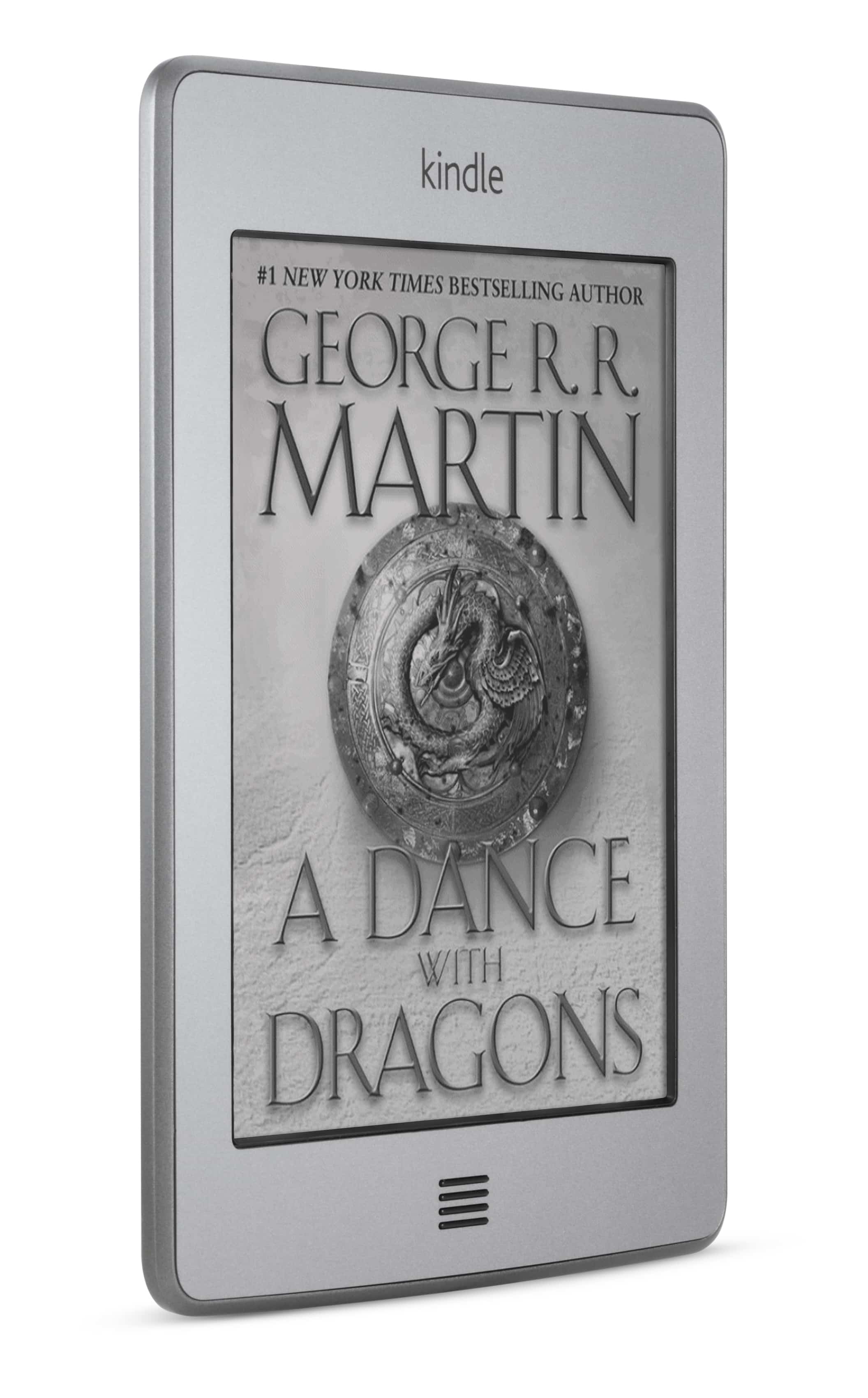
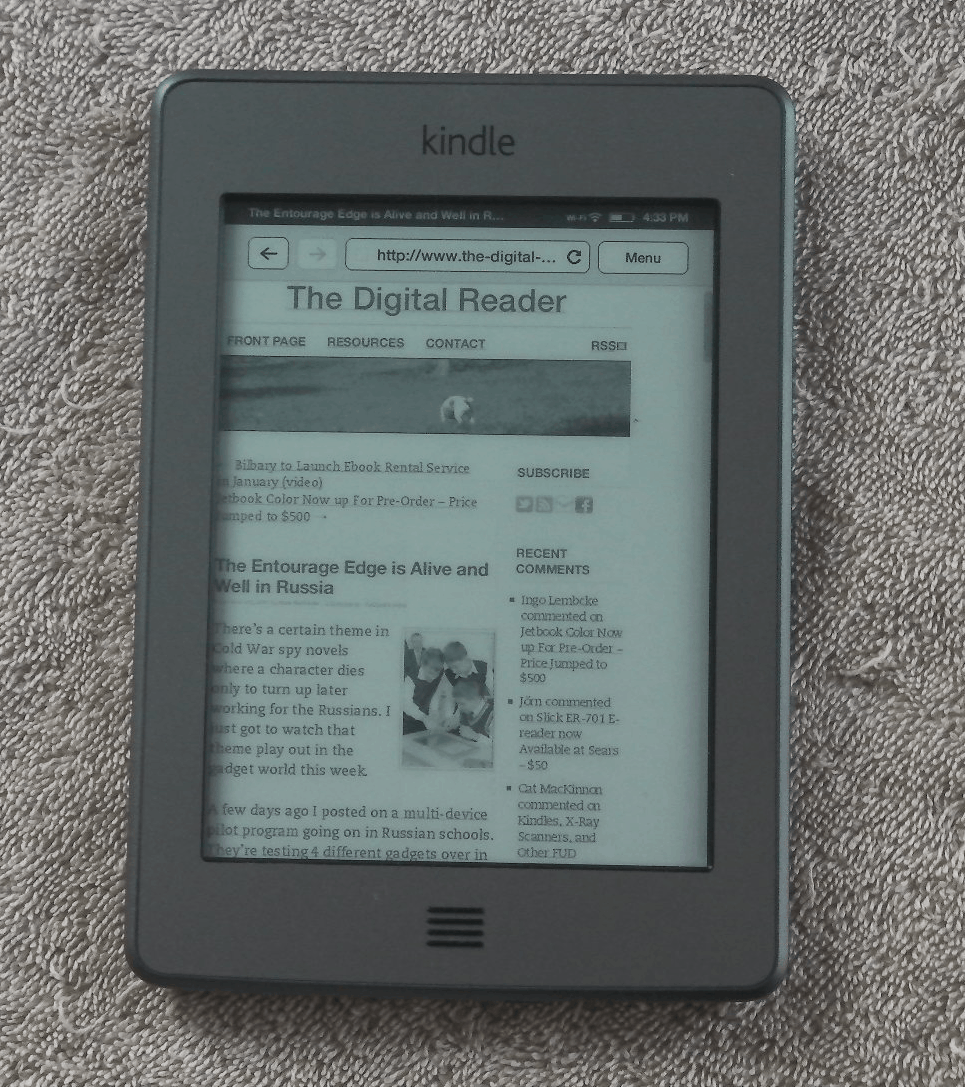
Review: Amazon Kindle Touch (K5)

Amazon surprised us all back in September when they announced not just the Kindle Fire but 2 ereaders as well.

The K5 looks like it is going to be Amazon’s premium ereader from here on out. It ships with the latest Pearl E-ink screen and a touchscreen based on Neonode’s infrared technology. It doesn’t have a card slot, so you’re limited to just the 3GB or so of onboard storage (as well as the 5GB available online in the Kindle Cloud).

Update: I just got sniped at in the comments because I’m calling this Kindle the K5. Well, it’s running Kindle OS5, while the K4 (or Kindle basic) is running Kindle OS4. That is a valid reason to call it the K5, IMO.

It comes with most of the latest software features, but it lacks the language support found on the K4 and it also lacks the ability browse the web over the 3G connection. That 3G web browsing is only available on earlier Kindle models like the K3, Kindle DX, K2, and so on.

Pros

  • Improved PDF app
  • Games
  • responsive touchscreen
  • A marked lack of bugs for a first gen device

Cons

  • Web browser issues
  • Feature tradeoffs

Hardware

At first glance Amazon 5th 6″ ereader is a rather hefty alternative to the basic K4. But while it is heavier than a number of other ereaders on the market it is also fractionally lighter than its predecessor, the K3 (according to Amazon’s specs).

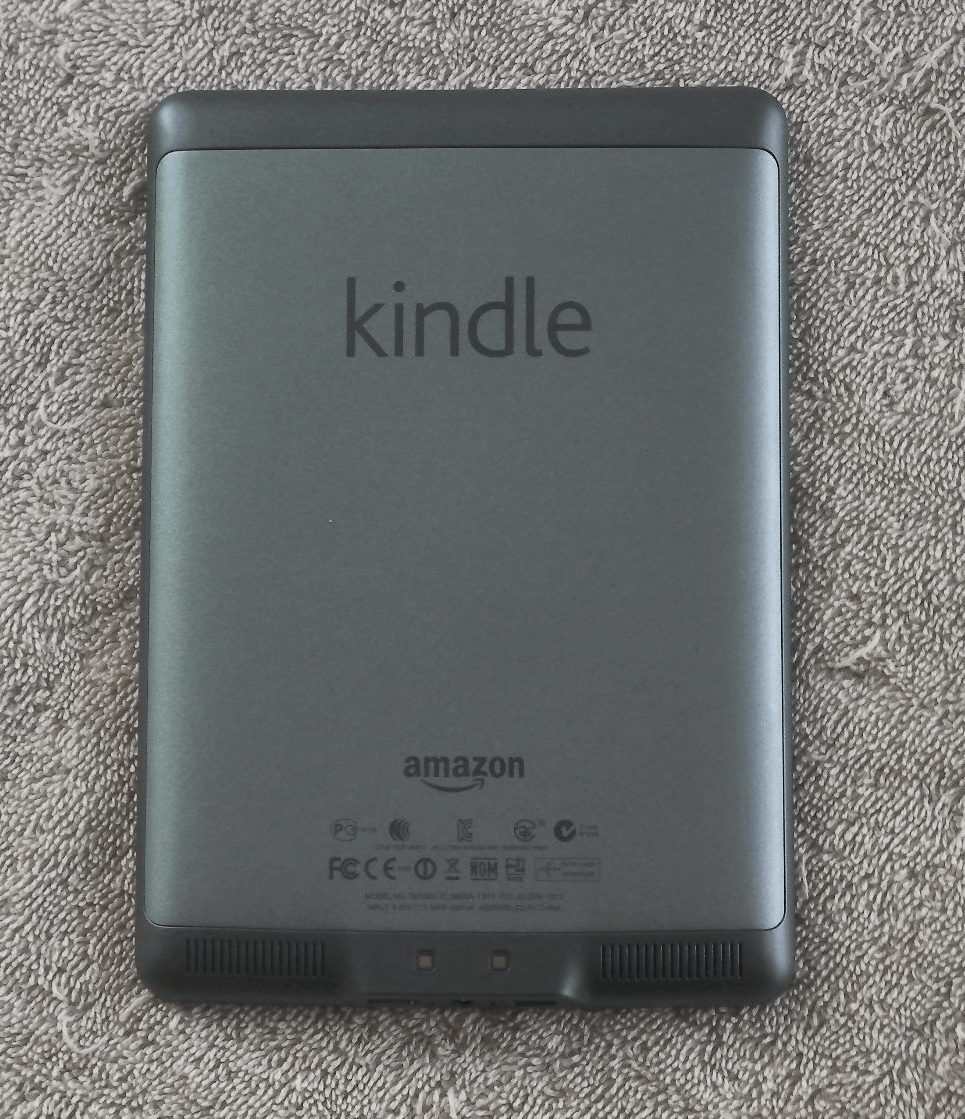
It has a wide bezel around the screen with just the one button below. The back is nicely curved, with 2 speakers on the lower edge. On the bottom edge is the USB, power button, and headphone jack.

I found the K5 easy to use with either hand. The touchscreen is divided so that a strip on the left side goes back, a strip at the top opens the menu, and tapping on the rest of the screen will turn the page. While I’ve heard some complaints about the K5 not being a one handed ereader, I don’t see what the issue is. Yes, certain activities like looking up a word or navigating a menu works better with both hands, I can still read one handed.

Menus & Navigation

The K5 features new menus that were designed for the touchscreen, but the design is confusing and takes some time to understand. For example, I kept clicking on the home button because I thought it would open a menu while in an ebook. I know it’s a home button, yes, but I was instinctively thinking of it as a menu button.

And I’ve heard one or 2 complaints about the page turns. Like I described above, Amazon divided the screen so most of it is reserved for the next page button.  But the only reason I knew that is because I was careful to ay attention during setup. If you don’t notice the instructions then it would be easy to be frustrated by the odd behavior.

Reading

Aside from the new menus, I believe the K5 is using the same reading app as the K3. It has the same 8 font sizes and 3 font faces, as well as the same options for words per line and line spacing. It also has the same PDF and text to speech support. It has the same annotation options, only instead of typing notes on a physical keyboard the K5 has an onscreen KB. I thought it worked pretty well. I almost never hit the wrong key and the K5 always kept up with my typing speed.

You can search for a word either in the dictionary, Wikipedia, or Google by tapping and holding on the word onscreen. The K5 can also show you the popular highlights and let you share excerpts via Twitter or Facebook. But before you can share you’ll need to crosslink your accounts.

Update: No it does not.

The K5 also has a new feature called Xray. This offers background material on books sold by Amazon, and the content is pulled from the user generated articles on Shelfari. It’s quite fascinating, but not much use for me. Most of my ebooks are from elsewhere.

The K5 appears to be using a new PDF app, and it works well. It uses the same page turn options as the other reading app, which is good. And the zoom settings are gone; you now use the touchscreen to pinch zoom and scroll around the page. You can also use the touchscreen to highlight and add notes.

The PDF app is awesome, actually. You’re still reading on a 6″ screen and there’s no reflow mode, but the PDF is one of the high points for the K5.

Web Browser

The K5 web browser lacks the zoom settings found on the K4 and K3, but it replaces them with a pinch zoom. That’s nice, but it’s off set by several other issues.

I don’t think it’s using quite the same web browser, and I don’t like the changes.  The browser is set to always crop the left margin,  no matter the zoom setting. This means the text is close to the left edge of the screen. The left margin is far too narrow to be read comfortably on some websites, and there is no way to zoom out and make the margin a little wider. But the web browser did keep the article mode found in the earlier browsers (a viewing option that lets you reflow the text so it can be read comfortably). This means that the browser is not a complete loss. You can still read web pages; it’s just not terribly convenient.

I’ve also had trouble loading a number of the bookmarked websites (BBC, Yahoo).  I know my connection is fast enough, so I have to wonder if the K5 just isn’t up to the task. And I have to say that the K5 is rather slow to respond to swipes and zooming. This is probably just a software issue, but Amazon really needs to speed this . The K5 is noticeably slower to respond than my Sony Reader Wifi.

Games

I said in my first impressions post that I liked a number of the games on the K5.  This is indeed where it shines. There are a number of the Kindle games that are quite fun, and I do like how Amazon lets games use the swipe to scroll the screen as well as the inch zoom option.

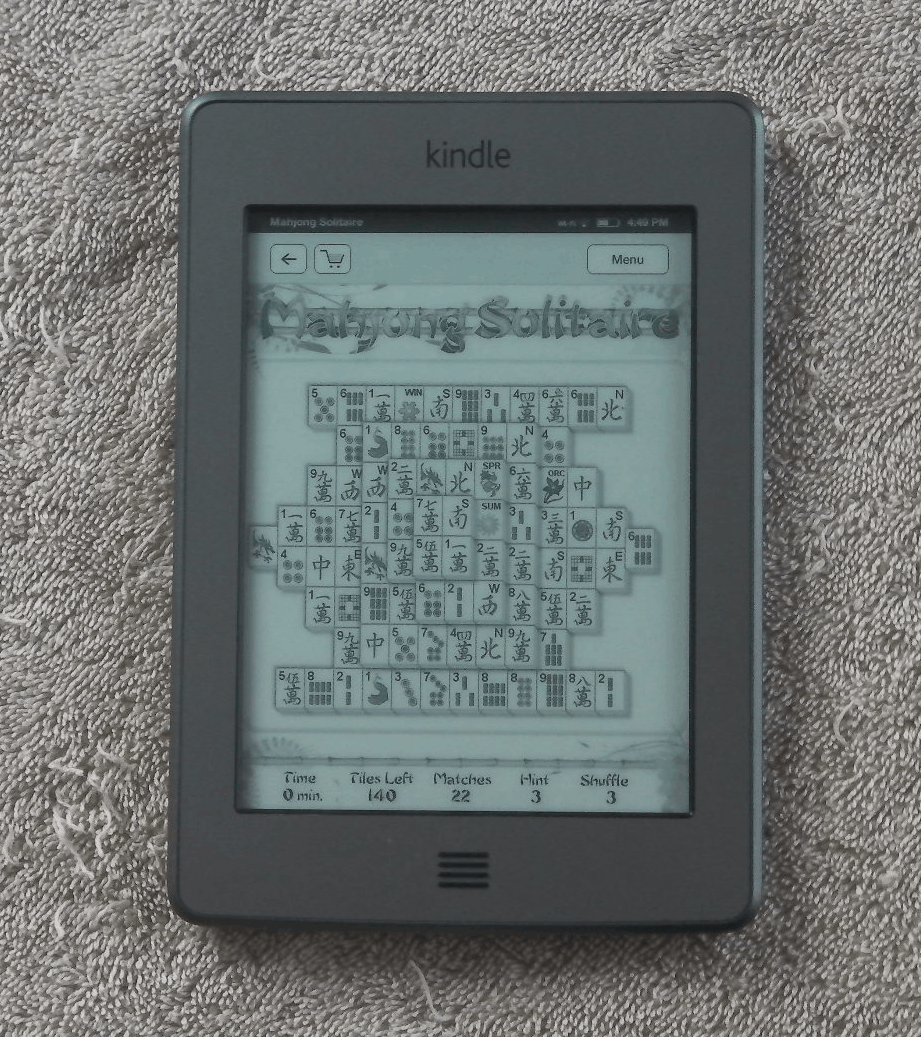
In particular, I like games like Mahjong Solitaire. This is a game best played with a mouse, and that’s why it works better with a touchscreen than with the d-pad (on the K3 and K4).

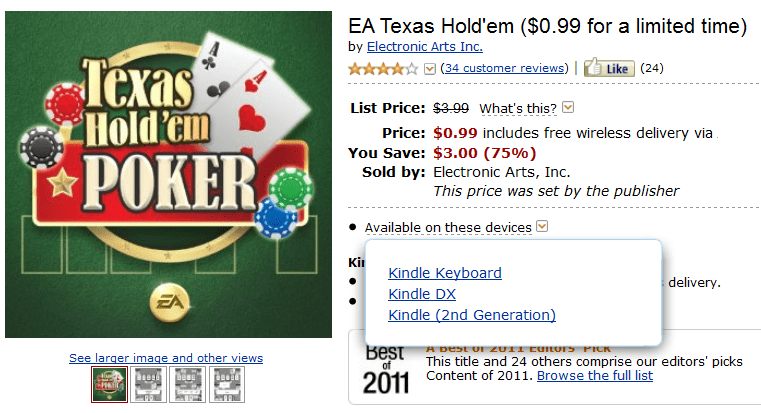
Unfortunately, not all the games work. It’s best to check to see if the game is compatible before you buy it. But that is easy to do. As you can see in the screenshot at right, Amazon tracks apps based on their compatibility with specific Kindles.

Opinion

This is a nice ereader, but it still has tradeoffs. If you buy it you should first weigh what it loses vs what it gains. For example, it has more storage than the K4, but it lacks the language support. It has a touchscreen, but it loses the keyboard and the 3G web browsing found on the K3. And the web browser gains some features but also loses others.

But it is a well functioning device, and it’s a solid middle of the road ereader. While it’s not the best ereader on the market, it’s also not the worst.  I haven’t found any worrisome signs that might turn me against  the device (like the touchscreen issues on the Kobo Touch).

All in all, I have to say that the touchscreen is what makes the K5 worthwhile. Between PDFs, reading, games, and the web browser, Amazon actually put a fair amount of work into integrating the touchscreen. It’s much more useful than I expected going in.

Specs

  • 6″ Pearl E-ink screen (800×600)
  • 16 levels of grayscale
  • IR touchscreen (Neonode zForce)
  • 3.2GB Flash storage
  • Wifi, 3G
  • speakers, headphone jack
  • ebook support: AZW, TXT, PDF, MOBI, PRC
  • audio support: , Audible, mp3
  • Dimensions: 4.7 in x 0.4 in x 6.8 in
  • Weight 7.5 oz

Slick ER-701 E-reader now Available at Sears – $50

About 4 months back I posted the FCC paperwork for the Slick ER-701 ereader, a new budget device that was going to be sold by Southern Telecom. I haven’t heard anything about it since then, but today my competition found the ereader on the Sears website.

This 7″ ereader is selling for $50, and that’s a heck of a lot less than I was expecting. It’s also less than the price in Europe, where Trekstor imported it and is selling it for 60 euros ($80). Actually, most of the difference is because Sears knocked $20 off the price.

It has a card slot and internal Flash storage, but I cannot tell from the Sears listing exactly what those are. As you might be able to tell from the screen, this ereader was originally designed by Gajah. That means it will have a decent reading app, decent battery life, and at the current price it’s certainly worth buying. This ereader will likely also have decent video and audio ability and the several Gajah ereaders that I have reviewed all had broad audio, video, and ebook format support.

The ER-701 also comes tied to the Kobo ebookstore. I’m not sure how that works; this device does not have Wifi so there’s no built-in ebookstore. It probably ships with the installer for the Kobo desktop app, and you can use that to download ebooks.

If you’re looking for something basic then this is a serious contender.

Sears

Amazon Expands Ebook Rentals Beyond Textbooks – Maybe Not

Amazon launched Kindle textbook rentals earlier this year, and it looks like they might have expanded beyond just textbooks.

Strange Histories  is a non-traditional history book which normally sells for $14.55. Twitter user Merralin noticed yesterday that you can now rent the ebook from Amazon in the usual 30/60/90/120 segments, with prices ranging from $8.02 to $12.77. That’s in keeping with Amazon’s other textbook rental prices, so this doesn’t appear to be an accident.

But I’m reserving judgement at the moment. This title looks like this is a book a professor would assign. In fact, I can think of at least 1 history professor who would have assigned this book in class. Also, it was published in paper by Routledge as the "New Educational" edition, which makes it sound like a textbook.

I also did some digging, and I cannot find any non-textbook available for rent via the Kindle Store. This wasn’t easy to confirm, so I fell back on the tried and true complex Google Search. I’ve scanned the first 5 or so pages of results and all seem to be textbooks.

So this is probably a false alarm. And that’s a good thing, because the rental prices aren’t a good value. If you’re planning to sell a book, you’re much better off buying  a title in paper. You can get half or more of the cover price back on a textbook, and that’s a far better deal than the 15% to %30 a rental will save.

Via


University Study Finds the Obvious Cause of Piracy – Frustrated Customers

There’s an interesting post on The Hill blog today. It’s written by a couple professors from Carnegie Mellon University, and it rehashes several papers that they released in past couple years. (A brief look at one author’s CV reveals that they’ve written a number of papers on piracy.)

Nevertheless, our research suggests that Hollywood is leaving money on the table — and is in turn failing to address a root cause of piracy — by preserving its separate release windows. Based on our analysis of seven large nations, we find that in most countries, every week customers have to wait before they can buy a DVD translates into, on average, 1.8 percent lower DVD sales. Given that good-quality pirated versions are available close to 14 weeks before the legal versions, the losses can be in the millions of dollars. Not surprisingly, a 14-week delay also translates to a 70 percent increase in pirated movie downloads in those countries.

Now, I’ve posted about piracy once or twice, and this fits with what I’ve seen. In my experience, a lot of people only turn to piracy when no one will sell what  they want to buy. That’s pretty much what these professors found in their research. But while I already knew what the paper would say, it’s good to have peer-reviewed paper written by a couple of PhDs to back me up.

Piracy is first and foremost a force of nature; it is an unavoidable aspect of the way digital content is created and can no more be stopped than you ca turn back the tide.  In fact, you’d probably have to kill the internet to slow it down any (that’s where SOPA comes in), but even then you’re not going to stop it.

But back to the article,  a later section agrees with my past experiences:

Together these results suggest that delaying content in the presence of digital channels is likely to cause consumers to lose interest in the product at best, and lead consumers to alternate pirated channels at worst. A better strategy would be to do the opposite: Make it easier for consumers to buy the content in physical and electronic channels. For motion picture studios this might mean selling content in theaters, on DVD and on digital services at around the same time, perhaps at different price points.

That also fits with what I’ve heard and read. Consumers are used to getting something now, and the source matters less than how fast they can get it.

Now, you can turn away in disgust, or you can face the truth. When a legitimate alternative is offered in place of the pirated content, piracy goes down. But again, that’s nothing new. Any number of people have already said that.

image by ToobyDoo

Kindle DX on Sale This Weekend – $260

As you probably expect, Amazon is having some killer sales this weekend. There’s not much in the way of tablets and ereaders at the moment, but there is one exception. You can get Amazon 9.7″ Kindle DX ebook reader for $259. The price is good through Monday.

This is a pretty good deal; I wouldn’t have bought it at the regular price ($380), but I have to say that I am really tempted.

Now, this is the model that was released last year, but there’s no sign that Amazon plans to discontinue it. My current guess is that Amazon will keep it around much like they are still selling the K3.

BTW, you can find more deals from Amazon here.  And if you’re looking for tablet and ereader deals for other stores, I rounded up a bunch of deals in another post (here).

Kindle DX

First look at the new Kyobo eReader w\ Mirasol screen

The world’s first Mirasol ereader was launched earlier this week, and today i can finally bring you an independent first look.

Mike Cane found this video on Youtube.  This is the very first video of the Kyobo eReader that wasn’t shot by Kyobo, so it’s definitely worth watching. The video was shot at the launch event or at an in-store display, so we unfortunately cannot see how it behaves in sunlight. But I am pleased with the general responsiveness. It looks to be a zippy little ereader.

First Mirasol eReader Launches in South Korea

It looks like that report of Mirasol being delayed until 2012 was an error. Kyobo, South Korea’s largest bookstore and ebookstore, has just unveiled their new Kyobo eReader. Yes, that is the Mirasol screen you see on the device.

This is the 5.7″ screen that Qualcomm has been working on for past several years, with a resolution of 1024×768. The Kyobo eReader is running a locked down version of Android 2.3 on a 1Gz Qualcomm SnapDragon S2 single core CPU. It has Wifi, touchscreen, and card slot.

Kyobo will be supporting the Mirasol eReader with a 90 thousand title ebookstore as well as video lecture content from EBS, a Korea-based provider of educational material.

The Kyobo eReader is going to retail for 349,000 won (~$305 USD). Kyobo Platinum Book Club members will be able to get it at a discounted price of 299,000 won (~$262). It’s selling today in SK, but there’s no info on when Qualcomm’s other partners will launch models in other parts of the world.

Oh, and I don’t expect to see this ebook reader anywhere but SK. Kyobo is a Korean company and i doubt they are interested in outside markets. They have 10 stores in 7 cities (I’ve heard of them before), so they look to be busy with dominating the one market.

Update: I’ve changed my mind. Given the Qualcomm CPU, screen, and the fact that Qualcomm has previously developed Android OS firmwares, I think that this model could have been designed by Qualcomm. That means we could see other partners using the same general design.

But I am expecting to see it at CES 2012. Qualcomm will definitely have this in their booth.

BTW, this launch comes as a slight surprise (considering my post this morning) but it also comes as no surprise. I’ve seen an uptick in stories about Mirasol screen tech lately so I suspected a launch was happening soon.

And would you look at the price? It’s selling for $300. I think I was right about the problems this screen tech will have in the US market; I can get a Kindle and a decent tablet for that price.

Update: Qualcomm updated the Mirasol website with more info on the device. Check it out. There’s even a couple demo videos and they are worth watching.

Update: They also posted a few photos on Flickr.

Updated: Penguin Ebooks Pulled From OverDrive

Well now this is truly turning into a Monday.

Overdrive just announced that they’ve been forced to restrict access to ebooks supplied by Penguin. i asked and they don’t have any more details to share. And I’m still waiting to hear back from Penguin.

Last week Penguin sent notice to OverDrive that it is reviewing terms for library lending of their eBooks.   In the interim, OverDrive was instructed to suspend availability of new Penguin eBook titles from our library catalog and disable “Get for Kindle”  functionality for all Penguin eBooks. We apologize for this abrupt change in terms from this supplier. We are actively working with Penguin on this issue and are hopeful Penguin will agree to restore access to their new titles and Kindle availability as soon as possible.

And so the assault on readers continues. First there was Macmillan and S&S, who never allowed library ebooks at all. And then there was HarperCollins, who decided to limit ebooks to 26 checkouts and a funeral (here, here). And now we have Penguin, except we don’t know what is going on.

Penguin just can’t put a foot right lately, can they? This is also the publisher behind Book Country’s new self-pub scam. This is a new program where you pay penguin for the privilege of selling you r ebooks in the major ebookstores (never mind that you can do it yourself).

But I have to say that the block on the Kindle lending  worries me the most. Temporarily blocking sales of new titles is one thing; it’s a minor frustration to librarians but it won’t impact users much. But blocking a particular service is different. Penguin just got the attention of anyone trying to read a Penguin  ebook on a Kindle, and not in a good way.

The thing about most readers is that we don’t really know who published what book. We know the author, title, and genre, but publishers don’t market themselves well enough for readers to really be aware of them. But now there’s going to be a large group of Kindle owners whose first introduction to Penguin will be broken library ebooks. That could turn out to be an exceptionally stupid maneuver on the part of Penguin.

Update: Penguin has responded on The Digital Shift:

Penguin has been a long-time supporter of libraries with both physical and digital editions of our books.  We have always placed a high value on the role that libraries can play in connecting our authors with our readers. However, due to new concerns about the security of our digital editions, we find it necessary to delay the availability of our new titles in the digital format while we resolve these concerns with our business partners. Penguin’s aim is to always connect writers and readers, and with that goal in mind, we remain committed to working closely with our business partners and the library community to forge a distribution model that is secure and viable. In the meantime, we want to assure you that physical editions of our new titles will continue to be available in libraries everywhere.

That is pure and utter spin. It means nothing and says nothing about what they really want.

Here’s the thing. If they’re really concerned about security then they will have to kill their ebooks entirely. OverDrive uses the exact  same DRM as on all the major ebookstores.  If OverDrive  is not secure enough then no one is. And if the Kindle ebooks aren’t secure enough then why does Penguin still sell ebooks in the Kindle Store?

via

image by timetrax23

Nook Tablet Now Runs Kindle, Aldiko, & More – No Hack Required

  Earlier today I was griping about how Amazon had quietly made it difficult to install competing reading apps; today I get to dance for joy because I’ve learned how to install third party apps on the Nook Tablet.

A reader tipped me to the secret (Thanks, Geert). There’s a thread over on the XDA-Forums where someone discovered a loophole in the Nook Tablet firmware.

Update: This trick is dependent on a loophole which B&N closed some time back. These instructions no longer work.

You probably think that the Nook Tablet  is like the Nook Color and that it cannot install apps. But it turns out that’s not completely true. Barnes & Noble left us one way that we can do it, and that is this: You can download apps via the web browser. I’ve done so, and right now I have the Amazon Appstore, Kindle, Aldiko, Kobo and other apps installed on my Nook Tablet .

It’s a tricky process and it fails almost as often as it succeeds. But it does work, and when it works it give you access to a lot more apps than the ones sold by B&N. (They don’t have very many free ones in their app store.) Let me tell you how to do it.

How T0

First things first. You’ll need to change a setting to allow for installing third party apps. So far as I can tell you can’t actually do that without first trying to download an app because I think the setting is hidden from normal view.

There are a number of apps you could go get but here’s one I know will work.

Go to Freeware Lovers and download the latest Aldiko app. When you try to install it you will be prompted to go change the setting. Do it.

Next click on the tiny icon in the bottom left corner of your Nook Touch screen. (It’s your download queue.) Select Aldiko and install it again. Open it.

Now let me give you a way to find the apps. Aldiko and the other 3rd party apps won’t show up with the ones from B&N, so you’ll need to install a new home screen or launcher in order to find them again. But there is also a shortcut that will tide you over until you get that launcher.

Click on the "n", and select search. Type in the name of the apps you’ve installed. They will show up in the search. Click on them and you can run them. Open one.

Now go to the home screen, and then open the search again. Note that the app you searched for is listed. You can open it by clicking on it – no search required.

Update: You might also want to install a replacement home screen. I posted instructions over here.

Hit & Miss

I haven’t been able to install all the apps I wanted, unfortunately. I have the Amazon Appstore installed, but the latest Kindle app did not work. Fortunately I was able to back track to a 1.x version. I then installed the latest version (from the Appstore) on top and it works.

I also wasn’t able to install Angry Birds. But I have installed a number of other games and apps and I am slowly working my way through my Amazon Appstore account.

All in all, I’m pleased. I wasn’t thrilled with how few free apps B&N carried and I am not going to buy apps a second time (or even a first time, for most of them). B&N has almost no free apps and that was one way that the Kindle Fire beat the Nook Tablet.  Now that has changed.

Also, the ability to install 3rd party apps was one of the other ways that the KF beat the NT; now it’s no longer true.

This has drastically changed my opinion of the Nook Tablet. I wasn’t happy with it when I took it out of the box but now i can do so much more with it. This one trick has moved the NT from the Discard category to the Maybe category. That’s how happy I am.