Nate Hoffelder

Nate Hoffelder

Idolian Now Shipping a $99 Android Tablet

The good news about budget tablet makers like Skytex, Pandigital, and E-Fun moving on to better and more expnesive tablets is that it frees up the bottom rung for newcomers. Take Idolian, for example. They just unveiled the IdolPad, a $99 Android tablet running Gingerbread.

Given the specs it is  decent tablet for the price.
It’s running on an unnamed 1GHz Cortex-A9 CPU, with Wifi, 4GB Flash, and a microSD card slot. Given the price, the resistive (2 finger) touchscreen and 800×480 screen resolution probably won’t surprise anyone; they’re the kind of trade offs you make to get a lower the price. The IdolPad lso boasts a 1.3MP camera, HDMI output, and a g-sensor. There’s no Bluetooth, GPS, or a second camera, but you get what you pay for.
Idolian posted a basic hands on video, and this does look like it’s a decent tablet. But I’m not sure if the video shows the correct tablet. I can see signs that it is running Android 4.0 Ice Cream Sandwich, not Gingerbread (listed in the specs). The video also shows the Android Market, which is mentioned in the press release.

You might want to turn off the sound before you watch this.

Idolian is also selling a number of other Android tablets in 7″ and 10″, as well as keyboard cases for the 7″ tablets. All the others tablets are more expensive, and they also have better hardware.

Idolian

Pocketbook A7 Android Tablet Officially Launched

Pocketbook is finally ready to tell us about the 7″ tablet that I uncovered last month, and the press release has confirmed much of what I already knew.

The A7 is the smaller sibling of the A10, Pocketbook’s 9.7″ tablet. It’s running Gingerbread on a 1GHz Texas Instruments TI3621 CPU with 2GB Flash storage, Wifi, microSD card slot, g-sensor, and a speaker. It’s using  high resolution (1024×600) screen with a capacitive touchscreen. Weight is around 400 grams and battery life is estimated at 6 hours.

This tablet ships with Pocketbook’s own reading app, which supports Epub, PDF, FB2, txt, DJVU, RTF, HTML, doc, and docx. But it is also running Android, and that means that you can install other apps, including Kindle, Nook, or what have you.

The spec sheet suggests that the A7 will ship with a media player, but there is no mention of the Android Market. It’s also going to ship with Office Suite Pro v.5, CoolReader, as well as 47 different ABBYY Lingvo dictionaries that will help to define the meaning of foreign words while reading.

There’s no mention of price or release date, and my sources t Pocketbook declined to speculate. So at this point we don’t know much more than we did last month.

via Pocketbook

Will iBooks Author Actually Reduce the Cost of Producing Textbooks?

If you’ve been following tech blogs these past few days then you’ve probably heard about iBooks Author. This is Apple’s new digital textbook creation tool, and if you believe the hype it’s going to reduce the cost producing digital textbooks.

I’m not so sure it will, and even if it does the savings won’t be as big as you might think. (Please feel free to prove me wrong.)

The thing that some seem to have missed about iBooks Author is that it is an assembly tool, not a creation tool. It’s designed to make it easy to pull together the parts of a digital textbook into  whole. It lowers the skill level required, and that is a good thing.

But it doesn’t actually help you make the parts. You can embed video and audio, but first you have to produce them. You can add a 3D model, but first someone has to program it. And of course you can have text and pictures, but first they have to be written and edited.

The only way I could convince myself that there were savings was if I ignored the significant cost of producing the components. For example, take the sample textbooks that you can currently download for free from iBooks. I’ve downloaded none of them due to the size; they’re all 1GB or more. But that size tells me that they’re all chock full of video, models, and other snazzy content which was not cheap to produce. iBooks Author could have saved how much, exactly? Whatever it is, I bet the savings are actually less than any single production cost.

BTW, I know the costs of  particular textbook project. Back in December I posted about a trio of high school teachers who wrote their own textbook. They took parts of an existing CC licensed stats textbooks and wrote the parts they needed. They had to change it so it met MN state standards, covered the necessary core requirements, and used examples that their students would understand. Their total cost to produce the textbook was round $25,000.Most of that went to pay the teachers' salaries for the time they spent writing. Would iBooks Author really have reduced the cost any?

Now, I will grant you that iBooks Author will help in the final stages of making a digital textbook, but I do not see how it can help the overall production cost. You cannot even use it to organize the project, much less make any of the parts.

Would someone care to prove me wrong?

Mirasol and Color E-ink Side by Side

There’s been a lot of clamoring this week among my readers, and today their curiosity will be satisfied.

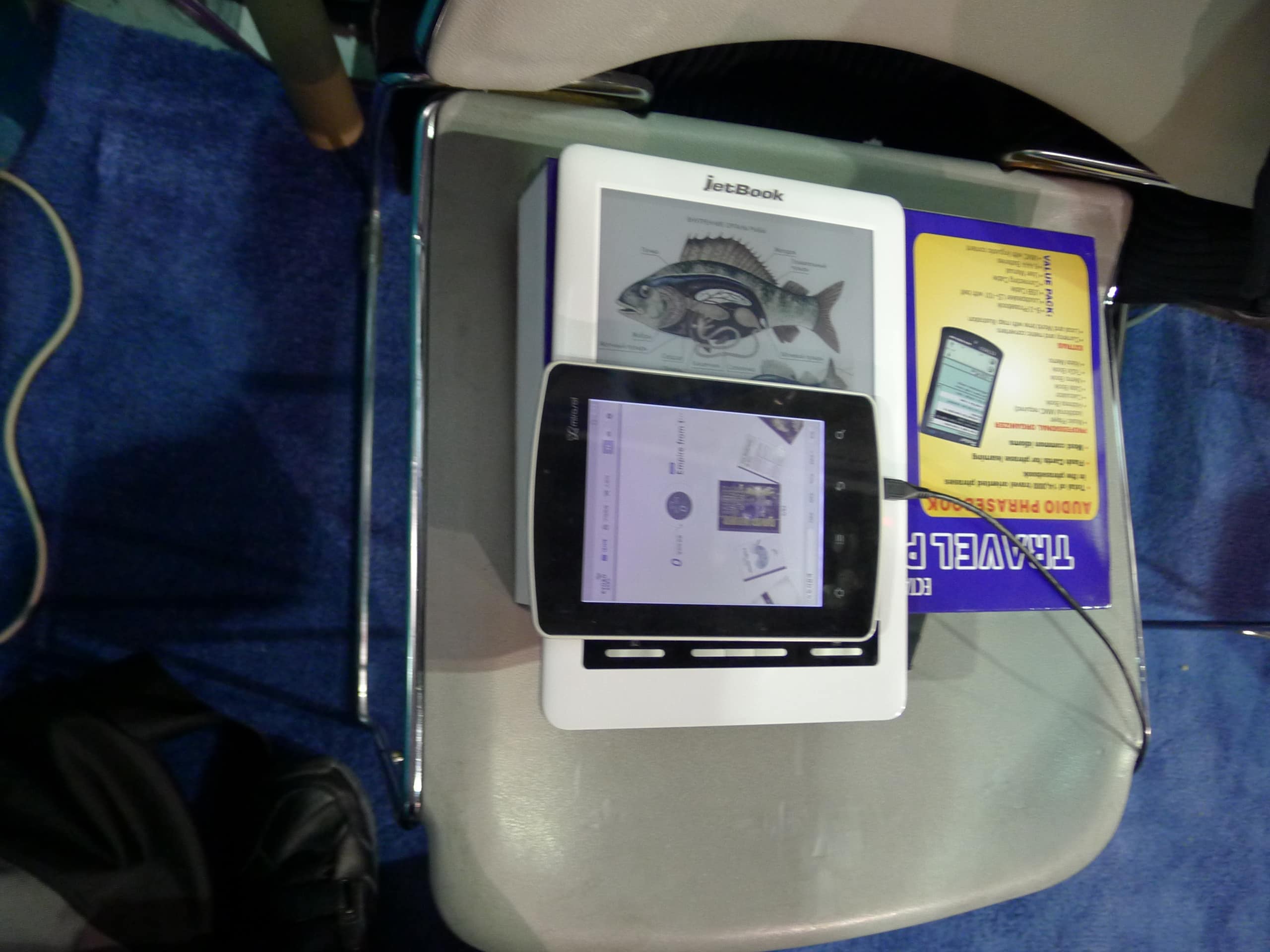
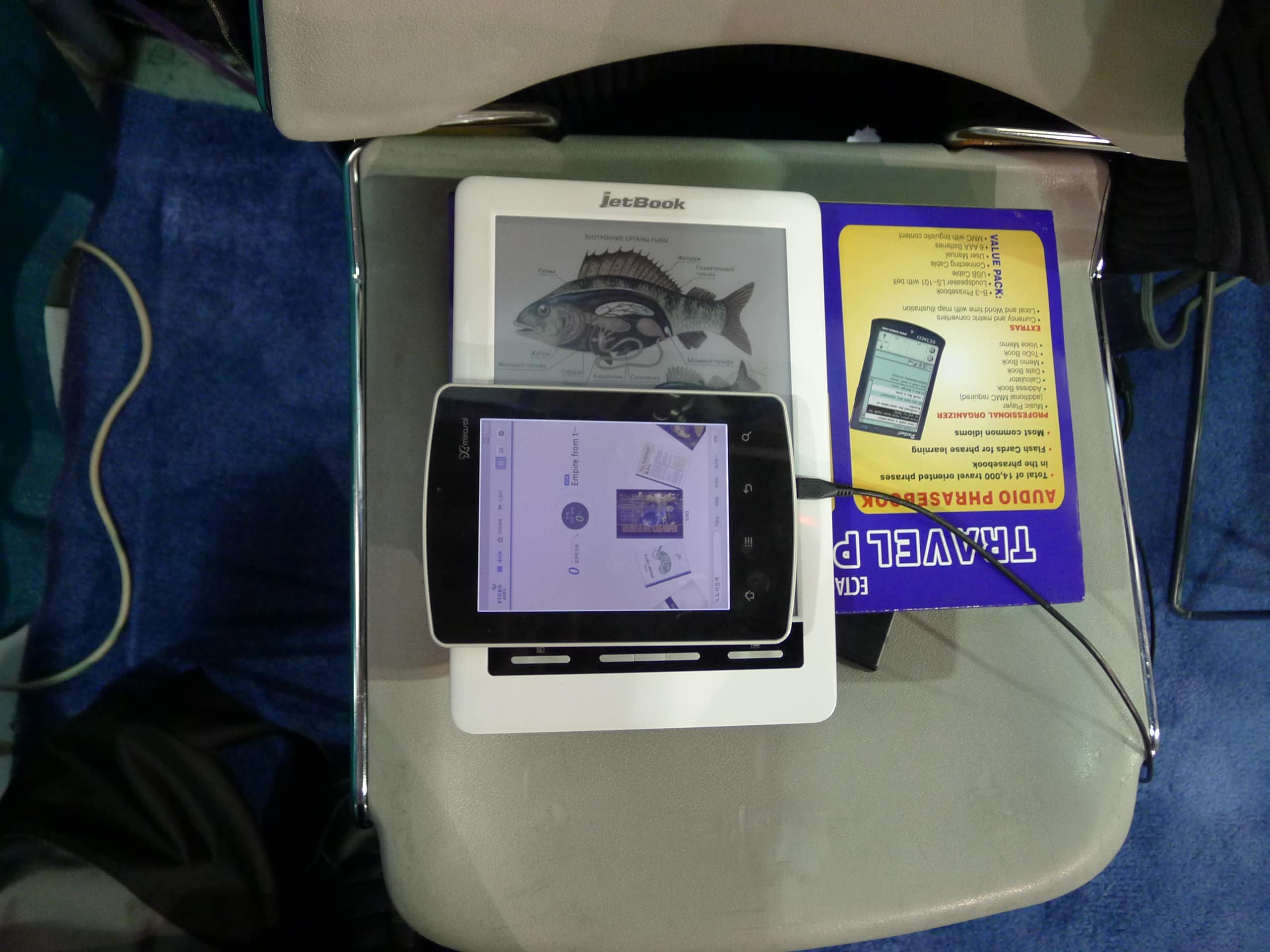
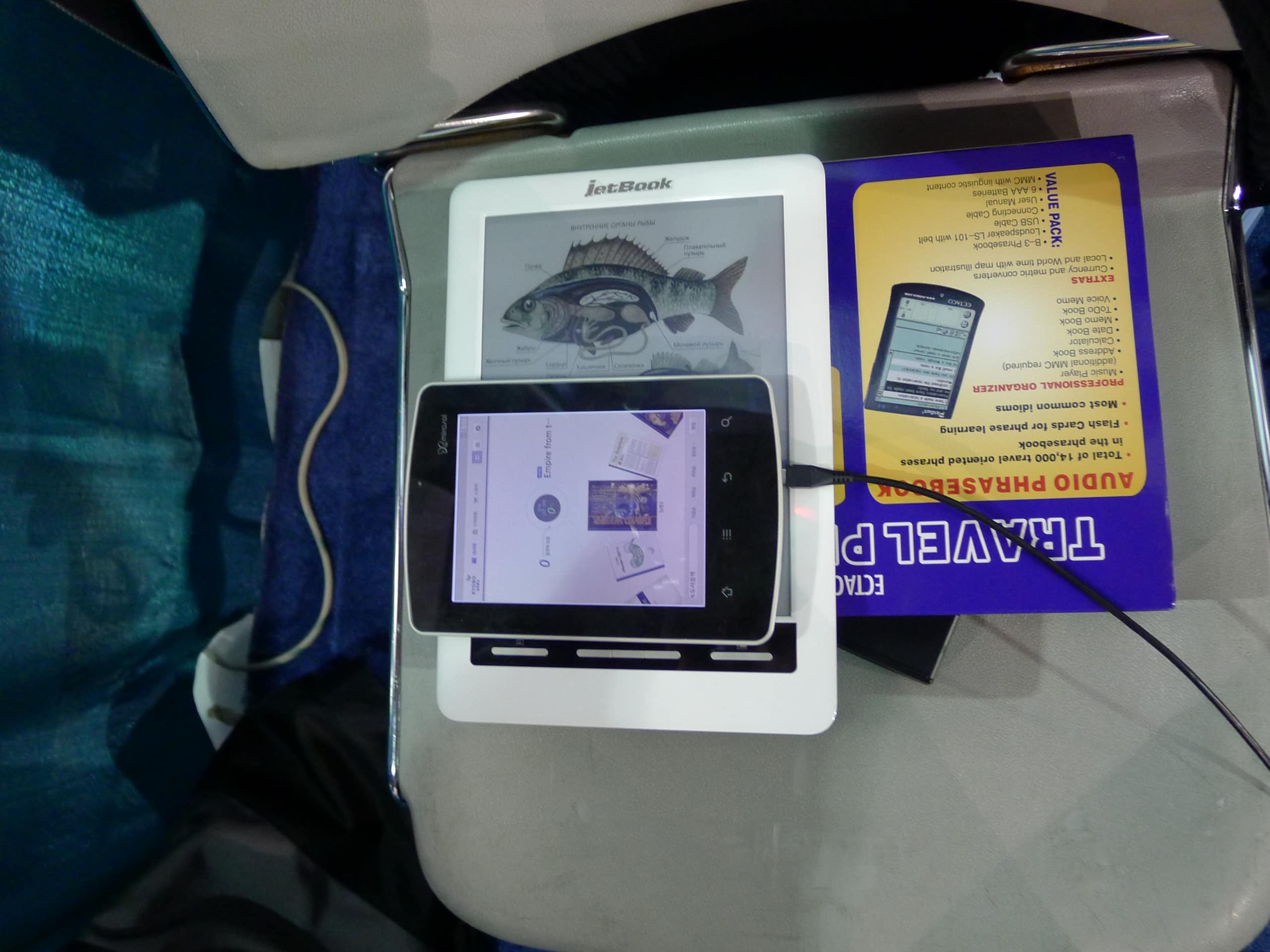
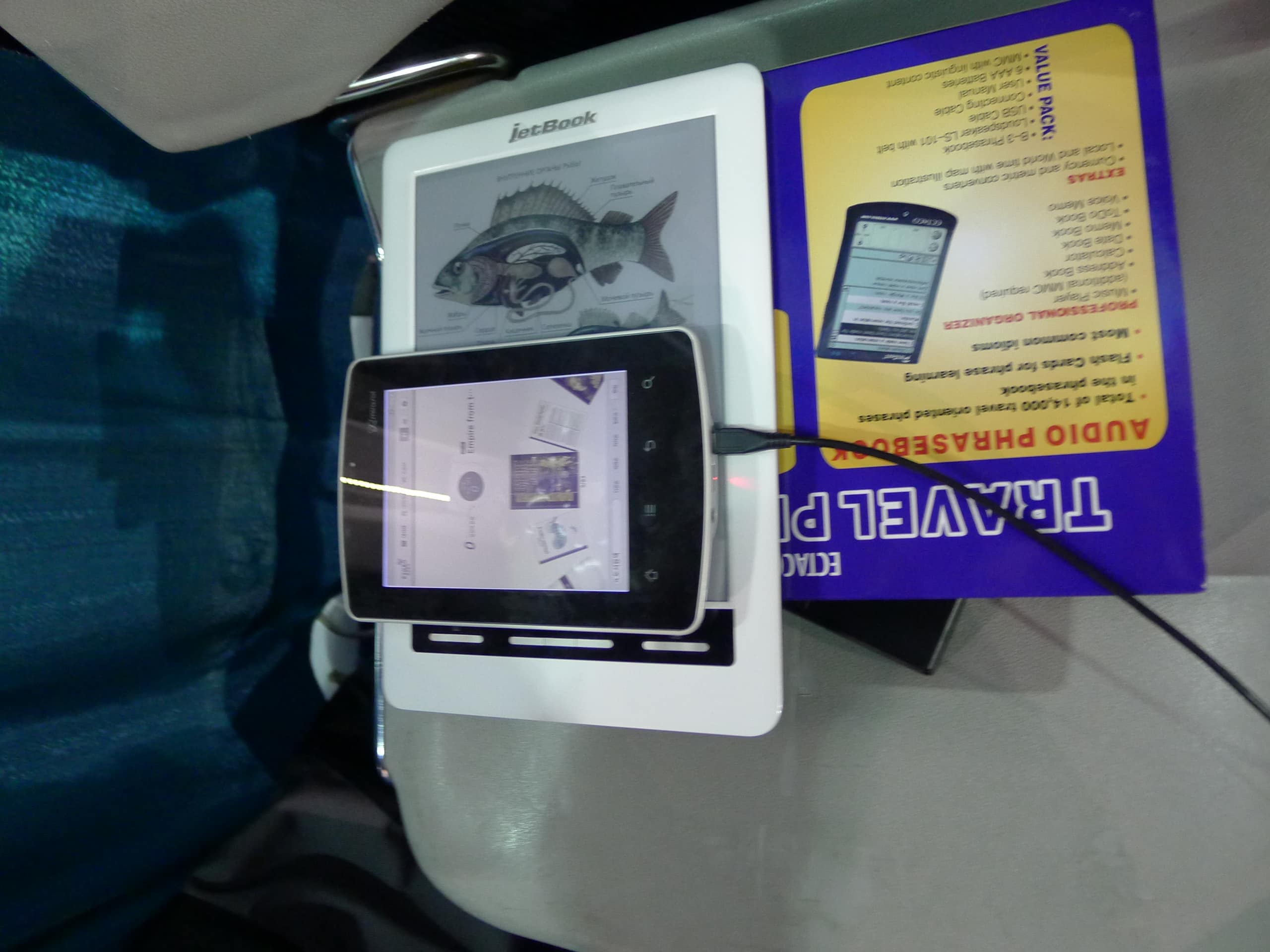
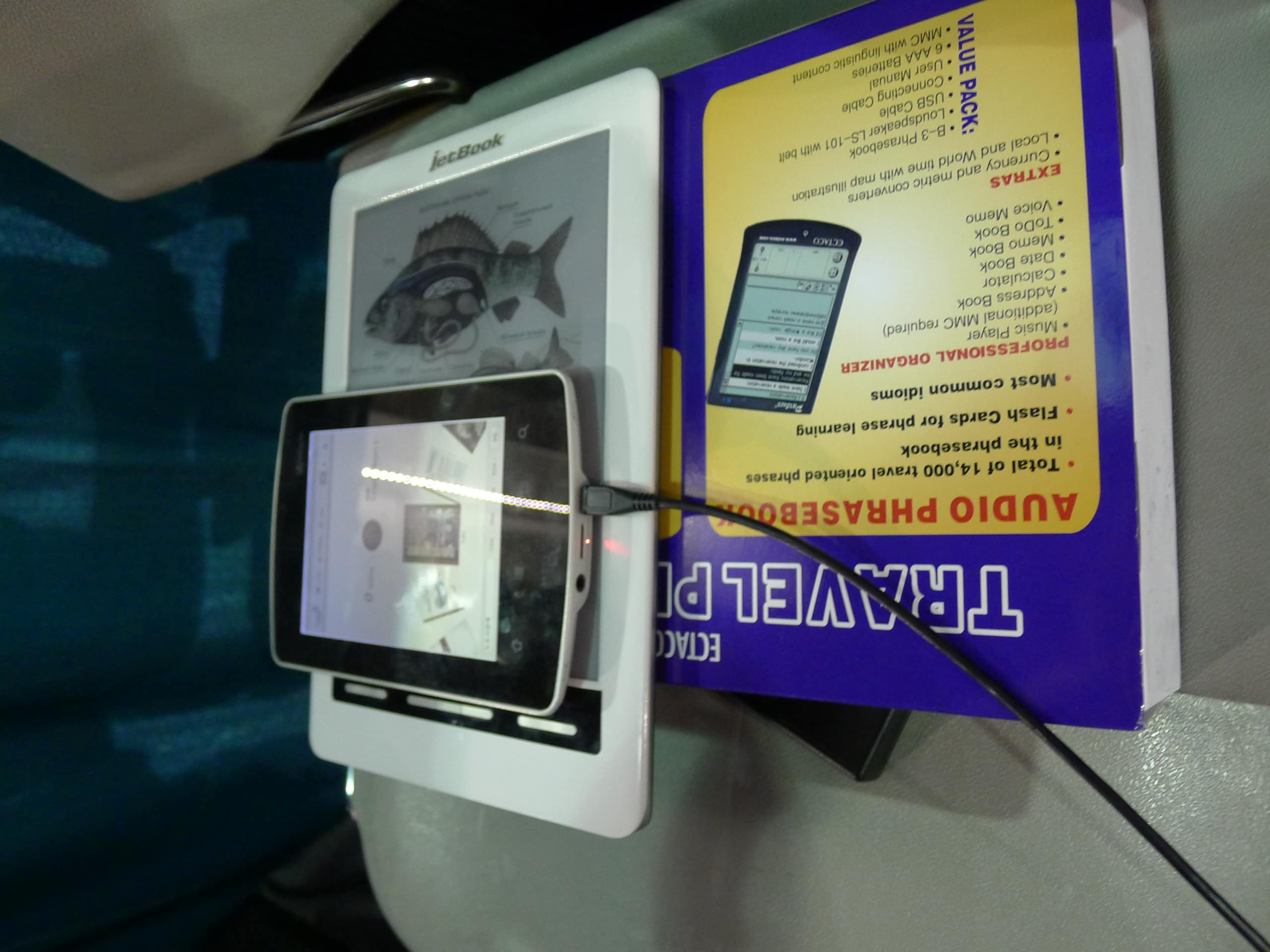
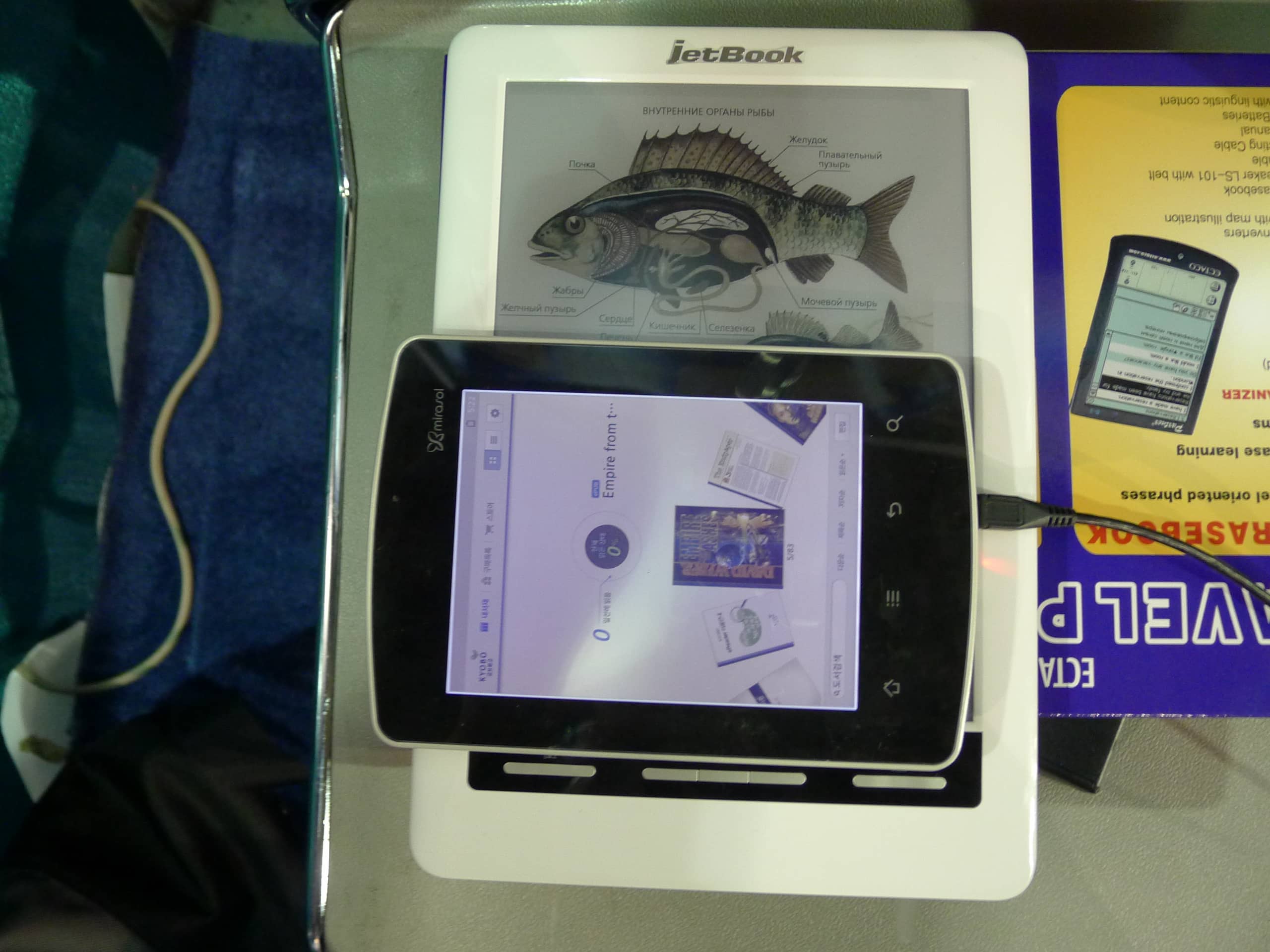
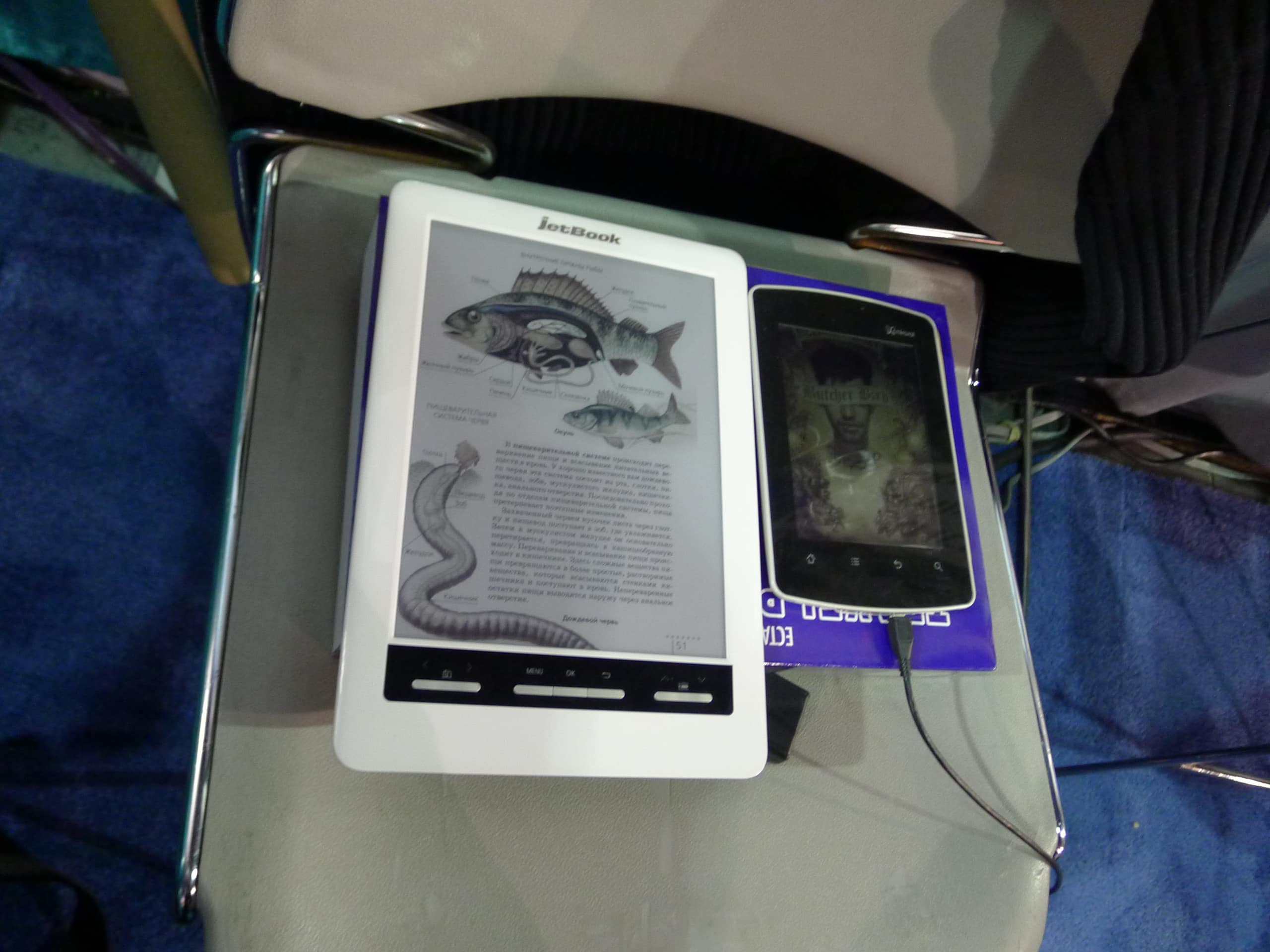
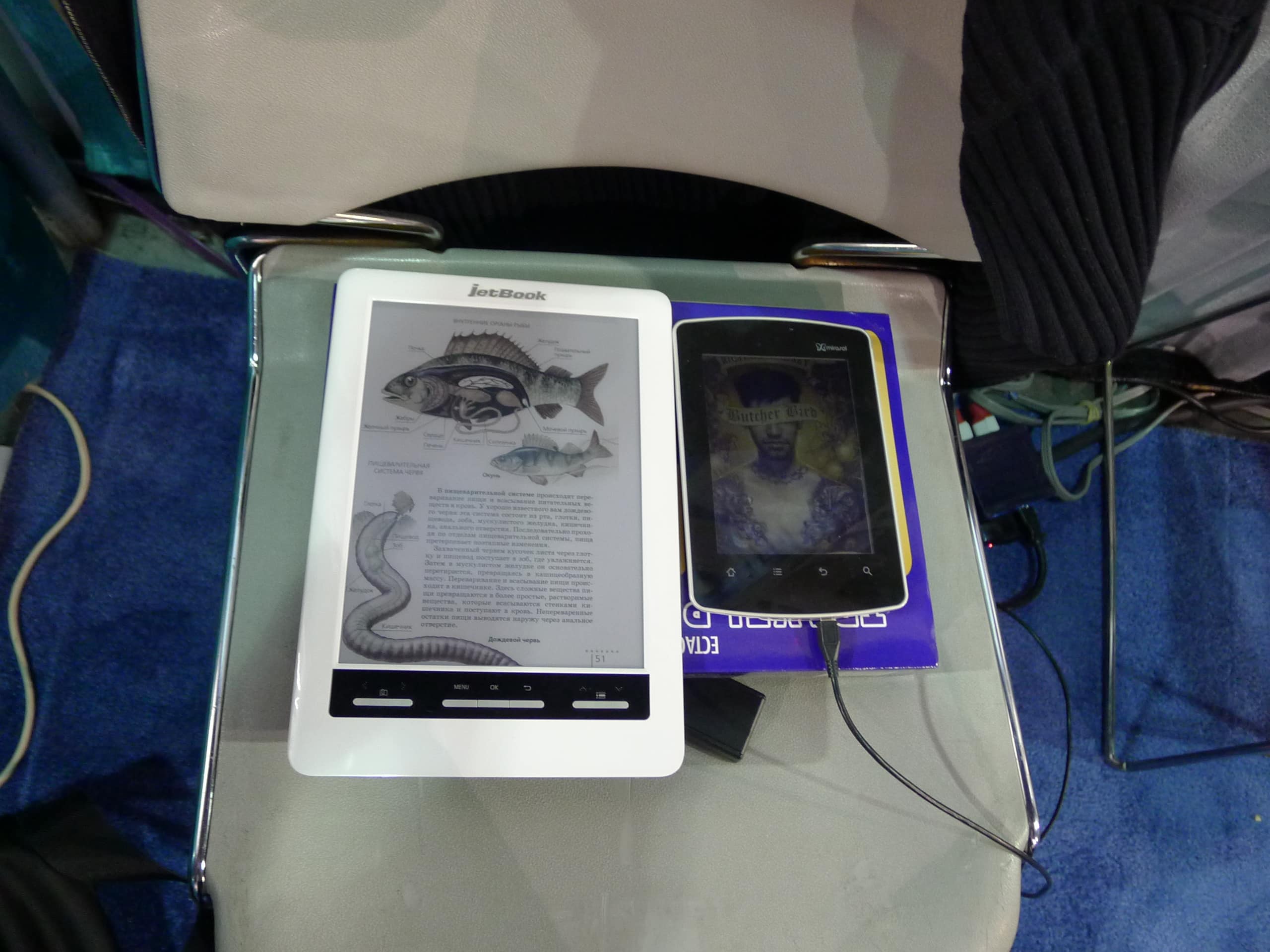
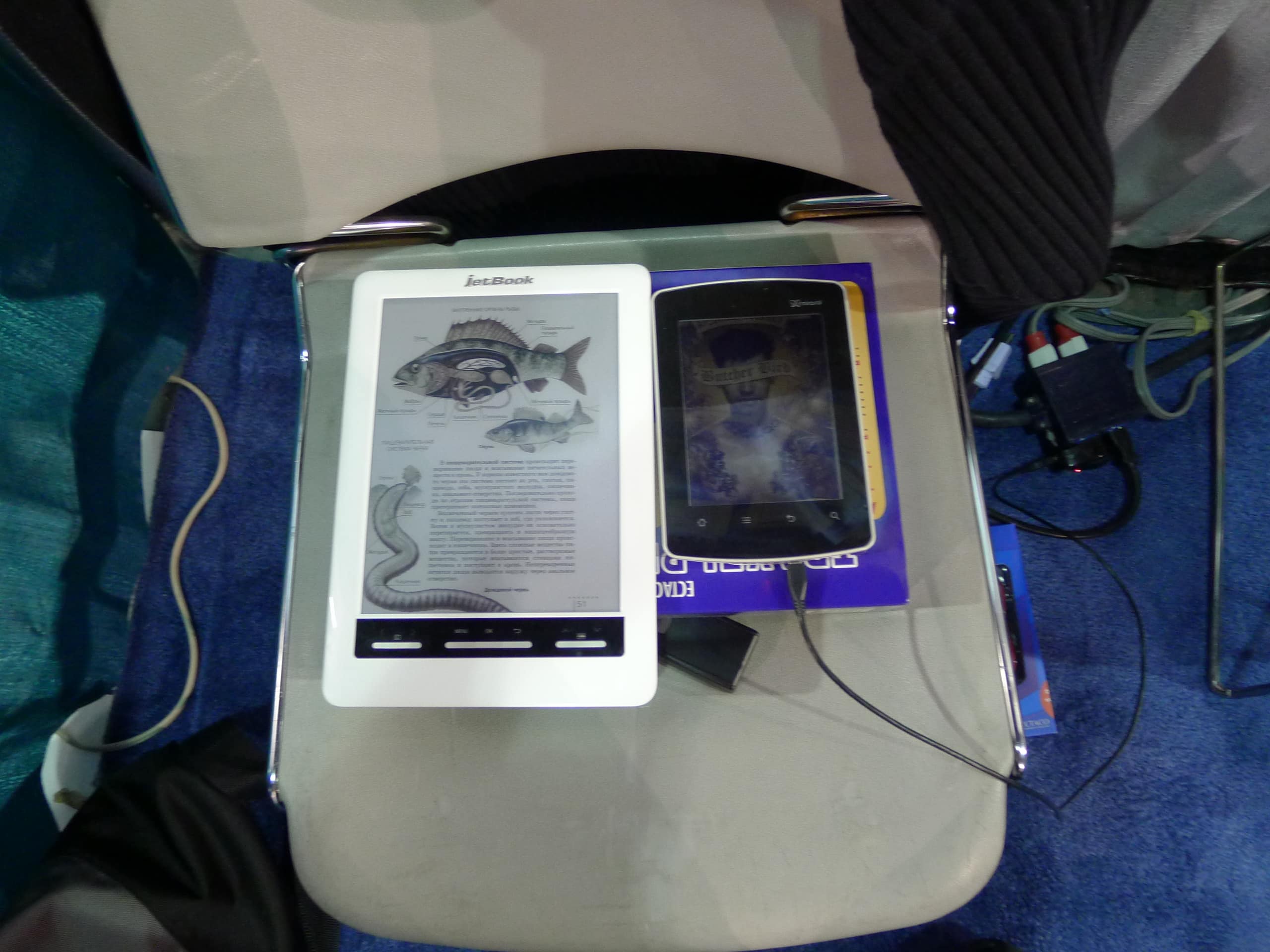
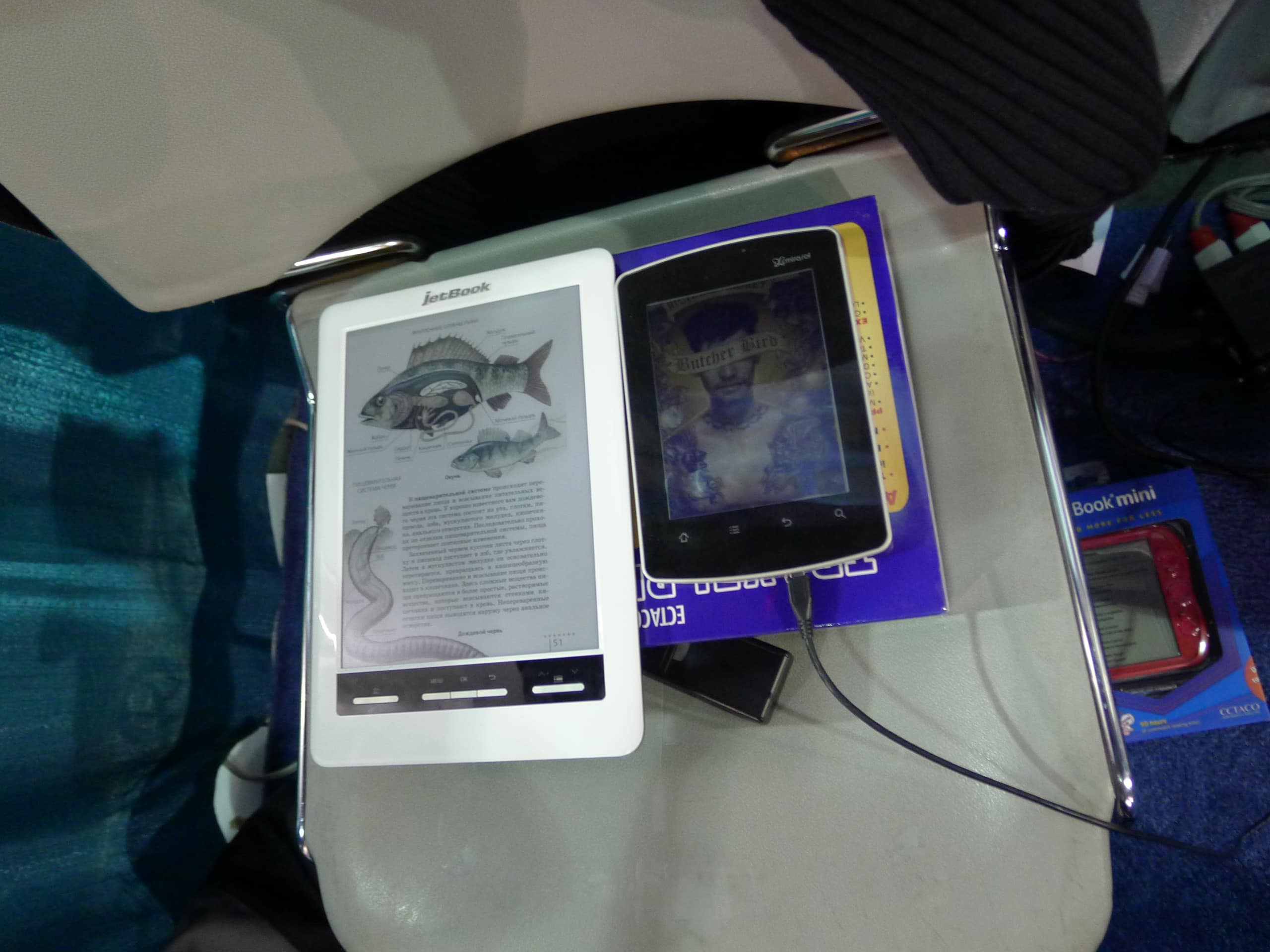
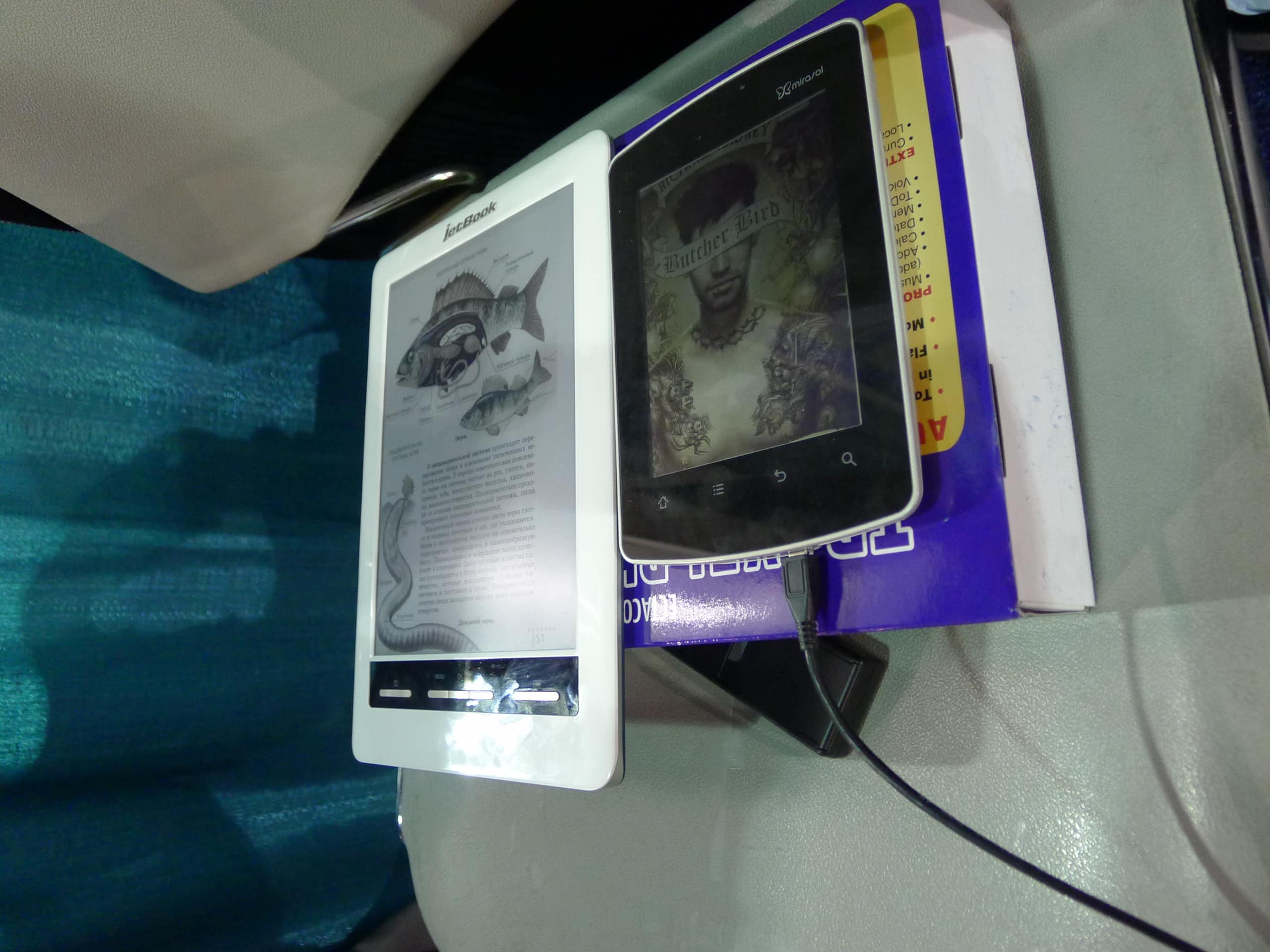
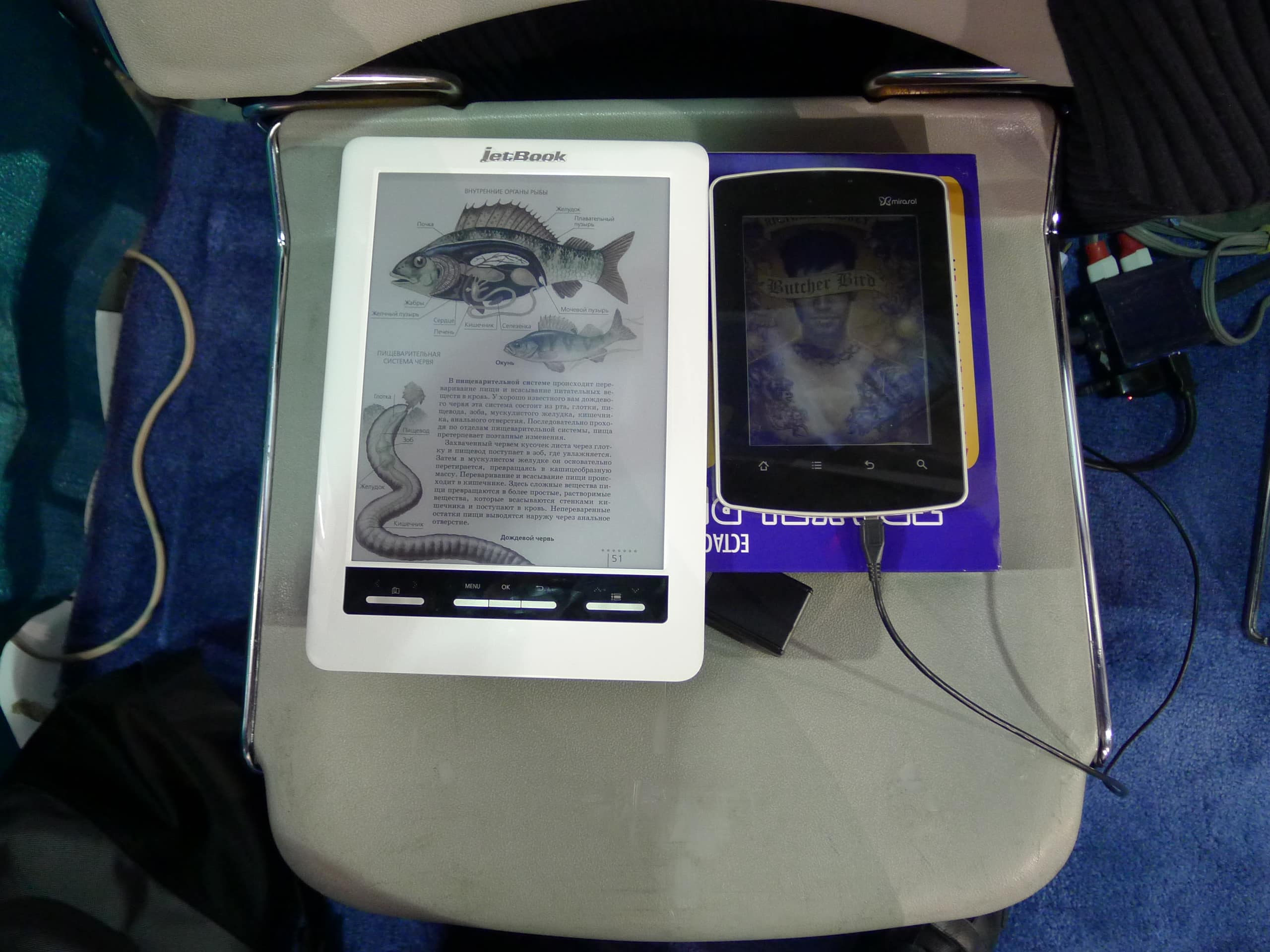
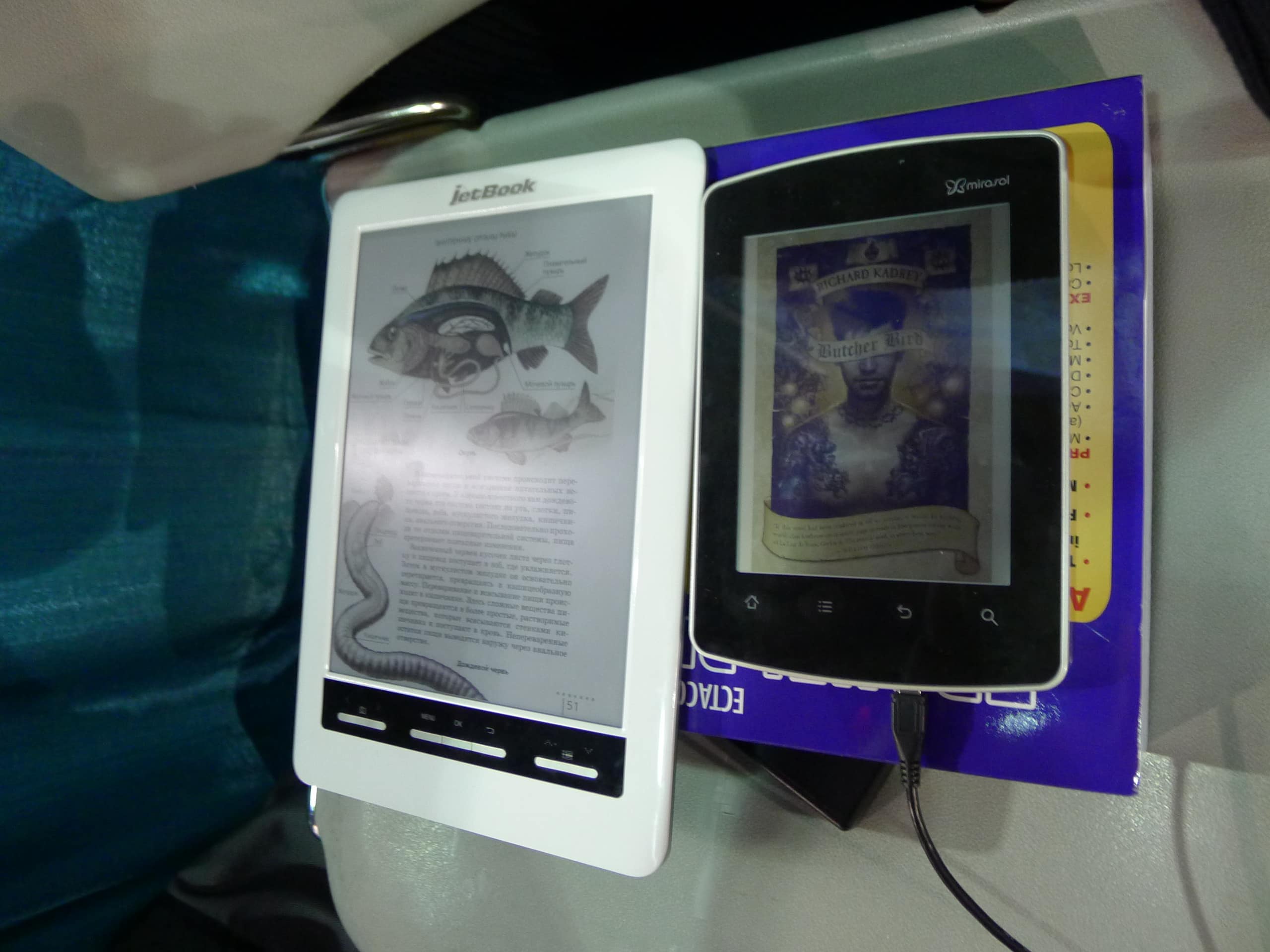
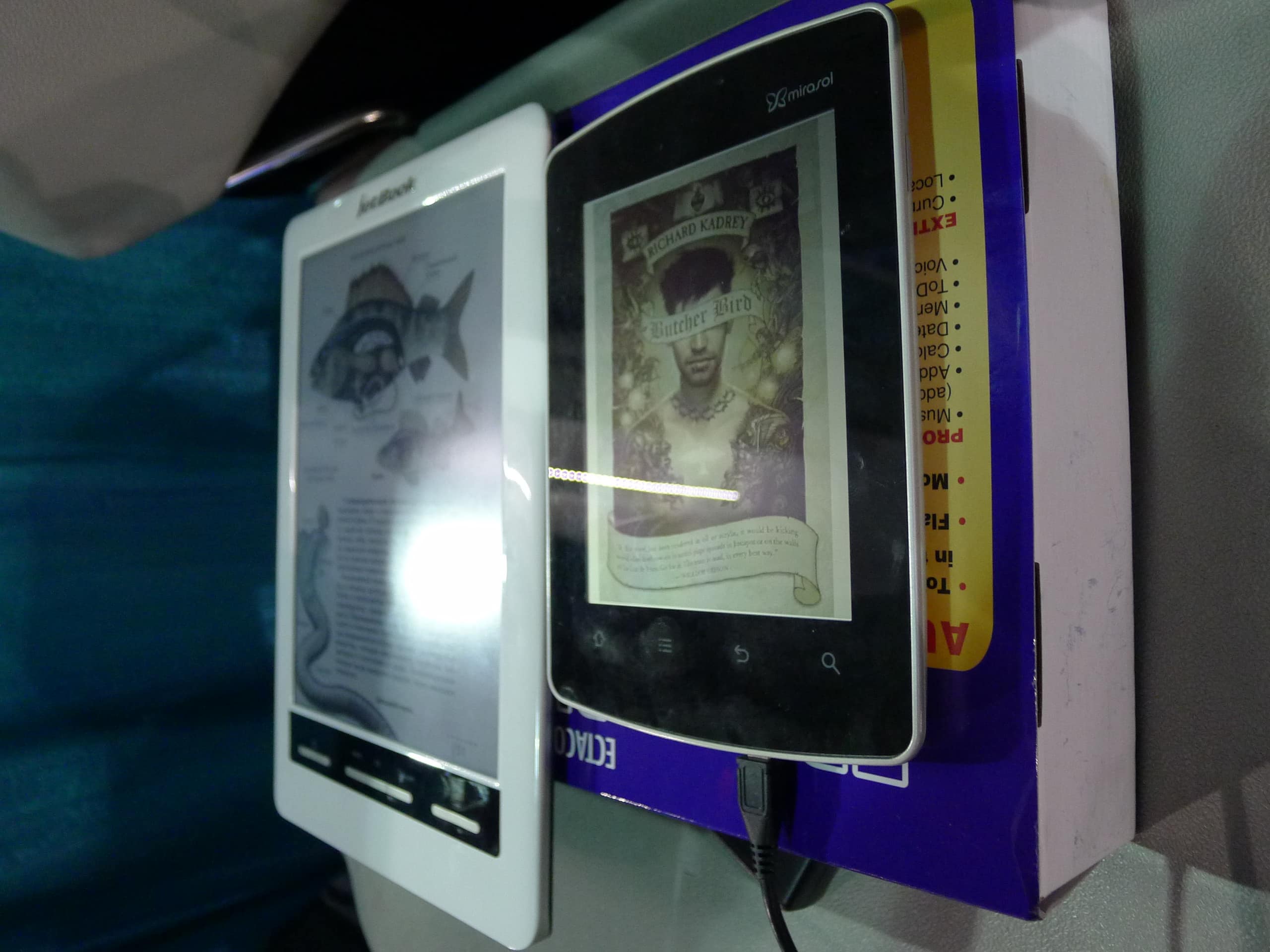
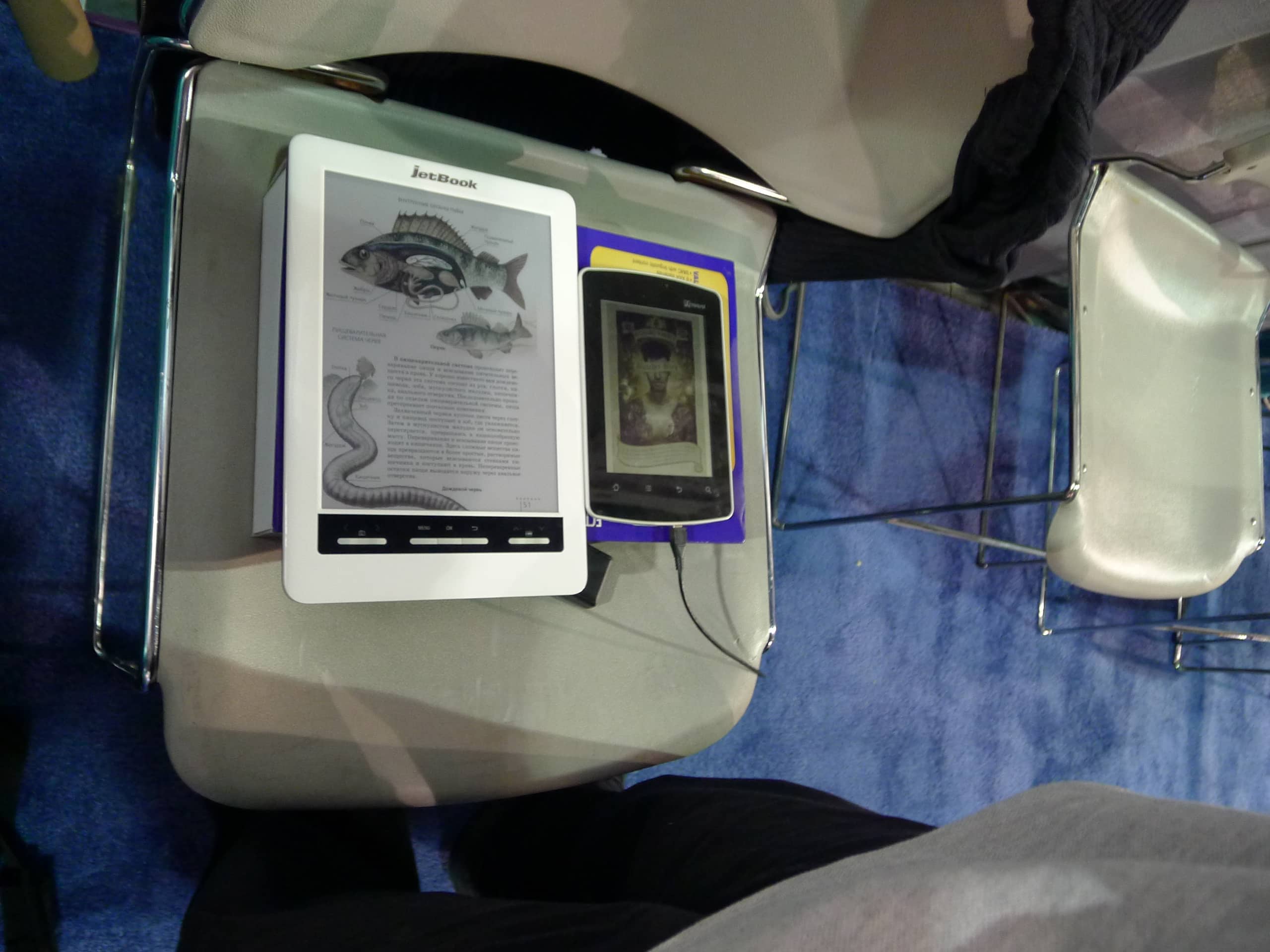
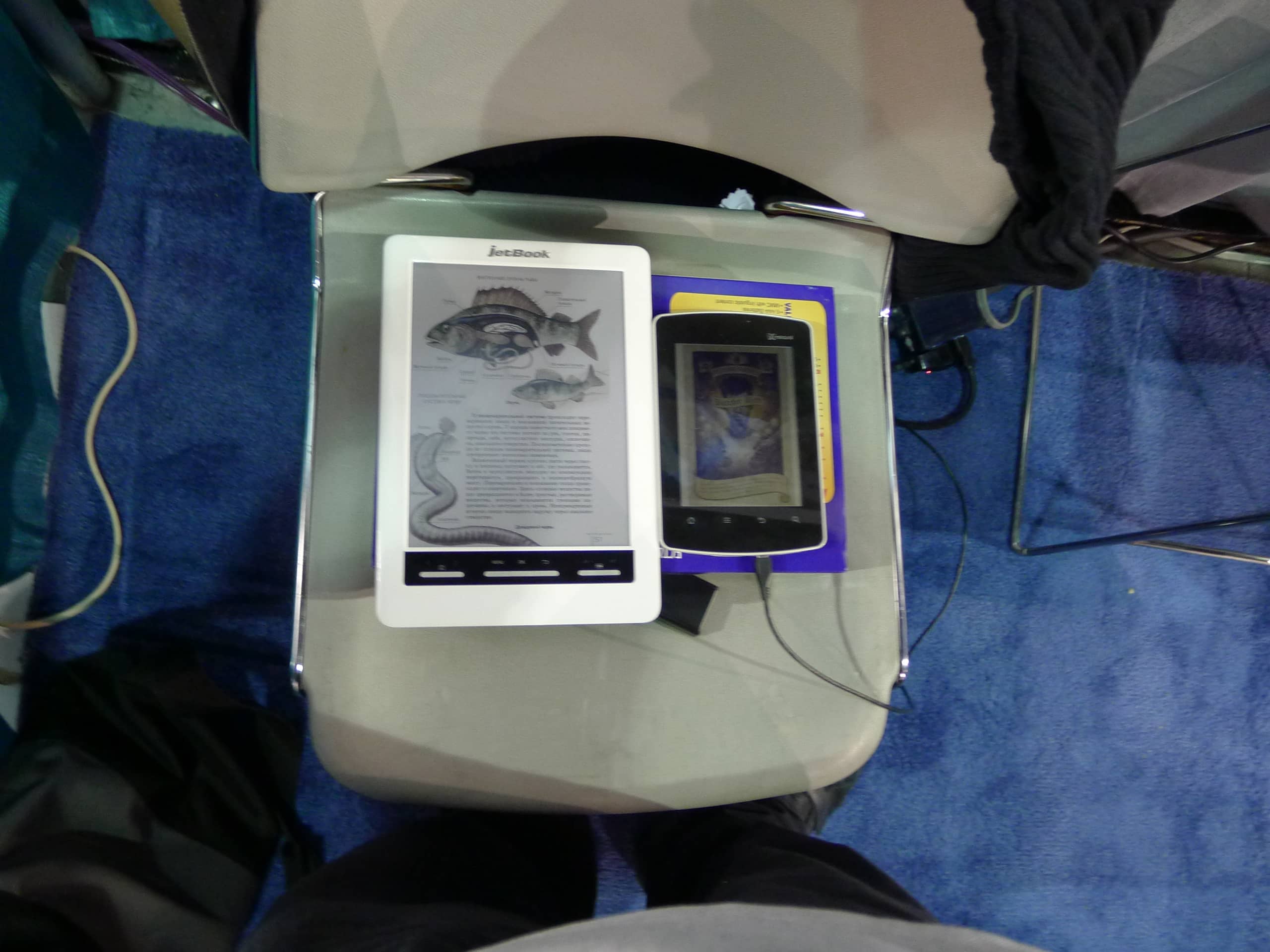
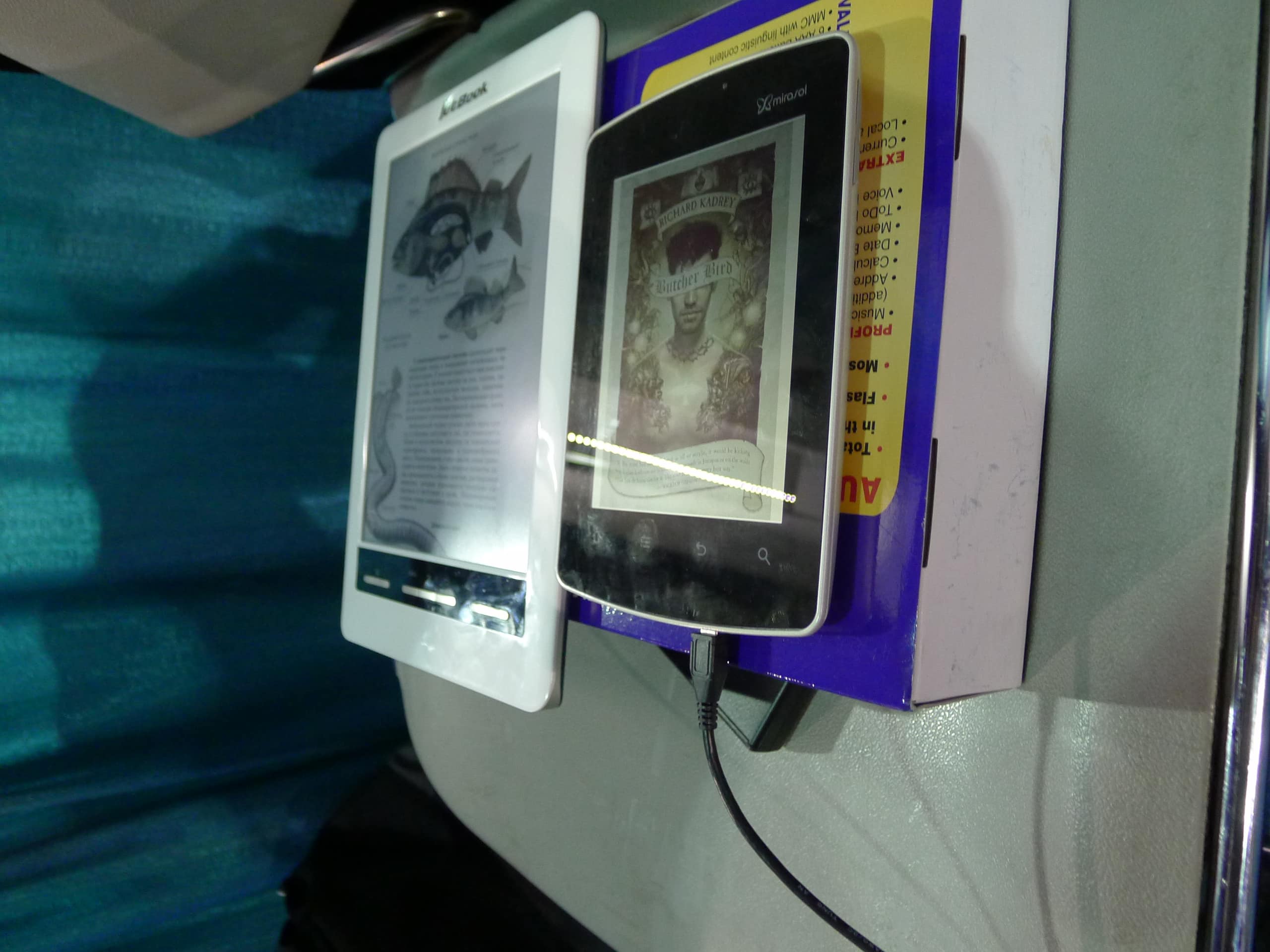
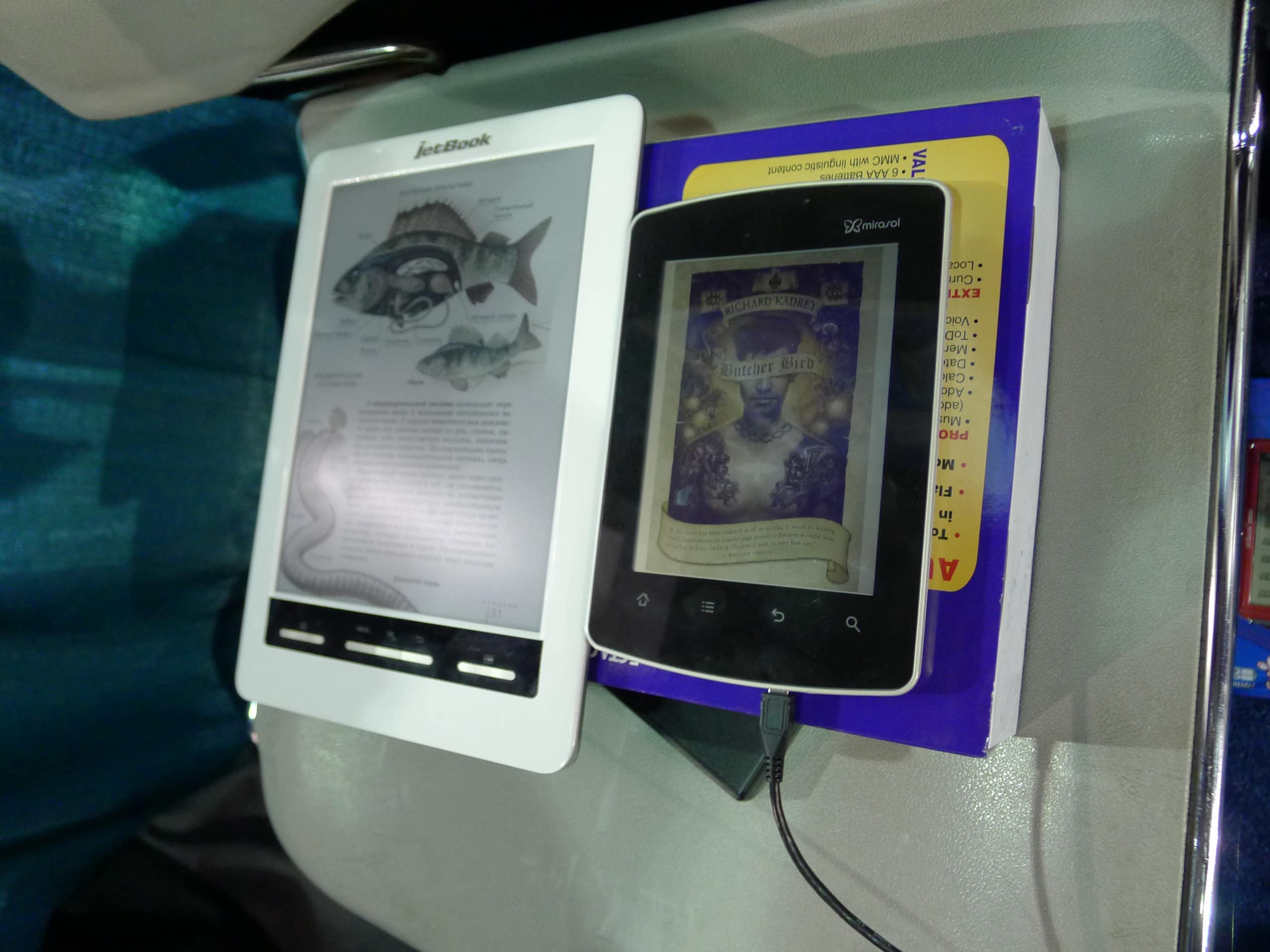
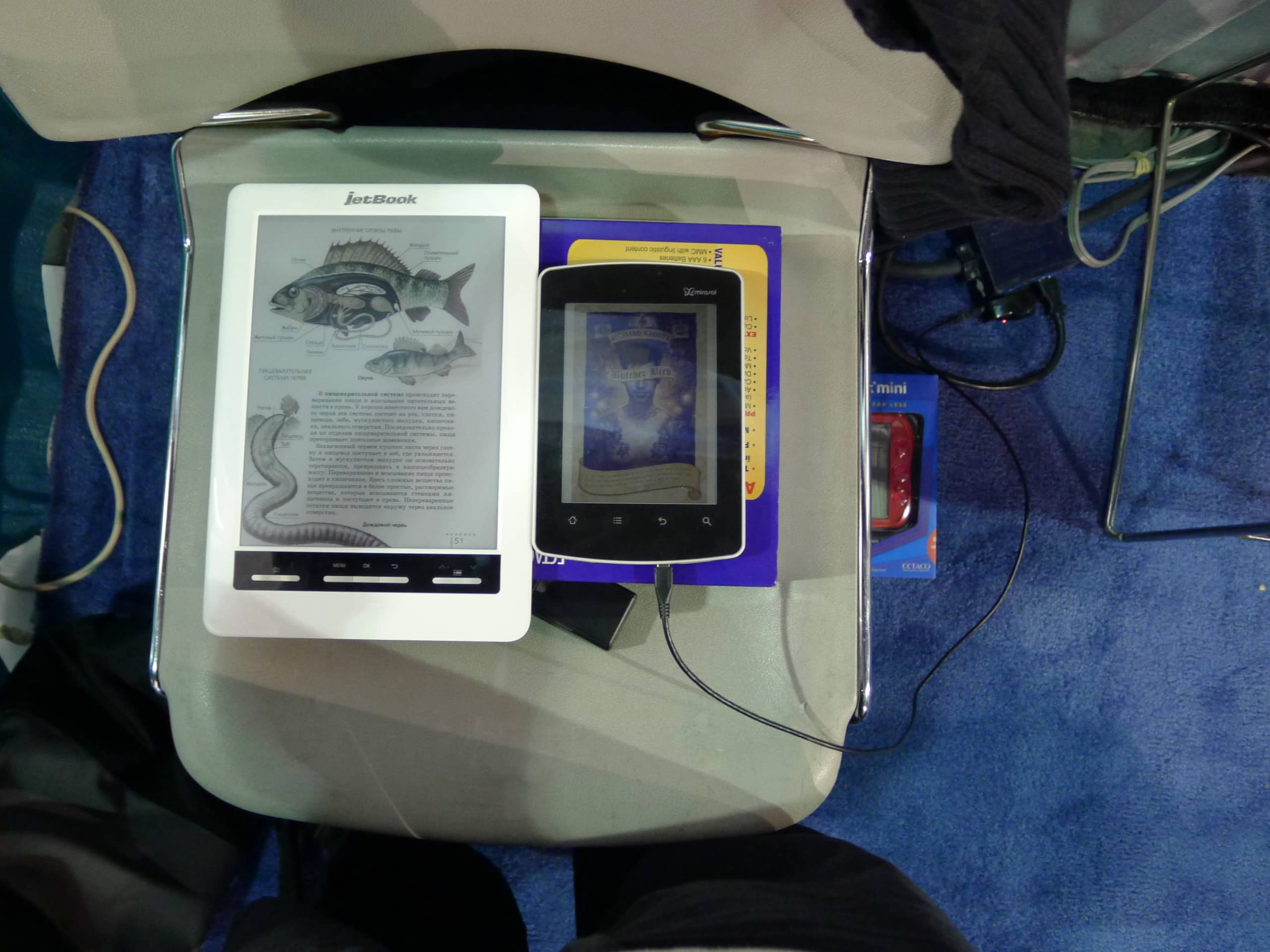
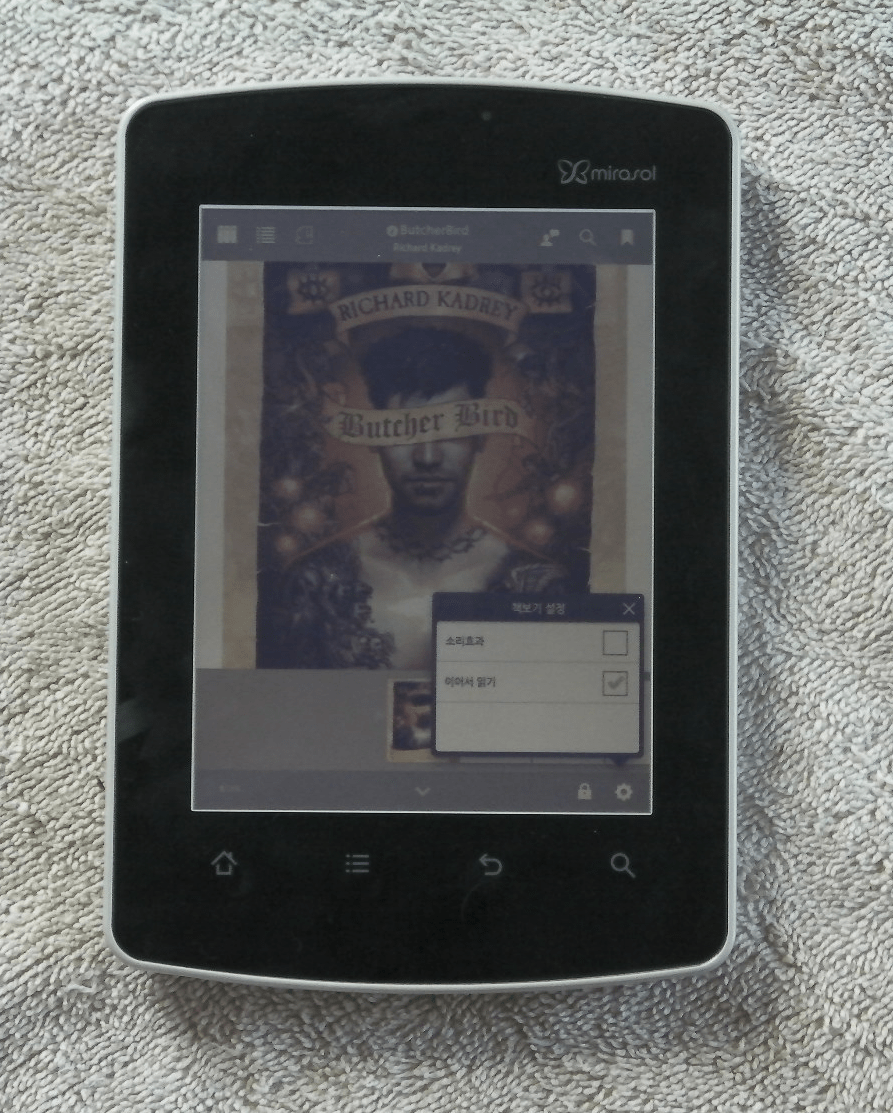
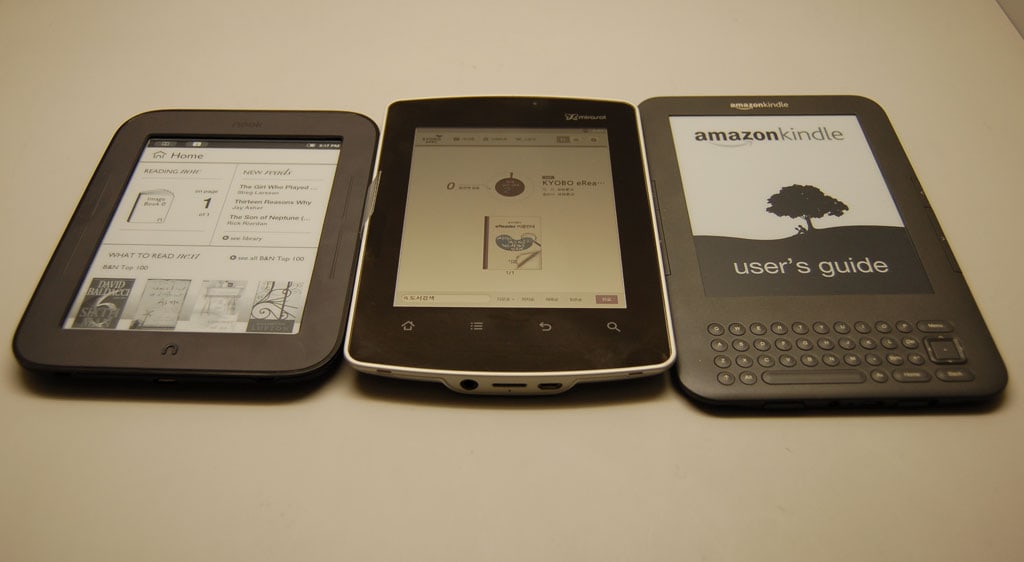
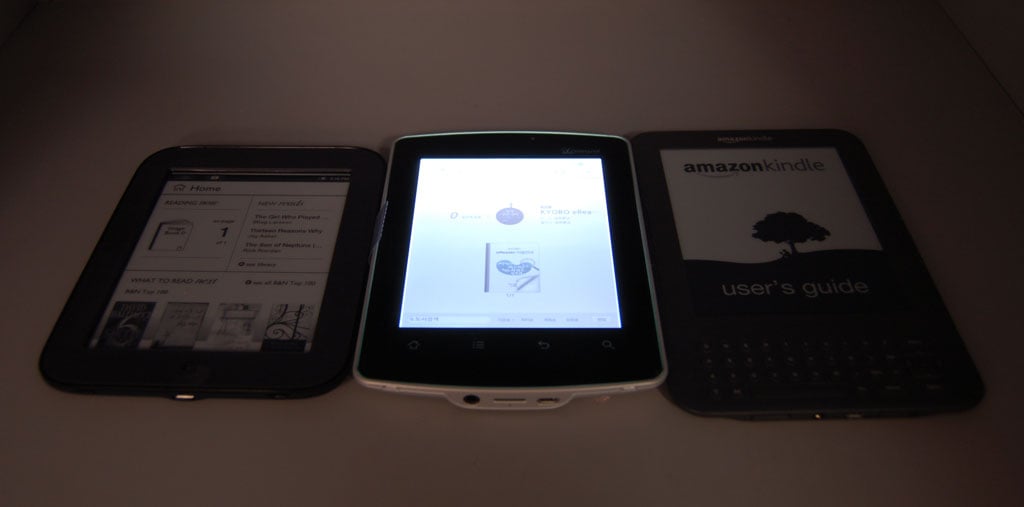
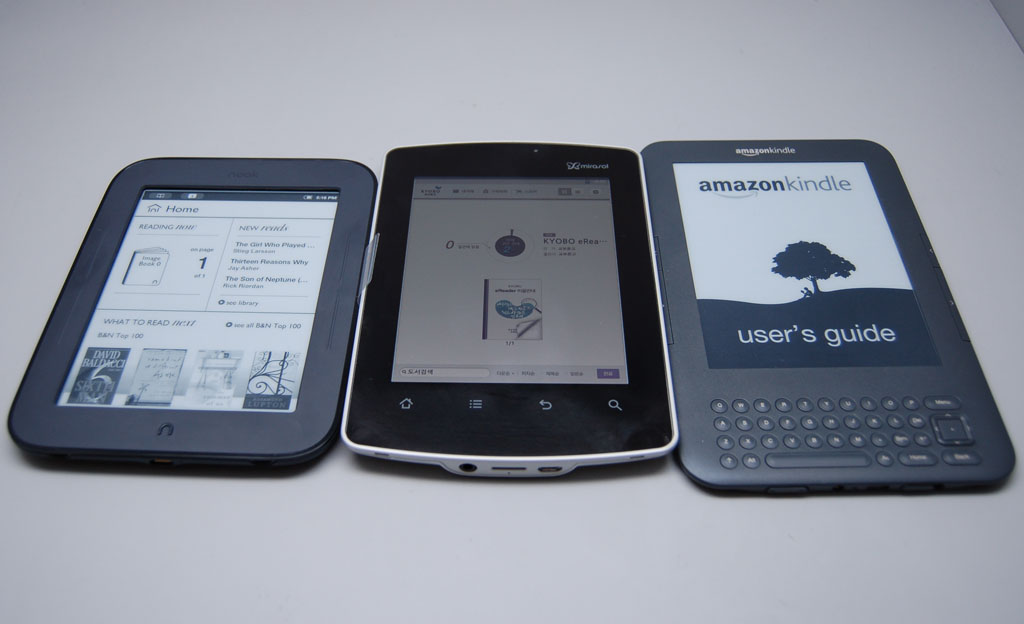
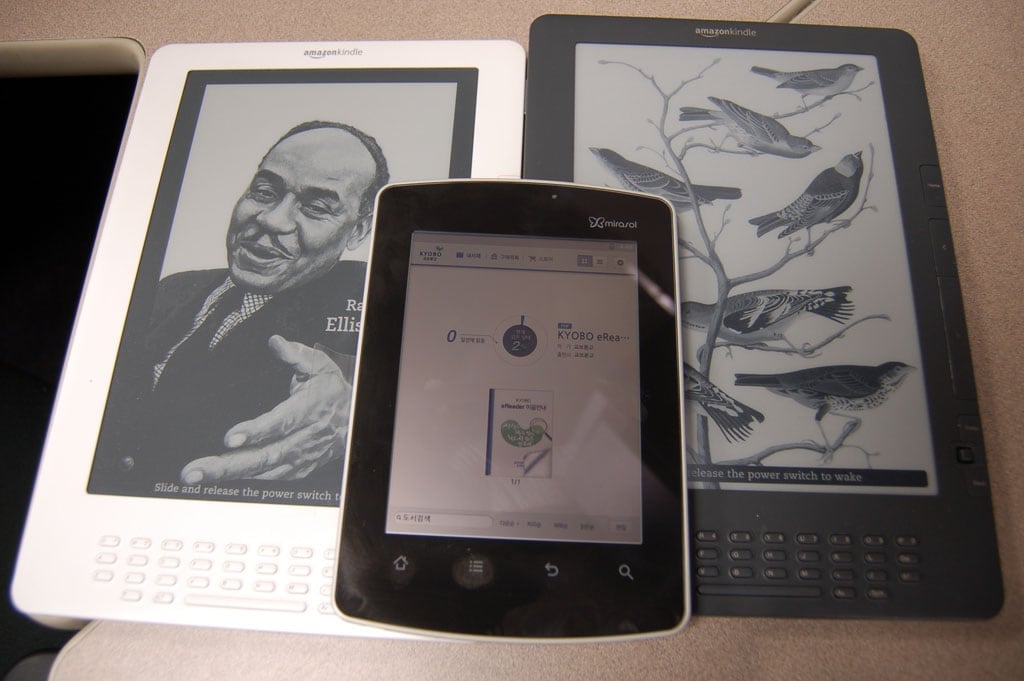
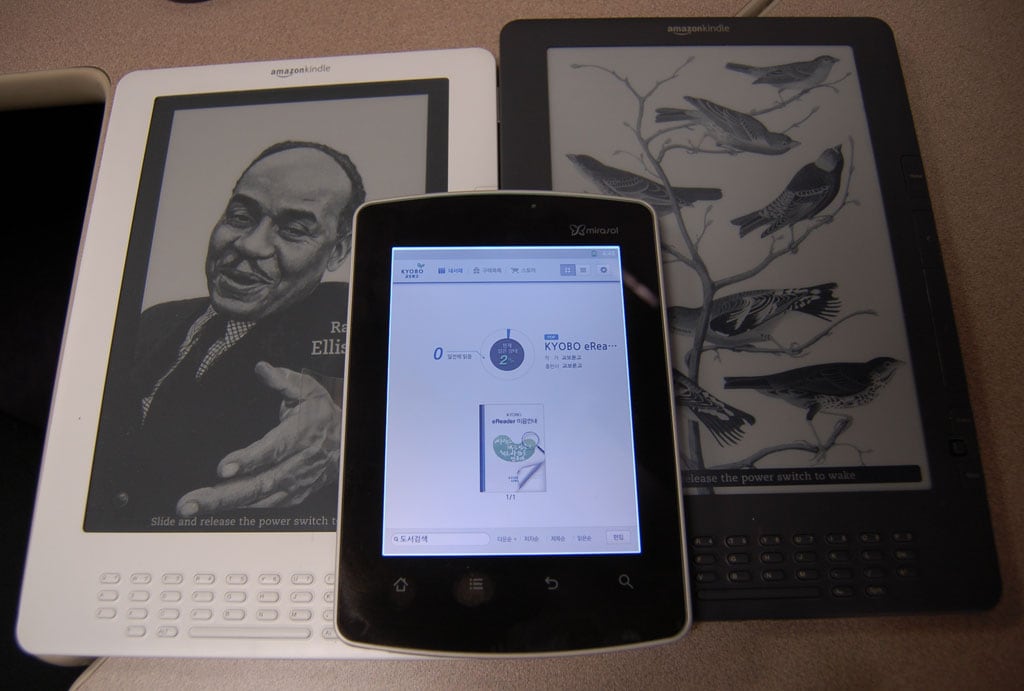
I’m sure you know that I have a Kyobo eReader, the first device to ship with a Mirasol screen. Since I was the only person at CES who owned one, I got a number of requests to compare this color epaper screen with color E-ink. So on Wednesday I went back to the Ectaco booth and took a bunch of photos and shot a couple videos.

Ectaco had a couple Jetbook Colors on display. These are academic ereaders based on the 9." color Triton E-ink display, and they recently shipped in Russia. They’re production models, not engineering samples, so I got the chance actual products – not devices still under development.

I hope you can see the different in the photos, because I won’t have a chance to take more. My Kyobo eReader is deadish, and attempts to revive it have failed. I had planned to look at the photos and shoot a second set if these didn’t work. But I cannot, sorry.

Update:  It’s Not Dead! Yay! But I cannot take anymore photos because CES is long past (dammit). Don’t worry, I’m planning to update this post when I get my Jetbook Color review unit. If I have to I’ll take both devices to a pro photographer.

I think you can get something from the video, which is embedded at the end of the post. I shot it in 720p, and if you watch it in full res then you should be able to see how the colors on the E-ink screen don’t shift.

The cover visible on the Kyobo eReader is from the book ButcherBird. I thought it offered a reasonably rich example that would show the changes quickly.

As for me, I could clearly see a difference when I had both screens in front of me.The Mirasol screen had better color quality – but only in the narrow 20% viewing angle. In that small region, Mirasol showed colors that were both stronger and sharper, while the E-ink screen looked distinctly washed out in comparison. But outside that region the color E-ink screen had better color. And of course neither compares well to LCD, but of course we expected that.

The E-ink screen displayed consistent color across its entire viewing area, while the colors on the Mirasol screen shifted quickly once you got out of the 20% region directly in front of the screen.

I’m attaching the photos I took, but only because I cannot get anything better due to the dead device.  Feel free to point out the best photos so other readers can find them faster.


Apple to Take on Digital Textbooks Next Week in NYC

Word is going around today that Apple is sending out invites. that rumored NYC digital publishing event is indeed happening next Thursday.

And yes, I have an invite (via eBookNewser).

As you can see from the image at right, this event has something to do with education. Given that Apple is a tech company, we’re likely looking at some type of digital textbook announcement.

But I don’t know what that could be. Here’s what the NYTimes Bits blog had to say:

The event will showcase a new push by Apple into the digital textbook business, but will not feature any new devices, according to a person close to the company who did not want to be identified talking about it before it occurred.

The thing is, I don’t see how Apple plans to make a buck if they enter the digital textbook market. This isn’t a market that is primed for growth (like ebooks). On the primary and secondary school levels textbook purchases are dependent on taxes, which is a finite supply as well as down this year in most places. And on the college level, students are buying fewer textbooks each year.

Then again, maybe Apple knows something I don’t. Maybe they’re not in this for the direct profit. On the other hand, they might have pulled off some amazing technology that they want to show off. We’ll have to wait and see.

Safari Books Online Buys Threepress Consulting, Makers of the Ibis Reader (HTML5 App)

Safari Books Online, an early pioneer in distributing books and content online, just bought Threepress  Consulting, a current pioneer in distributing books and content online. Talk about fitting a round peg into a round hole. Liza said it best:

"Both companies have a mission to provide high-quality, cross-platform access to books in a model that benefits both readers and publishers. Safari provides us with an unparalleled reserve of content, sales team, marketing savvy, and publisher relationships. We’re bringing our focus on standards, accessibility, interactivity, and emerging technology. "

Safari Books Online was founded just over 10 years ago as a joint venture between O’Reilly and Pearson Education. It has since grown into one of the bigger and better on-demand digital libraries for technology, creative, business and management professionals. Its library now contains over 20,000 titles.

Safari hasn’t gotten much mention on this blog, but Threepress has. They’ve been getting attention for their several Epub and Epub 3 tools, and I’m mentioned Liza Daly once or twice when she has posted conference presentations on the Threepress blog.  These are the folks behind the Ibis Reader, a browser based Epub reading app that launched last year. Threepress is also responsible for creating and maintaining EpubCheck, the online Epub validator. But those are just 2 demo projects released byThreepress; they do much more.

As part of the acquisition, the Threepress staff will join the Safari Books Online engineering team and work from their East Coast and Bay Area offices. Threepress co-founders Liza Daly and Keith Fahlgren will head the engineering dept as VP of Engineering and Director of Engineering, respectively. The sale was complete on 1 January, and the terms have not been disclosed.

Bambook Sunflower eReader Launches Today in China – Mirasol!

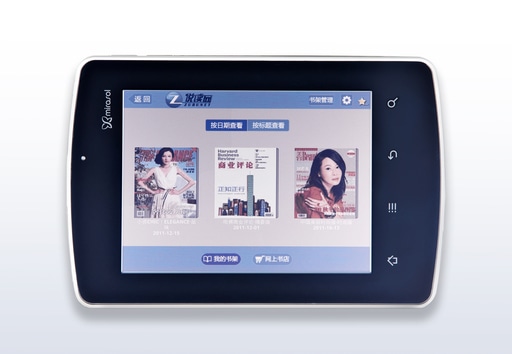
Qualcomm decided to start CES off with a bang. They’ve just announced a second partner with a second Mirasol ereader. It’s the Bambook Sunflower, and it looks to be using the same basic hardware as the Kyobo Mirasol eReader that I reviewed a couple weeks back.

This device is built around a 5.7″ Mirasol screen, and it runs a custom reading app on top of Android v2.3.  This ereader is Qualcomm all the way down to the 1GHz SnapDragon CPU. (Well, that answers one question; this hardware is clearly a reference design originally developed by Qualcomm. That’s what I had guesses when the Kyobo was first announced.)

Qualcomm’s partner in this case is Shanda, an up and coming media company in mainland China. Besides ebooks, Shanda also publishes games, music, TV, video, and it even runs a number of online communities. Shanda has been selling ebooks since 2010, and they launched their own ereader, the Bambook, in August of 2010. They have the second largest share of the Chinese ereader market (around 13%). But that market is estimated to only be around a million and a half units a year, so that’s not all that much. Shanda also has a sizeable ebookstore, and they boast that they have a million titles in stock.

I don’t know yet what formats the Bambook Sunflower supports, but there are hints of multimedia abilities (but no mention of Epub or PDF). There’s also no mention of how locked down the Sunflower will be, and that is going to eat away at me until I can find out.

The Sunflower is not going to ship until February, but it is up for pre-order now. Retail will be 2999 yuan, or about $475 USD.

As pleased as I am that Qualcomm announced a new partner, I’m also going to guess that they’re still having production issues. This is an incredibly expensive ereader, and I suspect that the price is high in order to reduce demand. There are any number of sub $100 ebook readers and tablets in the Chinese market, and the Bambook Sunflower costs as much as an iPad.

Since I already have a Kyobo Mirasol eReader, I’m going to try to get a firmware update for the Bambook Sunflower. I’ll post a review if and when I succeed.


For more ebook news, subscribe to the RSS feed or the daily email newsletter. You can also follow me on Twitter: @thDigitalReader or find me on FaceBook.

Kindle Touch to Get Solar Powered Case in March

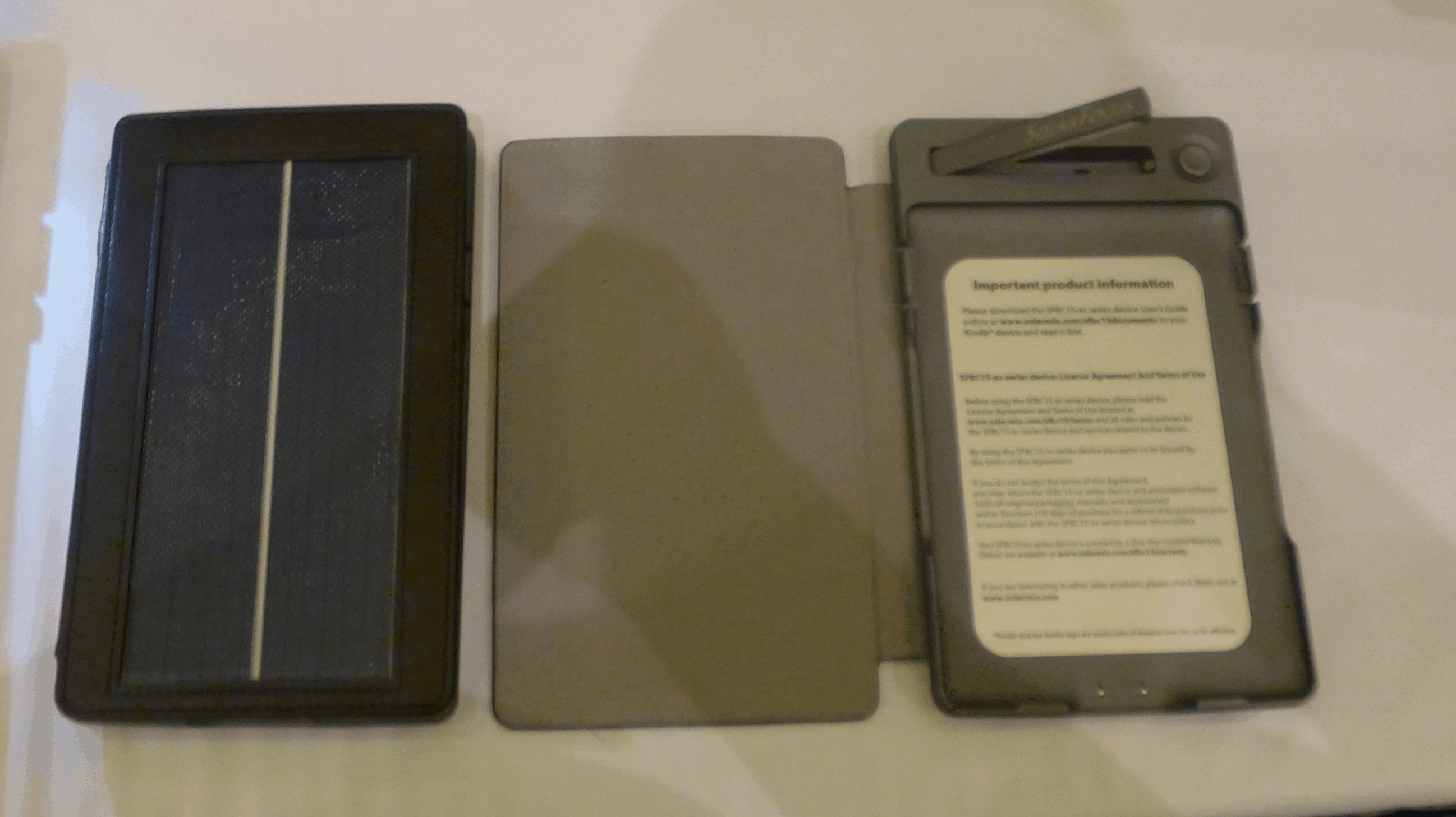
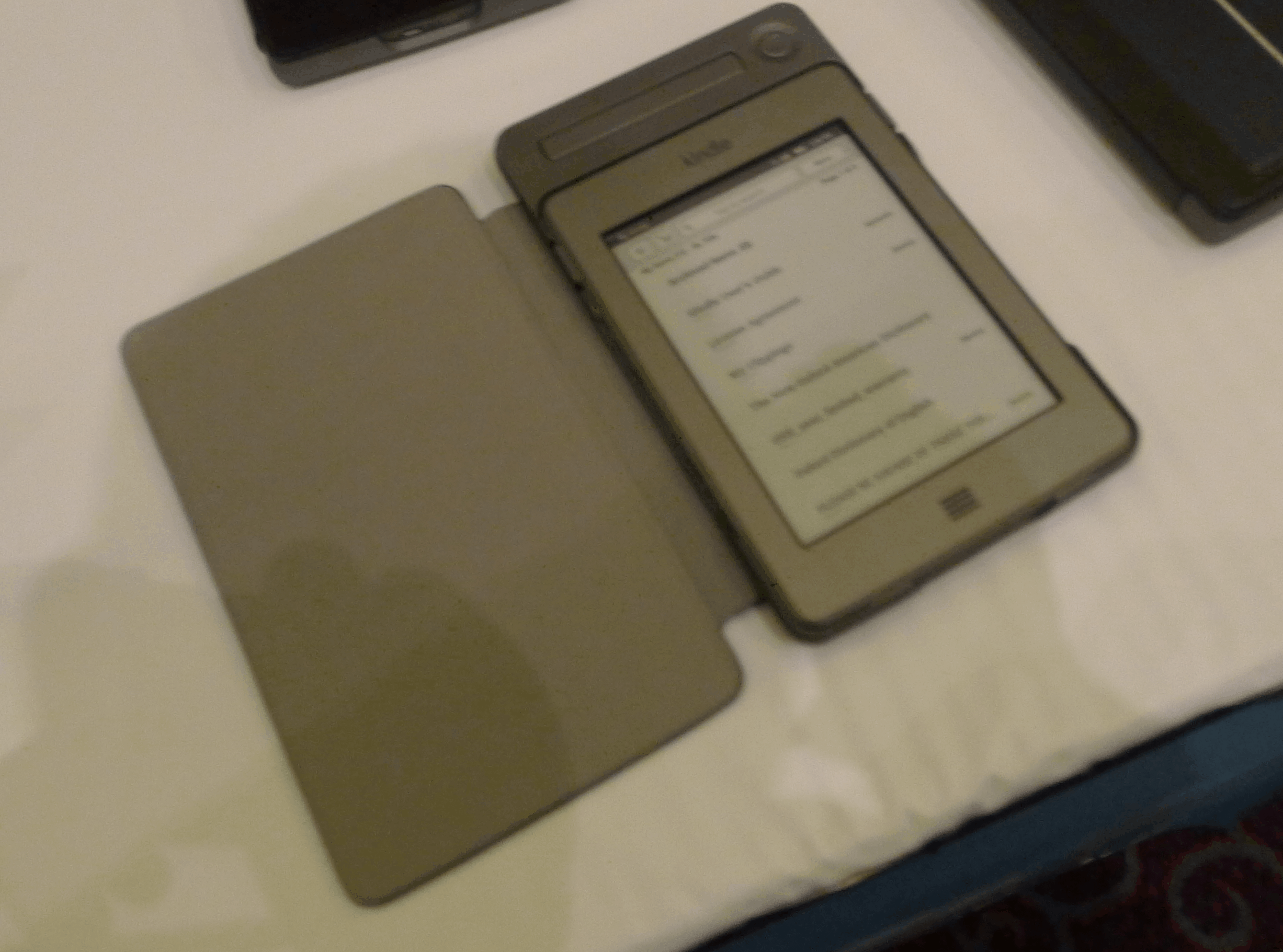
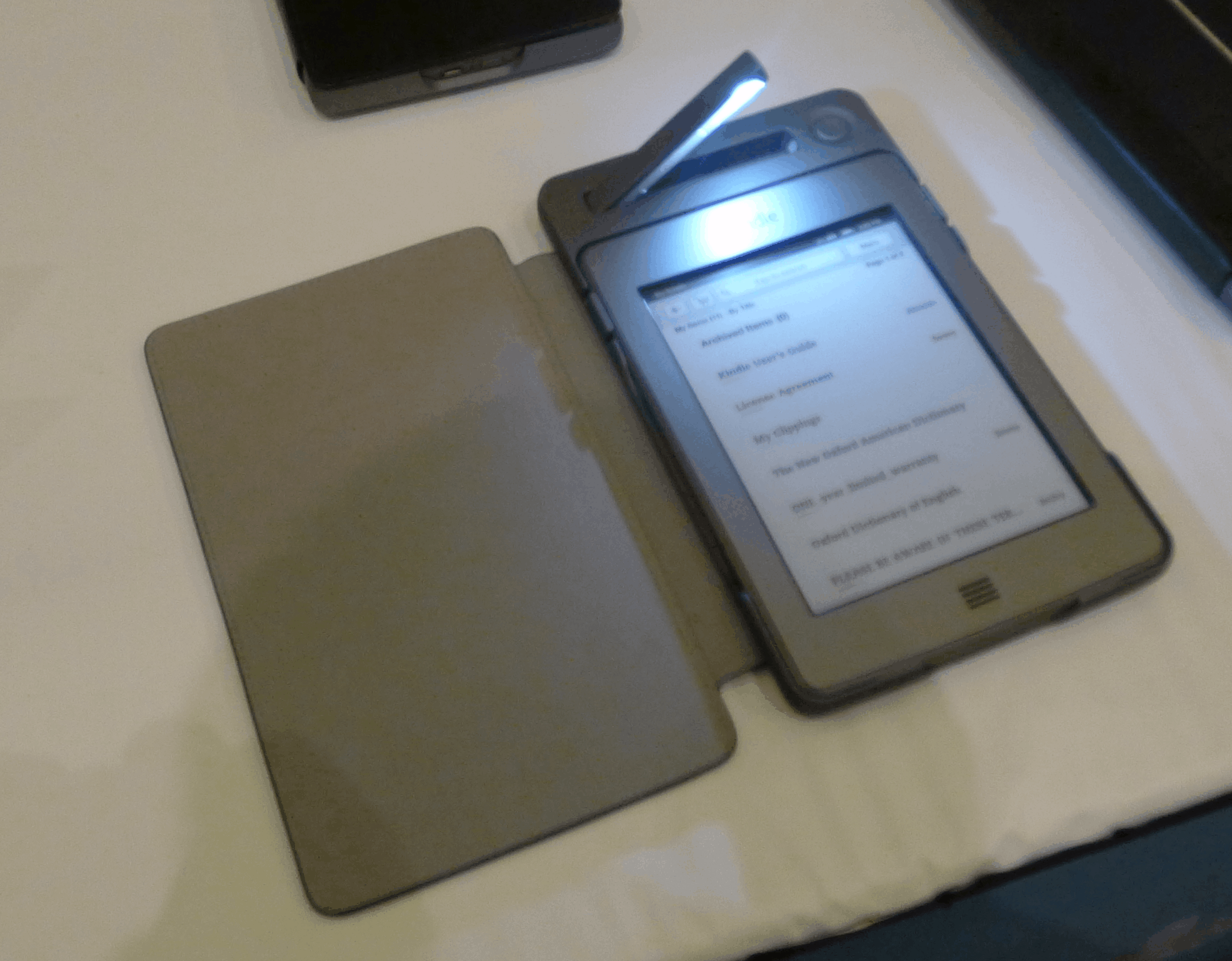
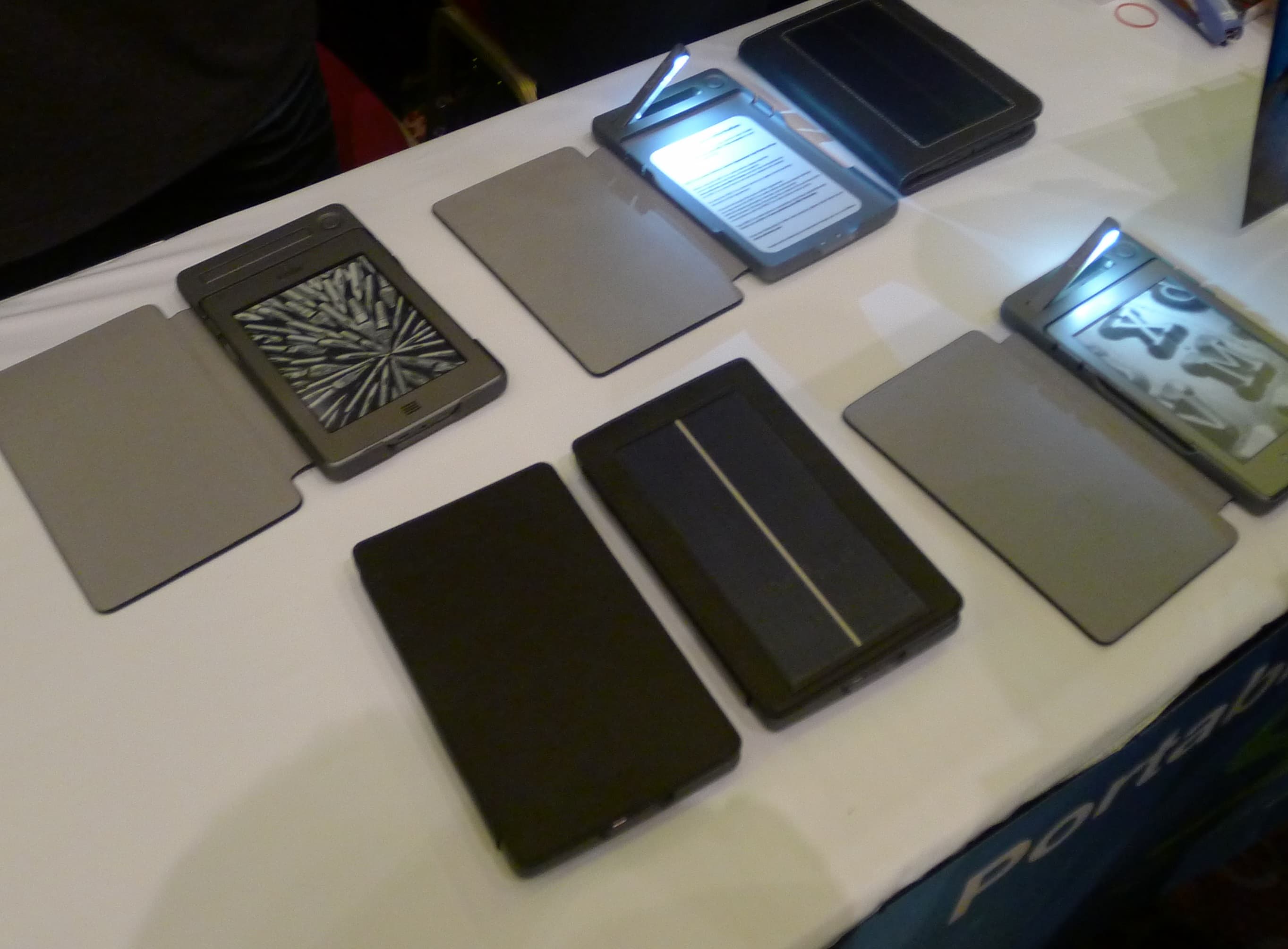
I just got back from the CES Unveiled event, and guess what I found? SolarFocus was there with their new case, the SolarKindle.They even had a demo unit for the not yet announced Kindle Touch case. (OLPC was also there in the Marvell booth, but I couldn’t get within 3 people of the XO-3 tablet. It was that packed.)

I spent a fair amount of time playing with the cases. They’re nice, and I think they are a serious alternative to the lighted cases currently sold by Amazon.

Both the K4 and K5 cases are based on the same general design. The Kindle snaps in place and is held quite securely. In fact, they had to use a pen cap as a prybar to pop one out so I could see behind it. The cases are rather thick, and I’d say it about doubled the thickness of the K4. They also felt sturdy, so in a pinch the SolarKindle case could double for a drop proof case (try at your own risk).

I was particularly interested in these cases because I wanted to see how they were powered. It turns out that they can charge the K4 and K5 off of the 2 metal square on the back. Amazon put them there so the new Kindles can power the case light, but clearly the system can work both ways.

On a side note, this case design implies that a docking station would work for the K4/K5 because the dock would use also those little squares. If any one makes one, let me know. I want one.

The new cases for the Kindle Touch should be coming out in March. They’re going to cost the same as the K4 cases, and they should be as widely available. And yes, the K5 is also supposed to get a battery powered lighted case (without the solar panel), just like the one for the K4. That should cost $60, the same as the K4 case.

Now, the last time I wrote about these cases I said that I didn’t see the point. $80 wasn’t worth the expense for a solar panel to be included in a Kindle case. But I’m going to have to retract that opinion because I hadn’t put these cases into their proper perspective.

Amazon’s own lighted cases start at $60, the same as SolarFocus' battery powered lighted case.  That means that the solar powered ones only cost $20 more and include their own power source. In fact, I like the  SolarFocus $60 case more than I like Amazon’s. It comes with a battery and can be recharged.

If I wanted a light I would definitely buy this case.

Amazon

SolarFocus


For more ebook news, subscribe to the RSS feed or the daily email newsletter. You can also follow me on Twitter: @thDigitalReader or find me on FaceBook.

Do Your Kobo Epubs Still Look Like Crap?

If they do, please let me know. I’ve been told that problem has been fixed, and if it hasn’t been then we need to raise a stink.

But if you’re not sure what I’m talking about, read on.

A few weeks back everyone started complaining about Epubs they bought from Kobo. People were transferring ebooks to other ebook readers and apps and finding that the formatting looked terrible.The line and paragraph separation looked wrong, the font size was off, and it generally looked like crap.

Some of the more tech savvy stripped the DRM and pulled the Epubs apart. It turns out that Kobo had been adding extra files to Epubs that are sent to them by the publishers. These extra files (besides breaking the Epub spec) were the source of all the problems.

I heard about this a couple weeks ago, and after asking around I got confirmation from 3 different tech people, all of whom knew what they were talking about. But rather than post a rant about it, I decided to find out why Kobo was doing this.

You may have known about the problem, but there was one relevant detail that wasn’t mentioned anywhere I could see. Did you know that Kobo has always had their own internal Epub format? It’s been there for as long as they’ve sold Epub, but it was only recently that anyone noticed.

The problem, as I understood it, was that Kobo’s internal format had been escaping into the wild. And it had only been happening for a short while – even though Kobo had been selling Epubs for a couple years now.

Doesn’t that make you wonder what changed? And that’s why I asked before I posted.

I’m told that it was a technical error, and that it has been fixed. Also, I was told that Kobo did not intend for the modified file to get into the hands of customers. According to my source at Kobo, you shouldn’t see any more of the funky looking Epub.

But has the problem really been fixed? I’m not disagreeing with my source, but if you still see the bad formatting in the next Epub you download then the problem is obviously not as fixed as Kobo thinks.

Please let me know if you keep getting the funky looking Epubs.


For more ebook news, subscribe to the RSS feed or the daily email newsletter. You can also follow me on Twitter: @thDigitalReader or find me on FaceBook.

Barnes & Noble to Sell Off the Nook?

Yesterday I reported on the rumor that B&N wanted to sell off Sterling Publishing, and naturally I assumed that B&N had decided that digital was the future. Today I learned that B&N is looking to sell off the Nook business unit. Apparently digital isn’t the future either.

B&N put out a press release this morning. Buried in with the glad tidings about great sales over Christmas was a mention that B&N was looking at "strategic exploratory work to separate the NOOK business."

They want to sell it.

But first, B&N also released a few details on this past holiday season. The total unit salesfor the ebook readers were up 70% over last year.  The sales reports were mixes. The NookColor and NookTablet sold well, but the Nook Touch did not meet expectations. Digital content was also up, with apps, ebooks and the periodicals from the digital newsstand selling at over twice the rate of last year.

Sales from the website were up 43% over last year,  to $327 million. According to B&N this "increase was driven by continued growth of the NOOK business, offset by a decline in online physical product sales." The brick and mortar stores saw a spike in sales of 2.5%, to $1.2 billion. B&N also reported seeing a bump in sales from the closure of Borders. That bump tis expected to be about $200 million to $230 million in fiscal 2012.

I cannot help but wonder if today’s and yesterday’s news are related. I posited yesterday that B&N wanted to recover the capital invested in Sterling so they could invest in digital.  And today it looks like B&N is looking to take a step back from the development side of its digital business. Note that sales were good, so this probably isn’t a retail question.

But it could mean any number of things.

At the very least, you could put the 2 stories together and reach an interesting conclusion. B&N wants to pull back from creating products (publishing books and developing the Nook) to simply selling them.

Perhaps B&N senior management has decided that they’re investing too much in developing the products and the platform? While they like being able to sell the product, having to pay all the costs to develop it might not be as appealing as it was back in 2009.

This might also be a hint that the Waterstones deal is going to get a little closer than we expect. A few weeks back I reported that one source had told me that B&N might buy Waterstones. Now I would argue that the deal could go the other way. Waterstones might buy into the Nook development as part of deciding to carry it in stores. It’s certainly a possibility, now that we have today’s press release.

In any case, something interesting is happening.


For more ebook news, subscribe to the RSS feed or the daily email newsletter. You can also follow me on Twitter: @thDigitalReader or find me on FaceBook.

Review: Boogie Board RIP

I have the new Boogie Board RIP on my desk at the moment, and I have to say that it was a lot more interesting than I expected.

Early last year Improv Electronics shipped their first product, the Boogie Board. This was an 8.5″ digital writing tablet based around a new type of cholesteric LCD screen.

This isn’t your average tablet.  It might have a new hi-tech screen, but Improv built a product that behaved as not much more than a sophisticated etch-a-sketch. You might also think of it as a digital whiteboard, because like a whiteboard the Boogie Board couldn’t show anything other than what you drew on it and it also couldn’t save your scribbles after the screen was wiped.

That not being able to save the screen killed the idea for me. At least, it killed any interest I might have had in the first gen Boogie Board; the Boogie Board RIP is a whole other matter.

Given that this is an ebook reader blog, you can probably guess that I’m interested in screen tech. So I’ve been keeping an eye on the Boogie Board, and about 2 months back Improv Electronics shipped their second gen device, the Boogie Board RIP. This model costs a lot more, but it adds that one key feature that I wanted.

Now I can save the screen shot as a PDF.

The RIP has only 4 functions. You can scribble, clear the screen, and you can save the screen as a PDF.  After you save the PDF, you can then transfer it to your PC via a USB cable. The RIP has 8MB of storage, and that’s enough space for thousands of single page PDFs (each is about 2k in size.)

And there’s also a 4th function. After you install the companion software (Windows only), you can plug the RIP into your computer and use it as a Wacom type of writing slate. You cannot do anything more than the same 3 functions you had when it wasn’t attached, and I think it’s actually more useful unplugged. But it’s still cool.

You can draw on the black monochrome screen with almost anything, but a stylus works best (one is included). In a pinch you could use a pen with the cap on.

As you scribble, your marks will show up as gray lines on the screen. I found that the best way to use it was to write at a normal speed. This was quite readable. Also, if I scribble quickly the lines get thin, but if I draw at about writing speed then the lines are more visible.

It took me a few minutes to learn the best way to use it, but once I did I began to see the value. This tablet would make a great semi-permanent sign. I know someone who has the original $40 Boogie Board and uses it as a whiteboard (an alternative to notes on the fridge), but that’s just one use.

This tablet doesn’t quite do what I need but it’s interesting none the less. I seriously considered bringing it to CES so I could take notes on it, but eventually I realized that I usually needed to start any set of notes with a couple entries that I wrote at home. And when I go to a trade show, I usually have a dozen or more sets. That means I need to have a pad of paper with the starter notes, and once I have the pad I might as well stay with it.

But if I didn’t need to start my notes with saved info then the RIP would be great. This tablet could make a great replacement for paper notes in certain situations. For example, it might be usable for a student in a lecture.

On the other hand, it does save the notes as only single page PDFs. I can easily foresee that by the time I took a few dozen pages of notes, sorting through them will be rather annoying. I wish it could concatenate the pages into a single file or that the RIP offered screenshots instead of the PDFs.

Still, this is a neat little gadget. If you get a chance to see it at CES 2012 (or some other trade show), you should.

Improv Electronics

Companion Software Download

Review: Kyobo Mirasol eReader – The Screen

This post is the (somewhat delayed) second part of my Kyobo Mirasol eReader Review. I wanted to cover the screen tech separately because I thought the device it was built into deserved its own pummeling.

I’ve been following this screen tech for a couple years now. I first heard of it just after CES 2010, and I saw it for the first time a couple months later. Ever since I saw it, I’ve lusted after Mirasol (for the obvious reasons). It’s a low-power color alternative to E-ink which was supposed to offer video abilities and can be read in sunlight.

But the screen is not there yet. As I showed in the other post, it’s not all that much more energy efficient when compared to LCDs (at least the Kyobo eReader isn’t). And while this screen is daylight visible, the color quality is disappointing.

Have you seen the old demo videos posted to Youtube or possibly glimpses one of the demo units on display at a trade show? The production model looks very little like the prototypes. I wonder if the reason for the difference is how the screens were made, or possibly the fact that I can finally interact with the screen rather than just watch a demo video.

On a related note, guess who made the demo screens? Prime View International, that’s who. Yes, back before they bought E-ink, PVI was E-ink’s main manufacturing partner but they also did small production runs for just about everyone, including LiquaVista, E-ink, Sipix, and Mirasol.

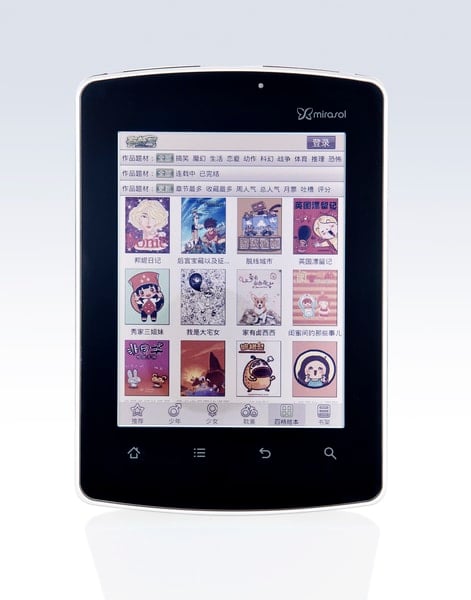
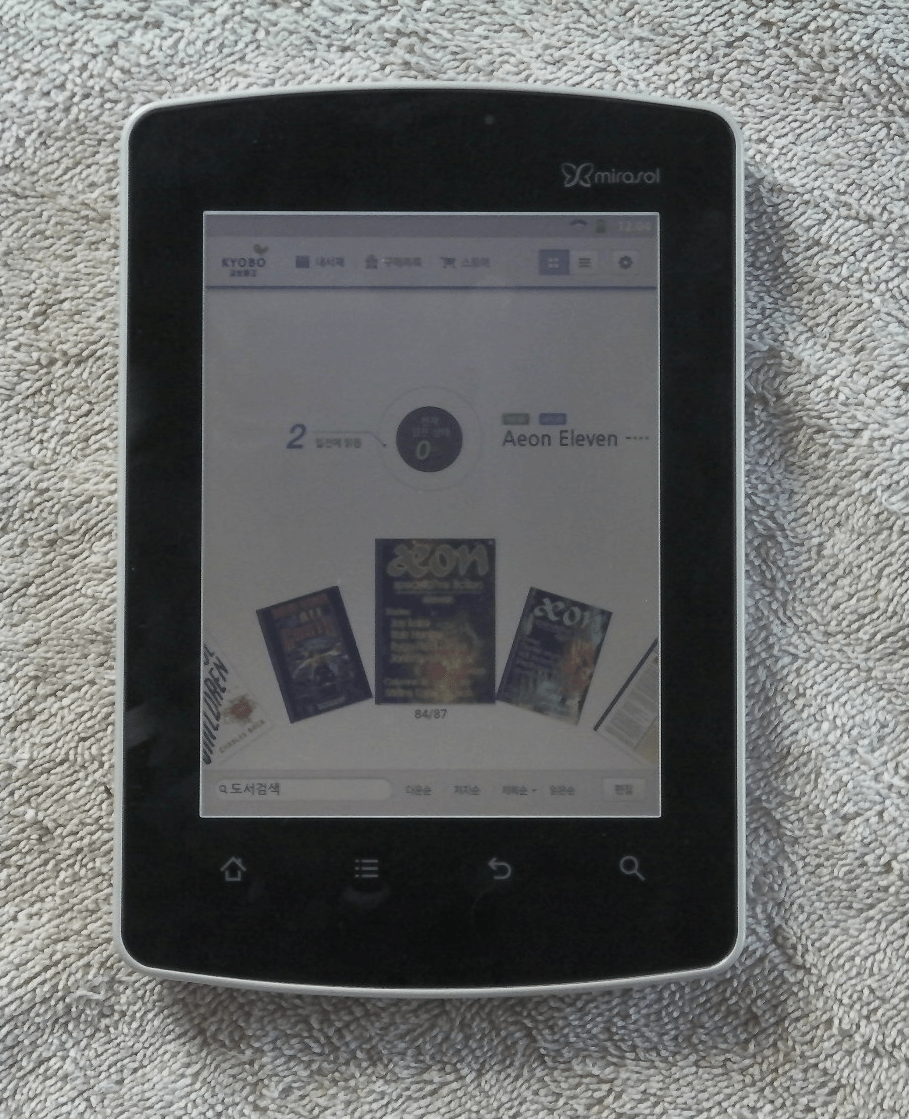
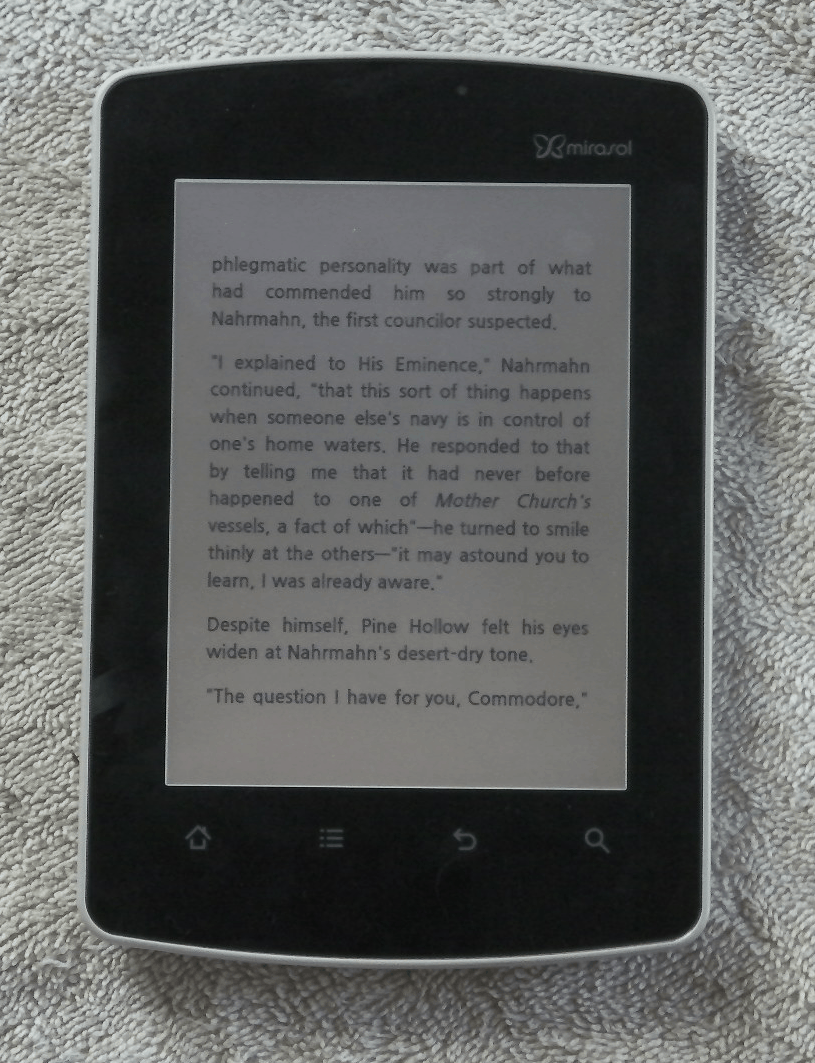
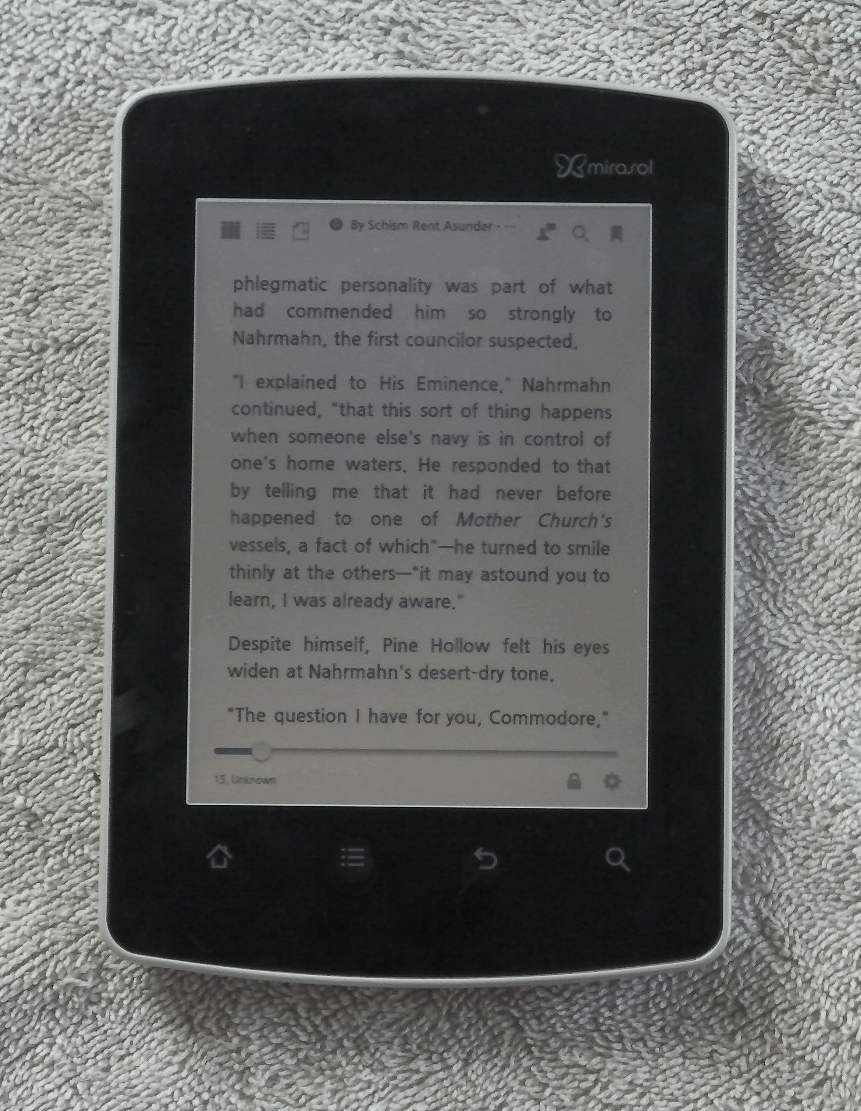
The dominant color of the screen is silver, not white like an E-ink screen. The color quality  of the screen is best described as washed out  when the frontlight is on, and when it’s off the screen resembles the monochrome screen from an old PalmPilot (with a few hints of color added). Yes, it’s visible outside, and that does improve the color quality. But it still looks washed out.

In fact, I’m not sure that this screen really offers better color than a color E-ink screen. I’m going to have to put it side by side at CES to confirm, but I have the feeling that the color E-ink screen will only be marginally worse than Mirasol.

And then there’s the viewing angle. It’s difficult to catch this on camera, but the Mirasol screen has a narrow viewing angle (unlike E-ink screens or good quality LCD screens). I know it’s not fair to compare Mirasol and E-ink viewing angles, but the Mirasol screen is narrow even when compared to even LCD screens.

One of the Kyobo commercial for this device shows a family clustered around the small screen. Unfortunately, that scene is just not possible. If you turn the screen more than about 10 degrees in any direction, the colors shift drastically.  It’s still readable, but most subtle details are lost. I would go so far as to say that the viewing angle on this screen is actually narrower than some cheap LCD screens in my collection.

I’m really disappointed, and TBH that’s why I held off this part of the review for several days. I wanted to take time to really think about the screen and confirm my impressions. I had been unhappy with the Kyobo eReader’s performance as an ebook reader, and I didn’t want my dissatisfaction with one to bleed over into the other.

P.S. All photo credits belong to Mersfire, who is a much better photographer than me. Check out the review post for a gallery of photos.

1.4 Million Aakash Tablets Ordered Means 1.4 Million Unhappy Owners

It looks like I was slightly mistaken when I reported that the Aakash tablet was dead; it turns out that Datawind, the hardware partner, couldn’t make the tablet nearly as fast as they were sold, so they stopped taking orders.

Over a million of the cheap junky tablets were ordered in the first couple weeks, and the website was so active that their service provider thought the site was under attack.

Sales are so good that Datawind has already made plans to open 3 new factories in India in the first half of 2012. "We never expected such a high response from both corporate and individual buyers. We plan to supply 70,000-75,000 units per day once the factories are in place by April," said the CEO of Datawind, Suneet Singh Tuli.

In fact, the Aakash tablet is already the best selling tablet on the Indian market.  It hit that milestone back when it was still in the pre-order stage in October. About 400k aakash were ordered, and up to that point the entire Indian tablet market was around 300 thousand units.

If and when Datawind manages to catch up with existing orders, they plan to put the Aakash back on the market. But until that happens all they have to sell will be the Ubislate 7, the more powerful and costly model. This tablet is running on a significantly fast CPU (700MHz vs 366MHz), and it will ship with both Wifi and a GPRS data connection. The Ubilsate is expected to cost 3,000 rupees (~$60), not the $45 that the Aakash cost.

And that extra cost is probably worth it. I’ve come across a number of early reviews, including one where the tablet died in under an hour. Another reported that it has only a 3 hour battery life and that the touchscreen was best described as sticky. It looks like you really do get what you’re paying for.

Now, you might argue that I’m being unduly pessimistic, but consider those 3 factories that Datawind will be opening. Until they get the bugs worked out of the assembly line, those factories are going to make a fair number of manufacturing errors. At least some errors will be missed by QA and that means customers will be stuck with them. Given how much the specs have been pared down to reduce cost, I suspect that the cheap components will also contribute to a higher than normal failure rate.

via Times of India

File Sharing is Now a Religion – Kopimism

Earlier this week the govt of Sweden formally recognized the Church of Kopimism as a religion, finally displacing Church of the Flying Spaghetti Monster as the most unusual religious group in the world.

This church was founded in 2010 by  Isak Gerson, a philosophy student. Isak is such a religious file-sharer that he decided to form a group to recognize and protect his beliefs. He then petitioned Sweden to accept Kopimism as a religion. It took 3 attempts, but they finally did.

As of last week, Kopimism is a religion in Sweden. I’m not sure what value there is in this, Kopimism’s 3 thousand plus practitioners now have it.

Isak  is thrilled about the news, and he hopes that it will motivate more people to come forward as ‘Kopimists’. “I think that more people will have the courage to step out as Kopimists. Maybe not in the public, but at least to their close ones,” Isak tells TorrentFreak. “There’s still a legal stigma around copying for many. A lot of people still worry about going to jail when copying and remixing. I hope in the name of Kopimi that this will change.”

While I’m sure some will laugh at this (I snickered at first), there’s more to the idea than piracy is good. This is actually a group of file-sharers.  Do you like the idea of the Creative Commons, GPL, or any other open license? Then you share some of the beliefs of Kopimism.

This isn’t just about piracy. The core of Kopimism is about the value of  freely sharing knowledge. In fact, if you look at the growing number of authors and developers who have already decided to give away their work under open license, you’ll see that the idea is both widespread and an accepted practice in much of the world.

Cory Doctorow behaves like a practicing Kopimist, and so does Lawrence Lessig. Gary Hart, the founder of Project Gutenberg, could arguably be considered the patron saint of Kopimism.And that is not a joke. Why do you think he founded Project Gutenberg?

Now, I don’t expect most to take it seriously as a religion, but the values Kopimism espouses are not the lunatic fringe. They existed long before the religion was organized.

Wikipedia

via


http://torrentfreak.com/images/kopimichurch.jpg

Review: Kyobo Mirasol eReader

It’s been just over 2 years since Qualcomm first started showing off the Mirasol screen, and a little over a month since the first Mirasol equipped ereader hit the market.

And today I have one in my grubby little hands and can finally post a first hand review.

I’ve been looking forward to the screen on this device for over a year now, and I find it difficult to express how disappointing the actual device is. Yes, the screen tech is very cool, but the device wrapped around it does not live up to the hype that Qualcomm generated over the past couple years.

This is actually my second post on  the Kyobo Mirasol eReader, and the first was more of a how-to guide. There are a number of details on this device’s abilities that I haven’t repeated here, so I suggest that you go read that post as well.

I’m also going to cover the screen tech in a later post because I feel that the device itself deserves its own discussion.

Hardware

So what’s the device like?

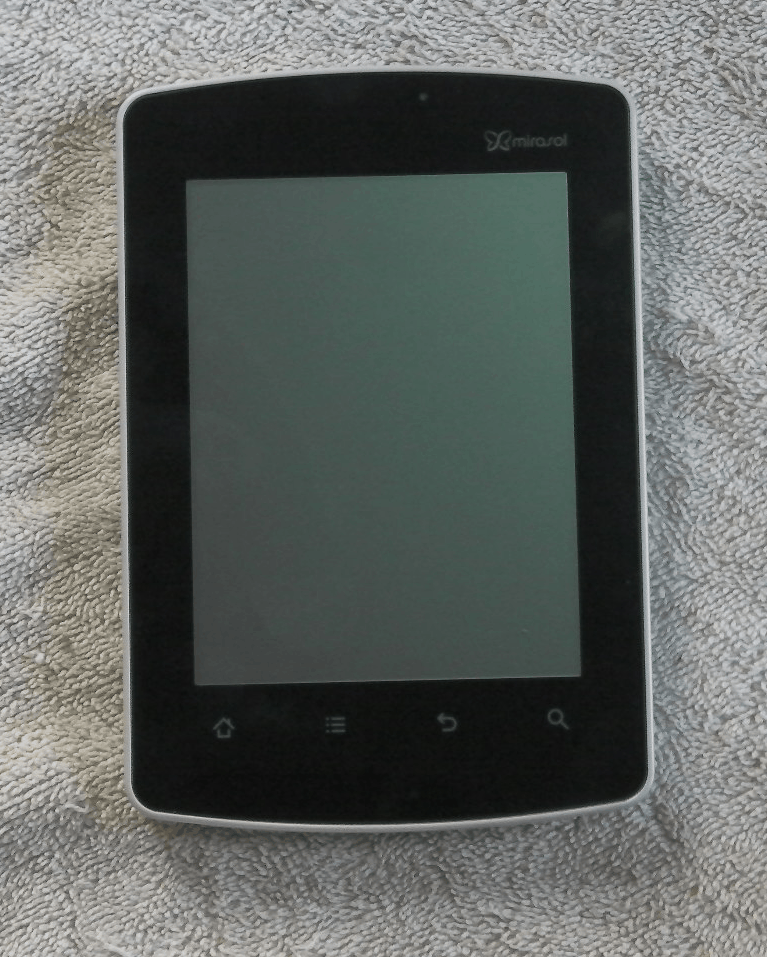
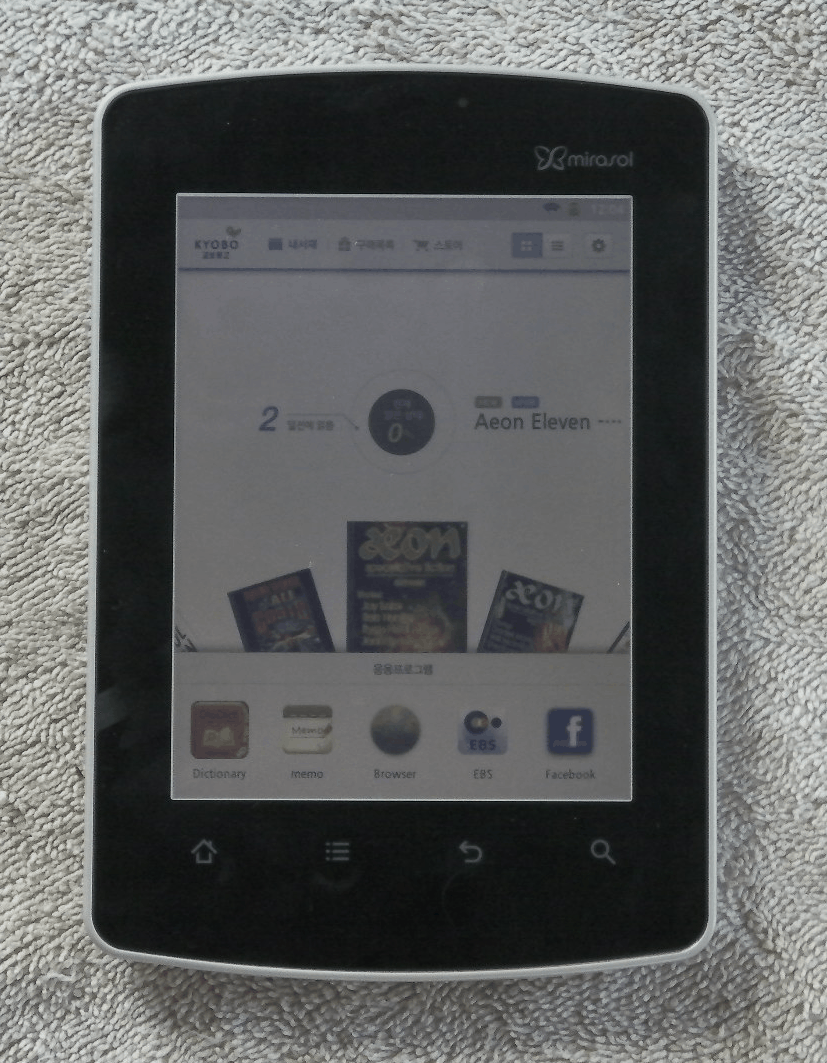
The Kyobo Mirasol eReader runs Android v2.3.5 on a 1GHz Qualcomm SnapDragon CPU, but it is most definitely an ereader. It’s not a tablet, and just to make sure it stays that way you are blocked from installing apps. While I have not made any strenuous effort to bypass the block, all the obvious tricks did not work.

The screen measures 5.7″ and it has a capacitive touchscreen. It has Wifi, of course, but it also lacks any accessible internal storage. If you want to load your own ebooks you will have to get a microSD card.

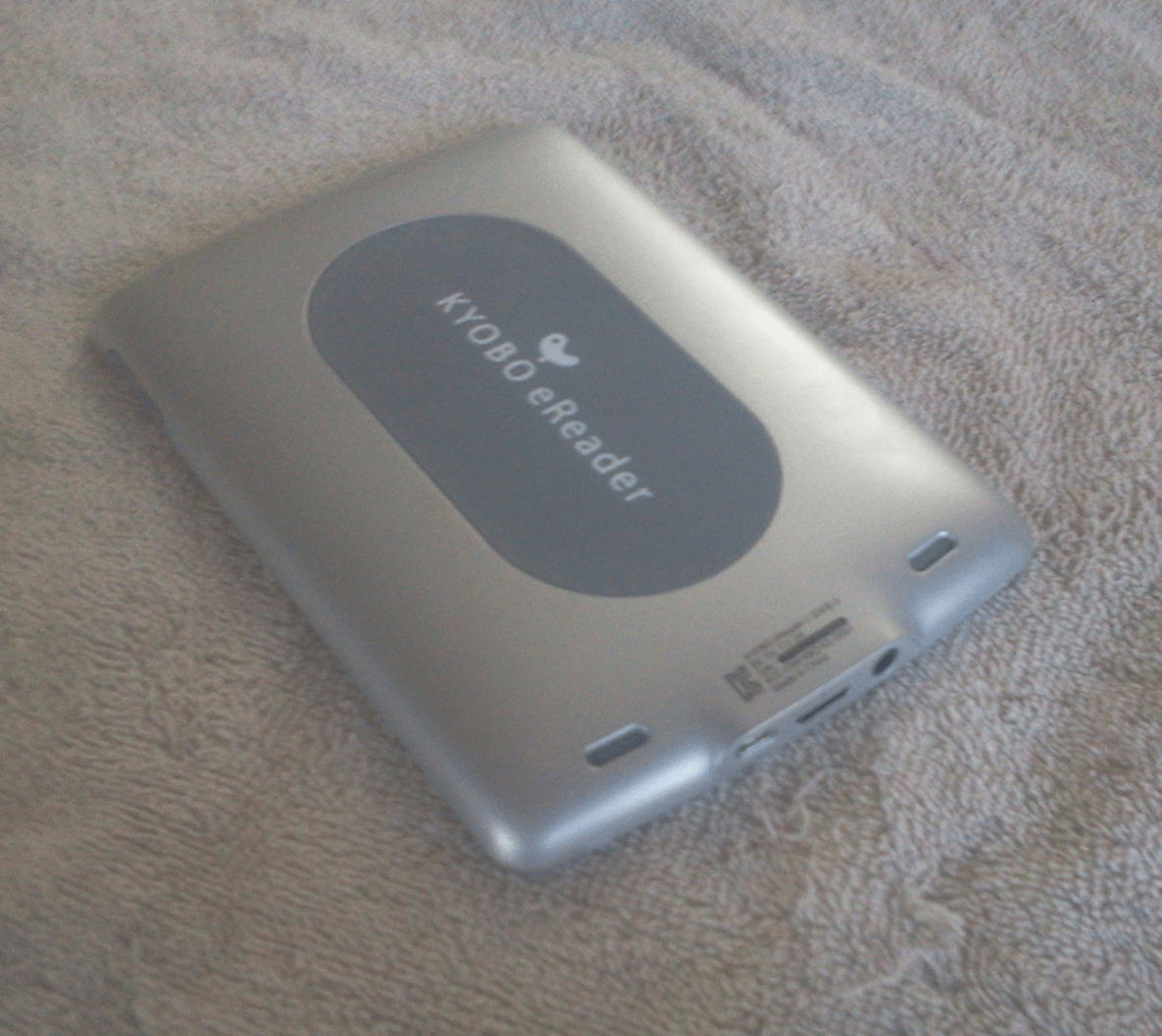
There’s a power button and microphone on the upper edge, and on the lower edge is the headphone, microSD card slot, and USB. On the lower back of the device are a pair of speakers. It also has a set of notches on the upper and lower edges that I believe are intended for a case.

I wish I had the case, because the back of this device is smooth. It’s not easy to maintain a good grip (without having a thumb on the screen). I’ve found I cannot use it one handed. The Kyobo is noticeably heavier than any of my 6″ ebook readers, and I have to be careful how I hold it so I don’t drop it.

Battery Life

One of the key selling points with the Mirasol screen is that it is a low-power alternative to LCDs. Unfortunately, the Kyobo eReader is an example of how battery life depends on more than just the screen. The CPU, software, and general hardware design is almost as important as the screen tech. This is doubly true with any device using a low-power screen; the rest of the device uses a greater proportion of the battery power and a poor design can negate any savings from the low-power screen.

I’ve only had this device for a week, but based on how the battery is dropping with only light usage (with Wifi on) I am going to estimate that actual battery life is not much more than 2 weeks. Clearly that is far less than a number of ebook readers, and it’s also not much more battery life than some of the better tablets.

Reading Features

Qualcomm Kyobo blocked a number of tablet features on this device, so you would think that it would at least be a good ebook reader, right? Well, no, it’s not.

First, it takes over 30 seconds to open an ebook. Yes, 30 seconds. I timed it.

Also, the reading app crashes often. It kicks me out to the web browser, which is a little strange. I’m guessing that I end up at the browser because there’s no actual home screen. Note: this stability issue might be useful for hacking the Kyobo eReader.

But wait, there’s more.

I cannot get it to load DRMed ebooks. I tried repeatedly to authorize this device with Adobe DE, but the app never noticed it. While I have an extensive library of DRM free ebooks, I still feel that DRM support is one of the minimum requirements for an ebook reader – especially one that costs $300.

To be fair, I’m not sure that the DRM is a valid complaint. No one ever claimed that the Kyobo could support Adobe DE DRM. But you have to wonder why it doesn’t; that’s the dominant Epub format.

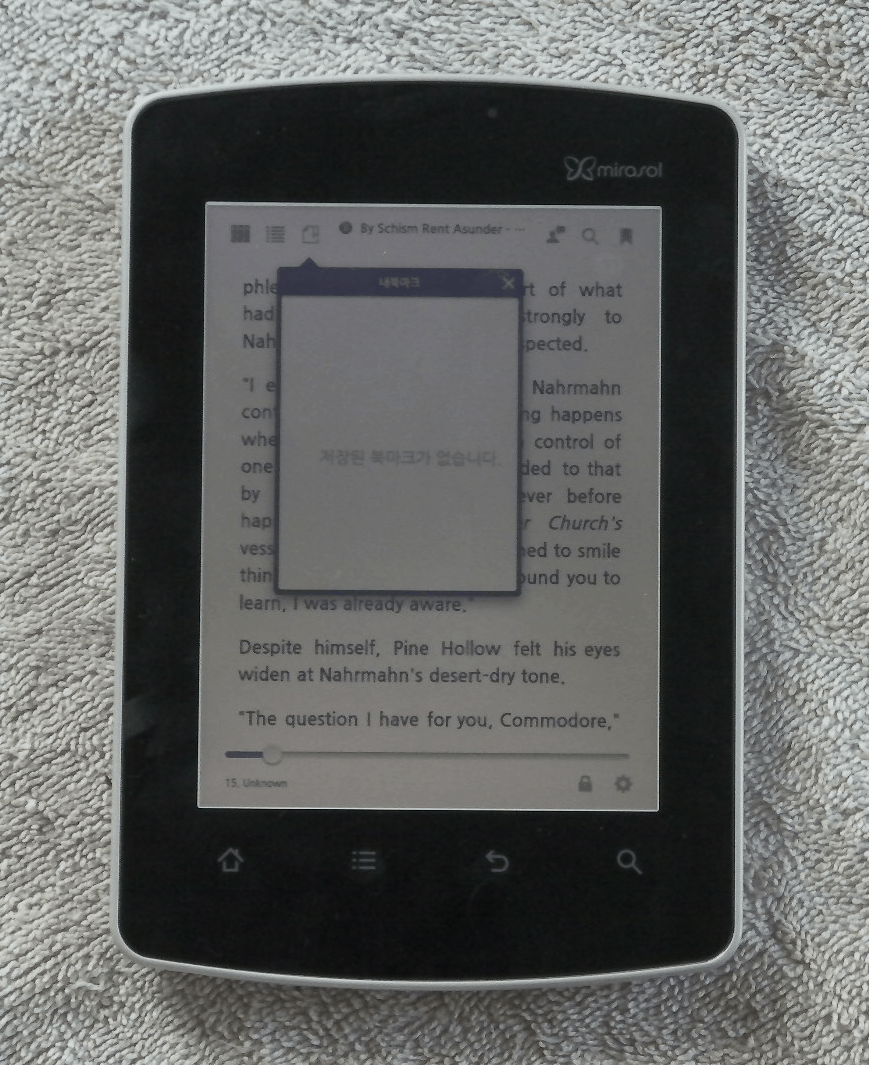
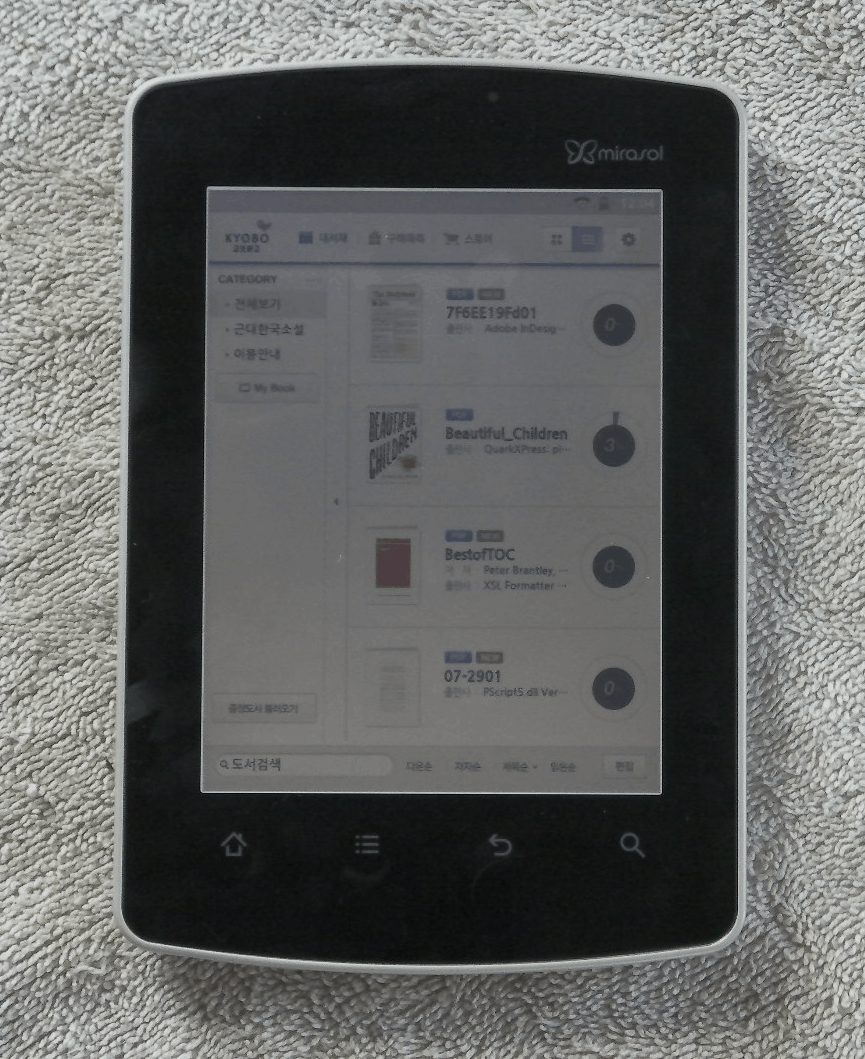
Next, this device does not properly support Epub. Yes, the spec lists PDF and Epub, but the reading app does not display the CSS correctly nor can it find the external TOC in an Epub. It also cannot use an internal TOC because it’s not configured to let you click on a link.

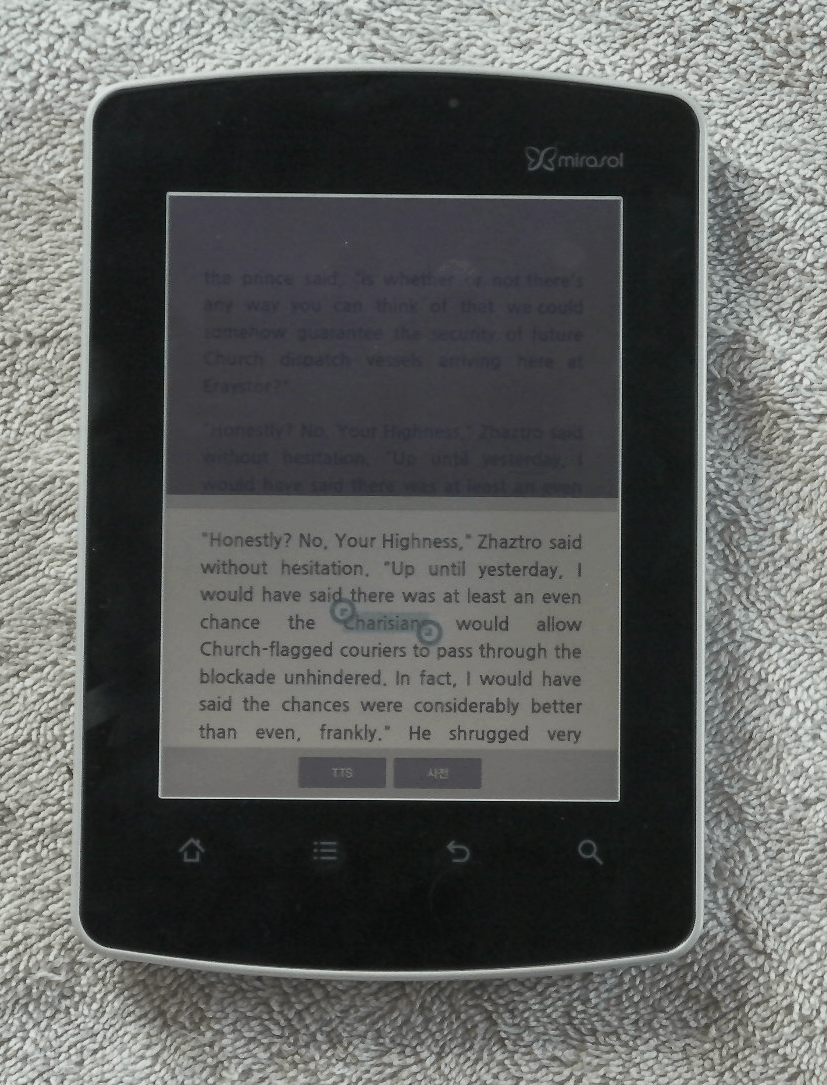
And the reading features are quite limited. It has a landscape mode for both PDF and Epub, which can be triggered by the g-sensor or locked in one position. I can adjust the font size or set bookmarks, and that’s the limit of the actual functional features. I can also theoretically search for a word, look it up in the dictionary, or use TTS, but none of those features work for me. The search does not work, the TTS is crap, and the dictionary is in Korean.

On the upside, the page turn speed is slightly faster than that of my Kindle Touch. But it is also slightly slower than the page turn speed of Aldiko (running on my Samsung Galaxy Tab).

PDF support is also lacking. There’s no reflow mode nor any set zoom levels (fit to text would have been nice). You can zoom using a inch (and you can scroll around a page), but it’s incredibly sensitive. It was very difficult to get it to zoom to any specific level.

The reading app is exceptionally disappointing. While I could forgive the latter several broken features, this app fails at basic abilities like DRM support and properly displaying ebooks. These are the kind if mistakes that you do not make with your flagship product.

Video

The video abilities of this ereader do not make up for the poor reading app.

Like I said in my getting started post, this device doesn’t have a video app. That means there’s no way for you to play the demo videos that Cheryl Goodman showed off for NetbookNews. To be honest, I think the video app was left out deliberately. But lucky for me this device is using a standard Android web browser so I was able to watch Youtube.

I wish it had been blocked.

This device has a slow refresh rate for video, and the refresh rate is most obvious with higher resolution videos. It’s so slow that I could often see it pause after refreshing 2/3 of the screen and then the rest would update. Also, it has an annoying screen wipe when the scene changes in a video. And when the camera view scrolls to one side, it’s jerky.

These problems are likely due to a crappy graphics driver, but it boggles the mind that anyone let it happen.

In fact, now that I’ve seen it in action, I can understand why this device was locked down. If this ebook reader had been released as a tablet then there would be shrieks of horror from almost everyone. The video abilities are that bad.

image credit: Mersfire

Wrap Up

I’ve carefully left out details on the screen tech and focused this post on just how well the Kyobo eReader performs as just an ebook reader. While I do lust after the screen tech, I felt that the rest of the device deserved its own review.

This is a most unsatisfactory ebook reader. It’s not only limited in features, but it is also unstable and less capable than most tablet or ereaders in its price range. There are many devices on the US market that offer a better value, and that includes both tablets and ebook readers. I would get one of those.

But if you’re lusting after the screen tech, I’d still wait for a better device. I freely admit that I bought this just to see the screen, but I regret that. I wish I had waited for the next model. It’s bound to have better performance.