How to Add a Nook DRM-Removal Plugin to calibre

What with B&N giving up on the international Nook Store and having trouble getting their new site to function properly, I’ve decided to dust off this two-year-old post and update the instructions so that they are applicable to users who find the post in July 2015.
It’s easier than ever before to strip the DRM from your legally purchased ebooks, but it does still take some work to rescue your purchases.
TL;DR
The short-short version is that you need to get the DeDRM plugin from Apprentice Alf and install it in calibre (and reboot calibre). Once you’ve installed the plugin, all you have to do is find where NookStudy or Nook4PC put the ebooks on your computer and drag each ebook into calibre (everything else is automatic).
Luckily for you, you only have to go through the set up process once in order to remove Kindle, Nook, and Adobe DE DRM. (Kobo is a separate process.) If you’ve followed my instructions for removing Kindle DRM then you’ve already finished setting up to strip Nook DRM, and you can skip to the end of this post.
Warnings
But if you’re finding this post for the first time, let me start with the standard warning:
- These instructions are written in order to assist the average user in protecting their purchases. I did not write it to assist in committing piracy; I believe in buying content, when possible. But I also believe in controlling the content I buy and that is why I strip the DRM.
- Note that these instructions are Windows only, and some details will be different between the various versions of Windows. They were also written without the permission or participation of Kovid Goyal, the creator of calibre.
First Things First
You need to download and install these apps on your computer. If you have either of them then you do not need to install them again:
Calibre is of course the ebook library management tool. I’ve mentioned it once or twice, and that’s what you’re going to use to remove the DRM.
And NookStudy is one of the PC apps that B&N released to read Nook ebooks. B&N no longer supports NookStudy, but it still works and you can use it to download your Nook ebooks (You can also use Nook for PC).
Set up NookStudy, and make sure you download the ebooks you bought. Install calibre. While it’s being installed, go to the Apprentice Alf website and download this ZIP file full of plugins
- UnZip the ZIP file you just downloaded.
- Launch calibre. When it’s open, look at the icons on the top row. There’s one on the far right called "Preferences". Click on it. See Pic 1.
- It will bring up a new window with a bunch of icons. Look on the bottom row for the one that says "plugins". Click it. See Pic 2.
- And now you’ll get another new window. Look at the buttons on the bottom row. Click on the one that says "load plugin from file". See Pic 3.
- Use the file browser window to find the folder you downloaded. Open it, and then open the DeDRM_calibre_plugin folder.
- There should only be a single ZIP file in that folder, and it should be called "DeDRM_plugin". Double click to select it.
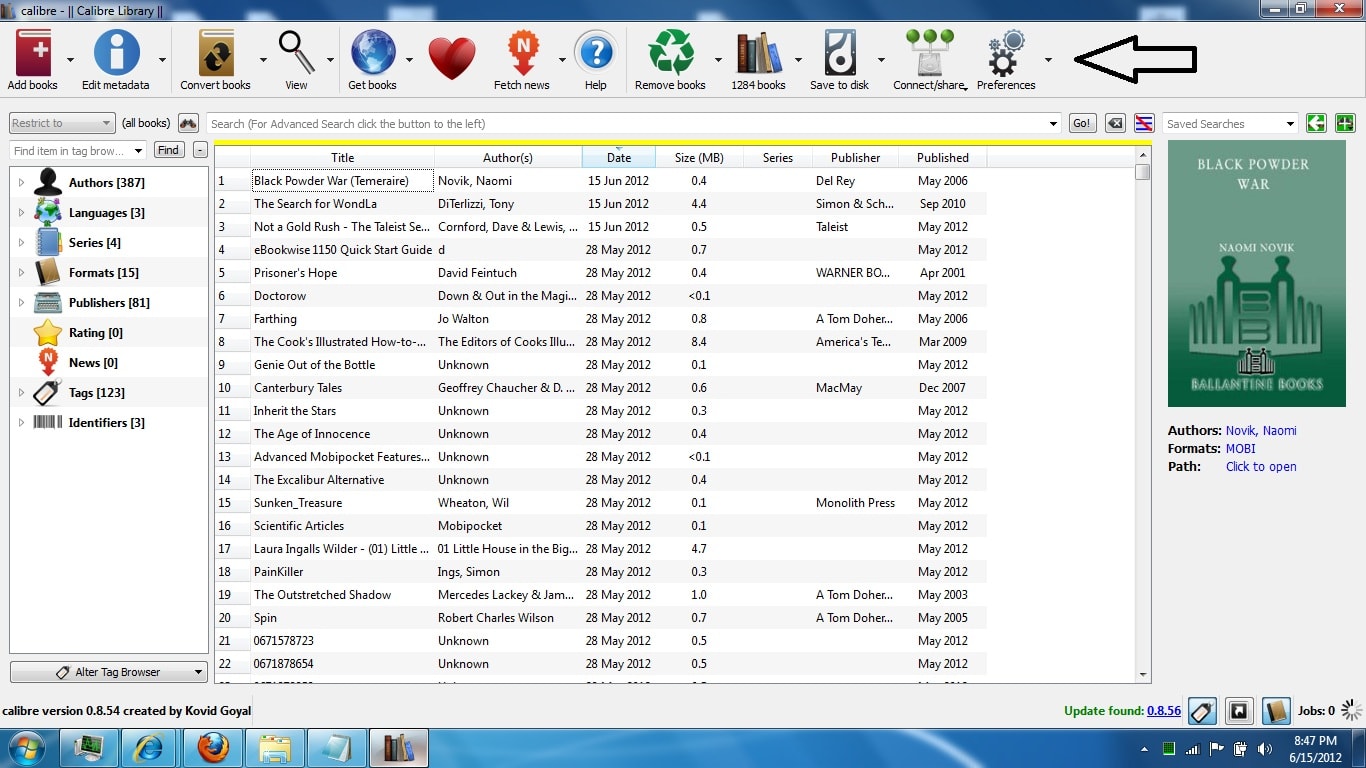
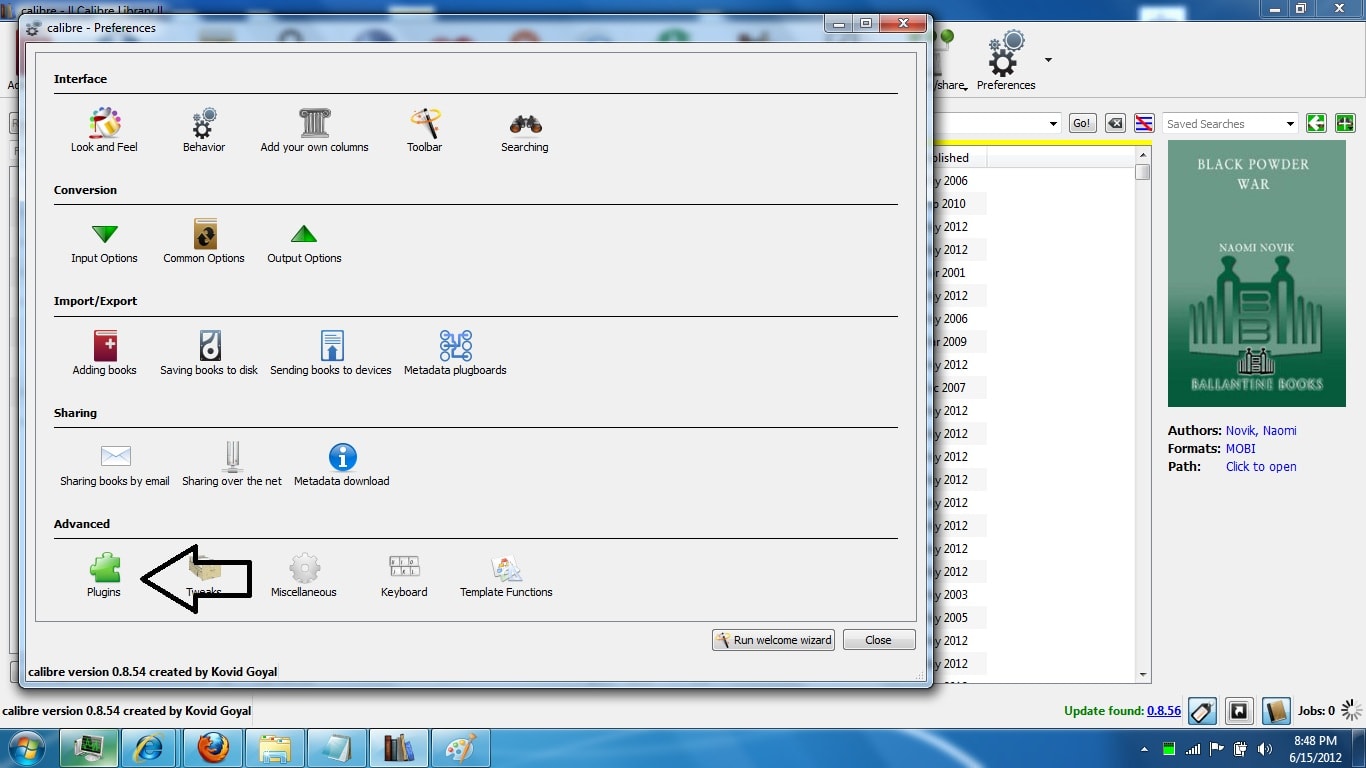

Tell calibre to install the plugin, and once it is down shut down calibre and restart it.
And that’s it. You’re done. At this point the plugin should be working, but we won’t know until you try it for the first time.
How to Remove the DRM
The DRM removal process is simple in practice. You just need to find where NookStudy put the ebooks on your computer, and copy+paste them into calibre. On Windows 7, the ebooks are stored in a folder with a location similar to:
- C:UsersusernameDocumentsMy Barnes & Noble eBooksemail
You can tell that the process worked by using calibre to open one of the ebooks.
Addendum: Just so you know, there are files which NookStudy won’t download. That app doesn’t support everything B&N sells, so for some ebooks you will need to get the files off your smartphone of tablet and then copy them into calibre. (I’m still working on a process to get those ebooks.)
images by Svadilfari, Son of Groucho
No Comments