Nate Hoffelder

Nate Hoffelder

Onyx Debuts E-ink Android Tablets With HD E-ink Screen, Frontlight, And More

The Chinese gadget maker Onyx might not have a major market share but they do have a number of innovative engineers. I have just come across a month-old mention of Onyx’s newest ereaders, and they are a sight to behold.

Onyx is about to release not one but two new ereaders, and they both run Android. According to the product page, one even has a 4G chip built in.

I don’t have any solid info on when these devices will hit the market or how much they will cost, but I can share the specs.

The Boox R65 is running Android 2.3 on a 1GHz CPU. It also has 256MB of RAM, 4GB of storage, a microSD card slot, and Wifi. The 6″ screen has a resolution of 1024×758 as well as a frontlight and IR touchscreen.

This ereader supports a broad range of formats, including PDF, Epub, FB2, txt, and more. According to the specs it will support TTS, and it can also play MP3 and WAV files.

Onyx hasn’t released any specs on the battery life, but I do know that this tablet weighs in at 248g, which is about 50g less than the Kindle Paperwhite. There’s also no information on whether this tablet will ship with Google Play, but it will be an open device. As we saw in the video I posted a little while ago, Onyx plans to offer this as an Android tablet and that means you will be able to install your own apps.

I don’t have much info on the Boox C65, but I would expect that this tablet will also be an open device. As you can see, it looks quite different from the R65, but it has the same CPU, screen, frontlight, and general features as the R65. It too is running Android 2.3.

But instead of an IR touchscreen, the C65 has a capacitive touchscreen. And assuming the specs aren’t in error, the C65 also has 4G chip inside (in addition to the Wifi).

To be honest, I’m not sure whether we can trust that detail. The listing for this ereader also shows that it weighs under 200g, or less than the R65. I would think that the addition of a 4G chip would also require a larger battery. Sure, the 4G would be turned off most of the time, but a bigger battery would still be a good idea.

Update: A reader has found a second set of specs that shows that the r65 has Wifi. There’s no mention of 4G connectivity. Thanks, Cookie.

But we can set aside the question of whether this tablet has 4G because there is a bigger issue here. Both of these tablets run Android 2.3. That is a woefully out of date version of Android, and it will limit what can be done with these tablets. A number of apps already require a newer version of Android in order to use all the features and that situation is going to become even more common as years go by.

If you are thinking about getting one of these tablets and using it for a year or more, you’re probably going to want a newer version of Android. I would. If nothing else it would give me the option of installing the newest apps, and IMO that is the whole point of buying an open device.

Boox C65

Boox R65

Confirmed: Amazon Bought Liquavista – Color Kindle to Follow?

For the past four months I have been saying that Amazon was in the market to buy Samsung’s screen tech company Liquavista, and today I do believe the rumors have come true.

New filings from the Netherlands Chamber of Commerce reveal that Samsung no longer owns Liquavista. As of 29 April, the new owner is listed as a faceless LLC registered out of Delaware.

That company, Haverl LLC, has no presence online or products on the market. In fact, the only noteworthy detail that I have found is that Haverl LLC leads to a holding company called CSC.

This pattern of a faceless LLC leading to a holding company should be familiar; it’s the same trick that Amazon used to hide their FCC filings last year.

Update: Amazon has confirmed the news:

We are always looking for new technologies we may be able to incorporate into our products over the long term. The Liquavista team shares our passion for invention and is creating exciting new technologies with a lot of potential. It’s still early days, but we’re excited about the possibilities and we look forward to working with Liquavista to develop these displays.

This deal hasn’t been announced just yet by any of the parties involved, so I don’t have any info on the price paid. But past rumors indicated that Samsung was willing to sell Liquavista for under $100 million. That is probably less than Samsung has invested in the company since buying it in early 2011, but even if they took a loss this is a good deal for Samsung.

Samsung’s hottest gadgetry at the moment are their smartphones and tablets. Those devices have to stay ahead of a tight market, so they use cutting-edge high quality and high resolution screens. It’s been pretty clear for a while now that Liquavista’s electrowetting screen tech won’t be able to achieve the same high quality as the screens that Samsung is using now, so it makes sense that Samsung would want to cut their losses.

Liquavista got its start way back when battery life was still a serious issue for mobile devices.  This was one of a number of screen technologies that traded screen quality for battery life, but now that battery life is not such a serious problem for most devices there isn’t really much of a market for Liquavista’s screens.

The only market left for Liquavista screens is the ereader market, and I’m pretty sure that is why Amazon bought Liquavista.

source

Review: Voice Dream Reader e-reading app

A Catch-22 dogs those of us who most often read e-books visually but also want to hear them when we’re exercising or driving.

The usual e-bookware doesn’t always come with or work with text to speech capabilities. Even if it does, we can’t control the aural part as closely as we’d prefer.

I myself like the Moon+ Reader Pro Android app, and I’m in love with the added-on “Amy” voice, a British-accented delight from another developer, Ivona, now an arm of Amazon. But I can’t revisit already-viewed text quickly enough while I’m hearing audio by way of the Moon-Ivona combo.

A special read-aloud program isn’t the ultimate answer, either, since I’ll then be stuck with a weak app for general use. Even based solely on text-to-speech performance, in fact, this category of software can disappoint.

Enter the Voice Dream Reader app for iPads, iPhones and iPod touches. At $10 it’s more expensive than the average app but provides enough value to justify the cost.

Winston Chen (family photo below), a Boston-area man and a middle-aged IBM alum, created VoiceDream during a year’s stay on an Arctic island where his wife was teaching. Voice Dream is not a full solution to the above dilemma. But it comes enticingly close, letting me e-mail notes and snippets and enjoy some other important features of a full-strength reading app for general use—while at the same time giving me more precise control over the spoken text than other TTS alternatives do in the iOS world. Significantly, more book-like paging is on the way as an alternative to the existing scrolling.

A list of Voice Dream’s glories is here. The app even includes its own Web browser, as well as the ability to find and download Project Gutenberg books with minimal fuss, and Chen tells me he’s open to working with the Digital Public Library of America by way of an API, which could mean similar capabilities. Voice Dream even hooks into Dropbox’s search feature. And print-impaired people using Bookshare can also benefit from integration.

The list of positives goes on and on. I still pang for the charming “Amy” to show up in Voice Dream despite her Amazon connection and the risk that the company’s monopolistic tendencies will overcome a genuine chance to earn goodwill. (Hey, Bezos! You can do the right thing.) But meanwhile, VD—there, I said it; sorry!—offers a built-in Acapella speech engine and a free “Heather,” an American-accented voice. You can still hear the robot in “Heather,” but she is almost as good as “Amy” (herself not quite 100 percent human-sounding). At least 60 voices in 20 languages are available for a few dollars each: “English, Mandarin Chinese, Japanese, Spanish, French, German, Italian, Swedish, Danish, Norwegian, Finnish, Dutch, Portuguese, Russian, Czech, Catalan, Polish, Turkish, Greek, and Arabic.” More languages and other major enhancements for Voice Dream, as both a visual and audio reader, are on the way, including a mode to enjoy books one page at a time rather than scrolling.

Already Voice Dream is living up to its name for members of the accessibility community, in addition to those without disabilities.

Not everyone likes everything in the app, to go by the reviews of the paid version in the Apple app store, even if the average rating is a respectable four-star plus. Still, compared to other iOS apps that allow aural reading from a wide variety of books, this one shines. vBookz EPub and VBookz PDF, for example, as far as I can determine, will not let you take notes, and Blio won’t allow you to export your notes to email, your printer, or other destinations, as Voice Dream does.

Mind you, the other products are far from losers; Blio offers multimedia capabilities, for example. But if you especially value accessibility mixed with annotation- and sharing-related features—“musts” for truly superior software in such areas as the upper grades in K-12—then Voice Dream is the champ. vBookz and Blio can’t seamlessly pick up items for reading from Instapaper or the Web (the screenshot shows the Voice Dream library filtered to display only Instapaper items—double-click for a better view). What’s more, those rivals lack Voice Dream’s rich selection of dozens of optional voices, selling for just a few bucks a throw.

Furthermore, Voice Dream’s promo says it can read ePub, PDF (though some complain it isn’t true to the appearance of source PDF—which would be a nice option, if Chen could offer it, even if it meant that TTS wouldn’t work while you were in that mode), Word, RTF, Apple Page, PowerPoint, .txt, and HTML.

Given Voice Dream’s obvious merits for nonDRMed books such as public domain titles, librarians and educators should not just try the app (a mere $5 for institutions buying 20 copies or more, and no cost for a demo with very limited read-aloud capabilities) but also provide Chen with detailed  feedback. No, I haven’t any financial ties with the company, direct or indirect, and if I run across an alternative better than Chen’s, I’ll talk it up. I’m just eager to see a good and socially useful product succeed.

Chen estimates that 30 percent of the app’s users are blind, 50 percent suffer from dyslexia or attention deficit disorders and the like, and 20 percent lack any print-related disabilities. I myself suffer from a minor disability, my difficulty seeing light-weight fonts against a white background; and I resent the persistent indifference of Amazon and many other hardware and software vendors to needs of people with similar challenges. Voice Dream to the rescue, at least for nonDRMed texts read on iOS devices!

Selections within Voice Dream’s rich assortment of fonts should please not only the contrast-challenged but also a much larger group, the millions with dyslexia, in the United States and elsewhere. As for those with attention issues, a focused reading mode—shown here—displays just a small amount of text at a time for greater concentration.

Of more importance for me, Voice Dream provides excellent control over both the written and spoken versions of the text. Want to revisit a previous paragraph on your screen without interrupting the audio reading? Voice Dream makes this a snap in either the full page mode or the the focused reading one, and it moves quickly even within long books. In other words, this app excels for people with dyslexia and others whose enjoyment and comprehension of books could benefit from simultaneous visual and audio presentation of text. The yellow in the above screen shot jumps from spoken word to spoken word, so users can associate the actual texts with the spoken sounds. If you are not disabled in the least but want to read Henry James closely, Voice Dream could still be of interest.

An Email Q & A with Winston Chen (edited)

Q. Am I missing something, or is there no way to go into a paging rather than scrolling mode?

A. I’m almost finished with this new feature, but still working on perfecting it. It’ll work the same as scrolling, except it stops at page boundaries. I really want to avoid doing the left-right page flipping that most book readers want to emulate.

Q. What about the ability to pick up bookmarks and notes and highlights from machine to machine, even across platforms? Via Dropbox you could implement that capability if it isn’t there already. Perhaps if there are no legal issues, you could even make the syncing compatible with that of a great Android app, Moon Reader.

A. Synching across devices is easily the most requested feature. The problem is that Apple iCloud synching for the kind of database I used is currently unreliable for bi-directionary synchronization. Until Apple fixes it—which I’m hoping for [with] iOS 7—turning this feature on would be a bad idea.

Q. I truly truly loathe DRM but am wondering if you could arrange with Adobe and/or OverDrive and other library vendors for VoiceDream to be usable with library books. OverDrive, of course, is the main show.

A. I have not reached out to Adobe yet, but I plan to.

Q. How many people are now using VoiceDream?

A. Voice Dream now has 20,000 customers for the paid app and 110,000 customers for the free app.

Q. Will you be expanding to platforms beyond iOS? Which ones? When?

A. The next platform is probably Android. But I haven’t committed to it.

Q. What would you do if Amazon dangled a nice offer in front of you? I was among the first to discover Stanza, and I pounded the table for it when I owned TeleRead—only to see it vanish down Amazon’s maw. Can you assure us that you won’t sell your company, at least in the next five years? And not to Amazon? More recently I talked up Ivona on the LibraryCity site and elsewhere, and then sure enough…

A. I’m aware of Stanza, which I still use despite all. I don’t have any wish to sell the company. This company gives me such fulfillment that a lump of cash cannot fill. My main market and future focus remains building tools for people with learning disabilities, primarily for education. I have no intention to be a general purpose eBook reader, even though some people use my app that way. [Oh, but Voice Dream is so close now to being an acceptable GP reader, especially with paging on the way! – D.R.]

Q. Are there any personal reasons for your interest in Voice Dream? Do you have any reading-related disabilities? Anyone in your family?

A. I knew nothing about reading disabilities until after the first release of the app was out. But I quickly moved the product in that direction when I realized that for these people TTS is not just a nice-to-have but a life-changing tool. Then, it was a matter of keeping close to my customers, listening to customers, and making my product better for my customers.

Q. Is it possible that angels should take more risks on one-person app shops like yours, given your success? Or could it be that the real reason for your success is that you were more interested in serving humanity than in making a buck?

A. Since I started working on this app, I couldn’t get away from it. I believe a good profession needs to (1) produce decent income, (2) have enjoyable day-to-day work, and (3) makes a positive impact on society. I’ve always believed that the best jobs in the world have all three and have them in balance. That pretty much sums up my vision for Voice Dream.

I’m working on some very exciting features for the next release which should be out in a few weeks:

-Personal Pronunciation Dictionary

-Adjust default speech rate, pitch and volume for each voice

-Speech rate in the voice settings now overrides the default speech rate for the voice used.

-More navigation options: rewind or fast forward by sentence, paragraph, page, chapter, highlights, bookmarks, 15, 30, and 60 seconds.

-Footer indicate page number, percentage, chapter name, and current navigation unit for rewind and fast forward.

-Additional voices: Chinese, Japanese and Korean.

-Sort by Add Date, Title, Author and Size for articles in the Home screen

-Option to scroll page by page in addition to free scrolling

-Two finger double-tap to play/pause

More on the future of Voice Dream

I asked Chen if he would also add the ability to adjust line-spacing, a more-than-just vexing omission from the current Kindle Fires. No luck. In fact, he says I’m the first to request it. Perhaps I shouldn’t be surprised since so many users of text to speech programs have low expectations. Anyone else care to speak up, maybe in the comments area of this post? Fortunately Voice Dream’s present line-spacing is close to optimal for me. But I truly, truly believe that Voice Dream fans should have that choice.

Another possibility for Voice Dream, as I see it, might be additions within the existing “Advanced settings” menu leading to all kinds of customizations without confusing novices, who could simply ignore them. Chen says that might end up on his list.

Returning the topic to libraries, I asked Chen if he would sell Voice Dream to the DPLA, the innovative Douglas County library system in Colorado, or another noncommercial library organization to distribute to users, maybe even as FLOSS, short for free and open-source software. He is willing to strike library deals, but with a limitation—the product could only be used with content from the respective library collections involved. Same for deals involving publishers’ collections. Otherwise, he says, that would be the same as selling the company, which, in the interest of control over the app, he doesn’t want to do. Too bad. Whatever Chen has in mind, it is not genuine FLOSS. I myself could envision talented developers like Chen getting large up-front payments for their products, if they beta-tested well, and then additional money could come later on, with the understanding that the developers would hang around to develop new features and oversee user support. Fees might also reach the developers as the user base grew. The advantage of a pure FLOSS approach instead is the possibility of tapping a larger pool of talent, with the main developer still influencing the evolution of the product.

At least, thanks partly to the existence of the DPLA—extremely API-oriented—companies like Voice Dream will have a head start in the library world even if they market primarily to individuals rather than libraries directly, and I’d hope that Douglas County’s e-book-tech initiative and any others would take the same open approach. The proprietary DRM issue will remain for public libraries, so that’s still a complication. But as noted, Chen is trying to overcome it. In the end, perhaps one scenario would be for libraries to evaluate Voice Dream and other products and promote the acceptable ones on their sites and take small cuts. Maybe they’d be sold under different brand names from the usual offerings and include library-related optimizations. Just a few thoughts. Who knows how this will shake out.

Some good news is that a free “Lite” version of Voice Support is available from the Apple app store and includes everything in the paid version but the ability beyond more than a few hundred characters at a time. So you don’t even have to gamble $10 for at a meaningful look at Chen’s baby in action. If you value accessibility blended with powerful sharing and annotative capabilities, go for it and share your own reactions with us.

An update written around 7 p.m. Eastern Daylight Time, May 11—mostly on Voice Dream’s potential for education

In the “first edition” of this post, I asked readers for any corrections. Winston Chen kindly pointed out two typos, and he also give me his own thoughts on the quality of the voices.

“Bridget is shockingly good and in my view just as good as Amy from Ivona. Paul is the best male American voice from any TTS company. They’re my best-selling voices. And, to my knowledge, no other mobile TTS reader offers NeoSpeech voices. They’re the same voices used in Kurzweil for $1,500 a seat.” I bought “Paul” and will still “voice” my preference for “Amy” over him and the already-purchased “Bridget,” but they’re both excellent by today’s standards of TTS for consumers, and this is strictly subjective anyway.

Hello, TeleRead and LibraryCity visitors—your own thoughts on the inflection, general pleasantness, and other traits of the various voices?

About the review in general, Chen said: “I really appreciate your deep insights, some of which other reviewers failed to pick up. For example, how I handled the interaction between the visual and the auditory. It took me a long time to work out the complex logic for a satisfactory solution. In other words, the feeling of fluidity was actually very hard to achieve. With the new release, it’ll get even better. For example, it’ll save visual and speech locations independently.”

My Sister The Retired Teacher, meanwhile, weighed in with her own take when I took my iPad with me to lunch at her house. Dorothy taught special-education kids among others during her many years in the classroom, and, in fact, she holds a Masters degree in this field. She liked Chen’s efforts. Read-aloud books are hardly new, but Dorothy appreciated Voice Dream’s ability to work with any title in the common formats it supports, not just with a particular book or collection.

Dorothy offered her own suggestions for Voice Dream. First, since the needs of children and other readers vary, users should be able to choose between (1) just words being identified in distinctive colors when spoken, (2) lines being marked instead, and (3) a mix of the two other modes, Voice Dream’s current approach. She felt that some readers with special needs might actually find the word-level identification to be too much of a distraction. Anyone else’s thoughts on this?.

Second, Dorothy wanted default colors used for identification of spoken words to be closer together and for the app to avoid the bright yellow, since stark color clashes might upset some children with attention challenges. While readers can adjust colors, she thinks that a quieter approach would be better to start out with. Here again, I’d welcome others’ reactions. Perhaps the solution would be a choice of themes—canned color combos for different kinds of readers—even if I myself very much like Voice Dream’s current default mix.

Third, after trying out Voice Dream’s dictionary, Dorothy also called for the ability to increase the size of the font with young children’s needs in mind. No problem as a future change, I’d hope.

Fourth, Dorothy called for continuous scrolling rather than Voice Dream’s jumping ahead by the page. She felt that would be less jarring to young reader-listeners.

And fifth, she was concerned that even with different voices used, Voice Dream sometimes pronounced two words as one.

Inaccurate aural spacing does not bother me too much as a reader-listener if it isn’t too common and too serious; but people learn to read in part by listening and processing the information not just word by word but also syllable by syllable. So if Voice Dream and its voices and other TTS products can improve in that respect, it’ll increase their value to young children. Yes, even Ivona’s Amy has her own pause-related quirks. At the same time, parents should remember that the most accurate TTS voices in standard U.S. or U.K. English or other varieties still can’t replace the warmth and interaction of old-fashioned reading to a daughter or son. Parents, not just teachers, ideally will discuss stories with young children and ask questions on such matters as the motives and actions of characters within the material. I’m confident Chen would agree with this standard tenet of early-childhood education.

Despite the concerns above, I see Voice Dream as an incredibly useful way to impart information—on a variety of subjects—to older children who need it or who, like me, simply enjoy a book while exercising.

Encourage text reading constantly? Help students overcome text-related learning disabilities? Yes! But should all other learning cease until students are perfect readers? Some may never be and could more or less live as if in the Jules Verne novel where the telephone-delivered news replaced printed newspapers. I hate the possibilities of In the Year 2889, one reason I’m grumpy when librarians are agnostic about the value of text vs. other media, given the efficiencies of words on paper or on the screen. Not always, but so often, they’re the best conveyors of facts and emotions. But I’m also a realist about individuals and see Voice Dream-style programs as an essential way for e-libraries to better serve millions of the print-impaired and help keep books alive, however people enjoy them. The current DPLA has given some attention to presentation issues, but not nearly enough, considering all the complexities here, one reason why I favor intertwined but separate public and academic systems online. The former would care more about presentation issues for the masses, including K-12 students and people in the lower socio-economic groups, two frequently overlapping categories, alas. Besides, the separate organizations could still share a common technical services organization in close touch with leading researchers on and off the campus.

Stay tuned. I’ll give Winston Chen a chance to reply to Dorothy and me. Meanwhile a big thanks to both of them, especially since the education-related issues raised here about text to speech are generic, not just limited to Voice Dream.

Close to 9 p.m.: A quick response from Chen to Dorothy’s reactions

“I just read through your update. Your sister’s suggestions are spot-on. I already added the ability to disable word highlighting and line highlighting, so there’ll be four modes: no highlighting, word highlighting only, line highlighting only, and both word and line highlighting. While she has a point about the word highlight color being too strong, I’m not going to tamper with those defaults. That has a way of infuriating customers like nothing else.”

This Creative Commons licensed post originally appeared on LibraryCity.org.

Sony to Launch 13.3″ E-ink Writing Slate in Japan (Photos)

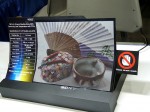
Sony has been researching flexible E-ink screens for the past several years, and today we finally learned why. They’ve just unveiled a behemoth of a writing slate, and they plan to bring it to market this year.

Sony hasn’t revealed all the details on this unnamed ereader, but I do know that it is a prototype. It’s equipped with a flexible A4 sized screen just like the ones that Sony teased in years past (more details at the end of the post). The screen measures 13.3″, and has a resolution of 1600×1200. The writing slate also comes with 4GB of storage, a microSD card slot, Wifi, and a 3 week battery life.

This is going to be strictly a writing tablet, and we can tell that from the touchscreen.  The press release describes it as an electromagnetic induction panel, and assuming that my technical source is correct,  this touchscreen is not fingertip friendly. It will only work with the included pen, and that means that most stylus(es) are out as well.

Update: But apparently this tablet also has a second touchscreen component, which in the original Japanese is described as optical. That sounds like it could be the IR touchscreen from Neonode. Cool. That means that users will be able to type on the screen.

I suppose that is not such a bad idea given that users will rest their hand on the screen while writing, but it is a little disappointing that we won’t be able to type on the screen or conveniently browse the web.

According to the press release, the supported file formats include PDF, PDF, and more PDF. No, your eyes do not deceive you; this slate does not support Epub or any other  format. It’s not clear why Sony chose to limit the support so, but this writing slate doesn’t even support basic office formats like Word, powerpoint, or excel (nor their open source equivalents).

That’s going to limit the usefulness of this slate, and given that it will likely have a high price when it ships the lack of support could kill user demand.

This slate is going to go through field trials at several Japanese universities later this year. Sony expects to release it commercially by the end of the 2013 fiscal year. That would seem to be around the beginning of May 2014 (based on recent press reports).

The Screen

I have to say that I was surprised to see the news today. Sony has been teasing us with a flexible E-ink screen for at least 3 years now,and I never expected to actually see a prototype much less one that is going to go into field trials.

Sony has shown off early prototypes of the 13.3″ screen several times, and they even teased us with a flexible color E-ink screen at one point:

They’ve never explained why they were working on the screen, and in fact Sony’s research confused many in the screen tech industry. They could not see a reason why Sony continued to sink money into the project, but more importantly it seemed that Sony didn’t know why they were investing in the research.

I guess that impression was wrong.

source

TypeEngine iOS Publishing Service Debuts With the Launch of The Loop Magazine

 A new digital magazine publishing service debuted today with the release of the first issue of The Loop magazine.

TypeEngine promises to make it easier to publish digital magazines for the iPad and iPhone. The service was founded by Jamie Smyth, the CEO of The Smyth Group, along with designer Daniel Genser.

For a low monthly fee, TypeEngine can be used to publish weekly, bimonthly, or monthly issues of a digital magazine. This service supplies all the functions needed to publish a The Magazine type of digital magazine in iTunes, including everything from creating an issue, adding media, and previewing an issue.

I first learned about TypeEngine a couple months ago, and I’ve been keeping my eye on it ever since. It’s my bet that this service could have as great of an affect on digital magazine publishing as WordPress did on blogs and web content.

Subcompact publishing has been a hot idea ever since The Magazine launched last October, with a half dozen different publications launching to cover a diverse number of topics. All those digital magazines had very little in common, but one detail they did share was that the creators had to sweat both the technical details of building an app and distributing content as well as creating and editing content worth paying for.

TypeEngine is designed to remove one of the headaches, enabling publishers to devote their entire attention to the content. That is going to put publishing a digital magazine within reach of talented writers with all levels of technical skills.

The debut title on TypeEngine was created by Jim Dalrymple, a veteran tech blogger and publisher of the leading Apple tech blog The Loop. The magazine will be run as a complement to the blog with exclusive content. It will be published on a bimonthly schedule with a subscription of $1.99. The first issue will contain articles by 6 writers and is available now in iTunes.

source

24symbols, the "Spotify for eBooks", Gains an Investor And Signs a Worldwide Distribution Deal

The term "Spotify for eBooks" for ebooks has been tossed around a lot in the past couple years, with startups like Afictionado, Oyster, and Ligimi briefly claiming the monicker, but so far there has been exactly one startup that has come even close to deserving the label.

The Madrid-based 24symbols is back in the news today with the announcement of a new distribution agreement.

They’ve just signed a deal with Zed, a leading mobile content distributor. Zed will be working with 24symbols to bring its subscription-based content to Zed’s nearly 200 telecom partners around the world.

The distributor is also making a capital investment in 24symbols, providing a significant fund for expansion as well as validating the business model. Zed is investing an unnamed sum in 24symbols in exchange for a 32% interest in the startup.

24symbols has spent much of its first couple years focused on the Spanish language market, but in the past 6 months they have expanded their focus and added more content in English and other languages. The service now has over 175,000 registered users who are reading content from 120+ publishers. 24symbols offers around 15,000 titles, largely in English and Spanish, which can be read in the web browser or in apps for Android, the iPad, and iPhone. Subscription starts at 5 euros a month, and there is free content that you can try before subscribing.


Nook Touch Now Going on Clearance – Is Nook Media Exiting the eReader Biz?

When Techcrunch revealed last night that MS was trying to buy Nook Media, one key detail they mentioned was that Nook Media would get out of ereaders soon and eventually get out of hardware entirely.

I think we could be seeing the second (yes, second) sign of that plan coming to pass. A number of retail chains have recently either put the Nook Touch on clearance or stopped carrying it entirely, and the Nook Glow has similarly vanished from their websites.

The list price on the Nook Touch is $80, and that is in fact what Barnes & Noble is still charging for this 2-year-old ereader. But not all retailers are charging full price.

Last night a reader tipped me to a sale that Radio Shack is having right now (thanks, Fbone). This retailer has marked the Nook Touch down to $20. RS appears to be out of stock in their warehouses, so this offer is good only in stores. But I have confirmed that the NT can still be found in a limited number of stores.

That tip inspired me to check other retailers, and while the clearance sales appear to be limited, Radio Shack isn’t the only one with the Nook Touch on sale. Sears is reportedly selling off their remaining Nook Touch for $30. Multiple reports have indicated that the price was reduced last week in an unannounced sale. I have not been able to confirm this myself but there are reports that the lower price was charged in at least 4 different locations.

And that’s not all. I checked other retailers and discovered that Walmart is selling the Nook Touch for $60, a 25% markdown from the regular retail. That’s not a clearance, no, but it is an aggressive sale price for a gadget with a razor-thin profit margin.

I have also learned that Office Max seems to have stopped carrying the Nook Touch entirely. This office supply chain still carries the newer Nook HD and Nook HD+, both of which can be bought from the website. But they don’t carry the Nook Touch, and I’m not sure that is a coincidence.

And in case you were wondering, none of those 4 retailers showed any sign of carrying the Nook Glow. I’m not sure if that means they already sold out, but that would certainly be my guess.

I don’t really have much in the way of compelling proof, and it is entirely possible that these chains might simply have decided to stop carrying this model. But if this were a normal stock decision I would have expected the unsold stock to be returned to Nook Media. That is what happened in the Spring of 2012, or so B&N reported in one of their quarterly statements.

Instead the unsold stock is being dumped in the clearance bin, and that suggests that Nook Media doesn’t want the hardware back. They’re not even going to try to sell off the returned stock as refurbs like B&N has done in the past.

On the one hand this should come as no surprise given the age of the Nook Touch, but on the other hand simply clearing out stock is a change from B&N’s past behavior. In the past B&N has continued to sell their older models as new units long after the devices were no longer being made. The original Nook, for example, was still available from B&N well into 2012.

P.S. The first sign that Nook Media was getting out of ereaders is actually the sale that was announced last week in the UK. All Nook hardware was on sale, with the Nook Touch marked down to a ridiculously low £29. That is almost a clearance price, wouldn’t you say?

Speculation: Microsoft to Buy Nook Media for $1bn ?

Microsoft could be getting back into the ebook biz.

Techcrunch is reporting today that Microsoft has made an offer to buy out B&N’s controlling interest in Nook Media. According to unnamed documents, MS is willing to put up $1,000,000 to gain control of the beleaguered Nook Media.

The docs reportedly reveal that Nook Media plans to retire their current line of hardware by the end of the 2014 fiscal year and transition to a model which focuses on getting Nook apps onto partner devices and 3rd-party hardware. Obviously that also indicates the coming end of the Nook ereaders, a detail that comes as no surprise given the recent rumor that B&N passed on using the new 6.8″ E-ink screen on a Nook Glow HD.

So is this story true? I think so, but the more important question is whether B&N will take Microsoft up on their offer.

Microsoft has clearly been interested in Nook Media ever since the subsidiary was formed last year. That’s why MS put up $300 million for a minority share, so today’s news would make perfect sense.

And the price also makes sense; while some might think that it undervalues the $1.8 billion value that B&N assigned to Nook Media, I always thought that B&N had overpriced Nook Media by a significant margin. Furthermore, a billion dollars doesn’t mean the same thing to MS as it would to B&N; Microsoft has over $60 billion in cash on hand. They won’t miss a billion here or there.

But the important question here is whether B&N will take Microsoft up on the offer. I expect them to do so, yes.

This is the kind of deal that B&N should have made this time last year, but they didn’t. B&N had just come off a not entirely satisfactory holiday season which made them decide to spin off Nook Media, but instead of selling off the Nook B&N instead took a piecemeal investment from Microsoft.

I’m afraid that  if B&N repeats that mistake it will be the end of the Nook platform.

But I’m not too worried because that probably won’t happen. Remember a few months back when Len Riggio wanted to buy the B&N retail stores and split the company in two? He didn’t want Nook Media, just the stores, so today’s deal is almost exactly what he wants – almost.

It’s not quite the deal he wanted back then – MS is trying to buy the Nook but not the B&N College bookstores.  Those would stay with B&N (according to the rumor). Still, I expect Riggio to take Microsoft up on the offer. It’s close enough to what he wants that he’d be a fool to pass it up.

Giving an eBook a Short Title Can be Good For Sales But Writing a Longer Story Helps More: Insights From Smashwords

Mark Coker of Smashwords has just posted the slides from the presentation he gave last week at the RT Booklovers Convention.

The graphs and the data on the slides are generated from the aggregated sales data of ebooks distributed through Smashwords. These slides are a great source of market research into the indie ebook market, and they answer questions that most other market research reports would charge dearly for.

This one of those things that you should bookmark so you can find it again.

Key findings include:

1. Books that ranked higher in sales tended to have shorter titles, though there isn’t that much of a difference between the best sellers and the bottom-ranked books:

I wouldn’t read too much into this; a good long title is probably better than a short and crappy one.  But if you can come up with a title that is both short and good, that’s even better.

2. Readers overwhelmingly prefer longer books over shorter books. The top 100 best selling titles were noticeably longer than the ebooks that ranked between 101 and 500, and the same general trend applies to lower ranking ebooks as well.

And no, there is not a typo in the chart. That gap in the data was left out intentionally.

3. The most common price point for indie ebooks is $2.99. Lower price points are nearly as popular, so much so that there is almost a congestion or clutter in that part of the chart.

Given how many authors are using the super low price points, it might make sense to price ebooks at $399 and above. That might sound crazy but sometimes separating yourself from the pack can be a good thing. And if nothing else, I’d pay $4 for an ebook.

4. Covers sell ebooks. A good-looking cover can be worth the cost. TThis is actually one that we knew all along, but it’s good to have it confirmed again. When one author replaced the cover on the left with the cover on the right, sales jumped through the roof:


5. The retail price can affect how many titles are sold. Here’s the other reason I say that a $3.99 price point is better: it actually generates more units sold (and thus more revenue) than an ebook priced at $2.99.

The interesting thing about this chart is that last year Smashwords' data identified a $2.99. Now there seems to be a second sweet spot at $3.99. Given the extra revenue, that is a price point worth pursuing.

On a related note, last year’s data also showed that an ebook priced at or about $6 could earn more than if the same ebook were priced at $2.99. As you can see from the following chart, that is no longer true. Now the most profitable price point is the one around $3.99, with the $6.99 price point coming in second:


Meet Earl, the Back-Country Android Tablet With a 6″ E-ink Screen

For the longest time now I have been wanting to buy an Android tablet with an E-ink screen, and while Earl isn’t quite the consumer model I wanted it has me drooling none the less.

Earl is a rugged Android tablet built around a 6″ HD E-ink screen . It’s destined to go out into the wild blue yonder, and comes equipped with a frontlight, solar panel, and a rugged shell that is both water and impact resistant.

Or at least it will be destined to go wild – if it gets enough pre-orders.

This tablet is not going to win any awards but the specs are solid nonetheless. It’s running Android 4.1 on a dual-core 1GHz CPU with 1GB of RAM, 16GB Flash storage, and a microSD card slot. This is also a well connected tablet with Wifi, Bluetooth, GPS, a conbo AM/FM/SW/LW radio,  and a FRS/GMRS/MURS radio for picking up emergency transmissions.

But the screen, now that’s where things get interesting. Earl uses an HD screen originally developed by LG Display. Unlike the average E-ink screen, the screen on the Earl is flexible, making it much more likely to survive rough treatment. This screen is also equipped with a frontlight and a glove/pointer friendly IR touchscreen.

And that’s not all.  Earl can also double as a weather station – and then some. It’s equipped with a magnetometer, thermometer, barometer, humidity sensor, and an anemometer. Other sensors include GLONASS, an accelerometer, a gyroscope, and an IR blaster for communicating with other gadgets.

Plus it can recharge itself with the solar panel conveniently mounted on the back.

This tablet weighs in at a svelte 303g, and is expected to have a battery life of 20 hours.

Earl is up for pre-order at the moment, and the asking price is $250. Sqigle, the company that developed Earl, is looking to raise $250,000 so they can take Earl from the current prototype to a full-fledged backwoods companion.

The $250 price tag is supposed to represent a discount of 30% off the regular price, which sounds a little low to me. The specs listed for Earl sound awfully expensive, so I wouldn’t be surprised if this tablet ends up selling for more than $350.

In fact, that price tag might end up being more than a tad unrealistic. I’m not sure that Sqigle will be able to sell enough units to keep the price tag below $450 or $500. Earl might be able to do a lot, and it doesn’t really have much competition at its price point, but there are only so many potential customers.

But as I sit here looking at it, I think Earl could easily find a home in the academic market.  Elementary and middle schools might jump at a chance to buy a rugged tablet with all those sensors. If nothing else Earl would simplify their equipment lists for science class.

Sqigle hopes to get Earl into production in July, with the first units shipping by the end of summer.

Specs:

  • Android 4.1
  • Flexible 6″ E-ink screen (1024×768)
  • Frontlight
  • IR touchscreen
  • Waterproof shell
  • i.MX 6 DualLight 1GHz Cortex A9
  • 1GB ram
  • 16GB memory + microSD
  • Wifi b/g/n
  • BT 4.0
  • FRS/GMRS/MURS
  • GPS + GLONASS
  • Accelerometer
  • Gyroscope
  • Magnetometer
  • Temperature
  • Barometer
  • Humidity
  • Anemometer
  • AM/FM/SW/LW
  • IR blaster
  • 20+ hour battery
  • 20″ usb lanyard
  • Weight: 303 grams (10.8 oz)
  • Dimensions 183mm x 121mm x 15mm (7.2″ x 4.75″ x 0.6″)

source

Celebrate the International Day Against DRM By Removing it From Your eBooks

 It’s that time of year again.

Today is the International Day Against DRM, the unofficial holiday dedicated to making more people aware of DRM and how to remove it.

I have long argued that one should always remove DRM in order to make sure you don’t lose your purchases, whether it’s due to switching computers, changing to a new ereader, closure of an ebookstore, or if a publisher simply decides to cut off access to the ebook.

And the events of the past year have once again proven me correct.  Several ebookstores have shut down in the past year, including Fictionwise, JManga, and BooksOnBoard. The closure of the first 2 stores has cost many former customers hundreds if not thousands of dollars, and the imminent bankruptcy of BoB could also cost readers hundreds of dollars. Fictionwise in particular was quite popular among international ebook fans, but when it shut down B&N simply cast those readers on the scrap heap.

And as we have been reminded repeatedly, DRM is inherently hostile to the end user. We need look no further than the Sim City launch debacle to know that. Earlier this year EA released the latest edition of the ever-popular Sim City. This game had DRM that required users to be online all the time, even when they were playing alone. To make matters worse, EA’s servers weren’t up to the load. They crashed repeatedly in the first month or so after launch.

This debacle was so huge and pissed off so many customers that EA has since gone out of business. Well, no, but it did make EA a shoo-in for Consumerist’s "Worst Company of the Year" Award.

Strip It

Since today is all about DRM, here are a few tools that will help you free your ebooks.

This is a FREE 1 step removal tool for Epub and PDF encumbered by Adobe Adept DRM. It can also remove the DRM from Kindle ebooks as well. I haven’t tried the Kindle tool yet, but I think it’s worth your time to take a look.

That tool is based on the work of Apprentice Alf, the patron saint of ebook DRM-removal tools.

How would you like to remove the DRM from ebooks ought from iBooks? Requiem can do that.

—

And for those who use calibre, did you know that you can install a DRM-removal plugin? I’ve posted instructions that show you how to configure a plugin to remove Kindle, Nook, or Adobe DRM. The same plugin now works for all 3 types of DRM, though setting it up for the Nook does require an extra step.

P.S. The above tools can also remove DRM from loaned ebooks and library ebooks. Please don’t.


B&N Breathes Life Into Nook HD Corpse – Finally Adds Google Play

It might have taken Barnes  & Noble far longer than any of us would like, but I think they just saved the Nook.

B&N has rolled out a new update today that brings Google Play and other Google apps to the Nook HD and Nook HD+. These media devices can now legitimately be called Android tablets.

The updates will be pushed out to the tablets over the next few weeks. If you don’t want to wait, you can download the updates from the B&N website:

I have installed it and from what I can tell B&N is only adding apps; the fundamental Nook platform will not change. My Nook HD+ still has support for multiple user profiles, Nook Video, and other features.

But in terms of new stuff, I can see apps for Gmail, Chrome, Google Talk, Youtube, and Google Play Books.

Yes, B&N’s tablets will now ship with a competitor’s reading app. That is probably an unpleasant pill for B&N to swallow but I suspect that Google made it a requirement for getting Google Play on the Nook hardware.

So do you think this will be enough to rescue the Nook platform?

It could be enough, I think.

Remember, the problem with the Nook wasn’t the quality of the hardware; the Nook HD and Nook HD+ are 7″ and 9″ tablets with excellent hardware and decent prices ($199 and $269, respectively). No, the biggest gripe I had was that B&N limited what you could do with a Nook tablet. That was why I returned my Nook Tablet in 2011, and it was a problem shared by the Nook HD and Nook HD+.

And I wasn’t the only one to be chafed by the limitations. B&N’s restrictions were also the reason that the various "Android on SD cards" did such a brisk business. I mean, Nook tablet owners were paying $30 or more just to escape B&N’s restrictions.  If that doesn’t show that there was a problem then I don’t know what does.

Update: I’ve just learned that the Nook HD+ still blocks me from sideloading apps. That is a poor decision on the part of B&N and it will to keep the Nook hardware less useful than the competition.

Move Over Apple – Samsung Files For a Patent on Page Turns

Samsung has a bad reputation for (supposedly) copying Apple, so today’s news probably won’t come as any surprise. Remember last year when Apple received a patent 0n the faux page curl in iBooks?

Even though many were amused by that patent, Samsung apparently can’t stand that Apple one-upped them in this way. The Korean gadget maker has just filed for their own patent on a method to turn the page in an ebook.

US Patent Application number 20130104017 was posted to the USPTO website last week, and as you can see from the images that Samsung included with the patent they really do want to patent the page turn:

The patent is attached below, and in spite of how absurd it might sound I think there’s real substance here. Samsung’s patent includes more than just a description of turning a page. The patent also describes a process for making a faux page turn that closely resembles how a real paper page would behave when you turn the page.

Samsung even gets into the physics od how a paper page might crumple when being turned:

Call me a geek if you want, but I find that impressive.

The patent goes on to describe a number of different on screen gestures that you might use to trigger a page turn including dragging from a corner, sliding a finger down the side of the screen, and swiping from the edge to the center of the screen.

When Apple got the patent on the page turn I didn’t cover the story. Like many I thought it was just an absurdity which was more than adequately covered elsewhere.

But this patent is another matter.  This has enough detail that it might deserve a patent – if not for the fact that I have seen similar faux page turn screen tricks (examples).

Several of the images that Samsung included with the application remind me of other faux page turn tricks I have seen in other reading apps. The ones that spring readily to mind are the Nextbook ereaders and Android tablets I have used. These gadgets were made by the Chinese gadget maker Yifang, and I swear that the reading apps used a similar page turn, and so does the reading app on the Nook HD+ (video).

Neither looks quite the way that Samsung laid it out in the images above, and the Nextbook devices didn’t use all of Samsung’s tricks, but there was enough similarity that I think you would need a patent lawyer to explain the difference. And that may have been what Samsung was going for all along.

Can Samsung really get a patent on such a common trick?

USPTO

patent (PDF)

Multi-Million Dollar Class Action Lawsuit Filed Against Penguin, Author Solutions

Three self-published authors filed a class action lawsuit last week against Penguin’s vanity press subsidiary, Author Solutions.  I have not yet seen the filing myself, but I’m told that the 3 authors claim that Penguin/ASI "cheats writers of royalties and charges them to correct typos in manuscripts that the company itself inserted".

The authors live in Calif. and New York, and they are represented by New York law firm Giskan, Solotaroff, Anderson, & Stewart. This is the firm that 2 months was looking for authors who had had negative encounters with Author Solutions.

The authors are asking for $5 million in punitive damages for breach of contract, unjust enrichment, various violations of the California Business and Professional Code, and violation of New York General Business Law. The list of complaints is comes as no surprise. The authors say that ASI had:

  • failed to pay royalties
  • failed to send authors accurate sales statements
  • introduced numerous and egregious errors into the books produced by ASI
  • sold useless and ineffective marketing and promotional services

Here’s more from the complaint:

"Author Solutions' revenues are estimated at $100 million per year," the complaint states. "Of the $100 million Author Solutions earns as revenue, approximately one third of that amount, or millions annually, comes from book sales. The rest of its revenue is derived from the services it offers, such as editorial services, formatting and design services, production services, and marketing services ('services')."

"Despite its impressive profits from book sales, Author Solutions fails at the most basic task of a publisher: paying its authors their earned royalties and providing its authors with accurate sales statements."

"Author Solutions also fails to take diligent care of its authors' works, making numerous and egregious publisher errors – errors made by the publisher, not the author. These errors include errors on book covers, in addition to various typographical and formatting errors. In fact, Author Solutions profits from its own mistakes. Aggressive sales techniques ensure that these errors are corrected only for a fee of several hundred dollars. Even though, as a matter of policy, Author Solutions promises to correct publisher errors for free, it rarely does."

"Most of Author Solutions' earnings are derived from its publishing and marketing services. These services, which can cost authors tens of thousands of dollars, likewise fail to deliver what they promise: more book sales and more opportunities for authors."

"Therefore, even while Defendant Author Solutions prominently markets itself on its website as '[t]he leading indie publishing company in the world,' authors often discover, once it is too late, that Author Solutions it is not an 'indie publisher' at all. It is a printing service that fails to maintain even the most rudimentary standards of book publishing, profiting not for its authors but from them."

Author Solutions has a bad reputation that goes back for years, so this lawsuit was inevitable. In fact, the only part that puzzles me is that it didn’t happen sooner. Penguin has deep pockets, so I would have expected to see a lawsuit filed almost as soon as the Penguin-ASI deal was finalized.

Penguin bought Author Solutions in July 2012 for $116 million, in spite of ASI’s existing poor reputation. ASI has been operating  under a variety of logos, including AuthorHouse, iUniverse, Palibrio, Trafford, and Xlibri. ASI is also providing similar sketchy services under contract to a number of otherwise respectable companies, including Simon & Schuster (Archway), Lulu, Penguin India (Partridge), and Harlequin (DellArte Press).

source


Trekstor Launches the Pyrus Maxi 8″ eReader

The German ereader maker Trekstor is back in the news again today with the launch of their latest ereader.

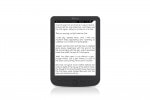
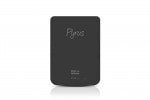
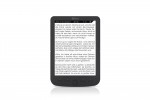
They’ve just unveiled the Pyrus Maxi, their second ereader to use a non-traditional screen size. It has an 8″ epaper screen, putting it near the midpoint between the more common 6″ screen found on most ereaders and the 9.7″ screen size found on the Jetbook Color and the now-defunct Kindle DX.

The Pyrus Maxi is basically a larger identical twin to the 4.3″ Pyrus Mini, the world’s smallest ereader. Like the Mini, this is a fairly basic ereader that has been stretch to fit a larger screen. It comes with 4GB of Flash, a microSD card slot, and it includes support for several ebook formats: Epub, PDF, FB2, and PDB. It can also read RTF, TXT, and html files.

But that’s about all the Pyrus Maxi can do. It does not have Wifi, a touchscreen, or an audiojack, so it is limited to only reading ebooks.

The screen on the Pyrus Maxi measures 8″ and has a resolution of 1024×768.  That’s essentially the same resolution as on the 6″ HD E-ink, only this 8″ screen doesn’t come from E-ink.

The Pyrus Maxi uses a screen that was made by Guangzhou OED Technologies. This is the screen tech that I have been calling knockoff E-ink screens, though I no longer believe that is technically correct. Instead I think we are looking at a screen tech that merely looks similar to E-ink’s screens without actually being based on any of E-ink’s technology or patents.

This ereader is expected to ship in mid-May with a retail of 149 euros.

That is a pretty steep price given the limitations. Sure, this ereader has a larger than average screen, but you can find the much more capable Kobo Glo for 129 Euros.  This ereader has a frontlight, touchscreen, and Wifi. Even though it is unfortunately tied to Kobo and their execrable customer service, the hardware is a much better value.

On a related note, Icarus was also supposed to have launched an 8″ ereader.  The Icarus8 was announced in February and was supposed to have shipped this month. The release date has been pushed back until May.

product page

source