Nate Hoffelder

Nate Hoffelder

Study: E-ink is NOT Better for Your Eyes Than LCDs

If you’ve been reading ebooks for any length of time then you’ve probably heard about how E-ink screens are nicer on the eyes than LCD screens. It’s simply common sense that not having a light shine in your face must be better for you, and that is why E-ink Corp wants everyone to switch their reading over to devices with its screens.

But like some common sense assumptions, this one doesn’t stand up to scientific scrutiny. A paper published in Ophthalmic and Physiological Optics last month reveals a fascinating study which suggests that it’s the resolution more than the screen tech which has a harmful effect.

The paper discusses the results of a laboratory study. A group of 10 test participants were asked to read on either LCD or E-ink for several hours, and they were then tested through several objective methods (letter search task, reading speed, and pupillary light reflex) as well as subjectively queried about eye and general fatigue. The devices used in the test were the original iPad and the Sony PRS-600, and that is a detail which might influence the subjective questions (the iPad is bigger and heavier).

This question of the damaging effect of LCD screens is a chronic one, given the rise in tablets and smartphones as reading devices, and it is long past time that it was moved beyond subjective arguments to a discussion which includes real data.

And now we have it.  The results of the study didn’t show a significant difference in reading on the two types of screens, and in fact that the effect of reading on the two display types is very similar in terms of both subjective and objective measures.

The objective tests resulted in a mix data points, with some subjects scoring higher after reading on E-ink and others scoring higher after reading on LCD. The results from the visual fatigue query were fairly close, though the LCD did rate marginally higher. Even the reading speed was virtually identical. In fact, the only major difference was when the test subjects were queried about general fatigue. LCD test subjects reported a higher general fatigue level than did E-ink test subjects, but that could be due to the size and weight of the iPad.

E-ink is often described as being just like reading on paper, and that’s why the scientists were surprised to discover that the results were so similar. They were also somewhat surprised because this study contradicted many of the studies listed in the bibliography. It has long been documented that reading on screens is more tiring than reading on paper, and the bibliography cites any number of papers from the past 30 years which prove this is true.

So yes, all those assumptions about reading on screens being bad for you had a basis in fact.  But here’s the catch: many of those older papers might not be relevant to how we read in 2012. As the authors point out in the paper, screen technology has improved a lot in the past decade, even more so in the past few years.

What if the reason this study couldn’t find a difference in was that the subjects read on an iPad? Even today, that is a high quality screen. What if the subjects in those older studies were affected more by the poor quality of the tech than the tech itself?

If this pans out then it means the screen fetishists were right all along. A higher resolution screen really is better, and each step up in resolution is a boost in the user experience. It’s not just marketing hype, anymore; pixels do matter.

image by Bitterjug

Kobo Touch, Kobo eBookstore Launches Tomorrow in Italy

A reader has just tipped me to a tweet from the official Mondadori account. As you probably recall, this publisher and bookseller is Kobo’s retail and ebookstore partner in Italy, so when they say something like this:

It’s big news.

For those not equipped with Google translate, the above tweet says that starting tomorrow the Kobo eReader will be available in Mondadori stores (350  of them) as well as on the inMondadori.it website. My source has checked with a couple stores in Milan and Padua and the store clerks confirm that they’ll have the hardware in tomorrow.

What’s more, the official press release has been released, though it doesn’t seem to add any more details. But my other sources with Mondadori have told me that the new Kobo ebookstore will stock 60 thousand Italian language titles, with a reported 3 million total titles available in all languages.

This news of course only applies to the 99€ Kobo Touch, not the still-unreleased Kobo Glo or Kobo Mini. Those won’t be coming until mid-October, when they are expected to sell for 129€ (Kobo Glo) and 79€ (Kobo Mini).

Kobo announced this partnership in July of 2012, just under 3 months ago.  This ebookstore, which they had been planning to launch last fall, is going to face stiff competition. Google launched an Italian ebookstore in June and Amazon launched a local Kindle Store there way the hell back in December of 2011. Basically Amazon has had nearly a year to run wild in Italy without anyone hampering their efforts; I’m looking forward to seeing what Kobo does to compensate for Amazon’s lead.

Thanks, Luca!

Kindle Paperwhite User Manual Confirms the Rumored Japanese, Chinese Kindle Stores

Amazon has long been rumored to be planning to launch Kindle Stores in China and Japan (this rumor is 2 years old) but until today I had very little proof that these supposed plans were real.

I’ve just been reading the user manual for Amazon newest ereader. We’re still a few days away from the first Kindle Paperwhite getting into the hands of consumers, but Amazon has already posted the user manual for this ereader.

And as per my usual habit, I made time this week to read it in the hopes that it would explain technical questions which haven’t been answered yet. I still haven’t finished reading it, but I have already come across a couple interesting details in the back of the manual.

There was a set of addresses buried back in the warranty info.  Amazon wanted to make it clear exactly where you could send broken devices. There were addresses for the US, Canada, Europe, India, and, for Kindle owners who bought from Amazon.cn or Amazon.co.jp, 2 more addresses for China and Japan.

Yes, Amazon wants to make sure that customers of their Japanese and Chinese websites can return the Kindle. Here’s the fun part: Neither of those websites sell the Kindle. I did check, and while I found all sorts of accessories for the Kindle I did not find a single Kindle ereader.

If there was ever any doubt that Amazon planned a Kindle Store in either of those countries, I would say that it has been removed. Amazon clearly plans to sell the Kindle Paperwhite in both those countries.

And in case you were wondering, that is something they hadn’t planned to do with the Kindle Touch – at least, not when the user manual was written.

P.S. Did you notice there was no address for Brazil? While that does not disprove a Kindle Store in that country, it does suggest where Amazon has their priorities. Asia comes first.

Amazon

Library eBooks Now Available on the Nook Tablet, Nook Color

When B&N decided to limit app installs the Nook Color and Nook Tablet they cut the media devices off from some of the more basic reading activities like easily checking ebooks out of the library.

While you still could transfer library audiobooks and ebooks to the Nook, the easiest trick is to use OverDrive’s own Android app to find and download the content. This is the singlt most widely used library ebook distributor, and they have over 19 thousand partner libraries around the world. That’s why I have been wanting, for nearly a year now, to see this app available in the Nook App Store.

And today it is. I just got a Facebook update from a B&N insider with a link to the new listing in the Nook App Store.

I have not tested it yet, but it should work just like the OD Android app. You can search for libraries, find content you want to checkout, log-in, and download it – all from inside the app.

B&N Nook App Store

Barnes & Noble Launches a Family Friendly Media Tablet, Pt 1

It’s 1am when this post goes live, and B&N has just released the embargo on their new tablets.

Those who follow me on Twitter may have noticed that I was in NYC on Monday. I went up to see B&N’s dog-and-pony show so I could write this post. I saw a couple new tablets, a bunch of cool features, and now that I’ve written it up I must say that I am impressed – by the software, at least.

Last fall I came out of B&N’s press event having swallowed the line of BS they were selling and it took a couple weeks for the effect to wear off. So on Monday I was careful to disbelieve every claim and slanted detail. Even so, today I am impressed.

First, the hardware news.

Like I posted yesterday, there are no new E-ink Nooks this time around. But there are details about the UK prices for the current Nook Glow and Nook Touch, and you can find my post on them over here.

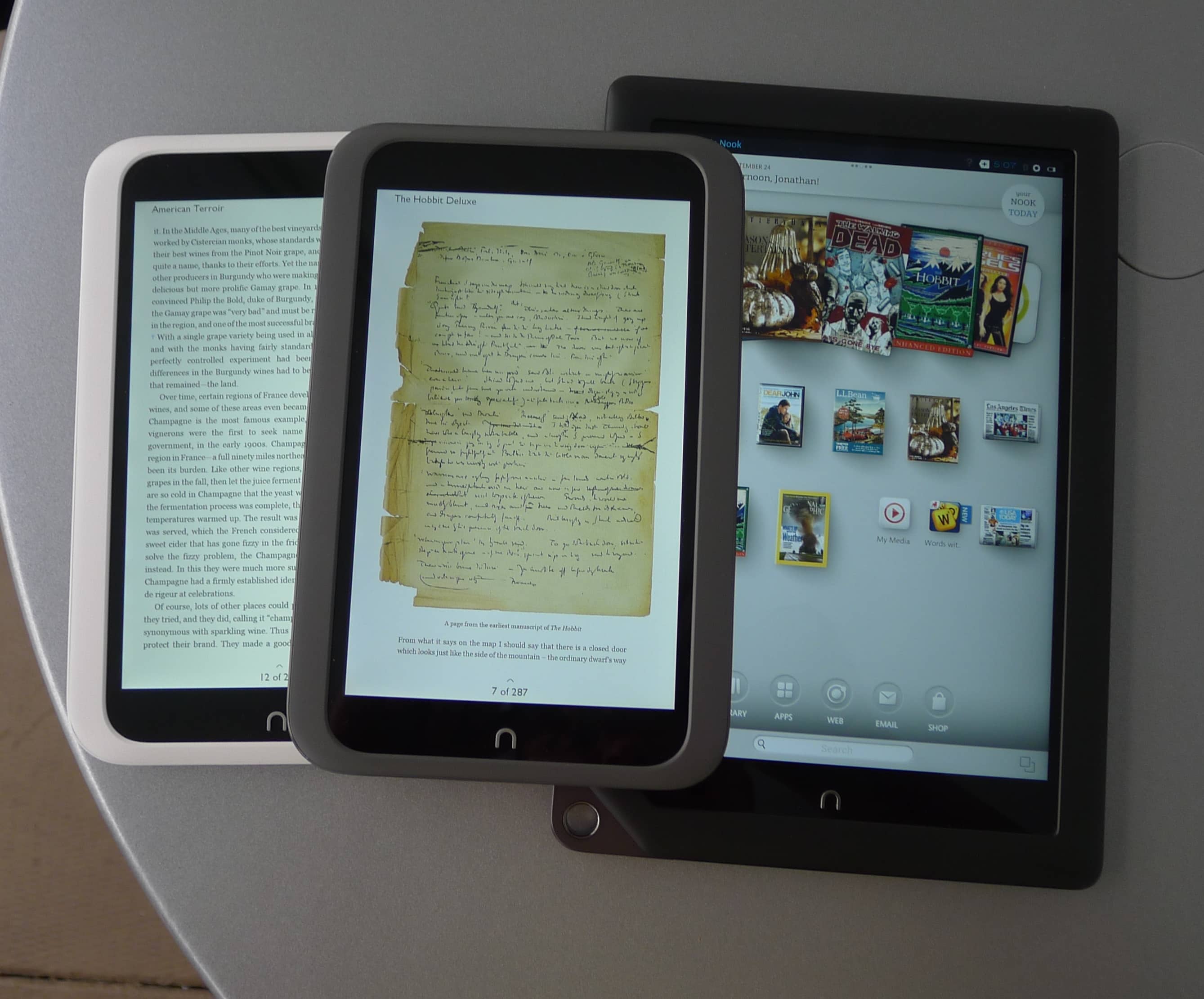
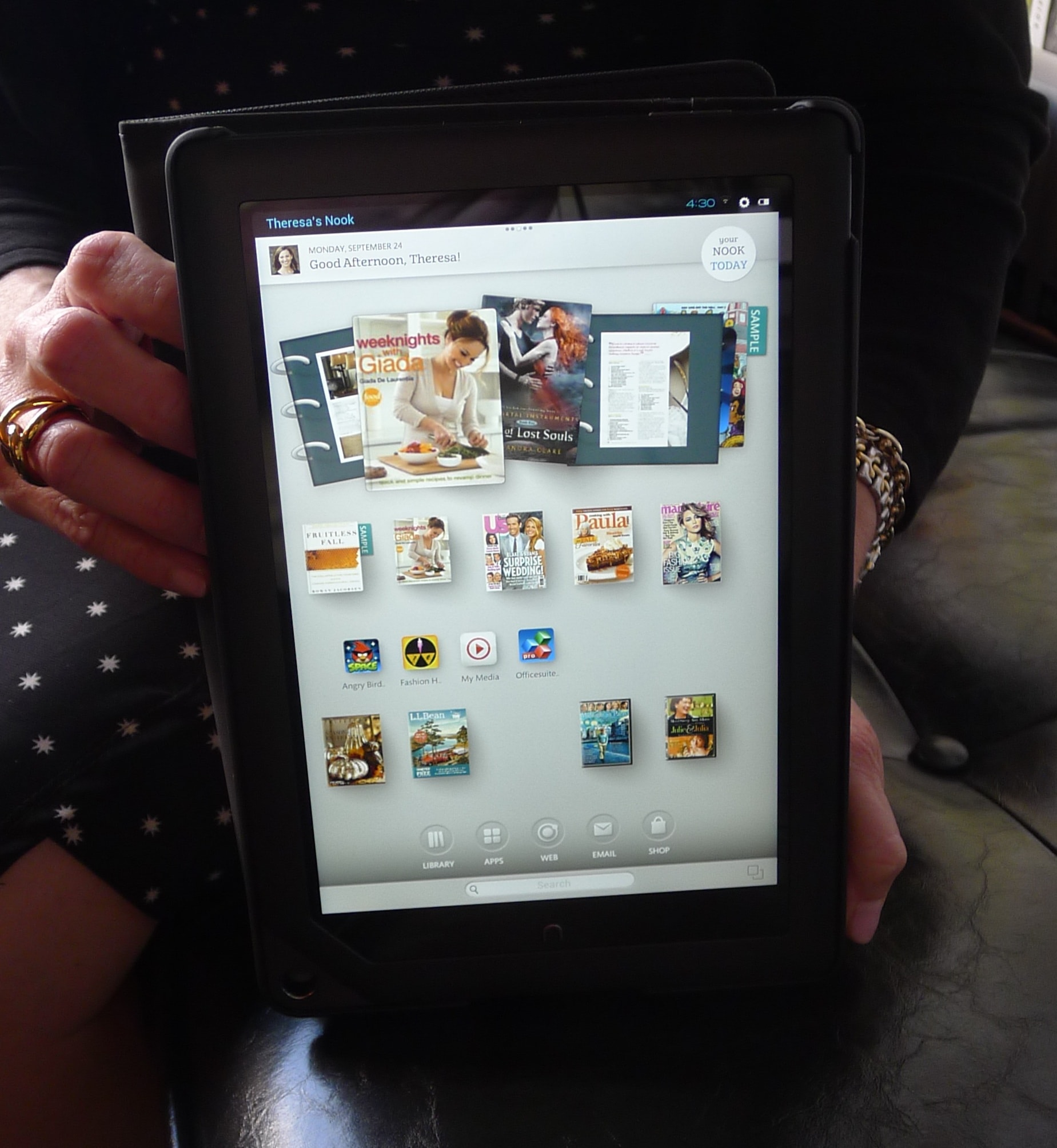
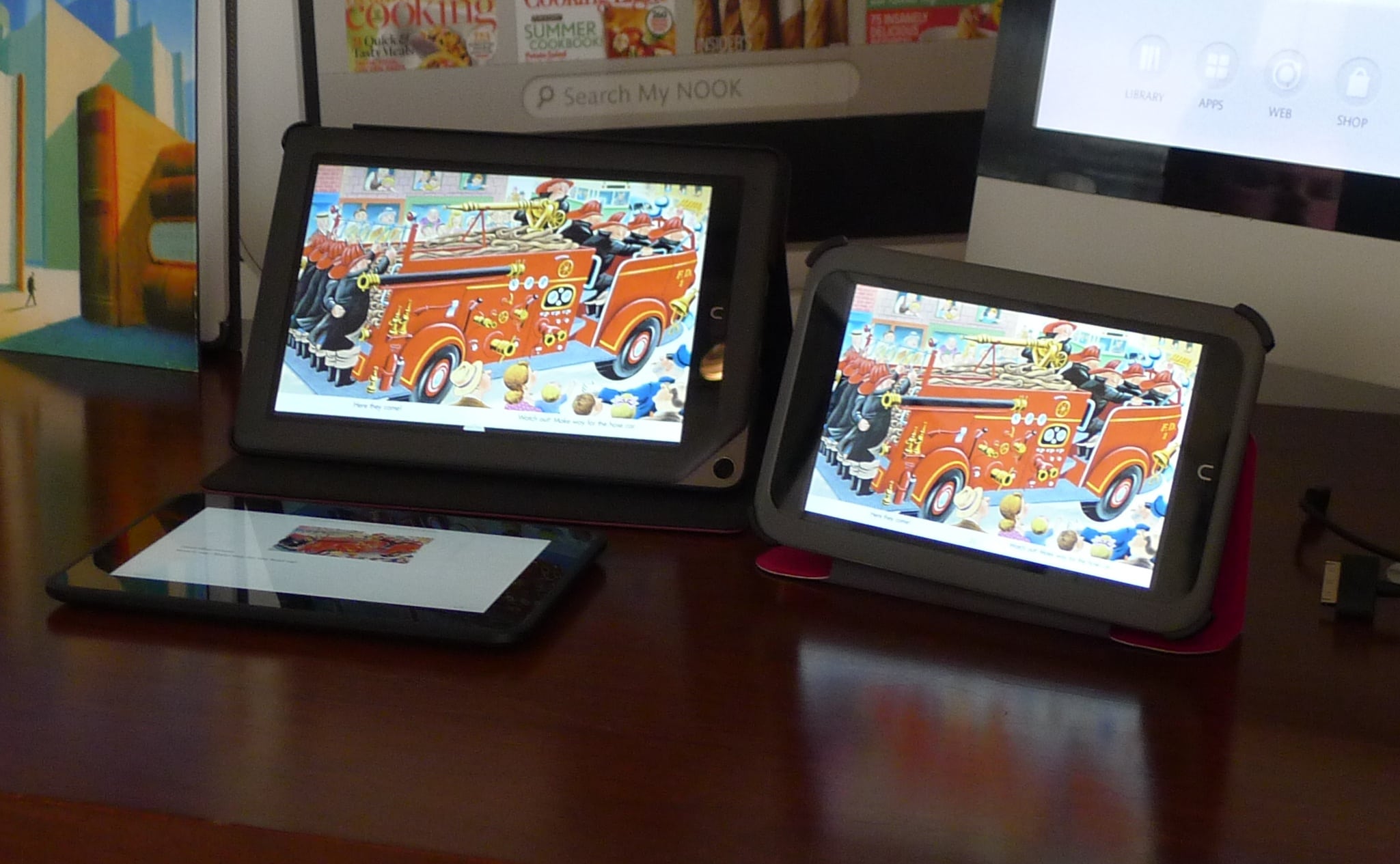
But there is quite a bit of news for the 2 new tablets. B&N showed off the Nook HD and the Nook HD+ on Monday. We’re not going to get a chance to buy these tablets any time before mid-October, but I think they’re going to make anyone who had settled on the 8.9″ Kindle Fire HD at least pause to rethink the purchase.

But before I cover the specs, here is the fact sheet. (I figure if I post it I can save the effort of posting the nitpicky details about the size and weight.)

This week B&N has arguably outdone Amazon, Kobo, Google, and possibly even Apple on the hardware front. They just unveiled a pair of new tablets, one with a 7″ screen and another with a 9″ screen. The Nook HD and the Nook HD+ have new higher resolution screens and will be sold alongside the Nook Tablet (they are finally retiring the Nook Color).

The 2 new tablets have a few details in common like no camera, no NFC, Bluetooth is enabled (finally) and instead of a USB port they have a 30 pin docking connector. They also each have 2 speakers, Wifi, a microSD card slot, and an optional dongle which brings out a full HDMI port. I’m told they’re running Android 4.0 ICS under the hood.

The Nook HD has a 7″ screen with a screen resolution of 1440×900, beating the screen on the Kindle Fire HD and on the Nexus 7 by a comfortable margin. The Nook HD is running on a dual-core Omaps 4470 CPU from Texas Instruments, with a clock speed of 1.3Ghz.

This model is going to be coming in 2 flavors, 8GB and 16GB, and the prices will be $200 and $230. (And the UK prices are £159 and £189.) That’s going to make this tablet priced at right about the same price as the Kindle Fire HD – once you factor in the cost to remove the ads and to add the power supply which Amazon sells separate.

Given that the Nook HD has a better screen resolution and a slightly faster CPU, I have to say that I am impressed at what B&N pulled off.  I personally don’t give a damn about the hardware differences, but B&N still managed to outpoint Amazon when it comes to 7″ tablets.

The same can also be said for the Nook HD+. This is a 9″ tablet with virtually the same screen resolution as on the KFHD 8.9, same CPU (1.5GHz Omaps 4470), storage (16GB and 32GB), and pretty much everything but perhaps the sound quality and the camera.  (Of course, the camera on the KFHD is pathetic so I don’t see how the lack would be important.)

The Nook HD+ has a 1920×1280 resolution screen and will be priced at $270 for the 16GB model and $300 for the 32GB model. If nothing else it beats the Kindle Fire HD 8.9 on price – by a considerable margin.

The UK prices for the Nook HD+ are £229 and £269.

But as impressive as the hardware is, these are still locked down devices to being not much more than consumption devices, and you’re limited to the types of consumption allowed by B&N. That doesn’t suit me, and it really puts a damper on B&N’s gadgets.

But that’s just the hardware. The software, on the other hand, now there I found something cool. I won’t cover all the features and services in obsessive detail, but there were one or 2 points which I liked and which I find compelling enough that I could see why someone would want to buy the tablets.

And you can find those details here.

Google eBookstore, Nexus 7 Android Tablet Launch in Japan

Someone is going to make a major hardware announcement later this week and it looks like Google plans to steal at least a little of their thunder. Yesterday afternoon Google announced a new local ebookstore in Japan as well as several major feature updates for the Google Books app for Android.

The ebookstore in Japan is accessible via Google Play, and it launched on the same day as the Nexus 7 became available in that country. The tablet is available now from the Play store at 19,800 yen (~ $254) for the 16GB model. Starting early next month the Nexus 7 will also be available at major Japanese retailers such as Bic Camera, Yodobashi Camera, and Joshin.  The ebookstore includes access to most of the same ebooks available elsewhere as well as a number of Japanese publishers.

This new launch makes the Google eBookstore available in Japan, the UK, U.S., Canada, Australia, Italy, France, Germany, Spain, and, like I reported yesterday, South Korea. Amazon is rumored to launch in Japan in October, and Rakuten/Kobo launched there back in July.

Given the difficulties that Japanese presents in terms of properly showing text, Google also quite wisely chose to update the Google Play Books app. This app is getting a number of new features that you cannot yet find in the iOS app, including  support for vertical text as well as right to left page turns. These 2 features are expected by Japanese readers, and the only platform which I know supports them is Kobo.

The app also adds improved annotation options, including highlights and the ability to add notes.The app can also now translate words when you select them and also show definitions. Google is also going a step beyond basic dictionary support by integrating new Wikipedia and map search into the dictionary look up. Now of you search on a place you might get a map result along with a snippet of Wikipedia text talking about it.

Yesterday’s update also includes a couple new reading options like a sepia background, and sliding page-turn. Both are great if you use them but I don’t.

All in all, Google is making a great software play for ebooks, video and music. Luckily for them theyu don’t have to make the same effort in hardware as Amazon, B&N, and others; Google already has Android tablets galore, including their own official one.

via

Google Play

The Chinese eBook Market is Finally Taking Off

Right now everyone in the English speaking blogosphere is focused on Brazil and Japan, but China could be where the interesting story is happening. China Daily is reporting that that the Chinese retail giant Jingdong Mall is pursuing aggressive discounts  with their ebookstore.

This company was a latecomer to the ebook market when they opened the ebookstore in February with around 80 thousand titles as well as reading apps for Android, PC, and more. They were facing competition from Hanvon, Dangdang, and Shanda, a Chinese media conglomerate as well as a buying public which was reportedly resistant to the current average ebook price of 5-8 yuan. (And if  you think there’s a disconnect between what US publishers charge and what  the US ebook buying public wants to pay, that’s nothing compared to China where that average price of 5-8 yuan converts to $.80 to $1.26.)

And so Jingdong Mall had to come up with a better offer to attract consumers. That could be why they hit upon the idea of offering subscription access to ebook content. They recently announced a plan to offer 1 thousand titles for a single fee of  30 yuan ($4.7) for three months, or less than half a cent per download.

The incredibly low price is dismaying both authors and publishers,  who fear cheap ebooks will threaten their livelihood, as well as Jingdong Mall’s competition. And that includes the ereader makers.

Hanvon, the leading Chinese ereader manufacturer, is finding itself in much the same position that Sony encountered in 2007.  Hanvon had launched their ereaders with the goal of making a profit by selling content, but due to a general failure to stock enough titles they’re finding themselves swept aside in the content market. This company had planned to follow Amazon’s ebook model, but unfortunately could not match Amazon’s wide catalog of ebooks and relationships with major publishers.

Hanvon is now dependent on device sales for most of their income and only offer a lackluster ebookstore to support them. In the long run that could hurt them because it now appears that the Chinese ereader market is jumping over the ereader-focused phase which the US ebook market outgrew in 2011 directly to the next phase of the market: apps.

As the quarterly statements from E-ink have shown, people are buying fewer ereaders today than they used to. And in fact the Chinese ereader market never was all that large, with some estimates putting it at around 300 thousand units sold in Q2 2011. That detail is confirmed by market surveys, including one survey conducted in China which showed that in 2011, far more people read ebooks on line or on a smartphone than on ereaders. Just under 12% of respondents read books on the web and 9.4% on smartphones, while only 2.5% favored ereaders

This is going to put Amazon in a curious position if and when they launch in China. And based on some leaked Kindle help pages discovered on Amazon.cn in April of this year, I think they will. Amazon will likely find themselves having to face stiff competition from experienced local retailers.

via

image by Arian Zwegers

How Technology Has Changed Stories In My Life

In the first of a series of monthly essays on The Literary Platform, Professor David Trotter ponders the question of what technology can do for stories. A lot of people seem to fall into the trap of considering “interactivity” to be the holy grail of the technological enhancement of stories (even otherwise visionary author Vernor Vinge famously thought hypertext was going to be the wave of the future), but Trotter isn’t quite so convinced. He discusses some “dazzling projects” that have brought interactivity to fiction, though admits he does not believe interactivity is either the be-all and end-all of technology for fiction or even all that technology can do for fiction.

I think that we need to find a way to put the vertigo back into the original question about what technology can do for stories. That will involve a history of the uses to which electronic communications media have been put. How, and why, did interactivity emerge from more than a century’s worth of innovation as the (technological, social, moral, political) principle to which we now so widely subscribe? There was interactivity before digitalisation, not just in life (where would the species be without it?), but in some forms of mediation, and, to a degree, in literature.

Over the last couple decades, I’ve watched technology do a lot for storytelling both in the world, and in my personal everyday life. In my opinion, “interactivity” is really only the tip of the iceberg, and not even a necessarily very interesting one at that.

There are really lots of ways technology is changing stories. For just one example, John Scalzi posted on his blog today about the experience of writing fiction on his iPad. (I’ve been doing some of that myself lately—scribbling story chapters with pen and paper while I work, then typing them into my iPad via a Bluetooth keyboard clamshell case and copying and pasting into Google Docs via my MiFi. Dig me, the wireless writer of the future!) And recently Charlie Stross wrote about how the new story processing program Scrivener (which I also use myself) has changed his writing process. (Stross also once composed an entire novel on a smartphone as a writing stunt.) Those are examples of technology affecting the way stories are told, aren’t they?

Perhaps my first encounter with technology changing storytelling came when I got to college in ‘91 and found some amusing story files collected from the Internet on a local BBS. They were early posts by creative college students to a mailing list called Superguy, where writers wrote and posted stories involving humorous and parodic takes on super heroes. And every so often, they’d get together for crossover events in which characters from several stories would meet up and work together.

And these people were from all over the country, and in many cases had never even met in real life—but here they were, working together on stories that got written and posted to an audience of hundreds, possibly even thousands of readers at their height—using nothing more than e-mail and maybe the occasional long distance phone call.

As my college years went on, I ran into more and more shared writing universes, and participated in a lot of them. And Internet writers weren’t the only ones who found benefits in collaborating. Shared universe anthologies like Thieves’ World, Wild Cards, and Liavek all sprang up around this time, though they were forged mostly from old-fashioned pre-Internet communication media.

Perhaps the next great advance in technological benefits to storytelling came with the invention of Hydra, which was renamed to SubEthaEdit, a shared editing space on OS X computers in which multiple people could have their own cursors and write on the same document at the same time. I’d never seen anything like this before. Not too much later, someone else came up with a fairly primitive but still functional Windows/Linux implementation of the same basic idea, called MoonEdit, which I used to great effect in writing shared-universe City of Heroes fanfic with a great bunch of writers including professional fantasy novelist Mercedes Lackey.

Later on, EtherPad developed a web-based version of the same tech before being bought by Google, whose Google Wave subsequently fizzled but now Google Docs offers much the same flexibility and a lot more reliability in real-time updating. And it’s amazing the globe-spanning reach the Internet has brought to this instant collaboration. The other day, I realized I was sitting in a Google Document with people from three other time zones (California, New Brunswick, and Britain, with me in Missouri) watching a Briton write on a story. I remember when I couldn’t even have afforded the long distance phone bills to talk to them all, but now I could Skype them very easily if I wanted sound or even video—but why bother when we can communicate well enough in text without?

If you want to talk about “interactivity” in stories, well, reading a story interactively is really pretty pointless, because no matter what you do all the choices you’re allowed to make are already plotted out for you. If you’re given the options only to turn left or right at a fork in the road, you can’t choose to go back the way you came—the choice isn’t there. But there are few thrills to compare with writing a story interactively, with your friends. It’s like playing a game where there are few rules, or a form of roleplaying where you have the ability to jump into each other’s characters and even go back and redo things if they didn’t come out right the first time. What a rush!

And shared text editors aren’t the only form of interaction in writing the ‘net brought about, either. An AoL employee founded Ficlets, to great fanfare and five minutes of attention from Internet celebrities John Scalzi and Wil Wheaton, then re-launched it as Ficly after AoL killed it. This site let people write collaborative stories round-robin style in chunks of 1024 or fewer characters, and was likewise a blast when you managed to get into a storytelling chain with other fun writers.

Fan and Internet writers aren’t the only ones to have discovered the benefit of Internet technology for collaboration, of course. In recent years there have been several groups of professional writers involved in doing this either as a hobby or professionally. Mercedes Lackey’s City of Heroes fanfic grew into a new shared-universe superhero novel series, Secret World Chronicle. Neil Stephenson and Greg Bear came up with their Mongoliad. Elizabeth Bear (no relation to Greg) had her Shadow Unit. So Amazon’s doing serials? Writers on the Internet have been doing serials for decades.

It’s also made it possible for more specialized types of stories to find their niches. For example, if you look for almost any minor fandom, fetish, or following, chances are you can find a fiction repository for it somewhere on the Internet. Interests so rare or obscure that it simply wouldn’t have paid to try to publish works involving them can suddenly build entire village-sized communities where people post and read stories for free just by putting everyone in the entire world who shares those interests together in one virtual place. It’s sort of the flip side of the way Amazon made making a living in self-publishing more feasible by creating a single storefront to sell your self-published books or e-books to anyone anywhere.

As I write this on the right-hand monitor on my desktop, I can look across to the left and see in my main Google Docs window two other writers in a shared setting in which I work discussing background material for one of the continents on a distant-future colony planet. I might never even have met these people without technology—and, indeed, I still haven’t met either one of them in person. But we’re writing hundreds of thousands of words of story together—not for professional publication at the moment, but who can say where things will go in the future? If a Twilight fanfic can become the next best-selling novel, anything can happen.

So, what can technology do for stories? Make it possible to create them, collaborate in them, and find them in ways that we couldn’t have dreamed of before we had it, for one thing. But I’ll be interested to see what Trotter’s series of monthly essays comes up with.

Image by Josef Stuefer.

How to Install Google Apps (Gmail, Google Reader, etc) on the 7″ Kindle Fire HD

The 7″ Kindle Fire HD has been in consumer’s hands for less than a week. We still don’t have a quick and easy way to hack it and install Google Play but today I did come across a way to install some of the core Google Apps.

XDA Forums member abhijitxp gets the glory here for taking some standard apks and tweaking them so they run on the KFHD. This trick will not let you install Google Play, but it will give you a basic set of Google apps.

I don’t know about you but I desperately needed this. Without Gmail and Google Reader (which is not yet included in this hack) this tablet is useless to me. Even a partial addition of a few apps is enough to tide me over until a more thorough hack is released.

So here’s how you do it.

First, you’ll need a file manager or some other way to access the install files on your KFHD. Amazon won’t let you do this via their setup, unfortunately, so I recommend that you head over to this post and install the 5 apps I suggested. Or you could skip that and install ES File Explorer, an app which you can find in the Amazon Appstore on your KFHD.

You’ll also need to allow the installation of 3rd party files, but this is a bridge which you can cross when you come to it. It’s not hard to figure it out.

  1. Go download this RAR file and unZIP the RAR.
  2. Copy the folder full of files to your KFHD over USB.
  3. Open ES File Explorer on your KFHD and find the folder you just copied. Open it.
  4. Install the file called GoogleLoginService.apk and reboot your KFHD. You can reboot by pressing and holding the power button until the menu comes up.
  5. Install the rest of the apps, including the Youtube file. That’s the one which the hacker who developed this trick says  is needed to log in to your Google account so you can do things like access your Gmail.

And now you should have Gmail, Google Maps, and Youtube running on your KFHD. It worked for me. I’ve just double checked and the Gmail app is now working on my 7″ Kindle Fire HD. That is a marked improvement from Monday, when my first attempt at installing the app failed.

P.S. The instructions above don’t include Google Reader, but I found another way to install it. I downloaded the file from 1Mobile app store. It’s this one, and I am sitting here looking at Google Reader the app while I type.

XDA Forums via Liliputing

Apple & 4 Publishers Offer a Settlement to Resolve Price-Fixing Investigation in the EU

While 3 of the Price Fix 6 are still fighting the antitrust lawsuit here in the US, it looks like their resolve is wavering in Europe. The rumor reported last month that an anti-trust settlement was in the works is true.

The European Commission announced this morning that they have received a settlement offer from 5 of the conspirators involved in the Price Fix 6. Apple, S&S, Macmillan (von Holtzbrinck), HarperCollins, and Hachette have all signed on with a set of term which would basically mirror the US settlement.

This settlement grew out of a nearly year long investigation by the EU into allegations that Apple and 5 of the major publishing conglomerates conspired to bring about agency pricing in the ebook market back in 2010.

The publishers would agree to cancel existing contracts with ebook retailers allow the retailers to set the retail price for ebooks for at least the next 2 years, and they also would agree to not allow a most-favored-nation clause in contracts with retailers. There’s also a clause in the settlement which would prevent any ebookstore from selling ebooks at a loss. This settlement would also require Apple to renegotiate their contracts with their ebook suppliers.

But there’s a couple details which aren’t clear to me. I don’t see where fines for the publishers are mentioned, nor does the settlement mention Apple’s punishment (did I miss something?). The device maker is still fighting the accusation in the US that they acted as the center of a hub and spoke conspiracy, but this settlement offer makes it pretty damn clear that the accusation is true, not alleged. Since they clearly are guilty of arranging the conspiracy (or at least guilty enough that they’re not going to fight the case in the EU), I have to wonder how much they will be fined.

This settlement doesn’t mention fines at all, and that’s the real story here. I’m told the EU tends to levy steep fines against convicted corporations, and that is likely what this settlement offer is trying to avoid. While in the US the 3 settling publishers will be paying $70 million back to customers, the fines in the EU could start at around $100 million each and go up from there.

While the actual financial impact on the market was small, each of the conspirators is a rather large company and I suspect the EU might decide to slap them with a fine which reflects the corporation’s income, not the benefit gained from the conspiracy.

In any case, the proposed settlement has been posted so 3rd-parties can offer feedback over the next month. If the response is positive, the Commission will end its investigation.

Meet the Kindle: eReader, Audiobook Player, Weather Station?

The new black Kindle has been out for not even a couple of weeks and it has already been hacked for a new project. This weather station is the work of a hacker by the name of  Matthew Petroff. He had always been wanting to use an E-ink screen in a project but until the $69 black Kindle was announced the cost was too high.

Michael’s project requires a jailbroken Kindle and a server. There’s a fair amount of work inveigled, including writing scripts for the server which gather the data, make a screen shot, and pass it to the Kindle.  More scripts on the Kindle listen for the new screenshot and then display it on screen. Michael notes that while he could have set up the Kindle to do the entire task, he already had the server and using it saved him the effort of setting up a development environment for the Kindle.

Of course, if you don’t want to put all this work into setting up this project you could get the Accuweather app for the Kindle. It’s not nearly as good for this purpose but it does cost only a buck.

And if you don’t have a Kindle, you could actually be better off. This idea could possibly be copied by running a weather app on a hacked Nook Touch. This ereader runs Android, and it should be able to use one of the many free weather station apps.

In fact, I have a hacked Sony Reader T1 handy. And since I’m not using it as an ereader I think it would make a handy weather station.  Unfortunately, I still have not found one that looks good on an E-ink screen. Any suggestions?

Source

Wikipedia Adds Epub to its eBook Download Options – No More PDF, Yay!

As much as I am online everyday I am still reminded that offline still rules the roost. Wikipedia is accessible from any web browser, but even this knowledge aggregator still has to offer a download option,  hence yesterday’s news.

Late yesterday afternoon the Wikimedia Foundation, the parent organization for Wikipedia, announced that their Book Creator service now supported Epub as an output option. So far as I know it only works on the English language part of Wikipedia, and it lets you gather associated wiki articles and automatically generate an ebook.

Wikipedia has long offered an  option for making PDFs from wiki articles. The service launched in May 2010 as part of their effort to offer print copies via PediaPress. While the PDF file was generated with the goal of getting you to buy a copy in paper, you were always able to download and use the PDF.  And while we’re on the topic, you can also download the content as an ODF file (Open Office). That could prove very useful for converting to your preferred ebook format, though I would likely start with Epub.

It’s a useful service, no? If you are interested in gathering articles from other sites in a manner similar to the one which Wikipedia allows you to do here, let me recommend a couple sites. There have been other websites which offered a similar service including GrabMyBooks and a Readability spinoff called ReadLists.

It’s been a while since I tried either, so I am at a loss to recommend one. I’d say try them both and see which you prefer.

Gardner Books Launches Incredibly Cheap 6″ Android Tablet in the UK

Gardner Books is a UK based book and ebook distributor as well as, via Gardner Hive, the UK partner for Google Books. For some time now they’ve been wanting to make a deeper mark on the ebook market and yesterday we got to see their first effort.

And it’s a curious little beast. While one might think an ebook distributor would announce an ereader, Gardner is instead launching an Android tablet. The Gardner GoTab has a 6″ (800×480) screen with a capacitive touchscreen. It’s running a reasonably current version of Android 4.0 ICS on a 1GHz CPU with a Mali graphic chip, Wifi(n), a g-sensor,  4GB Flash, a microSD card slot, and a VGA webcam.

Gardner Books is supporting the GoTab with Hive Reader, an app which ties in to the Gardner Hive ebookstore. But since this is an authorized Android tablet it should also support any of the other reading apps found in Google Play.

Gardner is calling it an ebook reader, which is itself an interesting detail. I’m not saying they’re wrong so much as wondering if the definition has shifted.  I mean, the GoTab comes with Google Play and complete support for Android apps. It even has decent specs for the bottom of the barrel Android tablet niche. But while cheap tablet like the GoTab do make decent ereaders I would never call them that.

It’s due out in October for a startling price of £59. That translates to roughly $95, and once you deduct the VAT which is built into the price you end up with the cheapest Android tablet on either the US or European markets. While that is an impressive achievement it could also be a sign that too many corners were cut on this device.  Take the battery life, for example. The GoTab is specced for only 4 hours of web browsing. That’s not a lot, and it’s a sign that this design skimped on the battery.

My first $80 Android tablet was a terrible device to use and this one might be as bad. But that remains to be seen.

product page

via

Updated: 5 Free Apps You Should Install on Your New Fire Tablet

It looks like the 7″ Kindle Fire HD will be following in the footsteps of the original Kindle Fire in capturing a large part of the Android tablet market in the US. Sadly, Amazon also repeated the mistake of not including a number of basic apps which I for one need on a regular basis.

Here’s a handful of apps you"l probably need on the KFHD, including a couple very basic apps like a camera and a file manager. Yes, the KFHD doesn’t have an accessible camera app. Apparently Amazon didn’t realize that you’d want to use it.

Fix the Settings

First things first. You’ll want to allow for installing outside apps and you’ll want to change the default search engine to Google. You can find these options by first pulling down the notification bar on the upper edge of your Fire tablet home screen. Press the settings button.

Scroll down for the Apps & Games sub menu. Select the "Amazon Apps Settings", and then select the Silk option. Finally, select the search engine. Change it to Google.

  • This isn’t just a petty anti-MS suggestion; I’ve been playing with Bing on this tablet and I find it laughably inept for the simple reason that it does not find what I am looking for. For example, I searched for "Dropbox app" and the first few results were from box.net, one of Dropbox’s competitors. Funny, yes, but clearly not what I was looking for.

Back out a couple menus until you get to the Settings menu again. Scroll down and select the Device submenu. Select the "Allow Installation of Apps" option and change it to On. now you’ll be able to  get the Apps you need.

Install Some Apps

The first few apps are available in the Amazon Appstore, so you shouldn’t have any trouble installing them.

ES File Explorer

  • Amazon doesn’t exactly make it easy to find the various files, folders, and apps on your device, and frankly the main menu carousel is only good for basic operations like opening an app.  For anything beyond that you need a file manager. This is one of the good ones, and I recommend getting it so you can access parts of your KFHD which Amazon doesn’t think you should use.

OverDrive

  • The KFHD has the same support for library ebooks via OverDrive as the rest of the Kindle platform. But it doesn’t support any of the audiobooks offered by OverDrive’s library partners, and it specifically lacks support for ebooks from Penguin because that publisher refuses to allow it. So if you want the full range of content support you’ll need to install the OD app.
  • On the upside the app will also let you search for and download ebooks and audiobooks from inside the app. That cuts out a couple steps, which is nice.

Next up are some apps which you will have to find elsewhere. At this point you might want to pause and continue reading this post on your KFHD. It will make installing the apps easier.

Dropbox

  • Amazon includes access to the Amazon Cloud Drive in the price for the KFHD but I prefer to stick with my existing setup at Dropbox. For this you’ll need to go to the Dropbox website and download the app from them.

Opera Mobile

  • The KFHD ships with the Amazon Silk web browser but it’s just not cutting the mustard for me.  Luckily there are quite a few other web browsers for Android. Unfortunately not all can be found easily. There are a bunch in Google Play, but we cannot get them yet, and there are bunches in the Amazon Appstore, but Amazon won’t let you install them on your KFHD. So that leaves Opera as the easiest browser to find and install.
  • You can choose between Opera Mini and Opera Mobile. I’d choose Mobile because while both apps will let you use Opera’s servers to speed up your browsing experience the Mobile version also lets you turn off the acceleration. That option could be useful at some point.
  • Note: If your KFHD refuses to install this app, don’t worry. Open ES File Explorer, select the Downloads folder, and then double click on the Opera icon. The app will install, trust me.

Aldiko

  • I have lately come to feel that one should always use the best  and easiest way to read ebooks. If you like reading DRM-free ebooks from websites like O’Reilly, PG, Munsey’s, or more, download the Aldiko app. It supports Epub, not Kindle, but when it comes to downloading free ebooks it is much easier to use than Amazon’s own Kindle app.

ADW Launcher

  • Don’t like the home screen on the Kindle Fire HD? This app acts as a replacement home screen. It will let you arrange the icons however you like, but it doesn’t quite work right with the KFHD’s ebook library.

But That’s Not All

The above 6 apps are the ones I wanted the most, but they are by no means all the apps you might need. I left out some obvious choices like Facebook and Twitter as well as media apps. The KFHD doesn’t support all the audio and video formats out there, but I’m not familiar enough with the what’s available to make a recommendation.

What would you recommend for media apps? They have to be easily findable online or available in the Kindle Store.

I also left out competing reading apps. Amazon won’t let you install the apps from the Amazon Appstore, and they are not easy to find elsewhere. I’m told that 1mobile.com is good, but I’m still looking at it myself.

Confirmed: Kobo to Partner with Brazilian Media Retailer Livraria Cultura

I still don’t have a press release yet, but a local Brazilian source is reporting that Kobo now has a bookstore partner in Brazil. The partner is indeed Livraria Cultura, just like I predicted last week.

Livraria Cultura has a chain of 14 stores as well as a website where they sell all sorts of media in addition to books and ebooks. They will beselling all Kobo models in Brazil, including the new Kobo Arc as well as the new ereaders which have not yet been released. I can’t see any details on prices, but they’re reporting that the prices will be competitive.

The formal launch of the Kobo ebookstore in Brazil is scheduled for the end of next month. Until then Livraria Cultura will be selling ebooks on their own. They’ve had an ebookstore since 2010, and they currently stock around 330 thousand titles. The also sell several different ereader models, all of which are expensive thanks to Brazil’s steep import duties. Do you know how Amazon is building plants in Brazil? Those duties (and Brazil’s population) are the cause. Brazil has a population of 190 million, making them a very attractive market for both gadgets and content.

But the ebook market there is just getting a start. The most recent data shows that there are about 16,000 locally produced ebooks in Brazil. Even when you factor in Kobo’s several million plus titles, the local language selection is going to be limited. And that is simply something Kobo will have to change. That’s why they’ve hired Camila Cabete (LinkedIn) to recruit publishers to the  Kobo eBookstore. Camile was hired away from Xeriph, a Brazilian content distributor.

But even if Kobo does recruit enough publishers, prices will still be a problem.  I’m told that it’s not unusual for ebooks to cost more than the same title in paper in Brazil, with some titles from the major publishers costing $20 or more.

So with all these issues, why is Kobo getting into the Brazilian ebook market? One, because of the growth opportunity, and two, to beat Amazon. The retail giant also has a local staff in Brazil to recruit publishers, and depending on the rumor Amazon is either going to launch the Kindle Store  in Brazil this fall or some time next year.

Fun times ahead.

via Estadadao.com.br