Nate Hoffelder

Nate Hoffelder

How to Upload eBooks and Documents to Your Kindle Account

For over three years now, Amazon has offered Kindle users free cloud storage for their ebooks.

This Kindle Cloud supports many of the same reading features that you get with ebooks bought from Amazon, including highlights, notes, bookmarks, dictionary lookup, and syncing your reading position across all of Amazon’s Kindle apps and ereaders.

It’s pretty useful, and here’s how you can set it up.

First things first: Do you want to do this the easy way or the hard way?

The hard way is much more useful and works from any email account, but the easy way works just as well and is less hassle.

I’ll show you the easy way, and then the hard way. You tell me which is better.

The Easy Way

The easy way to send ebooks and documents to your Kindle Cloud is to install an app called Send2Kindle. There’s a version for Windows, OSX, and Android, and once it is installed and configured it is dead simply to use.

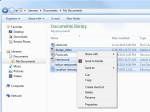
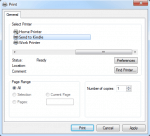
For the PC app, simply select the file you wish to send (in Windows explorer, for example), right click on it, and choose the Send2Kindle option. This should also show up as a print option when viewing a file in MSWord, Adobe Reader, etc.
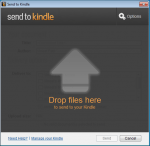
And do you know the best part about Send2Kindle? When you run the app, it will create a window. Any compatible file which you drag to that window and release will be sent to your Kindle Cloud.

For more details on this app, visit the Send2Kindle on Amazon.com. Or you can launch the app and click on the help button.

That’s the easy way; here’s the hard way.

The Hard Way

Setup

To start, open the Manage Your Kindle page on Amazon.com:

Amazon.com/myk/

Log in to your account, and switch to the settings tab:

Scroll down the page until you see the section labeled "Approved Personal Document E-mail List". This is the section where you will need to list all of the email addresses which you will be using to send content to the Kindle Cloud.

It looks like this:

Amazon wants you to tell them all the email addresses which are authorized to send content to your account. I bet they want to limit spam, so think of the email addresses which you plan to use to send content to the Kindle Cloud and add them one at a time.

One you’ve done that, scroll up that manage your Kindle page and find the section titled "Send-to-Kindle E-Mail Settings". It looks like this:

This is where you’ll find the specific email addresses for each of the Kindle apps and hardware. Did you know that you can send a document or ebook to a specific app or Kindle? That’s why they each have their own email address.

Edit: And as a reader reminded me, not all apps have a unique email address. The Kindle Cloud Reader, Kindle Windows 8 app, and the Kindle for PC app do not. The Cloud Reader and Windows 8 app also do not support reading your personal ebooks. Thanks, Timothy!

If you’re like me, you’ll have a number of devices and apps on your account. Make a note of which ones you use the most, and add the email addresses to the address book in your email account.

That’s It

You’ve now finished all of the steps to get ready to send ebooks to the Kindle Cloud.

In contrast to the setup process, sending the ebooks is very simple. All you have to do is choose one of the email addresses you just added to your address book and send an email to it with the ebook attached.

Addendum

Here are the documents you can send (the files have to be under 50MB in size):

  • Microsoft Word (.DOC, .DOCX)
  • HTML (.HTML, .HTM)
  • RTF (.RTF)
  • JPEG (.JPEG, .JPG)
  • Kindle Format (.MOBI, .AZW)
  • GIF (.GIF)
  • PNG (.PNG)
  • BMP (.BMP)
  • PDF (.PDF)

The PDF files will be sent without alteration, but all the rest will be converted to Kindle format. Also, the Kindle format ebooks will be mangled when you email them, so don’t be surprised if your pretty ebooks come out looking ugly.

It Could Cost You

Before you send any files, let me warn you that Amazon sometimes charges delivery fees. If you have a 3G-equipped Kindle, Amazon will charge $.15 per megabyte. Also, if you are sending content to your smartphone or tablet over a 3G or 4G data connection, your service provider might charge you for delivery.

Luckily Amazon offers the option of limiting to only delivering to Kindles over Wifi.  You can find it on the Manage Your Kindle page under the settings tab (Whispernet Delivery Options). You can also set a limit on how much you’re willing to pay for the delivery cost.

Don’t Forget to Enable the Archive Option

One of the features I like the most is that way that Amazon will add your ebooks to your Kindle account. It’s useful, but it also has to be enabled. You can do that on the settings tab of the Manage your Kindle page.

The Beginning of the End for Patreon

There comes a time in the life of many companies when the owners (or investors, or vulture stockholders) decide that they want to extract more profit than is healthy for the company to survive. This is one of the things killing American newspapers, and it’s even impacting B&N, and now it’s about to kill Patreon.

Patreon is fairly healthy, but apparently not profitable enough for its capital investors.

From CNBC:

The number of active patrons supporting artists on the platform in 2019 has seen significant growth, up 1 million over the last year, the company said. The company is also on track to pay out $500 million to content creators in 2019, pushing the company to surpass $1 billion in payouts since its inception in 2013.

Under the company’s current business model, 90 percent of funds are paid directly to content creators. Patreon takes 5 percent, and the remaining 5 percent covers transaction fees.

Patreon CEO Jack Conte said in an interview with CNBC that the platform will soon be facing the challenge of maintaining a profitable model as the company continues its growth.

"The reality is Patreon needs to build new businesses and new services and new revenue lines in order to build a sustainable business," Conte said.

The company does not currently provide contracts, which allows users to retain 100 percent ownership of their work and full control of their brand.

The company plans to provide creators with new "value services," like options for merchandising, to generate new revenue. Creators will be given the opportunity to participate in these services, and it could ultimately reduce Patreon’s generous 90 percent pay-out model.

What this means is that Patreon’s investors want the company to be more profitable, and if necessary they’re going to force the company to pay its users less.

Dan Olson summed it up Patreon’s near future nicely:

I do not currently use Patreon; I closed my account when they tried to jack up costs in late 2017. But I had been thinking about going back to Patreon in order to fund the blog through donations and pledges.

Now I think I’ll just still with Paypal (not exactly a nice company either, but beggars can’t be choosers).

The thing about Patreon not being profitable enough is that Paypal has a very similar model and they turn a profit on a smaller cut of the funds they transfer. Paypal only collects payment processing fees (the 5% transaction fees mentioned above) and yet Paypal is so profitable that they spun off Ebay as not being worth the hassle.

Of course, Paypal had a unique advantage when they were starting out; they were acquired by Ebay, which then forced buyers and sellers to use the service (when you’re growing your business, there’s nothing like having a captive audience who can’t say no).

Paypal didn’t have to squeeze their customers because their parent company had other ways to grow the business as well as a vision for handling payment processing for all types of businesses.

Folks, Patreon’s attempts to increase its profitability are doomed not because this is going to drive away users but because their niche is too damn small. Patreon only handles one small segment of payment processing (what are essentially charitable fundraising campaigns); in comparison, Paypal covers dozens of segments.

Patreon either needs to find a new niche, or find someone to buy them.

Squarespace might be a good bet, or possibly Automattic, or Wix. No, I am not throwing names out there; Patreon would need to be bought by a company whose goals complement Patreon’s abilities (think Square and Weebly, for example).

I hope someone does buy Patreon, because otherwise the company is going to be flogged to death by its investors.

Google Plus is Shutting Down on 2 April

When Google announced last October that they were sunsetting Google+, they didn’t tell us when they were going to turn off the lights. According to the emails Google started sending out last week, that is going to be on 2 April:

On April 2nd, your Google+ account and any Google+ pages you created will be shut down and we will begin deleting content from consumer Google+ accounts.

Google has posted directions explaining how users can download archives of their Google+ content to preserve it after Google has begun the deletion process. Any files stored in Google Drive or stored or backed up in Google Photos will not be affected. And of course Google’s other services such as Gmail or its search engine will remain in operation.

KS Brooks writes over at Indies Unlimited that they are relieved that Google+ is going away because it means there will be one fewer place where they have to maintain a presence. I have to say that I am indifferent. I had long since stopped paying attention to Google Plus, and in fact I had stopped sharing links there some time in the middle of 2018.

How about you? Will you miss Google+ when it goes away?


Kobo is Ending Support for Sony Readers

Remember back in 2014 when Sony exited the ebook market and handed their customers to Kobo? Me neither, but apparently a number of Kobo customers are about to get a reminder.

Kobo sent out a spate of emails yesterday informing certain Kobo device owners of updates (more on this in another post). According to one Kobo user at Mobileread, Kobo told Sony Reader owners that it would no longer support their five-year-old ereaders.

We have important news for you regarding your Sony Reader.

Part of our commitment to providing the best possible reading experience means keeping up with the latest advances in eReader technology and internet security protocols. With this in mind, we will need to discontinue support for some of our earliest products.

As of February 28, the Sony Reader will no longer be supported by Rakuten Kobo*. This means it will no longer receive software updates, and will not be able to connect to the Kobo eBookstore. We apologize for any inconvenience this may cause.

Rest assured that no items in your Kobo library will be affected; you will continue to have access to all reading material you have purchased or downloaded from Rakuten Kobo.

Read with Kobo with the free Kobo App

You can download the free Kobo App available for iOS and Android smartphones and tablets, and read with Kobo on a device you already own.

Kobo is a company built by booklovers for booklovers, and we will continue to expand on our reading experience, offering you cutting-edge eReaders, easy-to-use reading apps, and reading recommendations chosen just for you.

After Kobo took over support for the Sony Readers, they released a firmware made the Sony Readers compatible with Kobo’s system (I beleive Kobo also enabled a wireless connection to the Kobo Store, but I can’t find my post and could be wrong).

That compatibility is ending, but it’s not the end of the world. You can still read Kobo ebooks with your Sony Reader if you strip Kobo’s DRM or if you use Adobe Digital Editions to transfer the DRMed ebook to your Sony Reader.

My preference is to remove the DRM, but YMMV.

The Kobo Aura One is Discontinued

Kobo informed me this evening that they have retired the Kobo Aura One ereader, and have replaced it with the Kobo Forma.

Thanks for your note. Kobo Forma is taking the place of Kobo Aura One as our premium device.

The Aura one  is out of stock on Kobo.com, and Kobo’s retail partners in Canada, EU, and United States are no longer carrying it (TBH, I am not sure anyone actually carried it in the USA).

Launched in August 2016, the Aura One was an largely unremarkable ereader with a 7.8″  Carta E-ink screen. It retailed for $230, making it a decent value compared to the first Kindle Oasis, which launched in spring 2016.

The Aura One’s biggest claim to fame was the size of its screen (the largest Kobo ever shipped) and Overdrive integration. It was the first ereader to ship with this feature since Sony retired its ereader line, but the Aura One is not the only OD-equipped ereader any more. Kobo released a general update several months ago that added Overdrive integration to all current Kobo models.

P.S. The reason I am down on the Aura One is that I prefer another model. I think the Aura H2O was the better ereader because it had a much nicer shell. Alas, Kobo decided to go for bland shells after that.

How to See the eBooks You’ve Borrowed in Prime Reading and Kindle Unlimited

In some ways Kindle Unlimited is a victim of its own success. It offers a great value to readers, so much so that there are many readers who have read hundreds if not thousands of ebooks in the four and a half years since Kindle Unlimited launched.

That high volume of activity can be a problem as time goes on, and readers start to lose track of which ebooks they’ve already read.  While you can easily find out whether you’ve purchased an ebook simply by visiting its listing in the Kindle Store, borrowed ebooks aren’t listed that way, and once you return an ebook it no longer shows up on your Kindle app or ereader.

Fortunately, there is a way  to find a list of all the ebooks that you’ve borrowed from Prime Reading and Kindle Unlimited. In fact, there’s several ways to do this.

My Borrowed Items

Your first option is to visit the My Borrowed Items page on Amazon.com.This pages offers a list of your current and returned ebooks for Kindle Unlimited and Prime Reading. You can sort the list by date, author, or title, but it isn’t searchable, nor does it show borrowed audiobooks.

Manage My Content and Devices

Another way to see what you’ve borrowed is to go to your Manage My Content and Devices page. There’s a dropdown menu in the upper left corner that includes options for Prime Reading and Kindle Unlimited.

On this page you can see the ebooks and audiobooks you are currently borrowing as well as the titles you have returned. And yes, it does list audiobooks that you’ve borrowed as well, not just ebooks.


The Writers’ Union of Canada Condemns The Internet Archive’s Pirate Site, "The Open Library"

Hard on the heels of news that the UK Society of Authors condemning the Internet Archive for piracy comes an announcement from The Writers’ Union of Canada expressing a similar opinion.

From the press release:

The Writers’ Union of Canada (TWUC) joins with our partner organizations, the U.S. Authors Guild (AG), the U.K.’s Society of Authors (SoA), and the International Authors Forum (IAF) in strongly condemning the unauthorized lending of books scanned for the website Internet Archive.

Web users around the world are able to access and borrow scanned books from the Open Library site. All that is required is a free membership in the online Open Library.

“TWUC has found copies of Canadian works in the Internet Archive’s Open Library,” added TWUC Executive Director John Degen. “We believe these are unauthorized scans and loans. The harm this does to the e-book market, and to genuine library sales, is incalculable.”

This story has been going for a little over a year now, and it recently flared up again about two weeks back when The Authors Guild issued a statement criticizing the legal argument the Internet Archive made in defense of its piracy, and noting that the Internet Archive was no longer responding to DMCA notices.

I read that statement at the time but didn’t really say anything because I wanted to work out my position on this issue.

While I completely support the legal argument cited by the Internet Archive, I do not support how the IA is interpreting that argument.

The Internet Archive is trying to use an as yet unproven legal argument called "controlled digital lending" as legal cover for The Open Library. CDL uses existing rulings and US copyright law to make the case that there is a fair use argument for libraries scanning the print books in their collection, and lending the scanned copies in controlled circumstances.

This is a solution to the problem of mid-20th century books that are out of print and may never be re-released; CDL gives libraries the option of sharing a digital copy while preserving their print copy. In this limited niche case CDL is a boon to the public, and furthermore it is quite similar to what the HaithiTrust and other libraries are already doing.

Let me be clear: CDL is a good thing in specific situations, and it will benefit the public as a whole. It deserves your support.

The Internet Archive, on the other hand, is trying to use CDL to justify the general case of scanning print books and lending the copies through The Open Library.

That is not the same thing.

The Internet Archive is scanning and lending books that were published as recently as three and four years ago. These books are available both in print and digital, through both retail and library channels, so there was never any concern that the books might be unavailable or were in need of rescue – not in any way, shape, or form.

You cannot make a sound argument that CDL is intended to cover what the Internet Archive is doing. If nothing else, lending copies to anyone anywhere in the world is a violation of the very concept of "controlled" digital lending.

Both the Authors Guild and the Society of Authors have created online open letters to Internet Archive about the unlicensed lending of scanned books(here and here). You should join the letters.

image by vl04 via Flickr

The Authors Guild Calls for a "Public Lending Right"

The Authors Guild looked at the survey report on author income that they released a couple weeks ago, and they have come up with a solution that won’t actually fix anything.

They want the US gov’t to introduce a "public lending right" and force public libraries to pay author a fee each time their books are borrowed by patrons.

Edit: James Gleick pointed out in the comments that I was wrong to say that libraries would pay; The Authors Guild is proposing that taxpayers fund the PLR.

The system we envision should be more generous, and of course the U.S. market is much larger. Authors would register—the system might be administered, for example, by the National Endowment for the Humanities. Each year libraries nationwide would report aggregate lending statistics for each book (protecting the privacy of borrowers, of course). The systems for handling the data collection are mostly already in place, so the costs should be negligible, but in any case, they must not be borne by the libraries. The maximum payment to any one author would be capped: the idea is not to reward J. K. Rowling (no offense, Joanne) but to provide some much-needed help for midlist authors.

The idea of creating a new government entitlement program may seem insanely ambitious—and we all see the current dysfunction in Washington. But change has to start somewhere. We’re embarking on what will be a long-term effort, hoping that we may someday have a President and Congress willing to spend money investing in culture and the arts once again.

I believe that the time to restart the discussion is now, in the age of widespread e-lending. Libraries are eager to lend ebooks as widely and freely as possible, and they are resentful when publishers put obstacles in their way, while publishers worry that sales of ebooks in particular are being cannibalized by apps that make it easy to download library copies. We never want to tell a library not to lend our books—love of libraries is at the core of who we are. At the same time, librarians themselves are recognizing that they need the professional author to survive.

When it comes to ideas that aren’t actually going to help those intended, this one is a doozy.

The nice thing about PLR being in use for decades is that we have access to data that shows that, contrary to The Author Guild’s claims, PLR does not help help the bulk mid-list authors.

The Author Guild was somewhat correct when they said 22,000 authors in the UK were paid up to 6,600 pounds, but what they forgot to tell you was that almost as many authors were paid zilch.

According to UK data from 2017 (the most recent I can find), a total of 41,750 authors were listed in the PLR system when the payments went out in February. Of that number, 19,548 received nothing at all because their share was less than one pound. Another 16.654 received under 100 pounds, while 3,232 received under 500 pounds (PDF).

The numbers are almost as bad in Canada, where 59% of all registered authors were paid less than $253.80 CAD in June 2018 (this includes the authors who were paid nothing).

The Authors Guild wants to adopt a system which has been shown to have negligible benefit to 87% of authors involved in the UK, and paid negligible sums to most authors in Canada. The only authors who really benefit are the blockbuster authors who don’t need the money in the first place.

To be fair, part of the reason that authors earn so little from PLR is that the program receives minimal funding. The UK government gave it 6 million pounds in 2017, while the Canadian government paid out just under ten million CAD. (The funding rate in Canada is actually significantly higher on a per capita basis – almost twice as high as the UK’s.)

But while we could fix the funding issue without too much trouble (assuming we could get any federal funding at all), that’s still not going to change the fact that only a minority of authors will benefit.

I think The Authors Guild needs to go back and come up with a better plan.

image by comedy_nose via Flickr

Kindle Unlimited Per-Page Rate Dips Below Half a Cent in December 2018 while the Funding Pool Grew

Amazon sent ut an email to authors on Tuesday with the news that the Kindle Unlimited funding pool grew to $23.7 million  (plus bonuses) in December 2018 , up from $23.6 million November.

At the same time the per-page rate royalty fell to $0.0048737, compared to $0.005206 in November and and $0.0048413 in October 2018.  The page rate did not decrease uniformly in all markets; the UK rate actually increased.

  • US: $0.0049 (USD)
  • UK: £0.0039 (GBP)
  • Canada: $0.0043 (CAD)
  • Germany: €0.0030 (EUR)
  • France: €0.0042 (EUR)
  • Spain: €0.0045 (EUR)
  • Italy: €0.0048 (EUR)
  • Brazil: R$ 0.0096 (BRL)
  • Japan: 0.5851 (JPY )
  • Australia: $0.0039 (AUD)
  • Mexico: 008111 MXP
  • India:  0.947985 INR
  • Netherlands: unknown

Here’s a list of the monthly funding pools. It does not include the bonuses paid out each month.

  • July 2014: $2.5 million (Kindle Unlimited launches early in the month)
  • August 2014: $4.7 million
  • September 2014: $5 million
  • October 2014: $5.5 million
  • November 2014: $6.5 million
  • December 2014: $7.25 million
  • January 2015 – $8.5 million
  • February 2015: $8 million
  • March 2015: $9.3 million
  • April 2015: $9.8 million
  • May 2015: $10.8 million
  • June 2015: $11.3 million
  • July 2015: $11.5 million
  • August 2015: $11.8 million
  • September 2015: $12 million
  • October 2015: $12.4 million
  • November 2015: $12.7 million
  • December 2015: $13.5 million
  • January 2016: $15 million
  • February 2016: $14 million
  • March 2016: $14.9 million
  • April 2016: $14.9 million
  • May 2016: $15.3 million
  • June 2016: $15.4 million
  • July 2016: $15.5 million
  • August 2016: $15.8 million
  • September 2016: $15.9 million
  • October 2016: $16.2 million
  • November 2016: $16.3 million
  • December 2016: $16.8 million
  • January 2017: : $17.8 million
  • February 2017: : $16.8 million
  • March 2017: $17.7 million
  • April 2017: $17.8 million
  • May 2017 :$17.9 million
  • June 2017: $18 million
  • July 2017: $19 million
  • August 2017: $19.4 million
  • September 2017: $19.5 million
  • October 2017: $19.7 million
  • November 2017: $19.8 million
  • December 2017: $19.9 million
  • January 2018: $20.9 million
  • February 2018: $20 million
  • March 2018: $21 million
  • April 2018: $21.2 million
  • May 2018: $22.5 million
  • June 2018: $22.6 million
  • July 2018: $23.1 million
  • August 2018: $23.3 million
  • September 2018: $23.4 million
  • October 2018: $23.5 million
  • November 2018: $23.6 million
  • December 2018: $23.7 million

via Self Publisher Bibel

How to Cancel Your Kindle Unlimited Membership

Amazon’s Kindle Unlimited launched in July 2014. It costs anywhere from $3 to $11.50, depending on the market, and provides limited access to a catalog of over one million ebooks, audiobooks, magazines, and digital comics.

Users are limited to only borrowing ten titles at a time, but it’s still a good deal if you can find ebooks you want to read. And if you run out of interesting content, Kindle Unlimited can be canceled at anytime.

There’s no need to contact Amazon to do so; you can cancel Kindle Unlimited in just a few seconds from your account page on Amazon’s website.

Here’s how you can cancel your Kindle Unlimited subscription.

How to Cancel Kindle Unlimited

The first thing you have to do is go to the Manage your Kindle Unlimited Membership page on Amazon.com or one of the other Amazon websites.

Look on the left side of the page for the Manage Membership widget, and click the Cancel Kindle Unlimited Membership button. This will take you to a confirmation page where you need to click the End Membership button.

Clicking that button will end your subscription the date mentioned on the confirmation page.

Fine Print

If you cancel Kindle Unlimited before the end of the billing period, Amazon won’t refund a partial month so you will still have access until the next billing date. Also, if you got the KU subscription as a gift or if it came prepaid, Amazon won’t refund the remaining months, which is why you are better off letting a prepaid subscription run out on its own.

Once your subscription does end, you will lose access to the titles you borrowed through Kindle Unlimited as well as any bookmarks, notes, and highlights you made while your subscription was active.  Amazon does save your annotations, though, just in case you purchase the titles at a later date or re-subscribe to Kindle Unlimited.

Thalia and Mayersche to Merge, Will Be Germany’s Biggest Bookstore Chain

Barnes & Noble is avoiding talking about its finances, but the news from Europe is more positive. Lesen.net and other sites report that two German bookstore chains have announced plans to merge. Mayersche and Thalia,

Thalia has around 300 stores across Germany, while Mayersche has 55 bookstores in the German states of North Rhine-Westphalia and Rhineland-Palatinate.

"The two companies will learn from each other and bring their respective strengths to the benefit of the customers," explains Hartmut Falter, owner and managing director of Mayersche, and in the future second managing partner at Thalia. "In this way, the expertise of Mayersche and Thalia will be brought together to a complementary and new quality."

The companies are still waiting for approval from German antitrust regulators. If this merger is accepted, the combined revenue for the new company will be just over 1 billion euros annually.

image by verchmarco via Flickr

PublishDrive Launches an eBook Production Tool

eBook distributor PublishDrive just launched their own ebook conversion tool.  It takes in DOCX files and produces Epub and Mobi files.

BTW, I also added this new tool to my post on ebook-making tools.

From the press release:

To use the conversion tool, users simply upload a Microsoft Word DOCX file. The file is then instantly converted into EPUB and MOBI files that can be downloaded by the user. The tool can be used by anyone, and registration with the PublishDrive platform is not required.

This provides tremendous benefits for indie authors who lack the software or technical skills needed for conversion. With just a few clicks, authors can convert their manuscript to an industry-standard ebook format that is accepted by all major stores and e-reader platforms.

PublishDrive’s CEO, Kinga Jentetics, stated that the conversion tool is one of the most requested features at PublishDrive. “Most other converters,” she said, “leave ebooks with formatting issues or miss out on smart solutions like generating metadata into the EPUB file. As a result, many ebooks generated by other tools do not meet the requirements of commercial purposes or do not exploit embedding smart metadata to boost sales. I am so excited to see how authors will use this public feature. I believe PublishDrive’s public converter will raise the bar for quality EPUBS in stores – which is the number-one thing to provide a great reader experience!”


65 Libraries Each Loaned Over a Million Titles Last Year

Rakuten Overdrive released its end of year report yesterday. The company now supports over 43,000 libraries and schools worldwide, including 65 public library systems that each loaned over 1 million digital books to readers in 2018.

Libraries working with Overdrive loaned over 274 million ebooks and audiobooks to card holders in the past year, a 22% increase over the previous year, which is the highest growth rate since 2015.

Highlights from the report include:

  • Total digital checkouts from libraries & schools: 274 million (+22% over 2017, the highest growth rate since 2015)
  • eBooks borrowed: 185 million (+19%)
  • Audiobooks borrowed: 88 million (+29%, outpacing ebooks for the 5th straight year)
  • Ebook and audiobook holds/wait listed: 107 million (+28%)
  • Children/YA checkouts/holds: 39 million (+27%)
  • 65 public library systems around the world (+12%) with over 1 million digital book checkouts, including 11 over 2 million checkouts, four over 3 million, five over 4 million and two over five million
  • New public library (digital) users: 4 million (+15%)

Most popular ebooks borrowed from libraries in 2018:

  1. Little Fires Everywhere by Celeste Ng (Penguin Press)
  2. The Great Alone by Kristin Hannah (St. Martin’s Press)
  3. The Woman in the Window by A.J. Finn (William Morrow)
  4. Before We Were Yours by Lisa Wingate (Ballantine Books)
  5. Crazy Rich Asians by Kevin Kwan (Anchor)

Most popular audiobooks borrowed from libraries in 2018

  1. Harry Potter and the Sorcerer’s Stone by J.K. Rowling (Pottermore)
  2. Little Fires Everywhere by Celeste Ng (Penguin Press)
  3. The Subtle Art of Not Giving a F*ck by Mark Manson (HarperAudio)
  4. Ready Player One by Ernest Cline (Random House Audio)
  5. A Wrinkle In Time by Madeleine L’engle (Listening Library)

Top digital books borrowed from libraries by genre:

Amazon Drops Product Display Ads, Launches Lockscreen Ads for Authors

Over the past few months I have been hearing rumors of Amazon changing its ad program while at the same time I’ve been seeing indie titles show up in lock screen ads. All this activity signaled changes were coming, and today Amazon made it official.

A reader just sent me Amazon’s new ad guide for authors (Thanks, Tom!).

The guide details lock screen ads, which are just now (officially) being made available to authors, explains how to use the ad campaign manager, and walks you through the new ways that authors can target ads for specific products. There’s also a timeline explaining when the old product display ads are going to be retired.

Edit: Apparently I was misinformed; authors always had access to lock screen ads (my source was wrong).

I’m still reading the guide and getting feedback from experts, but it looks to me like Amazon just took about a third of what you learned in that course in Amazon ads last year and tossed it out the window.

It’s a whole new ball game.

Amazon Advertising (PDF)

The Authors Guild Claims Author Income is Down

Sorry to keep beating an old drum, but a new survey report on author incomes was released late last week, and it is just as useless as the previous ones.

On Saturday The Authors Guild reported that author income fell 42% since 2009:

The Authors Guild’s 2018 Author Income Survey, the largest survey of writing-related earnings by American authors ever conducted finds incomes falling to historic lows to a median of $6,080 in 2017, down 42 percent from 2009.

The Authors Guild surveyed its membership and the members of 14 other writers organizations in 2018, receiving detailed responses from 5,067 authors. This included traditionally, hybrid and self-published authors who have commercially published one or more books. When discussing median incomes, the survey looked at both full-time and part-time authors.

The respondents reported a median author income of $6,080, continuing a sharp decline over the last decade: $8,000 in 2014 and $10,500 in 2009 (per the Authors Guild’s 2015 Survey), down again from $12,850 in 2007, as reported in a joint Authors Guild/PEN survey.

You can download the report on The Authors Guild’s website. It does not contain all of the data or the survey questions, however. (For example, there’s no info on the age distribution of the 2009 survey respondents – was the average age lower than in 2018?).

This report shares many of the same issues as similar reports from the UK and Canada. They are about as useful as the reports claiming vaccines cause autism.

The Authors Guild report in particular is flawed because it is based on a self-selected survey group where self-published authors are under-represented and retirement age traditionally authors are over-represented.

As any polling expert can tell you, when you let individuals select themselves into a group, you create a biased sample that doesn’t reflect the larger population. The formal name is self-selection bias. It is a known problem in research in sociology, economics, psychology, and many other social sciences, where it even has a pithy acronym (S.L.O.P., for "self-selected listener opinion poll").

When it comes to The Authors Guild survey, the survey group is biased towards older traditionally-published authors. Senior citizens are twice as prevalent in the survey group as in the population as a whole, while younger authors are almost nonexistent among respondents.

TAG tries to brush the issue off with the argument that "very few authors publish before the age of 35". While that may have been true in earlier eras where publishers acted as gatekeepers, it is now 2019, and self-publishing has has made it easy for anyone to publish. (And frankly, there’s no current data to back up that claim about the typical age of first-time authors.)

Furthermore, self-published authors only accounted for a quarter of the survey group when common sense would tell you that, when it comes to the industry as a whole, indie authors outnumber traditionally published authors by a significant margin.

While it would be great to have useful data on author incomes, this report doesn’t actually tell us anything we can use. Its poor methodology invalidated its results, making it a complete waste of everyone’s time.

Next!

image by jamjar via Flickr