Dasung Paperlike

The Dasung Paperlike Pro E-ink Monitor is What Every Author Needs

Stare at a computer screen everyday for years on end and eventually you’re going to develop vision problems. It might be headaches, or simply an inability to keep both eyes in focus.

That is exactly what happened to me, and I consider myself fortunate that my vision problems only took a turn for the worse after I met Dasung’s E-ink monitors.

Paperlike is a line of monitors based around a 13.3″ E-ink screen. The first model came out in 2015, and (to be frank) was crap. The drivers weren’t finished and didn’t work, and a lot of buyers reported that their units died in just a few months.

The second-gen Paperlike came out last year, and it was pretty good. It was still slow (and hella expensive) but it could be used for basic activities like typing.

The third-gen model, the Paperlike Pro, came out this summer. It’s still expensive but Dasung finally got the hardware and drivers right, and I feel I can finally say this is the one you should buy.

In fact, I am writing this review on the Paperlike.

For the record: I bought an original Paperlike with my own money. Dasung gave me the two later models. (Nevertheless, I still think the second-gen model is only worth using if you are absolutely desperate).

Pro & Con

Pro

  • non backlight/frontlight means no eyestrain
  • HDMI cable (the Pro works out of the box with any computer that has a compatible port – or even an iPhone)
  • Works great for typing, some types of web browsing, email, etc

Con

  • expensive ($800 on Indiegogo)
  • drivers still required for best performance
  • it takes a lot of software tweaks to really make web browsing worthwhile
  • did I mention it was expensive?
  • it gets a signal through HDMI, but still needs a USB cable for power
  • it still can’t do video
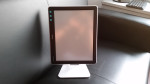
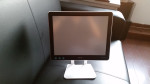
  • ships with a crappy stand (you should really invest in a monitor arm)

Hardware

The Dasung Paperlike Pro features a 13.3″ E-ink display with a screen resolution of 1600×1200. With a 150 PPI, it is a relatively low resolution screen compared to the Kindle Paperwhite (or a lot of smartphones) but it is still sharper than the screen on a lot of laptops.

The Pro, is designed to work as a secondary (or even primary) display for your computer, which is why it lacks a CPU, or any type of input. It is strictly a display, and it fills that role well.

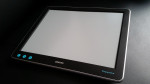
It has exactly three buttons on the front: screen refresh, power, and "M" (for changing the display mode).

I have had one for about two months now. At first I just fiddled around with it, but for the past month or so I have been using it just about every work day. I installed my Pro on a monitor arm, and whenever I need to do a lot of typing, or whenever I feel my eyes are getting tired, I swing the Pro in front of my laptop’s screen.

I am typing this post on the Pro right now, and I type a lot of posts using this monitor. It is a permanent addition to my workspace, so much so that I am planning how I might take it with me on trips.

I m so committed to the Pro that I even spent time finding the best software tweaks to get the most out of it.

Software

The Paperlike Pro runs off paired HDMI and USB cables, so it is (mostly)  plug-and-play e-ink monitor.

I qualify that statement because if you don’t install the drivers (and run them every time you use the Pro), a nag screen will pop up every few minutes, telling you that your Paperlike Pro is going to explode into a million pieces.

But even when you do install the drivers, you will only be using about 60% of the Paperlike Pro’s full abilities; if you want to get the rest of the way there you will need to learn the software settings and how to optimize apps so they work well on the Paperlike Pro.

The Paperlike Pro has 3 display modes (A2, A16, and Floyd) and natively supports two screen resolutions (1600 x 1200 and 800 x 600). It can also be set to "mirror" one of your existing monitors, and duplicate what is shown on the first screen.

My preferred choice is to use the Floyd display mode and set the Paperlike Pro as a mirrored monitor because it is the easiest to use. Yes, I am missing out on the full 1600 x 1200 pixels, but I am okay with that.

I did try using the Paperlike Pro as a second monitor, but I found that the different screen resolutions meant I had to keep adjusting font sizes every time I switched between the Pro and my laptop. It was just too much of a bother given that I had to go back and forth every few minutes (I like using the Paperlike Pro, but its grayscale screen misses a lot of nuance).

Here are a few details about the display modes:

  • A2 – This mode shows only black and white. It is by far the fastest but it also loses a lot of detail.
  • A16 – This mode lets you use the same 16 shades of gray offered by ereaders. It offers the highest degree of detail but it is also as slow as the Kindle (which means it’s a poor choice for things like web browsing).
  • Floyd – A "sloppy but fast" mode based on the Floyd-Warshall algorithm, it trades accuracy and clarity for speed.

Floyd is the display mode I use the most. It has its issues (sometimes I have to refresh the screen so I can see what I am looking at) but this is the mode that really makes the Paperlike Pro usable. It’s a feature competitors will have to copy or duplicate should they release an E-ink monitor.

Really, though, the 3 display modes are just the beginning; to get the most out of this monitor you’ll need to tweak the settings and learn how to tweak apps so they play nice with E-ink screens.

The Paperlike Pro settings menu lets you change display modes, micro-manage the contrast, and there’s also an option to change from your computer’s native color theme to a gray or white option. (You _will_ want to use one or the other option, trust me; they make tabs on Chrome actually legible on the Paperlike Pro’s screen.)

You should also look into how you can get apps to look their best on E-ink. Chrome, for example, has a high-contrast extension that effectively changes everything to grayscale. That extension  makes twitter and other websites actually usable on the Paperlike Pro, and without that extension the web browsing experience is just frustrating enough that I would have given up on the idea.

And that, in a nutshell, is the experience of using the Paperlike Pro.

My Take

There are some products like the Kindle Paperlike that are finished consumer products that work just awesomely out of the box.

But then there are other products, like the original Kindle, which benefit from learning just a few subtle tricks and tweaks in a beginner’s guide.

The Paperlike Pro definitely falls in the latter category. There’s a half-dozen small things you can do, and effectively double its usability with each one.

Install the drivers? 2x

Learn how to use them? 2x

Tweak apps to play nice? 2x

I am not pointing all this out to complain about the Paperlike Pro; I think the extra work is worth it.

What I am trying to say is that anyone who doesn’t want to put in the extra work will not get the most out of this expensive device, and shouldn’t buy one.

Caveat emptor.

The Paperlike Pro can be bought for $800 on Indiegogo.

Specs

  • Screen: 13.3″ Carta E-ink
  • Touchscreen: none
  • Frontlight: none
  • CPU: none
  • Screen resolution: 1600 x 1200, 800 x 600, can also match your other monitor
  • Connctivity: HDMI, USB


Demo Video: Dasung Paperlike Pro + Youtube

The Paperlike Pro is basically the be-all and end-all for E-ink monitors. It’s the only model on the market with an HDMI port and it has the best software drivers, and even works well with an iPhone.

It’s a pretty good monitor, but it does have its limitations. For example, in spite of optimistic claims by Dasung, the Pro can’t really display video or 3d games.

A couple weeks back a reader challenged me to how what the Pro could do with video. He thought the official demo video from Dasung looked pretty impressive because it briefly showed the Pro playing video, but as anyone who follows tech news can tell you, we simply cannot trust an official demo video to be honest.

Device makers frequently stretch the truth – or at least give it a good polish – in order to make their product look its best.

That’s why I shot this quick demo video showing the Paperlike Pro playing a Youtube video.

The Paperlike Pro has a 13.3″ E-ink screen. The official resolution is 1200 x 1600, but I have found that it works best to simply mirror my laptop’s screen (with a 1366 x 768 resolution display). This stretches the screen' contents a little but it’s still quite usable for many uses like typing.

Just not for video. It’s not only that videos don’t look good, but also that the signal was lost at least twice during this brief demo.

So video is out – and so are games, for that matter.

And that really is okay, because the Pro was never intended for gaming or videos. It’s an E-ink display, and it was really intended for work – word processing and the like.

I would not have criticized its inability to display a video if I had not had to debunk a claim made by the manufacturer, but here we are.

The Dasung Paperlike Pro Monitor Features Faster Response Times, Carta E-ink Screen (video)

Dasung is now showing off their third-generation E-ink monitor, the Paperlike Pro. This model has been upgraded with a Carta E-ink screen and an HDMI port, and is going to ship next month.

You can see the new Paperlike Pro monitor on the right:

Originally launched at CES 2015, the Paperlike monitor from Dasung was the first monitor to feature an E-ink screen.

The first model shipped in the summer of 2015 with incomplete drivers and faulty hardware (I heard numerous reports of dead monitors). The second, much-improved model was crowd-funded and shipped last summer, and was absolutely worth buying.

The current model cost $700 when sold through Indiegogo last summer, and it was simply the best solution for Computer Vision Syndrome.

And now there is a third model. While it has the same screen resolution ( 1200 x 1600), the new HDMI port means that the new model will respond faster. And as you can see in the video, the newer screen tech simply looks and works a lot better than the screen on the current model.

I don’t have details on how much the new model will cost, but I will have that info by the time my review unit arrives next month.

Dasung Teases a 13.3″ eReader

Dasung is closing out 2016 with a bang. The Chinese tech company is best known for its E-ink monitor, the Paperlike, but now it is branching out.

Last week Dasung teased a new ereader on Twitter. The company isn’t saying much right now, but they have revealed that their new device will have a 13.3″ screen and possibly run Android or Windows 10:

Dasung hasn’t said when the ereader will be released or how much it will cost, but I will be following this story closely and will post the new details as soon as Dasung goes public.

Thirteen-inch ereaders are still as rare as hens teeth, but this Paperlike ereader still won’t be the first. Sony released a writing slate based on a 13.3″ E-ink screen several years ago, and Onyx has also released one.

They are still relatively expensive, though. The Onyx Boox Max costs close to $700, and the Sony DPT-S1 costs even more. This drastically limits the market, but if Dasung can beat the price of the Max then they will attract a lot of readers who had previously balked at the high prices.

Dasung Paperlike E-ink Monitor Up for Pre-Order on Indiegogo, $799

With two limited production runs and a single retail partner, it’s not exactly easy to get your hands on a Paperlike E-ink monitor, but now is your chance to get in line to pre-order a Paperlike at a discount.

A few days back Dasung quietly launched an Indiegogo campaign for the Paperlike. (The launch was so quiet that they didn’t even tell me.) The campaign is three days old and has already achieved its goal of $10,000, and that means it is now on schedule to ship the monitors in August 2016.

The Paperlike is currently the world’s first and only E-ink monitor, and thus one of the few types of screen which sufferers of computer vision syndrome can use. (LCD screens give them migraines.)

It’s built around a 13.3″ E-ink screen, and connects to your PC via a USB cable which supplies both power and data. It has a screen resolution of 1600 x 1200, and supports two plus native display modes. The Paperlike can mirror your existing monitor or act as an external monitor at resolutions of 800 x 600 or 1600 x 1200. Also, the latest set of drivers will also let you mirror your existing monitor at its current resolution.

For example, my Dell laptop has a maximum screen resolution of 1366 x 768. The Paperlike can take that screen resolution and either stretch it to fit its 13″ screen or mirror my laptop’s screen in a window which measures 1366 x 768. It can also use one of the lower resolution screen settings, and display that on its E-ink screen.

The stretch mode doesn’t look great, but it is very, very usable.

You can find additional videos in the post I wrote last week.

I wouldn’t want to stick with the Paperlike for all my computer activity, but when it comes to basics like web browsing, writing, email, etc, it works surprisingly well. In fact, I am typing this post with the Paperlike.

Or at least I was until it fell over, which brings me to a problem.

The Paperlike ships with a wholly inadequate stand which isn’t really up to supporting the monitor properly. If you buy one you should also invest in a real monitor stand/arm to go with it.

Fortunately the Paperlike has the standard mounting points on the back so it should work with standard equipment.

I’ve been following the development of the Paperlike since I first discovered it at CES 2015 sixteen months ago, and I feel that today (for the first time) I can honestly say that the Paperlike is ready for consumers. Over the past couple weeks the software has lived up to the promise of E-ink screen.

Now would be a great time to get one.

P.S. Full disclosure: I bought a Paperlike in the pre-order last year. I was one of the owners' whose monitor died, and so this year Dasung sent me a free replacement. That replacement monitor is currently sitting on my desk.

Second-Gen Dasung Paperlike E-ink Monitor Now Available at Retail, I Go Hands On

When Dasung shipped the Paperlike 13.3″ E-ink monitor last year, I was hard-pressed to say anything nice or to recommend the monitor to any but the absolutely desperate. The drivers simply didn’t work, and I had heard several complaints of hardware failure.

Fortunately, at least one of those problems has been solved in the second production run, and possibly both.

A new Paperlike arrive on my doorstep last week, and I have spent the past few days putting it through its paces. The software is still far from perfect, and I have not had the hardware long enough to express an opinion, but the new model is significantly better than the original.

And you can buy one today from Sol Computer, where it is listed for $1300. (I paid around a thousand dollars when I bought one direct from Paperlike.)

There’s only minimal visible differences between the hardware of the first- and second-gen Paperlikes; the original has a silver shell and the new model a black shell. But the software is much improved.

The original drivers were not finished before the Paperlike was shipped, and installing them required a blood sacrifice of a Google intern made at midnight two nights after a blue moon.

But with the new model, the drivers simply install. I had to reboot a couple times (once after installation and a second time when the drivers froze my laptop) but it’s working now.

On the other hand, I installed the drivers on Windows 7. There is a report that Windows 8/10 users might not be so lucky.

For me, the drivers enable me to use the Paperlike as either an external secondary USB monitor, or a duplicate of my laptop’s screen.  The external option offers more screen resolution options (including 800 x 600, 600 x 800, 1600 x 1200, 1200 x 1600). My only options for a duplicate is 800 x 600 or 600 x 800 (possibly because my laptop doesn’t support higher screen resolutions on its screen).

I have had the Paperlike for a week, and I have generally found it best to use it as a duplicate monitor. While I can use it as an external USB monitor, it doesn’t work well. I don’t think my computer has the graphics power to run a second monitor off USB; when I do it looks something like this:

The refresh rate can’t keep up with the cursor, which is why it jumps around the screen. It’s also too low to handle things like a scrolling web browser or video.

But that’s when I use the Paperlike as an external monitor. When I use it to duplicate my laptop’s screen, the performance more closely resembles the demo videos posted by Dasung:

As you might be able to infer from the video, Dasung is running the monitor at 800 x 600 resolution. Given that the Paperlike supports a higher resolution I think that might count as cheating, but as you can see it is very usable at that screen resolution.

In fact, the Paperlike has improved enough that I now feel comfortable recommending it.

Dasung has held a couple limited sales, but the best place to buy the Paperlike right now is at Sol Computer, the North American retail partner. Sol Computer also carries similar screen tech products like Pixel Qi laptops, tablets, and monitors.

Sure, with a price tag of $1,300, the Paperlike is ridiculously expensive. Plus, there are cheaper options (including Pixel Qi screens). But if you can afford a Paperlike and have vision problems which render LCD monitors unusable, this can help.


Dasung’s 13.3″ E-ink Monitor is Now Shipping

Over the past couple weeks many readers have asked for a status update on the Paperlike E-ink monitor I bought back in April.

It has finally shipped, and FedEx says that it will arrive next week.

The Paperlike is a one of a kind USB-powered monitor based around a 13.3″ Fina E-ink display. It first made an appearance at CES 2015, but despite press reports to the contrary this device has not yet been released to the market. Production has so far been limited to a total of 50 units which were pre-sold in April. I got one, and I’m looking forward to its arrival.

And so are many other people. This monitor is the work of Dasung, a Chinese tech company, and it has captivated our attention because its E-ink screen promises to offer a unique solution to the LCD headache problem.

LCD screens don’t bother me that much but some people get migraines and vision problems when they stare into a backlit screen for too long. Since E-ink doesn’t have a backlight, it is viewed as a possible solution for office workers who have found that a Pixel Qi screen simply doesn’t cut it.

Pixel Qi makes a type of LCD screen which degrades from color to grayscale in full sunlight, and (on some models) also offers a backlight which can be turned off. Some users swear by it, but others say that it is a less than complete solution (they still get headaches).

The Paperlike cost about twice as much as a Pixel Qi monitor, and it’s not without its own problems. E-ink has a far slower refresh rate than LCD screens and only offers 16 levels of grayscale, and to get around the refresh limitation Dasung has developed new refresh modes, including  mode with only 5 shades of gray as well as a mode with 2 (black and white, basically). That black and white mode hearkens back to 1980s era monochrome monitors and is said to be nearly as fast as an LCD screen.

I’d take that with a grain of salt; that claim was made about a display unit on the show floor at CES 2015. We have yet to receive any reports of real world performance.

But that will change next week.

Dasung’s 13.3″ E-ink Monitor Goes up for Pre-Order: $950

The Paperlike combines a 13.3″ Fina E-ink display with custom driver software and a standard USB cable. It first showed up at CES 2015, but it is still under development and won’t be going into production until this fall.

Now a lucky handful of early adopters will be getting a chance to buy a buy one before anyone else.

Earlier today I got an email from Dasung. The company wants to test the market and get feedback from enthusiastic users, so it has decided to produce a limited number of units. Ray Chen, co-founder and CTO of Dasung, told me that later this month Dasung will produce 50 (yes, fifty) Paperlike monitors and sell them first come, first serve.

Anyone who has previously contacted Dasung and begged, pleaded, or threatened bodily harm will be getting an email which invites them to buy a Paperlike.

Half the units are earmarked for China, where it will be sold for 4999 yuan (~$806 USD). The other 25 units will be shipped internationally. The price is a flat $950, shipping included, and Dasung plans to ship in June.

While that is a damned high price, I am expecting that this first production run is going to sell out within days.

LCD screens may not bother me a bit, but I’ve heard from dozens of people who get headaches and suffer other health issues from staring at a computer monitor too long. Even with the high price tag, the Paperlike is going to be a godsend.

While this isn’t the first time an E-ink screen has been used as a secondary monitor, the Paperlike is the first to be developed with that goal in mind.  Unlike the many ereader/monitor hacking projects on Youtube, the Paperlike will be running custom software which was developed specifically to give the Paperlike a response time as fast as an LCD screen.

As I discovered at CES 2015, the Paperlike has 3 display modes. In addition to the standard 4-bit 16 level grayscale mode found on your ereader, there is also a mode with only 5 shades of gray as well as a mode with 2 (black and white, basically). The faster modes sacrifice color shades for speed, resulting in a refresh rate which is almost as fast as an LCD monitor.

Here’s a brief clip to show you the Paperlike in action:

https://youtu.be/40ft4UUOIcU

Here’s a longer clip I shot at CES 2015.

If you would like to try your chances at getting a Paperlike, you can reach Dasung at contact@dasung.com.cn.

I will be buying one, of course. I am also planning to sell it again a couple weeks later, so at least one person who missed out on the early production run will have a second chance.

Sony Puts its 13.3″ eReader On Sale for $799

When Sony launched its 13.3″ digital writing slate in the US last March, it cost a staggering $1,100. The price has come down a bit since then, and today you can pick up the Digital Paper DPT-S1 for a mere $799.

Unlike your average ereader, the DPT-S1 was built for the business customer. It features a 13.3″ Mobius E-ink display with dual touchscreens (stylus and IR), Wifi, and 4GB of storage. It does not, however, support very many features to justify the high price.

The DPT-S1 supports reading and editing PDF files, but it doesn’t support Epub nor does it have any apps. It can’t, for example, let you read your emails.

It does, however, make a nifty blueprint reader. Thanks to the plastic-backed Mobius E-ink display, the DPT-S1 is more rugged than your average mobile device. But due to the size and limited production, it is also more expensive, hence the high price tag.

The DPT-S1 is the only device on the market to use this screen, but several competing devices are in the works. Pocketbook, Netronix, and Onyx have each announced that they are working on a design, but none are close to reaching the market.

Similarly, the Chinese device maker Dasung has developed a 13.3″ USB monitor based on this screen, but that unit is not available either.

E-ink Demos a 13.3″ Second Screen E-ink Monitor at CES 2015 (video)

E-ink’s fancy looking wall hanging got a lot of press this morning due to their press release but that’s not the most interesting gadget in their booth.

In addition to the Yotaphone 2, a new messaging platform, and that aforementioned wall hanging, E-ink also had a prototype 13.3″ USB monitor on display. It’s called the PaperLike (I think).

In case you were wondering , yes, the stripe down the center of the E-ink screen is a defect.

The monitor was on loan from DaSung, one of E-ink’s Chinese partners. It was launched late last month in China but only came to my attention today. It uses a 13.3″ Fina E-ink display (screen resolution 1,600 x 1,200) to mirror what you see on the paired laptop.

It’s powered by the USB connection to the laptop, and is surprisingly fast. As you can see in the video below, the monitor has several display modes. In addition to the standard 4-bit 16 level grayscale mode found on your ereader, there is also a mode with only 5 shades of gray as well as a mode with 2 (black and white, basically). The faster modes sacrifice detail for speed, resulting in a refresh rate which is almost as fast as an LCD monitor.

I was told by E-ink that it is still under consideration, but according to what I read on Chinese language sites, the monitor is available now with a retail price of 4,999 yuan, or about $804.

Allow me to take a moment and express what we are all feeling: Damn.

I don’t know about you but if this were offered for $400 I would have ordered one already. But at this price I’m going to have to lean on E-ink to get DaSung to lend me one.

Well, at least it looks pretty.