Five Launchers Which Make Your Android Tablet Look Like an iPhone, WindowsPhone, and More

One of the great things about Android is that it is almost infinitely customizable. If you don’t like how something looks, you can search Google Play for a replacement.

Don’t like a widget? There’s a dozen alternatives. Don’t like the home screen on your tablet? There are a hundred alternatives to choose from!

I was reminded of the many options today when I set out to find a new home screen app for my Hisense Sero 7 Pro. I was looking for a home screen that behaved and looked like the home screen on the Kobo Arc 7 (or possibly the home screen on the Kindle Fire HD).

In short, I was looking for a home screen which would put my ebook library front and center. I didn’t finds that home screen (not yet), but while I was exploring I found a few fun alternatives that I thought would be fun to share.

Sidenote: Scroll down to the end of the post for a few tips on how to install these apps and how to switch between them.

Espier Launcher

First up is the Espier Launcher. This is an iPhone inspired home screen app which looked pretty good on my tablet:

This launcher replaces the app drawer with the infinitely long chain of iOS home pages, and uses icons that look a lot like Apples. It offers quite a few customization options, including some that require a paid upgrade. It’s available in Google Play as Espier Launcher and Espier HD (for larger screens).

Best iPhone Launcher

Next is the Best iPhone Launcher. Yes, this app is basically the same as Espier, but it looks different and it manages to replace the notification bar across the top of the screen with one that looks like it was copied from Apple (it doesn’t, however, replace the existing icons). Also, I preferred it over the Espier Launcher, which was a good enough reason to include it.

This home screen doesn’t work so well on a high resolution tablet, but it should work okay on a smaller screen. You can find it in Google Play.

Paper Go Launcher Ex Theme

This next home screen app makes your app icons look like they were drawn free hand on a piece of brown paper. It appears to have been designed for a smaller screen, so I wouldn’t try it on a tablet.

You can find this app in Google Play. It is actually a theme for Go Launcher, so you will need to install both.

Launcher 8

If iOS isn’t your thing then how about Windows Phone? Launcher 8 offers a stomach-turning Metro-style replacement home screen that will convince the uninformed (me, for example) that we’re looking at a device running one of Microsoft’s OSes.

This is a terribly confusing home screen app which I assume is behaving just like you would expect a Windows Phone to behave (even the lock screen behaves differently). The tiles are customizable, and the home screen scrolls vertically to show more rows of tiles.

Y0u can find this app in Google Play. And if this launcher doesn’t suit you, check out Windows 8 launcher. That second launcher would have been my first choice (it looks nicer) but it’s not compatible with my Hisense Sero 7 Pro.

Atom Launcher

And if yu’re looking for a theme out of left field, try Atom Launcher. It’s a minimal;ist typographic theme which looks and acts like nothing I’ve seen before on an Android tablet.


You can find the Atom Launcher in Google Play. If you want a suggestion, I would combine it with the Typo White theme. It replaces the more common icons with words (Chrome, music, browser, etc). It’s visually eye catching, though I’m not sure I would want to use it for long.

—

Of the 5 launchers mentioned above, i think I like the Espier the best. I’m not an Apple fanboi, but I like the number of customization options and the generally clean appearance.

Which launcher did you like?

Can you suggest one to add to this post? (Any launcher that will make my Android tablet look like it’s running a different OS would be great.)

P.S. Installing these alternate home screens is simple.  Just look for them in Google Play and click the install button. If you cannot find an app in Google Play on your device, chances are your device isn’t compatible.

P.P.S. Make a note of the home screens you install; you can remove them by going to the apps menu under the settings menu and then selecting the app and choosing the uninstall option.

P.P.P.S. If you want to switch between the home screens on your device, press the home button. Once you find a home screen which you want to use all the time, press the home button, check the box, and then click okay. it will lock in one home screen as default.

Google Play Books Doesn’t Support Epub, and Other Crazy Possibilities

Epub advocates like to pretend that it’s an industry standard format, but that’s not completely true.

Kobo (to name one example) adds their own nonstandard components to the files they sell, Apple prefers their own bastardized form of Epub3 ( iBooks) and uses a proprietary DRM, and then there’s the fact that no vendor actually supports the complete Epub3 spec.

And now it seems we can add Google to the mix. A reader has tipped me to the news that Google Play Books doesn’t actually display Epub. Sure, Google will let users upload Epub files, and they maintain a pretense of selling Epub, but their reading apps apparently Do Not Display Epub files when you are reading an ebook.

I learned of this oddity from Ben Hollingum, an ebook developer based in London. He detailed the quirk on his blog a couple days ago:

Most e-readers ruin your books by not recognising certain CSS declarations, overriding them with their own defaults, or by implementing your CSS in a freakishly non-standard way – not so Google Play Books. The part of Google Play Books that handles CSS stylesheets – presumably forked from the Chrome browser – seems to be excellent, it can understand complex pseudo-class selectors and parse combinations of pseudo-class and pseudo-element selectors with ease. The problem comes from the way that it handles the HTML framework onto which that CSS is applied.

This first became apparent to me when I loaded one of the books I was working on into Google Play Books. This book had drop-caps on the opening body-text paragraphs of each chapter. These were identified using an HTML class (p.first) and a pseudo-element selector (::first-letter). I did it this way because it allowed swanky modern systems like iBooks and Readium to display drop-caps, but phrased it in such a way that Adobe Digital Editions and similar readers (which always render drop-caps wrong) would ignore it (pseudo elements mean nothing to them).

When I loaded this book into Google Play books I noticed something odd. In addition to the drop cap on the first paragraph (which rendered very nicely), it added a drop cap to the first letter of the following page (the page break having fallen halfway through the first para). This seemed to imply that Google Play Books was altering my HTML in real-time (it reacted to changes in font-size and line-height that moved the page break), adding in a hard paragraph break on either side of the page break.

Ben goes on to explain the steps to confirm this strange behavior, eventually ending with:

Intrigued, I added another layer to my selector. I changed it to body>div.text>p:first-of-type::first-letter this absurdly convoluted selector should, in theory, have selected only the first letter of the first paragraph of the first div in the whole HTML document. What it actually did was select the first letter of each page.

This seems to imply that in order to render a book, Google Play Books takes the content from your epub and pastes it into an individual HTML document for each page. To make it even stranger, in order to work out where to put the page breaks it must have to apply the CSS to the HTML first, then work out where the page breaks will fall, then chop up the HTML into individual documents and re-apply the CSS. Only after it has gone through all that can it render the page.

Based on this behavior Ben has awarded the title of "weirdest epub rendering engine" to Google Play Books.

If his report is correct then it will most definitely deserve the title, but unfortunately for me I have not yet managed to confirm Ben’s claims.

I don’t think I know anyone (other than Ben) who has looked closely enough at GPB to have noticed this strange behavior, and I didn’t get a response to my tweet yesterday. It had an #eprdctn tag attached, so I thought it would get some attention, but aside from a single retweet I have not gotten even a nibble.

And so I am throwing this story on to the blog just to see what happens. If anyone can confirm or deny this story, please let me know.

—

In spite of the lack of evidence, I have to say that this report rings true.

This report is consistent with Google requiring that you upload an ePub before downloading it and reading it in the Google Play Books app, and it offers the best explanation for Tom Semple’s remark that GPB only downloads a fragment of an ebook at a time. It would also explain why GPB didn’t support 3rd-party ebooks until the middle of last year.

All of those quirks can be explained by the simple supposition that the Google Play Books app for Android doesn’t actually support Epub. Instead it appears to be using some type of concealed intermediary file format of unknown design to serve up fragments of an ebook.

In a way, this quirky non-Epub behavior might be caused by Google Play Books' early history. While Google focuses support on Epub now, there was a time when they would let authors and publishers upload just about any type of file to be sold in Google’s ebookstore. This included RTF, PDF, PDB, XML, DOC, and even Mobipocket (I kid you not).

The behavior reported by Ben could be the result of some Googler’s kludged together attempt to support all those disparate file formats in a consistent manner. I don’t know why they didn’t just convert to Epub, but I suppose at some point this chimeric file made sense. Or maybe they didn’t have enough time to get it right, I don’t know.

P.S. If anyone knows of a best practices FAQ for GPB, please don’t hesitate to share a link. I want to see what it says.

image credit Heidi Taillefer

Amazon’s Q4 Report Suggests the Kindle, Kindle Fire Have Peaked

I’m sure that you’ve already read the news that Amazon released their year end report today, but did you happen to notice what wasn’t in the press release?

There were a few telling absences from the press release, and if we read between the lines we end up with a few questions Amazon hasn’t answered.

The press release starts out well. The financial news was generally good, with Amazon reporting that net sales were up in 2013:

Net sales increased 22% to $74.45 billion, compared with $61.09 billion in 2012. Excluding the $1.28 billion unfavorable impact from year-over-year changes in foreign exchange rates throughout the year, net sales grew 24% compared with 2012.

Operating income increased 10% to $745 million, compared with $676 million in 2012. The unfavorable impact from year-over-year changes in foreign exchange rates throughout the year on operating income was $29 million.

Net income was $274 million, or $0.59 per diluted share, compared with net loss of $39 million, or $0.09 per diluted share, in 2012.

Analysts weren’t happy, of course, but that’s no surprise.

After the financial news Amazon listed the accomplishments they wanted to highlight. It’s too long to quote here, so I suggest that you go read the press release. While you’re at it, count the number of times the Kindle is mentioned, and then count the mentions of the Kindle Fire.

Did you notice what wasn’t there?

There’s no mention of how many tablets and ereaders Amazon sold, and there’s no mention of how many ebooks they sold, either. Those are telling details, IMO, and they could be saying that Amazon’s hardware efforts and ebook efforts have peaked.

Amazon took the time to mention the new Australian Kindle Store, and they took time to mention Kindle on airplanes, Kindle mayday, Kindle FreeTime, and pretty much every other new Kindle program.

And yet Amazon didn’t mention ebook sales or hardware sales.

I’m sure some of my readers recall that I wrote a very similar post around this time last year. I can’t link to that post because it unfortunately has been eaten by my blog (I cannot find it in the Internet Archive’s Wayback machine, either). As I recall, I commented upon Amazon not mentioning their hardware sales; they mentioned ebook sales in the press release (up 70%), but not hardware, and I concluded that the hardware news was not good (or at least that’s what I think I wrote).

Earlier today I was reminded of that post by a reader who I think wanted to remain anonymous. He reached much the same conclusion I did. Actually, he went several steps further than I dare, and he wrote that

  • International expansion is basically at a standstill, both for Amazon as a whole and in particular for Kindle. After a few big launches in Europe and Asia, the roster of countries has remained the same for about a year. So the Kindle ecosystem basically exists in ten countries.
  • The Kindle Fire has gone through countless sales.
  • Kindle Fire appears to have flopped in mainland Europe. If you look at the rankings sometimes you’ll see it below the top 100!
  • In both the UK and US, the Kindle store shows Paperwhite ahead of any Fire model.
  • This is anecdotal, but less and less Android developers seem to be making the effort of publishing on the Amazon store.My guess is the Kindle Fire has flopped, and the Paperwhite is doing OK but not booming in sales. Amazon will shove this under the carpet the usual way, i.e. through total silence.

I think he went too far, but I do agree that Amazon is no longer seeing the growth along the lines of what they reported in past years. I would go along with the theory that hardware sales have flattened (IDC estimates back this up), but I am not so sure I would make the same claim about ebook sales.

Yes, Amazon neglected to mention ebook sales, and while that probably means that there was insufficient growth, the relative lack of growth might have a cause other than Amazon’s digital efforts fizzling.

As you might recall, in 2012 there was an ebook sales bubble due to the release of The Hunger Games movie (and 50 Shades). This made the AAP’s stats for 2013 look flat, and Amazon’s sales could be suffering from the same effect.

Of course, the AAP statistics mainly cover the US ebook market, while Amazon sells internationally. But if Amazon wasn’t seeing much in the way of growth of international ebook sales then it might not have been enough to overcome the unimpressive stats for the US ebook market.

This is all speculation, obviously, but before you dismiss it as the ramblings of a madperson I would like to ask you one question.

Why didn’t Amazon use a phrase like "best year ever" to describe their ebook sales?

It’s vague enough that Amazon could have used it to refer to sales that were up by as little as a couple percent and still told the truth (and avoided an SEC investigation).  But Amazon didn’t even use a vague phrase, and I would argue that it’s a sign that sales were not up.

Two Years Later And Amazon Still Blocks Competitors' Reading Apps

Did you catch the news today about Scribd?

They put out a press release this morning touting their new reading app for the Kindle Fire, which can be downloaded from the Scribd website.  The new app has all the features as the current Android app (including access to the 4 month old subscription ebook service), along with a few technical adjustments to adapt it for the Fire.

I almost didn’t report on the story, given that there is an Android app and it has long since been available in the Amazon Appstore, but then I read Teleread’s coverage and decided the larger story was worth a post. You see, Scribd is hosting the new app on their website because they can’t make it available in the Amazon Appstore:

We submitted the Scribd app several times to Amazon over the past three months, but did not receive a response to our requests, so we decided to publish it directly, making it available to everyone.

This comes as no surprise; Amazon has been blocking their competitors' reading apps ever since they launched the first model 2 years ago.

I noticed, shortly after getting the original Kindle Fire, that Amazon was blocking the Nook, Aldiko, Kobo, and other reading apps from showing up in the Appstore on the KF.

And just to be clear, Amazon was blocking apps which would otherwise work just fine on the Kindle Fire – just like the Scribd app mentioned above.

Sure, you can find the apps elsewhere and download them from other sites and install them, but by blocking the apps in the Appstore Amazon is probably discouraged a majority of users from getting the apps and installing them on a Kindle Fire. It’s just too much effort.

Those apps are still blocked today, with a couple exceptions. The Wattpad app is available on the Kindle Fire, and so is the OverDrive Media Console app.

Why?

Well, Amazon has never explained their actions, but it’s pretty clear that Amazon doesn’t want you to spend ebook money elsewhere. I’m not sure why Amazon decided this, but if you check the Appstore you will see that this policy extends to Bluefire Reader, Aldiko, Moon+, and many others. Curiously enough, the policy doesn’t extend to Hulu, Netflix, or any other media app, most of which are listed in the Amazon Appstore as being compatible with my Kindle Fire HD.

The double standard policy is puzzling, yes, but it looks like it has had some success in stymying Amazon’s competition. For example, Amazon’s restrictions were such a bother for Bluefire that they posted a copy of their Epub app on their website in early 2012.

And then there’s the Nook app and the Kobo app. Neither app is available in the Amazon Appstore anymore, even though they were present when the Kindle Fire launched in late 2011. I know both were available at one time, but neither can be found today. That raises some interesting questions, I think.

Update: I was half wrong on this point. B&N reports that their app was never in the Amazon Appstore. But I know for a fact Kobo’s app was listed at one point.

Did Amazon actively remove the competing apps, or did Amazon use a more subtle "ignore them until they go away" trick and simply not approve the app updates?

I don’t know, but given how Amazon is behaving towards competing reading apps, either option is possible. Sadly, I probably won’t be able to find out the truth; this is a topic that almost no one is willing to discuss on the record.

If anyone wants to talk off the record, you know where to find me.

P.S. Another unrelated point worth noting here is the apparent double standard between Amazon and Apple. One quietly blocked apps, while the other publicly slapped around their competition. It’s interesting how one got all the attention while the other got almost no coverage at all.

Chitika Reports Amazon, Apple Were the Big Winner and Loser This Holiday Season

As survey after quarterly report after survey has shown, the holiday season is the prime tablet buying period in the US, with tens of millions of devices being sold in just a few short weeks.

All those tablets and smartphones changing hands mean that the holiday season is just as high stakes for device makers as it is for retailers, and Chitika has been keeping score. Chitika surveyed a sampling of devices on their ad network, and they’re reporting that Apple was the big winner in the smartphone market and that Amazon and Microsoft were the big winners among the tablet makers.

Thanks to bumper iPhone sales, Apple hardware accounted for about 2% of of the smartphone ad impressions than it did before the holiday season.  Google was the other winner, going from 0% to 0.7%, but all the other smartphones tracked by Chitika showed noticeable declines.

And in tablets, Amazon showed the biggest gain, with the Kindle Fire accounting for 9.4% of ad impressions (up 0.6%). MS also showed a healthy bump in sales, taking home a 2.3% share. And the big "loser" was Apple, who’s iPad only accounted for 76% of ad impressions (down 1.3%).

The data is based on ads served in the US and Canadian markets, and it only reflects the devices that browsed the web, and it is only based on a sampling of the ads served, and as a result it’s not a perfect view of the market. But even as an incomplete snapshot, the chart below (and the report that Chitika is selling) reminds us that Apple’s lead in tablets is slowly being nibbled away by other device makers (very very slowly).

As DisplayMate’s recent screen study showed, Apple’s competitors are getting better at a faster rate than Apple. They’re catching up with Apple’s ability to produce good tablets, and consumers are beginning to notice. Sales are shifting, and unless Apple pulls amazing tech or marketing out of their hat I expect the sales to continue to shift away from the iPad.

Can’t Read Your eBooks? Adobe’s New DRM Update Could be the Cause

When Adobe debuted their new Epub DRM last week some predicted that the new DRM would soon cause compatibility problems, and it looks like that prediction came true sooner than I would have liked.

There are several reports on Twitter this morning that a bug in the latest version of Adobe DE is wreaking havoc, with several users reporting that they have ebooks which could be downloaded to Adobe DE but not transferred over to an ebook reader (like the Nook, Aura, or PRS-T3):

This has also been confirmed by a couple other users (one, two). According to Micah Bowers, CEO of Bluefire Reader, the bug is only affecting a small fraction of newly downloaded ebooks and it is blocking users from transferring their purchased ebooks to their ebook readers. That’s not what one user reported on Twitter:

It’s not completely clear whether the new DRM is specifically to blame and not simply the fact that major new app releases are sometimes buggier than one would like, but Adobe has been apprised of the issue and I am sure they are working on a fix.  But until they release an update you probably should not install Adobe DE 3.0.

What we have here is an example of why you should never install new apps until after someone else has had a chance to be a guinea pig. Adobe DE 3.0 included a few minor improvements, but its chief noteworthy feature was the new and supposedly uncrackable DRM, and until I knew for sure that it wasn’t going to bite me in the ass I wasn’t going to install the update.

TBH, I wasn’t going to install the update until I knew for sure that the DRM had been cracked, thus enabling me to protect my purchases. I’m told that has not yet been accomplished, but I would bet that someone is working on it.

Story Surgeon is a New Type of Fair Use, Not Copyright Infringement

There’s a fascinating post over on Writer Beware today which links to a new Kickstarter project and cries copyright infringement. Victoria Strauss, editor of Writer Beware, is concerned by a new app called Story Surgeon.

So…playing now on Kickstarter, a project called Story Surgeon. Created by aspiring author Ryan Hancock, Story Surgeon is:

An eBook notation app that saves your personal edits as a separate file, and can be shared with anyone who owns the original eBook.

In other words, Story Surgeon is an app that enables anyone to alter a published book in any way they like, and spread the altered copy around at will.

I would disagree with her interpretation, actually.

According to the description (it’s clearly stated) Story Surgeon is going to give readers the ability to edit an ebook and create a custom version of the ebook. They can then save the changes as a separate file, and then share the edits (the user’s work) online so anyone who owns a copy of the ebook and the Story Surgeon app can recreate the edited version of the ebook. It won’t enable you to share the ebook itself, just your own work.

Arguably that is not copyright infringement any more than taking a pair of scissors to a paper book and then explaining online how to duplicate your efforts.

It’s a great idea, IMO, and it’s one I’ve heard before. Chris Walters wrote about a similar idea once or twice a couple years ago:

A wholly formed and unauthorized Harry Potter novel would clearly be a violation of U.S. copyright law, but the process is decentralized so that neither the author of the new work nor the template website is responsible for the final creation of the infringing work. In fact, other templates are available that would turn the story into a brand new work with original characters and places, or that would let a reader personalize it with friends and local places. If you’re feeling perverse, you can apply a Vampire Chronicles template and giggle at Lestat, Louis and Claudia as mystery solving young wizards vampires.
Now I’ve got a new, unauthorized Harry Potter book.

This is certainly the first time that I have heard about someone trying to develop an app to share the instructions to edit a file, but it’s not the first time that I can recall reading about fans, parents, and other parties re-editing works for one reason or another.

For example, back in 2001 a Star Wars fan edited the commercial release of The Phantom Menace to create The Phantom Edit. This was in the pre-Youtube era, and that movie was probably the first most famous re-edited work which probably inspired many of the custom movie trailers, fan flicks, and other fan generated content found on Youtube today.

There’s also the gamer dad who reprogrammed The Legend of Zelda so his daughter could play Link as a girl. And it was only last month that Slate published an article about a parent rewriting The Hobbit as she read it to her daughter, only in the new version Bilbo is a she:

My 5-year-old insists that Bilbo Baggins is a girl.

 The first time she made this claim, I protested. Part of the fun of reading to your kids, after all, is in sharing the stories you loved as a child. And in the story I knew, Bilbo was a boy. A boy hobbit. (Whatever that entails.)

But my daughter was determined. She liked the story pretty well so far, but Bilbo was definitely a girl. So would I please start reading the book the right way?

I hesitated. I imagined Tolkien spinning in his grave. I imagined mean letters from his testy estate. I imagined the story getting as lost in gender distinctions as dwarves in the Mirkwood.

Then I thought: What the hell, it’s just a pronoun. My daughter wants Bilbo to be a girl, so a girl she will be.

And you know what? The switch was easy. Bilbo, it turns out, makes a terrific heroine. She’s tough, resourceful, humble, funny, and uses her wits to make off with a spectacular piece of jewelry. Perhaps most importantly, she never makes an issue of her gender—and neither does anyone else.

Do you see what I did there?

I just gave you a couple examples of a positive way for someone to use and share an app like Story Surgeon which might possibly be copyright infringement, but only a cad would argue against them.

And that’s not the only way this app could be used. What if one reader used it to create and insert their own glossary or map index? This could prove useful when reading large fantasy novels like the Game of Thrones, ones where the reader cannot keep track of the hundreds of characters in a dozen locations. What if a teacher created their own annotation file for a Shakespeare play being read in class? Or what if (giggle) Story Surgeon were used to edit Bram Stoker’s Dracula so it resembled Twilight?

None of those uses are infringing, so clearly Chris Meadows was right when he argued that this app has numerous non-infringing uses. Sadly, that’s probably not going to stop someone from complaining and getting the app pulled from Kickstarter, though they might not have to bother.

This funding campaign has only raised $170 of the $15,000 requested, so it’s probably not going to go anywhere.
Which is a shame, because there’s a market for this idea.

Sources Say B&N’s Nook Division Lost Its CTO, Head of Nook Press

Barnes & Noble has been getting a lot of press lately over the departure of several senior managers of Nook Media, but it turns out that the 3 names previously mentioned in the press are only the tip of the iceberg.

In addition to Jamie Iannone, Jim Hilt, and Bill Saperstein, all of whom plan to leave or have left, I have also learned that Nook Media has also lost a couple other senior managers.

My source, who is one of the many engineers that left Nook Media in the back half of 2013, has told me that Nook Media CTO Ravi Gopalakrishnan no longer works for the company. I was also told that Avi Golan Nolan, the head of Nook Press, was booted some time back. If these reports are true then Nook Media is seeing more than just the normal level of reshuffling; people are jumping ship or being made redundant right and left.

This would arguably be a sign that the company is going down and the smart people jumping ship; it’s certainly not a sign that these ex-managers and ex-employees have any confidence in the long term survival of Nook Media.

At this point a sale is probably out of the question (it would have happened by now), so we could be looking at either worst case scenario that Nook Media will be shut down, but the more likely scenario is that it will be allowed to wither on the vine.

Unfortunately I have been unable to confirm either story because B&N has declined to comment on this story. I have also been unable to confirm that Avi Golan Nolan is or was the head of Nook Press, though that position does appear to be available. Also, Ravi Gopalakrishnan’s LinkedIn profile still shows him as the CTO of Nook Media, which would tend to prove my source wrong.

At this point all I have is an unconfirmed (and undenied) report that these senior managers are no longer with Nook Media. Should I get confirmation (or a denial) I will update this post.


Adobe Releases New Epub DRM

Rumors have been circulating since at least October 2013 that Adobe was planning to release a new version of their DRM for Epub ebooks, and it looks like the rumors have come true. Adobe has released a new version of Adobe Digital Editions yesterday, and guess what?

The features page says that along with improved CSS support and better support for vertical languages (Japanese, for example), Adobe DE 3.0 also includes a new DRM which is described as now being "hardened and made more secure".

Yes, after over 2 years 4 years of quietly ignoring the fact that their DRM was hacked, Adobe finally took a step to repair the broken lock. And as part of their effort Adobe also updated Adobe Content Server 5 (there’s also a new RMSDK), thus enabling ebookstores to provide ebooks that use the new DRM and allowing app and device developers to integrate the new DRM.

Some are panicking over the news that there is new DRM, with my competition suggesting that this will drive readers into the arms of Amazon,  but I have decided to take a more realistic approach.

Yes, there’s a new type of DRM out there, and yes we will eventually see ebook readers and apps that support it. But for the near future the devices and apps that do not support the new DRM (and frankly, never will support the new DRM) will far out number the newer gadgetry that does. And that means that the vast body of existing ereaders and apps is going to drive the market. eBookstores will want to sell to the largest number of potential customers, so they will continue to offer the older DRM.

They already know that they’re losing customers to Amazon, Apple, and B&N, all of which have a proprietary DRM schema, so they’ll do their best to avoid losing what few customers they can get.

I can’t see an ebookstore putting up a warning message that the ebooks they sell can only be read on newer ereaders and apps, can you?

No, I think it much more likely that we will see almost no adoption of the new DRM. Instead I expect to see a repeat of the launch of the Nook store in 2009, when B&N announced their clever new DRM which no one else adopted.

Just about the only ones who will adopt the DRM will be the hackers who have probably already started working on cracking the DRM. I would put good money that the DRM will be hacked long before any reader encounters it.

Would anyone care to take that bet?

lesen.net

image by m thierry

A Not so Crazy Idea: Amazon Has a POD Machine in the Works

There’s a post over at Dear Author that you should read.

Jane Litte used her weekly tech post to put forward the idea that B&N should invest in POD. This idea probably won’t work, but it got me thinking about a related hypothetical situation.

Excerpt:

Barnes & Noble cannot excise the Nook arm completely because its market share in the digital market would be foolish to give up and second a bookstore without a digital component looks backward and incomplete. And the Nook brand is meaningless without Barnes & Noble attached to it. But focusing hundreds of millions of dollars on the development of hardware instead of on selling books is also a non starter at this point.

Instead B&N should pour that money into the development of a low cost, high efficiency print on demand machine. The current print on demand technology requires the installation of a behemoth device that currently costs about $100,000.  Have you paid attention to the posts about 3D printing? 3D printers cost about $10,000 and can print out guns, exoskeletons, and even small planes. How is it that it requires ten times the cost to produce something made of glue and paper?

Jane is proposing that Barnes & Noble should invest in developing a cheaper version of the Espresso Book Machine. If you’ve been following publishing news for any length of time then you probably know that these expensive machines look like a copy machine which has been grafted to an automated printing press. (I’ve written about the topic several times.)

One of these babies can crank out a book in a few minutes:

It’s an interesting idea, but I don’t think it would work. For one thing, it’s a technological panacea that doesn’t address the fundamental issues that led to B&N’s current state.

But more importantly, a cheap POD solution won’t help B&N in the short term because this is a long term project.  It’s going to take at least 3 years to develop, and could take as long as a decade. Barnes & Noble probably doesn’t have that much time, and even if they did I am not sure that they have the gumption to commit to a multi-year capital intensive development program.

No, this is the kind of project that someone needed to see coming 4 years ago so development would be about done in 2014 just when B&N needed it the most. Sadly, B&N doesn’t have that kind of foresight.

But Amazon does.

It occurred to me today that Amazon is almost certainly working on a print-on-demand machine. I don’t have any evidence but if you think about it I’m sure you’ll agree that there’s a good chance I’m right.

  • Amazon has already invested in POD (CreateSpace).
  • They have demonstrated a deep interest in automated retail (delivery lockers, vending machines).
  • And they are also willing to throw money at a problem invest in a market for years before seeing any return (Kindle).

If you line up those 3 points, don’t they point in the direction of a print-on-demand machine?

I think they do.

Please note that I am not insisting that Amazon has a definite launch day planned, or even that they have a viable model which could be deployed. I am merely arguing that they are working on a print-on-demand machine.

This is the kind of project which simply makes too much sense for Amazon to not have jumped in with both feet. Paper books are still the major part of the book market, most of which are sold and distributed in a system that is ripe for disruption.

Yes, that’s what everyone has been saying about POD for at least the past 5 years, but if Amazon invested in the technology then it could become a practical reality. In fact, let’s take this one step further and consider how the scenario might play out.

A customer browses on Amazon.com, finds a book they want, and chooses the POD option. The customer is in a hurry, and Amazon can only promise to have this book delivered in a couple days, so rather than wait the customer elects to have the book printed at their nearest FedEx/Kinkos, Staples, UPS Store, or even a local print shop so they can pick it up the same day.

This scenario might sound a little farfetched, but it’s really not. According to one author, Amazon is already using a similar system right now:

What I learned from the (very nice) CreateSpace customer service rep was that my member orders placed directly with CreateSpace get printed in CreateSpace’s own South Carolina facility by CreateSpace’s own team. When I order from Amazon.com, in order to provide that superior shipping turnaround, Amazon sources the print-on-demand printing to other print-on-demand service providers.

Don’t you think Amazon would be looking for a way to replace that contractor with a POD machine which belongs to Amazon and (ideally) costs less to operate?

Rather than partner with a brick-and-mortar operation, Amazon’s POD machine might instead be installed in a local mall and left to run on its own (with regular visits from maintenance and supply, of course). In this scenario we would be looking at a machine which would be able to print a book and then insert it into a shipping envelope, attach a sticker, and then dump it in a (locked) bin for the UPS guy to pick up on his next round.

Edit: Actually, in this scenario it would make more sense to have the Post Office pick up and distribute the ebooks (or a courier).

If Amazon can get that second scenario worked out then they would be able to eliminate most of the personnel, logistics, and time issues involved in printing and selling books. Heck, they might even cut some of their CreateSpace facilities.

Granted, this would also introduce certain QA issues, but that’s an issue which would have to be solved anyway before any type of POD machine was deployed. And it is an issue which Amazon is already facing with the POD books they are already selling. That author who reported that Amazon shops out POD work also complained about the quality of the product:

So, anyway, I get the book from Amazon in an amazingly fast 48-hour turnaround from the time I place the order. I’m very happy with that. What I wasn’t so pleased to discover, though, was a printing defect that had not existed in the proof copy I ordered directly from CreateSpace. The defect is a ridge of excess glue beneath the cover, between the first page and the inside of the cover, within millimeters of the spine. It seems like such a minor issue, but when you set this Amazon.com copy next to the CreateSpace copy, it becomes obvious that the binding on the CreateSpace copy is superior. If you run your fingers along the spine of the Amazon.com-printed copy, you can feel a protrusion of about 1-mm of glue, and looking at the book face-on, there’s sort of a bubbled-out effect of the cover near the spine. It’s not a huge cosmetic defect, but it’s particularly noticeable to the touch, and I imagine that after being pulled in and out of a bookshelf, this could cause the cover ink to wear away around the spine. The CreateSpace copy, by comparison, has a nice, neat, perfectly squared-off spine, with a nice regular ridge pre-folded into the cover to guide the cover crease when the book is opened for the first time.

Amazon is dedicated to offering the best service, and that means they would want to sell the best POD books possible. I think they are deeply interested in replacing the less-than-reliable printing partners.

A POD machine in your local mall or FedEx Kinko’s would fit the bill, don’t you think?

Feedly Found a New Way to Steal Page Views From Publishers

Feedly announced their new URL shortening service this week, and it turns out that they are much more subtle scoundrels than I expected.

Not only is this new service opt-out, it also siphons away page views from mobile visitors.

Update: Feedly announced on the Feedly beta Google+ community (on 21 January) that they are removing the offending Twitter card integration.

This URL shortener service is the same one which Feedly was caught using to hijack links and steal page views back in December (that was during the beta test). Feedly stopped hijacking links after being criticized from all sides, but they didn’t change their behavior. Rather than try not to harm publishers, Feedly found a more subtle way to steal page views and make it difficult for publishers to engage with readers.

It’s so subtle that I missed it, but luckily a reader (Thanks, Alan!) tipped me to a blog post by Martin Hawksey.

Martin wrote his post with a focus on how Feedly is inserting its own twitter metadata in place of the metadata that original publishers can include with links shared on Twitter, but he also posted a couple screen shots which make it quite clear that Feedly is harming publishers in more ways than simply messing with the metadata.

The 2 screen shots below were taken from the Twitter app on an Android smartphone. They show two different tweets which link to the same content. The screenshot on the left shows a tweet that was shared from the original publisher’s website, while the screenshot on the right shows a tweet that was shared from inside Feedly.

Can you see the differences?

I can see a couple key differences, and both are hostile to publishers.

One, Feedly is slapping their brand on someone else’s content, and two, they’re actively discouraging mobile users from visiting the original publisher’s website.

In the screenshot on the left you can see that the inset text lists the author as Doug Belshaw. In the screenshot on the right, Feedly wants you to think that they are the author. In other words they slapped their brand on work they did not create. They want people to think of them as the source of the content, probably in the hopes that this will boost Feedly’s profile and its userbase. And to make matters worse they are pulling this trick both on the Twitter website and in the Twitter apps.

Next, look at the button down below the text. In the screenshot on the left you see a button with the words "View on web", while on the right you see a prompt to open Feedly’s app. (If you don’t have the app installed the prompt will suggest that you install it.)

The prompt to use/install the Feedly app is not visible when you visit the Twitter website, only when you visit via a mobile app.

This might seem like a small issue, but as of October 2013 Twitter reported that 75% of their 218 million users use the service via a mobile app. That means that Feedly has set itself up to steal most of the page views that a publisher could have gained when an article is shared via Twitter.

Feedly is depriving creators of recognition, and they are also stealing page views.

And to make matters worse, I have confirmed that this URL shortener is enabled by default. That means that Feedly users need to go to the Preference menu to disable the URL shortener or they will be inadvertent accomplices to Feedly’s theft of page views.

Feedly is a big fan of opting out. In fact, Feedly CEO Edwin Khodabakchian showed up in the comments for that post last month and defended his company with a justification which is going to sound just as bad to day as it did a month ago:

As I mentioned in the email I sent to Nate earlier this morning, the goal of this feature is to 1) help content creators increase their readership in feedly (when a user discovers your content and adds it to his feedly, they are converting a one time visitor into a repeat engaged user) and 2) help user consume content faster on mobile device.

We are early in the design and implementation of this feature. If you are a publisher and want to work with us on improving this feature (we are working on some interesting features around discovery, call to action, analytics), please email me at (deleted) If you do not want to benefit form this feature, you can also sent me an email and we will quickly opt you out.

He thinks it is perfectly okay to expect publishers to opt out of being punched in the wallet.

I really don’t know what to say to that.

New Chrome Plugin Backs Up Your Digital Comics, Also Strips the DRM

Do you like digital comics, but hate the way that comiXology’s proprietary DRM locks you in (and puts you at risk of their servers going down)?

Then I have some good news for you. I have just read about a Chrome plugin which will download comics from comiXology. It’s called, appropriately enough, Comixology backup, and according to the readme file it can convert the digital comics to a CBZ file (a ZIP file full of page images, basically).

And do you know the best part? The CBZ file will be DRM-free.

Update: Here’s a new version of the plugin.

According to the readme the plugin has to be manually installed; the developer doesn’t think Google would allow this plugin in the Chrome Web Store. I haven’t tested the plugin myself, so I can’t verify its operation. (I also cannot find any mention of anyone using it, so buyer beware.) You will of course need to have purchased the digital comics and logged in to your account, but once you’ve done that you can finally rescue your comics from comiXolgy’s clutches.

Don’t get me wrong, I trust comiXology as much as any other content provider, but I have this rule that I don’t buy ebooks unless I can remove the DRM. I’ve had that rule for longer than I have been into ebooks, and given what has happened over the past few years (closure of Fictionwise and other ebookstores, funky rights issues, content being taken away from paying customers on the whim of a publisher) it’s still a good idea.

The DRM issue is part of the reason why I never bought very many titles from comiXology (mainly freebies), but now that I can protect my purchases this might change.

You can find instructions and download the plugin on GitHub.

Actualitte

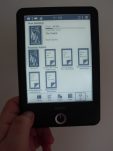
PocketBook 614 eReader launching Soon in Russia

New ebook reader launches may be few and far between here in the US but that’s not the case everywhere. The Ukrainian ereader maker Pocketbook has just unveiled their latest gadget, the Pocketbook 614.

Pocketbook hasn’t disclosed all of the details on their new device,  but I do know that this gadget will fall solidly in the middle between budget and premium models.

The  PocketBook 614 will come equipped with a 6″ E-ink screen, a 1 GHz CPU, and 256 MB RAM. In terms of storage it has 4GB internally, and it also has a microSD card slot for additional space. There are no details on Wifi, a frontlight, audio, or a touchscreen, but I would not assume that they are present.

Retails is set at 3990 rubles ($119 USD), and the  PocketBook 614 is due out in the next few months.

 For a blog called "The Digital Reader", I sure don’t post about very many ebook readers, do I? There’s a reason for that.

As much as I might want to deny it, fewer and fewer ereaders are being launched every year. When I was in Las Vegas for CES last year I spoke to reps with Gajah. They used to be one of the leading ereader OEMs (they sold their designs to other companies), but in the past year they have largely given up on developing new ereaders because they don’t sell as many new models as they used to.

This is part of the reason why they turned their attention to tablets and for consumer products like the InkCase and other accessories which add an E-ink screen to a smartphone. There’s a market for smartphones and tablets which dwarfs the ebook reader market, and that’s been true for some years now.

The-eBook.org

Japan Display Takes Aim at Smartwatch Market With New Low-Power LCD Watch Faces

Here’s a story I missed while at CES last week.

Japan Display, a specialist in cutting edge screen tech research and development, unveiled a couple new low-power screens last week. The screens measure 1″ across and 1.4″ diagonally, and are pretty clearly intended to go into smartwatches and other tiny mobile gadgets:

 According to the press release these 2 screen modules are based on screen tech which JDI has been working on since at least late 2012. They are reflective (no backlight) LCD displays which are designed to consume very little power, thus making them suitable for ultra-low power applications like smartwatches. These screens also feature a unique low-power trick: each pixel contains a small amount of sRAM. This enables the screen to maintain an image on the screen without constantly having to refresh it.

This tech first appeared in late 2012 when JDI showed off a 7″ prototype. I had been hoping that we might see that screen integrated into a tablet, but so far as I know that hasn’t happened. Instead JDI turned to producing a much less capable version of the screen for the wearables market.

The screen units shown above are only capable of displaying 64 colors, and not the thousands or millions of colors you might expect in a regular LCD screen. The round screen measures .99″ and has a resolution of 180 pixels, while the rectangular screen measures 1.39″ with a resolution of 205 × 148. They are in mass-production now, and with luck could show up in mobile devices later this year.


Lab126 is in the Middle of a Kindle Hiring Spree in Boston

It looks like Lab126 is about to open a new office in Boston, Mass.

The Boston Globe’s tech blog has discovered that Amazon is holding a private recruiting event at the end of the month. It’s their second recruiting party in Boston in as many months, and it's being held in a restaurant only a few blocks from the MIT campus. The invite for the first event drops a few revealing hints about Amazon’s future plans (or so I choose to believe):

If you cannot see the image, the second paragraph says that Amazon is "working on a revolutionary V1 product that will allow us to deliver Digital Media to our customers in new ways and disrupt the current marketplace." Curiously enough, that quoted section is missing from the invite for the second event.

Update: It’s been pointed out to me on Twitter that 30 December 2013 did not fall on a Thursday.  30 January 2014 does, which means that the screenshot above is the early flawed description for the event coming up in a couple weeks.

Would anyone care to guess what that revolutionary product might be?

Rumors have circulated in the past that Amazon is working on a set-top box, a smartphone, and even more smartphones, Assuming those rumors are true then this new product would have to be something different. And I don’t think a new ebook reader or tablet would qualify as revolutionary, so those are out as well (plus they would be developed by existing teams).

So what do you think the new device is going to be?

I’m thinking that it could be some type of wearable. I don’t think this product niche is ever going to amount to much, but wearables (smartwatches, Google Glass, and the like) are a hot topic right now. Amazon might want to put a team together just to explore the possibilities.

The market for wearables is awfully small at the moment and populated by marginally functional products, but that doesn’t mean that it won’t grow. In fact, the ebook reader market in 2007 looked a lot like the wearables market does today. Perhaps Amazon might be able to upset the wearables market with a new product just like they did with the Kindle?

P.S. Amazon might also be recruiting developers for a software product; an app can be just as revolutionary as a new gadget. Would anyone care to guess what that might be?

Boston.com